Direct answer
Check the mounted path, the absolute CLAUDE_CONFIG_DIR value, the container user’s ownership and whether the mount allows writes. The official persistence pattern is a ~/.claude volume with CLAUDE_CONFIG_DIR, but that pattern does not guarantee access. Treat community login reports as specific cases. Do not bypass permissions, copy credentials as a universal remedy or infer a fix for the unverified root issue.
Why a visible config file can still fail
Docker can expose a host directory inside a container without giving the container user the expected ownership or write access. The files may appear in a directory listing while updates fail later. That creates a misleading diagnosis: the configuration exists, so the team assumes authentication is broken.
A bind mount also has a target inside the container. CLAUDE_CONFIG_DIR can name a different absolute path, leaving Claude Code to use an empty or disposable directory. Path mismatch and permission failure can therefore produce similar symptoms through different mechanisms.
The dev container authentication persistence guide establishes the official volume pattern. This article handles the next layer: whether the intended container user can actually read and update that mounted state. The absolute config-directory guide covers path syntax and launch contexts.
Rushed fixes make the evidence worse. Changing ownership broadly can expose files to unintended users. Making a mount writable without identifying its owner can widen access to unrelated content. Copying a credential file can create another stale secret. Start with the smallest observation that distinguishes path, ownership and write access.
Evidence boundaries
Official, F088: the development-container documentation recommends a ~/.claude volume with CLAUDE_CONFIG_DIR for persistence. The recommendation does not remove the need to check mount ownership and write access.
Community, F086: issue #1736 includes an individual report that read-only authentication mounts could interfere with credential updates. The thread closed as completed, but the fetched content does not establish a universal maintainer fix or one solution for every host.
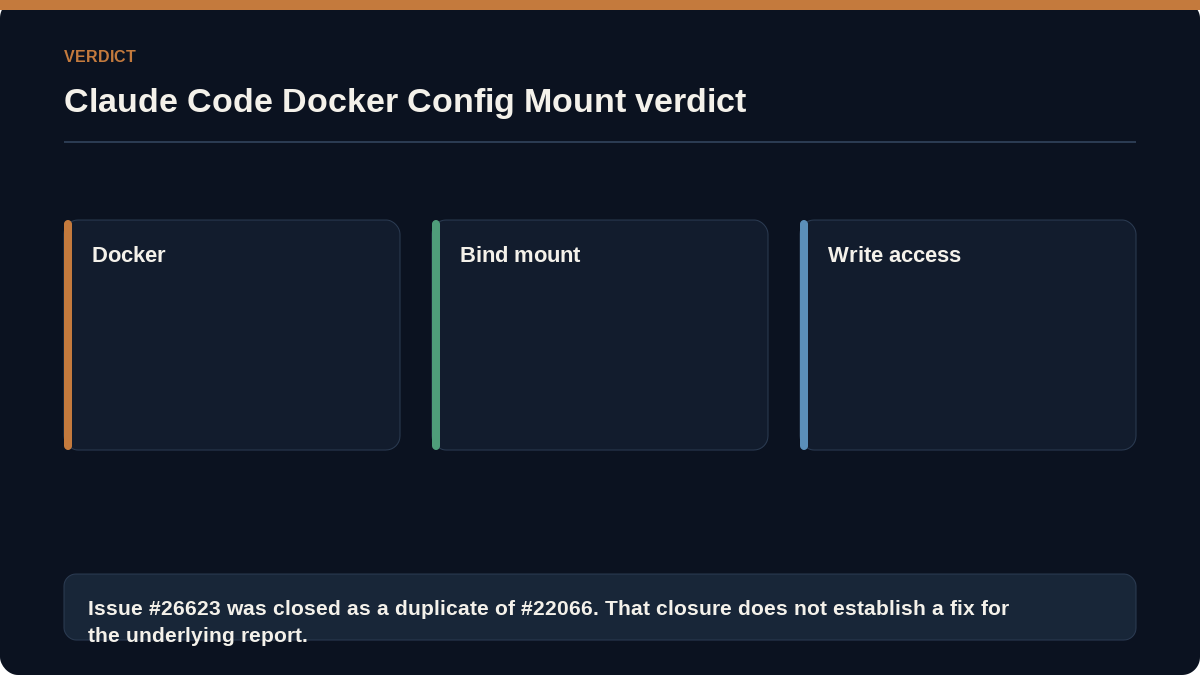
Community, F087: issue #26623 reported a Claude Code 2.1.45 VS Code Dev Containers configuration problem and closed as a duplicate of #22066. It was not fixed individually. The underlying issue body and current state were not fetched in this research pass.
Unknown: the evidence does not show that all Docker setups fail, nor does it establish a fix for #22066. A local mount inspection is still required.
Identify the mounted configuration path
Find the configuration mount in the Docker or development-container definition. Record its host source and container target without printing credential contents. Then compare that target with the directory Claude Code is expected to use.
A mount can be present at the wrong user’s home. Another can be nested under a directory that the container user cannot traverse. Both cases make the path look plausible while preventing effective access.
| Mount property | Configuration behavior to check | Evidence to retain |
|---|---|---|
| Host source | Which host directory supplies the configuration | Redacted source identity |
| Container target | Where the directory appears inside the container | Literal absolute target |
| User context | Which user runs Claude Code | User and effective home |
| Config variable | Which directory CLAUDE_CONFIG_DIR names |
Literal absolute value |
| Mount mode | Whether the mount is read-only or writable | Observed mount property |
| Directory access | Whether the user can traverse and read the path | Access result for that user |
The container user, HOME and workspace guide is the reference when a non-root user’s home differs from the path used in the definition. Do not assume every container runs as root or shares one default user.
Compare the mount target with CLAUDE_CONFIG_DIR
Treat the mount target and CLAUDE_CONFIG_DIR as two values that must align. Official guidance pairs the ~/.claude volume with the variable. The environment-variable reference requires an absolute path and notes that shorthand such as ~ or $HOME stays as typed.
For a hypothetical user with home /home/dev, a matching record is:
Mount target: /home/dev/.claude
CLAUDE_CONFIG_DIR: /home/dev/.claude
Derived example: equality between these two absolute paths establishes path alignment for this illustrative setup. It does not establish ownership, write access or persistence after recreation.
A mismatch needs a path correction before a permissions change. Making the wrong directory writable cannot cause Claude Code to use the intended mount. Likewise, changing the variable to a readable but incorrect directory can hide the original problem.
The settings environment replacement guide explains process timing. Relaunch the relevant session after a startup-sensitive variable change, then repeat the path comparison in that new process context.
Inspect container-user ownership
Inspect ownership as the user that launches Claude Code. Host ownership and container ownership can look different depending on the mount and platform. A directory owned by another identity may be readable while remaining impossible to update.
Do not translate that observation into a universal UID or GID mapping. The supplied evidence establishes none. Record the actual identities shown by the environment and involve the host or container owner before changing them.
| Observation | Narrow interpretation | Safe next action |
|---|---|---|
| Mount missing | Persistence layer is absent or attached elsewhere | Repair the mount definition |
| Mount visible under another home | User-context mismatch | Align home, target and config variable |
| Directory readable, not writable | Access supports loading but not updates | Repair intended user access |
| Parent directory not traversable | Effective access fails before the config file | Inspect the path chain for that user |
| Writable but config still ignored | Path or credential source may differ | Compare absolute target and active credential source |
| Access works only as another user | Runtime user context differs | Run the check as the intended user |
The credential precedence guide helps when a writable, correctly mounted configuration is not the active credential source. Permissions cannot override a higher-priority credential.
Check whether the mount is read-only
A read-only mount can expose existing files and still prevent credential updates. F086 supports this as an individual community report, not a universal Docker failure. Check the actual mount mode before changing authentication settings.
Do not respond by disabling all permission checks or running every process with broader authority. Those actions change the security boundary without proving the cause. Repair the intended access path through the host or container configuration owner.
A writable mount also needs correct ownership. Write permission for an unrelated identity does not help the container user. Conversely, changing ownership on a broad host directory can affect tools outside Claude Code. Keep the change scoped to the configuration location under test.
The settings-file secret exposure guide explains why configuration artifacts deserve restricted handling. A permission repair should not turn the credential directory into a broadly readable project folder.
Verify credential-file access
Verify access without displaying credential contents. The question is whether the intended user can load and update the configured state, not whether a support ticket can include the file body.
Read success plus write failure is a distinct result. It supports investigating update access rather than replacing the account or reinstalling Claude Code. A successful write check should use the normal application flow where possible, not an artificial permission change that masks the real behavior.
The credential storage path reference documents operating-system locations and protection models. Use it to identify the expected store, then keep the contents out of logs and screenshots. The secret handling and transcript guide adds practical redaction guidance.
If access appears correct but the session still uses another identity, inspect the active credential source. The API key, helper and OAuth precedence runbook prevents a mount repair from being confused with an environment override.
Read issue #1736 as an individual report
Issue #1736 is useful because it records a plausible interaction between authentication state and read-only mounts. It is not a universal defect report. The thread closed as completed, yet the fetched evidence does not identify one maintainer-approved solution for every host.
| Community issue | Verified status | Supported use | Unsupported use |
|---|---|---|---|
| #1736 | Closed as completed | Individual read-only and host-use caveats | Claiming a universal fix or failure |
| #26623 | Closed as a duplicate of #22066 | A specific 2.1.45 VS Code Dev Containers report | Claiming it was fixed individually |
| #22066 | Linked from #26623; body and current state not fetched | Naming the underlying report | Asserting its outcome or current behavior |
Keep the distinction between closure and resolution visible. A completed or duplicate label describes issue handling. It does not prove that a particular reader’s mount will work after the same change.
Read issue #26623 with its duplicate status
F087 names Claude Code 2.1.45 in an individual VS Code Dev Containers configuration report. That version is part of the report’s scope, not a universal compatibility boundary. The issue closed as a duplicate of #22066 and was not fixed individually.
The underlying #22066 page appears in the source list because #26623 points to it. This research pass did not fetch its body or current state. Do not infer a root cause, fixed version or recommended workaround from the title alone.
The VS Code Dev Containers alignment guide turns the official path rules into a user-and-mount checklist. It also preserves the duplicate status. Use that guide for the IDE-specific sequence rather than treating this Docker inspection as proof of a VS Code defect.
Worked example: separate readability from writability
Suppose a host directory is mounted at /home/dev/.claude, and CLAUDE_CONFIG_DIR names the same absolute path. The intended container user can read a settings file but cannot update authentication state. The mount is read-only.
Derived diagnostic classification: path alignment passes, read access passes and write access fails. The evidence points to mount access rather than a missing configuration file. Repair the intended mount access through the environment owner, then repeat authentication and rebuild checks.
Now change only the mount mode in the example and assume the user can write. Derived arithmetic: one directory has two independent access properties, readable and writable. 2 × 2 = 4 possible combinations. Only the readable-and-writable combination supports both loading and updating. This is a logical matrix, not a measured success rate.
A third outcome has a writable mount at /home/other/.claude while the variable names /home/dev/.claude. Derived diagnostic classification: write access exists at the wrong target. Correct path alignment before changing ownership. The example shows why a broad permission repair can succeed superficially while leaving Claude Code on the wrong directory.
Observed access versus the narrow next action
| Observed access | Path aligned? | Next action | What not to do |
|---|---|---|---|
| No directory visible | Unknown | Inspect mount presence and target | Reinstall the CLI first |
| Readable, not writable | Yes | Repair intended mount access | Bypass all permission checks |
| Writable at another path | No | Align target and absolute variable | Change ownership on unrelated directories |
| Readable and writable | Yes | Check credential source and rebuild behavior | Assume persistence is proven |
| Works as another user | Yes for that user | Compare the intended runtime user | Invent a universal UID mapping |
| Works before rebuild only | Yes | Inspect mount lifecycle and persistence | Copy credentials as the default remedy |
The settings validation and doctor guide can identify rejected settings entries after filesystem access is established. It does not replace mount inspection.
Record the mount-specific result
Keep a record that separates observation from interpretation. Include the mount target, absolute config value, runtime user, read result, write result, mount mode and rebuild result. Exclude credential values.
Mount target: record the literal container path
CLAUDE_CONFIG_DIR: record the literal absolute value
Runtime user: record the user that starts Claude Code
Read access: record the observed result for that user
Write access: record the observed result for that user
Mount mode: record read-only or writable
Rebuild result: record whether the same access remains
This record format avoids assuming a specific Docker command or development-container syntax. Apply changes through the current documentation for the tool that owns the definition.
The proof-of-work verification guide provides a useful reporting pattern. State what passed, what failed and what changed between attempts. Avoid a report that says only “Docker auth broken.”
Escalate with a mount evidence packet
Support becomes faster when the report separates filesystem observations from authentication theories. A useful packet names the container definition, the literal mount target, the absolute config value and the runtime user. It also states whether the mount was read-only, whether reads succeeded and whether the normal update path could write.
Keep the before-and-after definition with the result, but remove credential values and unrelated environment entries. If a host path is sensitive, use an approved internal identifier rather than publishing the full source path. The goal is reproducibility, not a complete dump of the machine.
A controlled comparison should change one layer at a time. Correct path alignment first, relaunch and observe. Repair intended user access second, then observe again. Rebuild last so the final result includes persistence. Changing all three together may produce a working session without revealing which correction mattered.
When a community issue resembles the failure, attach its exact status and scope. For example, #1736 closed as completed but does not supply one universal maintainer fix. Issue #26623 closed as a duplicate, and the underlying #22066 body was not fetched here. Those distinctions prevent a support thread from treating issue handling as a verified resolution.
The proof-of-work verification guide helps format the evidence, while the secret handling and transcript guide explains redaction. A clear packet can end with a narrow request: confirm the intended owner for this mount, review the absolute path, or inspect why the runtime user cannot update state.
Practical permission checklist
- Identify the host source and container target of the configuration mount.
- Compare the target with the literal absolute
CLAUDE_CONFIG_DIRvalue. - Identify the user that launches Claude Code and that user’s home.
- Inspect ownership and path traversal as that user.
- Check whether the mount is read-only.
- Verify read access without displaying credential contents.
- Verify the normal update path can write state.
- Relaunch after a startup-sensitive path change.
- Rebuild or recreate the container and repeat the checks.
- Record the result and the exact issue evidence used.
The environment replacement timing guide helps when the value looks correct in one shell but not in the launched session. The five-scope settings precedence guide helps when configuration files load but another scope changes the effective setting.
Concrete win, loss and implication
Win: separating path alignment, user ownership and write access can identify a mount-specific failure without replacing credentials or reinstalling the CLI. A readable-but-read-only result directly supports a narrow access investigation.
Loss: broad ownership changes or writable mounts can expose configuration beyond the intended user. Community issue closures also do not supply a universal fix, so copying a reported workaround can create new state without resolving the original cause.
Implication: store the runtime user, mount target, absolute config path and access results with the container definition. A support report that omits those fields cannot distinguish a path error from a permission error.
Data gap and future update
The body and current state of #22066 were not fetched, and no fix is inferred. Issue #1736 does not establish one maintainer guarantee for every host. There is also no measured Docker authentication success rate in the supplied record.
Recheck the underlying issue and current official development-container guidance before adding a fixed version or universal remedy. Until then, report the observed mount behavior and keep the community evidence bounded to the individual scenarios it describes.
One AI option for OpenAI-format agents
For agents that use the OpenAI request format, One AI provides one key for https://api.oneaiapikey.com/v1 and 46 live free IDs at the free model catalogue. These IDs are not offered as Claude Code credentials, and this option does not change the Anthropic-format route used by Claude Code.
Related batch runbooks
- Persistent dev container authentication volume
- VS Code Dev Containers config path and user alignment
- Container HOME, config volume and workspace ownership
- Absolute CLAUDE_CONFIG_DIR paths for authentication storage
- Official dev container feature and conditional Node fallback
- Credential precedence and higher-priority overrides
- Credential storage paths and protection by operating system
- Settings environment replacement and relaunch timing
- Five settings scopes in exact order
- Settings validation with status and doctor
- Browser sign-in and logout state transitions
- JetBrains external-terminal host placement and /ide
For adjacent boundaries, the WSL IDE environment guide covers launch-context loss, while the macOS Keychain permissions guide covers a different credential store. The agent harness security boundary explains why broad permission changes deserve separate review. Official entry points are collected in the documentation hub, and more runbooks appear in the Claude Code blog.
FAQ
Why can Claude Code see the mounted file but fail to save authentication state?
Read access and write access are different. A read-only mount or ownership mismatch can allow loading while preventing updates. Inspect the actual mount mode and access as the user that runs Claude Code.
Does issue #26623 prove a Docker or VS Code defect?
No. It is an individual Claude Code 2.1.45 report closed as a duplicate of #22066. It was not fixed individually, and the underlying issue was not fetched in this research pass.
Should I copy the host credential file into the container?
Not as a universal remedy. Copying can create stale state and another secret location. Start with the official volume pattern, absolute path, runtime user and write access.
Can I make the mount writable and skip ownership checks?
Writability for the wrong identity does not establish access for Claude Code. Repair the intended user’s access through the environment owner rather than bypassing permissions or widening access indiscriminately.
More Claude Code troubleshooting
- Claude Code Native Install: Verify PATH and Binary Ownership
- Claude Code Homebrew Install: Manage Cask Updates Manually
- Claude Code WinGet Install: Locate the Binary and Maintain PATH
- Claude Code npm Install: Node 22, Global Prefix and PATH
- Claude Code Linux Packages: Compare apt, dnf and apk Updates
- Claude Code Update Channels: Stable, Latest and Minimum Version
- Claude Code Uninstall: Remove Binaries and Preserve Configuration
- Claude Code SSO Login: Restrict Organization and Login Method
- Claude Code apiKeyHelper: Dynamic Keys and Refresh Timing
- Claude Code Settings Merge: Project Local Versus User Values
- Claude Code Global Config: ~/.claude.json Versus settings.json
- Claude Code Terminal Keybindings: Shift+Enter Compatibility Guide
- Claude Code tmux Setup: Passthrough Keys and Notification Bells
- Claude Code Terminal Theme: Light, Dark and Custom JSON
- Claude Code VS Code Install: Extension Panel and Standalone CLI
- Claude Code VS Code Settings: Preferences, Auto-Connect and Relaunch
- Claude Code JetBrains Install: CLI Plus Marketplace Plugin
Sources
- How to avoid re-authenticating in docker container? #1736
- [BUG] Claude Code fails to use Config Dir inside VSCode Dev Containers #26623
- [BUG] OAuth authentication not persisting in Docker container despite credentials file being saved #22066
- Development containers - Claude Code Docs
- Environment variables - Claude Code Docs
- Troubleshooting - Claude Code Docs