Direct answer
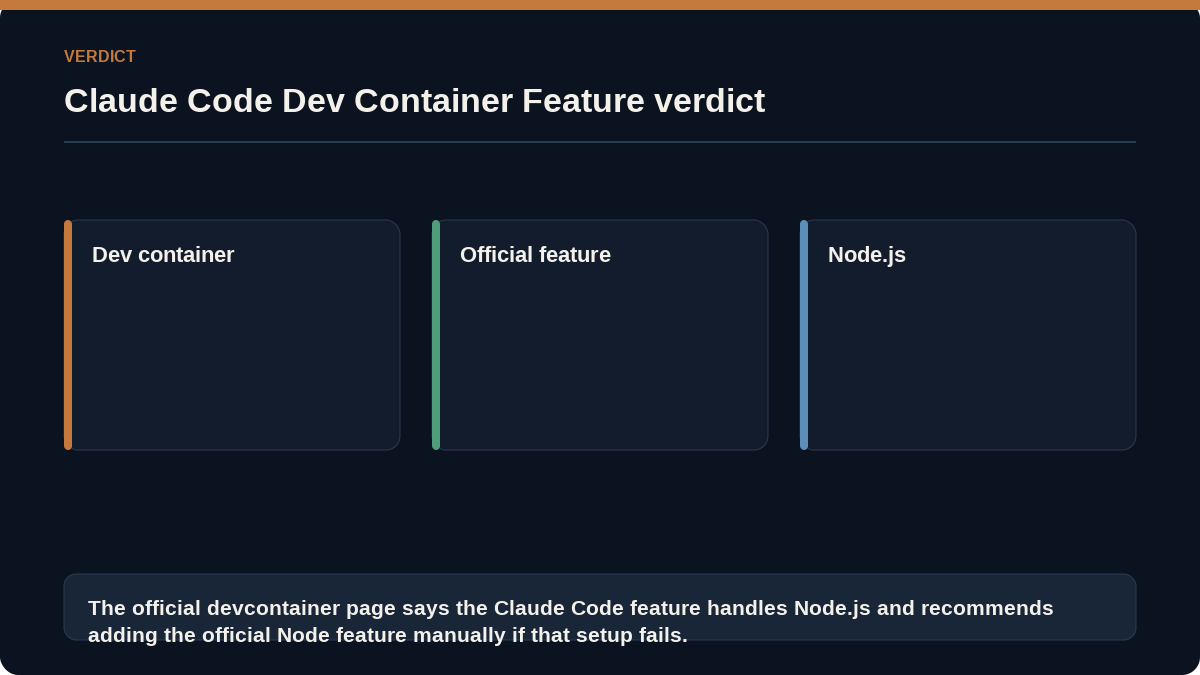
Add the official Claude Code Dev Container Feature to devcontainer.json and let it handle Node.js setup first. If that setup fails, the official development-container guidance says to add the official Node feature manually. The fallback is conditional, not a second installation required for every base image. Apply the edit by rebuilding the development container, start Claude Code inside it and record the feature configuration that produced the result.
Why fallback decisions get expensive
A failed container setup invites broad changes. A developer may replace the base image, add project packages, copy a host installation or pin a remembered feature tag. Each change makes the next rebuild harder to interpret. The documented path is narrower: compose the official Claude Code feature, observe whether its Node.js handling succeeds and add the official Node feature only when that handling fails.
Container rebuilds can also blur installation with authentication. A missing credential after a successful feature build is not evidence that Node.js setup failed. Keep those checks separate. The persistent dev container authentication guide covers configuration volumes and CLAUDE_CONFIG_DIR; it does not diagnose the feature’s runtime setup.
The practical loss from a hasty fallback is configuration drift. Teams end up with different definitions that appear to do the same thing but fail on different base images. A recorded feature list gives the next developer a starting point. It also lets an operator compare a working definition with a failing one without guessing which runtime component changed.
Evidence boundaries
Official, F080: the documented development-container installation path uses the Claude Code Dev Container Feature in devcontainer.json. Use the current official feature reference when editing the real definition. This article does not invent a registry key, tag or feature version.
Official, F081: the Claude Code feature handles Node.js setup. The page does not promise that this setup succeeds in every base image. A failure is therefore possible without making the documented route invalid.
Official, F082: if the feature’s Node.js setup fails, add the official Node feature manually. This is a conditional fallback. It should not become an automatic duplicate layer in every container.
Unknown: the frozen evidence does not preserve the exact feature reference strings or a compatibility matrix for base images. Copy those references from the current development-container documentation when applying the change. Do not reconstruct them from memory.
Start with a development container definition
Open the devcontainer.json that owns the development environment under test. Confirm that you are editing the definition used by the current project rather than a similarly named file in another checkout. Keep the existing base image and workspace arrangement unchanged during the first attempt.
A definition can contain several concerns: the image or build source, workspace location, features and environment settings. Add the Claude Code feature at the feature layer. Do not move runtime installation into project dependency files or unrelated startup scripts.
| Definition element | Purpose in this guide | What stays outside scope |
|---|---|---|
| Existing image or build source | Supplies the container starting point | Selecting a replacement image to hide a feature failure |
| Workspace arrangement | Identifies the project opened in the container | Project package installation and application builds |
features composition |
Adds the official Claude Code feature and conditional Node fallback | Invented feature tags or unsupported versions |
| Environment settings | Keeps runtime configuration explicit when needed | Broad credential or security redesign |
| Rebuild result | Shows whether the edited definition can be applied | A benchmark of rebuild speed |
The npm install Node prerequisite and global prefix guide provides background on a different installation route. Do not mix its global npm command into a feature-based container definition. The routes have different ownership rules.
Add the Claude Code dev container feature
Copy the current Claude Code feature reference from the official development-container page and add it to the definition’s feature composition. Keep any existing features intact. Record the reference exactly as copied so a later comparison can distinguish a documentation update from a local edit.
The feature is the documented installation mechanism under F080. A manual host install copied into the container is not an equivalent substitute in this runbook. It introduces another owner for updates and another artifact to inspect when the container changes.
After saving the definition, rebuild the development container through the tool that owns it. The purpose is to apply the feature composition before testing Claude Code. A successful rebuild shows that the definition was processed; it does not yet prove that Node.js setup succeeded or that authentication persisted.
The native install binary ownership guide is useful when a host-side executable problem is mixed into the report. For this path, keep the test inside the container so the feature’s result is not confused with a workstation PATH entry.
Understand the feature’s Node.js handling
Node.js is a runtime dependency for the npm installation route, and the official Claude Code feature handles Node.js setup for this dev-container path. That division of labor is the reason to try the feature alone first. Adding another runtime layer immediately can conceal whether the documented setup was already sufficient.
A successful Node.js setup should be followed by a container-side Claude Code startup check. Do not treat the presence of a Node executable alone as proof that the feature completed every installation step. Conversely, do not treat a later login prompt as proof that Node.js setup failed.
| Feature state | Documented responsibility | Narrow verification | Wrong conclusion |
|---|---|---|---|
| Claude Code feature only | Handles Node.js setup and installs through the feature path | Rebuild, then start Claude Code inside the container | Every container needs a separate Node feature |
| Node setup fails during feature processing | Exposes the documented fallback condition | Preserve the failure class, then add the official Node feature | The whole base image must be replaced |
| Claude Code starts but asks for login | Installation reached an interactive state | Check authentication persistence separately | Node setup must have failed |
| Runtime starts but project build fails | Application layer is involved | Keep project build diagnosis outside this feature runbook | The Claude Code feature owns application dependencies |
The credential precedence guide helps when a session starts but uses an unexpected credential source. That is an identity investigation, not a reason to add another runtime feature.
Recognize the documented fallback condition
Use the fallback when the Claude Code feature’s Node.js setup fails. Preserve the relevant error class and the definition that produced it. Avoid adding project packages, changing network policy and replacing the base image in the same attempt.
A generic container build failure does not automatically meet this condition. First identify whether the failure occurred in the feature’s Node.js handling. If the evidence points elsewhere, keep the feature composition unchanged and investigate that layer.
The Docker config mount permissions guide covers a different failure family: a mounted configuration directory that the container user cannot read or update. Similar visible symptoms do not make mount permissions and Node setup the same problem.
Official, F082: the response to a Node.js setup failure is to add the official Node feature manually. The source does not provide a universal version, a guaranteed repair for every image or a requirement to use the fallback preemptively.
Add the official Node feature manually
Copy the current official Node feature reference from the same documentation and add it alongside the Claude Code feature. Preserve the original Claude Code feature entry. The goal is an explicit runtime layer, not a replacement for the documented Claude Code installation path.
Record the before-and-after feature lists. A later operator should be able to see that the Node feature was added because the first composition failed at Node.js setup. That reason matters when someone considers removing the extra layer after a base-image change.
The settings precedence guide is a useful reminder that configuration has ownership and order. Feature composition has its own documented shape. Do not assume that every configuration concept follows the same merge rules.
After adding the fallback, rebuild the development container again. Keep the base image, workspace and project files constant so the new result can be attributed to the added runtime layer. If the failure changes, record the new class rather than calling the setup fixed.
Rebuild the development container
A rebuild applies the edited definition. Use the same development-container tool for both attempts so the comparison stays meaningful. Do not alternate between unrelated builders while diagnosing a feature failure.
Keep the first result and the fallback result separate. If the first build failed at Node.js setup and the second reaches Claude Code startup, that supports the documented fallback for this definition. It does not prove that every future base image will behave the same way.
A rebuild is also not a persistence guarantee. The dev container authentication volume guide explains the separate configuration mount and absolute-path pattern. If the runtime works but login disappears after rebuild, inspect persistence instead of adding more runtime components.
Verify Claude Code inside the container
Start Claude Code from the container terminal associated with the rebuilt environment. Confirm that the process belongs to the development container under test. A host-side success does not verify the feature installation.
Use a small, harmless interaction to establish that the CLI starts. Then separate runtime success from account success. A browser authentication handoff, a persisted credential and a working model request are different checkpoints.
| Checkpoint | Passing evidence | If it fails |
|---|---|---|
| Definition applied | Rebuild completes with the recorded feature list | Return to the feature composition, not project packages |
| Runtime available | Claude Code starts inside the intended container | Inspect whether the documented Node fallback condition occurred |
| Authentication available | The intended account can complete its normal sign-in flow | Follow identity and persistence guides |
| Container context correct | Session belongs to the intended project and user | Align user, home and workspace paths |
| Result repeatable | A later rebuild uses the same recorded definition | Compare definition changes before adding new layers |
The container user, HOME and workspace guide is the next reference when the runtime starts under an unexpected user context. It does not authorize a universal UID or GID mapping.
Record the feature configuration
Save the definition, the current official references used, the first failure class and the fallback result. Avoid storing secrets in that record. Feature references and rebuild outcomes are enough to explain the installation path.
A concise record can use these fields:
Definition under test: the project's devcontainer.json
Initial composition: official Claude Code feature
Initial result: record whether Node.js setup succeeded or failed
Fallback condition: feature Node.js setup failed
Fallback composition: official Claude Code feature plus official Node feature
Rebuild result: record the observed outcome
Container verification: record whether Claude Code started
This block is a record format, not a runnable configuration. The exact feature reference strings must come from the current official page because they are not preserved in the frozen fact pack. Keeping that boundary explicit prevents a remembered registry path from becoming an undocumented project convention.
Worked example: count the layers, then test the result
Assume a project definition already contains unrelated features and has no Claude Code feature. Add the official Claude Code feature while preserving those entries. For the Claude Code contribution alone, the count changes from zero to one.
The first rebuild reaches the feature’s Node.js setup and fails. Under F082, add the official Node feature. For the Claude Code-related contribution, the count changes from one to two: the Claude Code feature plus the Node fallback.
Derived arithmetic: 0 + 1 = 1 initial Claude Code feature, then 1 + 1 = 2 features after the documented fallback. This arithmetic describes the example’s composition only. It is not a performance measure or a universal feature requirement.
Apply the fallback with the same base image and workspace. If Claude Code starts, record a successful fallback for that definition. If Node.js setup still fails, do not add a third guessed runtime layer. Preserve the new failure and compare the official references, base image and container context.
A second example starts with the Claude Code feature alone and reaches Claude Code startup. No Node fallback is added. Derived decision: the documented fallback condition was not observed, so the minimal recorded composition remains the feature-only path.
Decision matrix for the next rebuild
| Observation after first attempt | Documented branch | Next action | Evidence label |
|---|---|---|---|
| Claude Code starts inside the container | Node.js handling did not block startup | Keep the feature-only composition | Official path plus local observation |
| Feature fails during Node.js setup | Conditional fallback applies | Add the current official Node feature and rebuild | Official F082 |
| Build fails before a Node setup result | Fallback condition not established | Preserve the actual failure class | Unknown until inspected |
| Claude Code starts but login disappears | Runtime and persistence are separate | Inspect the config volume and absolute path | Official persistence guidance |
| CLI works under a different user | User context differs | Align HOME, config and workspace ownership | Diagnostic classification |
| Project application build fails | Outside feature installation scope | Use the project’s own build diagnostics | Separate layer |
The settings validation and doctor guide can help inspect rejected configuration entries. It does not replace the container-side runtime check or prove that a feature reference is current.
Practical feature checklist
- Open the
devcontainer.jsonused by the project under test. - Preserve the current base image, workspace and existing features.
- Copy the current official Claude Code feature reference from the documentation.
- Add it to the feature composition and record the exact reference.
- Apply the edit through the same development-container tool.
- Determine whether the feature’s Node.js setup succeeded or failed.
- Add the current official Node feature only for the documented failure condition.
- Apply the fallback with other definition elements unchanged.
- Start Claude Code inside the container and separate runtime from login checks.
- Record the final composition, outcome and any unresolved failure class.
The environment replacement timing guide helps when a runtime variable appears correct in one launch context but not another. Avoid using it to explain a failure that occurred before Claude Code started.
Concrete win, loss and implication
Win: a team can keep the documented feature-only path when Node.js setup succeeds, then add the official Node feature for the exact failure condition named by the documentation. The resulting record explains why the definition has its current layers.
Loss: adding the Node feature to every container can hide whether the Claude Code feature’s own setup was sufficient. Guessing feature references or versions creates a different problem because the definition may no longer match the official path.
Implication: treat feature composition as a reviewed installation artifact. Store the copied official references and the observed fallback reason with the project so rebuilds do not depend on individual memory.
Data gap and future update
The source does not promise Node.js setup success for every base image. The frozen evidence also omits exact feature registry references, tags and a compatibility matrix. Recheck the current official development-container page before changing a real definition, and revise the record if the published references change.
No rebuild timing, success rate or fixed version is claimed. A future update should add those details only when an official source or reproducible local evidence supports them. Until then, the honest result is a conditional procedure with a recorded outcome for each definition.
One AI option for OpenAI-format agents
For separate agents that use the OpenAI request format, One AI offers one key for https://api.oneaiapikey.com/v1 and 46 live free IDs listed in the free model catalogue. This is not a Claude Code model route, and those free IDs are not claimed to work as Claude Code credentials.
Related batch runbooks
- Absolute CLAUDE_CONFIG_DIR paths across shells and IDEs
- Credential source precedence and unintended overrides
- Five settings scopes and key-specific exceptions
- Persistent dev container authentication volume
- Docker bind-mount ownership and write access
- VS Code Dev Containers config path alignment
- Container user, HOME, config and workspace alignment
- JetBrains external terminal host placement and /ide
- VS Code extension versus standalone CLI installation
- Settings environment replacement and relaunch timing
- npm install Node prerequisite and global prefix
- Native install PATH and binary ownership
For adjacent failure layers, the dependency install side-effects guide covers project package scripts without changing this feature runbook. The corporate proxy and TLS guide addresses a separate network boundary. Configuration evidence still needs protection, as described in the settings-file secret exposure guide. Use the proof-of-work reporting pattern to preserve rebuild evidence. Official Claude Code entry points remain available through the documentation hub and the blog collection.
FAQ
Do I need the official Node feature in every dev container?
No. Official guidance says the Claude Code feature handles Node.js setup. Add the official Node feature manually if that setup fails. A preemptive duplicate layer is not the documented default.
Can I paste a remembered feature tag into devcontainer.json?
Use the current official feature reference instead. The frozen evidence does not preserve registry keys or tags, and a remembered value can drift from the documented installation path.
Does a successful rebuild prove authentication will persist?
No. A successful rebuild shows that the definition was applied. Persistence requires the separate configuration-volume and absolute-path checks covered by the dev container authentication guide.
What if Node.js setup still fails after the fallback?
Preserve the new failure class and compare the official references, base image and container context. Do not invent another runtime layer or version. The supplied sources do not establish a universal next fix.
More Claude Code troubleshooting
- Claude Code Homebrew Install: Manage Cask Updates Manually
- Claude Code WinGet Install: Locate the Binary and Maintain PATH
- Claude Code Linux Packages: Compare apt, dnf and apk Updates
- Claude Code Update Channels: Stable, Latest and Minimum Version
- Claude Code Uninstall: Remove Binaries and Preserve Configuration
- Claude Code Login: Browser Redirects and First-Launch State
- Claude Code Credential Storage: macOS, Linux and Windows Paths
- Claude Code SSO Login: Restrict Organization and Login Method
- Claude Code apiKeyHelper: Dynamic Keys and Refresh Timing
- Claude Code Settings Merge: Project Local Versus User Values
- Claude Code Global Config: ~/.claude.json Versus settings.json
- Claude Code Terminal Keybindings: Shift+Enter Compatibility Guide
- Claude Code tmux Setup: Passthrough Keys and Notification Bells
- Claude Code Terminal Theme: Light, Dark and Custom JSON
- Claude Code VS Code Settings: Preferences, Auto-Connect and Relaunch
- Claude Code JetBrains Install: CLI Plus Marketplace Plugin