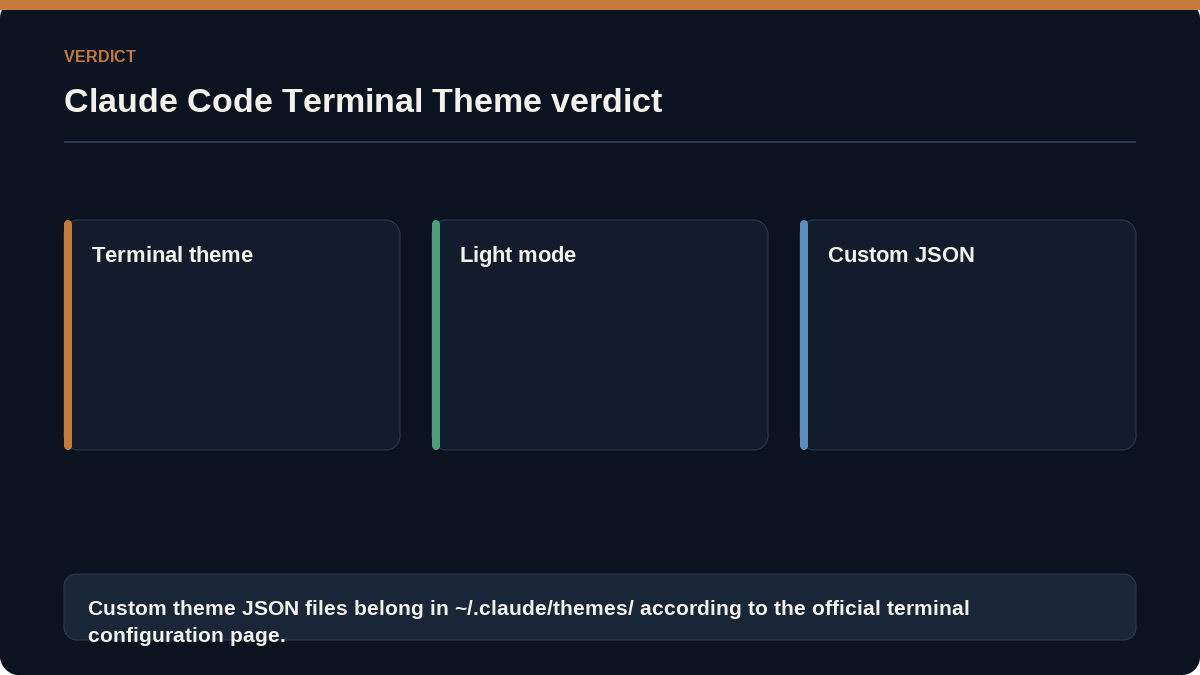
Claude Code can match a terminal’s light or dark mode through /theme or /config, according to official guidance. A custom theme is a JSON file placed in ~/.claude/themes/, with name, base and overrides elements. Documented color formats include hex, RGB, ANSI256 and standard ANSI names. If CLAUDE_CONFIG_DIR is configured, the effective configuration root may differ from ~/.claude.
The practical verdict is to separate appearance from behavior. Select light or dark first, add a minimal custom file second, and override only color tokens named in the current documentation. A theme does not change permissions or model behavior. Automatic light/dark detection is not promised for every terminal, so verify the selected appearance in the real emulator instead of assuming the operating system setting was detected.
Why appearance configuration still needs care
A terminal theme controls how the interface is drawn. It does not repair an input protocol, choose a model or approve a tool. Keeping that boundary clear prevents a visual problem from turning into an unnecessary configuration investigation.
Contrast trouble can still be costly. Text that disappears against a background slows reading and makes status differences harder to notice. A custom palette that looks pleasant in one terminal can become difficult to read in another because terminal color handling differs. The goal is a readable match, not a claim that one palette is universally best.
File placement is the other operational concern. A valid JSON file in the wrong directory is still invisible to the application. A file under the default ~/.claude/themes/ path can also be irrelevant when the session uses a different configuration root. Those are setup questions, not evidence that the theme format is broken.
Teams benefit from a small, reviewable theme file. One named base, a clear name and a short override list are easier to audit than a copied palette containing undocumented keys. The global config versus settings.json guide explains why configuration keys do not all share one storage file, while the settings validation guide covers loaded and rejected settings rather than visual rendering.
Evidence map: interface, file placement and color formats
Official evidence supports three parts of this task. F062 names /theme and /config for light or dark matching. F063 places custom JSON in ~/.claude/themes/ and identifies name, base and overrides. F064 lists the supported color-format families.
No community measurement is needed for those facts. The packet also contains no accessibility benchmark, default palette values or measured readability result. Missing measurements keep the recommendations focused on documented placement and a local visual check rather than unsupported performance claims.
Choose light or dark mode
Start with the terminal’s intended appearance. If the surrounding terminal uses a light background, select the light path through /theme or /config. If it uses a dark background, select the dark path. The official fact says these interfaces can be used to match the terminal; it does not promise automatic detection everywhere.
A direct choice is more reliable than an assumption about environment detection. Record what you selected, then inspect ordinary text, input text, status information and any visible diff styling in the actual terminal. Those surfaces are where a poor match becomes obvious during work.
| Theme action | Documented interface | Verification target |
|---|---|---|
| Match a light terminal | /theme or /config |
Text and status elements remain readable |
| Match a dark terminal | /theme or /config |
Text and status elements remain readable |
| Rely on automatic detection | Not promised for every terminal | Observe the actual selected appearance |
| Change a custom palette | Custom JSON plus documented overrides | Recheck the full interface after selection |
Avoid changing model or permission settings while adjusting appearance. If a permission prompt behaves differently after a theme change, treat that as a separate question. The permission settings article about secrets covers a specific configuration risk, but a color theme is not a mechanism for granting tool access.
Use /theme or /config
Both commands are documented entry points for matching Claude Code to a terminal’s light or dark mode. Use the interface presented by the running client and select the intended appearance. The fact pack does not enumerate every menu label, so follow the visible prompts rather than relying on a memorized screen layout.
After selection, keep the terminal open long enough to inspect more than the welcome area. Look at body text, secondary text, the input area and any status styling that is visible. A quick glance at one heading can miss low-contrast supporting text.
When a custom theme already exists, note its name before changing the selection. A saved name makes it easier to return to the previous appearance if the new choice is unsuitable. Theme selection and custom file creation are related, but they are not the same action: one chooses what is displayed, while the other defines a reusable palette.
Inspect the custom theme directory
Official guidance places custom theme JSON files in ~/.claude/themes/. Check that directory before creating a file. An existing theme with the same intended name can make the result ambiguous, and a misplaced file outside the themes directory does not follow the documented layout.
A configured CLAUDE_CONFIG_DIR may change the effective root. Do not assume that every shell, IDE launcher or container uses the same value. The absolute CLAUDE_CONFIG_DIR guide explains the documented absolute-path requirement and why launch context matters.
| Location question | Documented answer | Safe action |
|---|---|---|
| Where do custom themes live? | ~/.claude/themes/ |
Inspect that directory first |
| What if CLAUDE_CONFIG_DIR is set? | Effective configuration root may change | Resolve the configured root before placing the file |
| Does every IDE inherit the shell environment? | Not established by this packet | Verify the launch context |
| Is a theme a credential file? | No | Keep credentials out of theme examples |
Keep the directory review read-only at first. Listing existing filenames is enough to understand the current layout. There is no need to print unrelated configuration contents or copy secrets into a theme file. The API key security guide for AI applications covers secret handling without treating a theme as credential storage.
Create a minimal custom theme JSON file
F063 identifies three elements: name, base and overrides. A minimal file can use a clear name, the documented base appropriate to the intended appearance and an empty overrides object. Empty overrides are useful because they establish the file structure without introducing unverified color keys.
{
"name": "Terminal Match",
"base": "dark",
"overrides": {}
}
Treat the base value as an illustrative dark-base choice, not as a claim about Claude Code’s default theme. Confirm the accepted base values in the current terminal configuration documentation before adopting the file. The important verified structure is the presence of name, base and overrides.
Save the file under the themes directory with a descriptive filename. Then select it through the theme interface and inspect the result. If it does not appear, check the effective configuration root and the file location before rewriting the JSON.
| Theme file element | Purpose | Boundary |
|---|---|---|
name |
Identifies the custom theme | Use a distinctive, readable name |
base |
Chooses the documented base preset | Do not invent a preset name |
overrides |
Holds supported color-token changes | Leave empty until exact documented keys are chosen |
| File location | Makes the theme discoverable | ~/.claude/themes/, subject to configuration root |
The settings env and process replacement guide explains why a changed environment value may not affect an already running process. A missing custom theme after changing CLAUDE_CONFIG_DIR is therefore a launch-context question before it is a JSON problem.
Use a documented base preset
A base preset provides the starting appearance. The override list then adjusts selected colors rather than redefining every part of the interface. That division keeps a custom theme small and makes the source of an unexpected color easier to trace.
Official guidance supports light and dark matching, but the fact pack does not list every accepted base identifier. Verify the exact value in the current documentation rather than borrowing preset names from another application. This matters because theme schemas are product-specific even when the words light and dark look familiar.
When changing a base, review the whole interface again. A base change can affect more surfaces than a single override, so a test focused on one line of text is incomplete. Record both the base choice and the overrides in the team note.
Avoid describing a custom base as a new model mode, safety mode or permission mode. Those concepts are unrelated. The five-scope settings precedence guide explains where Claude Code settings can be overridden, while the project-local versus user settings merge guide explains how an override can affect a preference that appears global. A theme file should not be used to express either kind of setting.
Override supported color tokens
Overrides belong under the overrides element, and their keys must be color tokens documented for Claude Code themes. Choose a token from the current official reference, copy its exact name and assign a documented color representation. Do not import a key list from VS Code, a terminal emulator or another chat application.
This restraint is practical. An unsupported key can make a file look plausible while failing to affect the intended surface, or it can be rejected depending on the running client. The fact pack does not provide a complete token list, so this guide deliberately does not manufacture one.
| Override decision | Safe method | Unsafe shortcut |
|---|---|---|
| Pick a surface to adjust | Find its exact documented token | Guess a key from its visual label |
| Pick a color | Use a documented format family | Add an unsupported format |
| Limit the change | Override only the intended tokens | Replace the entire base without review |
| Verify | Inspect the actual terminal after selection | Assume the file was loaded |
A short override list is easier to roll back. If readability gets worse, remove the recent override and test again before changing the base. That isolates the visual variable without touching permissions, authentication or model configuration.
Choose a documented color format
F064 names four format families: hex, RGB, ANSI256 and standard ANSI names. Use the representation that matches the color source you have. A terminal palette may expose ANSI names, a design file may provide hex and a calculated palette may produce RGB or ANSI256 values.
| Color format | Acceptable representation from the verified families | Use case |
|---|---|---|
| Hex | A six-digit hex value such as #2F5E43 |
Direct copy from a color source |
| RGB | Functional RGB such as rgb(47, 94, 67) |
Component-based conversion |
| ANSI256 | An indexed palette value | Palette-oriented terminal work |
| Standard ANSI | A documented standard ANSI name | Simple palette matching |
The values above are examples, not Claude Code defaults. They demonstrate representation only. Do not present #2F5E43 or rgb(47, 94, 67) as an official theme color.
For a concrete conversion, take the example hex value #2F5E43. Split it into byte pairs 2F, 5E and 43. Convert each pair from hexadecimal: 0x2F = 47, 0x5E = 94, and 0x43 = 67. The resulting RGB representation is rgb(47, 94, 67). This is derived arithmetic from a chosen example, not a measured product value.
ANSI256 conversion can be checked with the standard cube formula when that format is appropriate: index = 16 + 36 × red_level + 6 × green_level + blue_level, where each level is the nearest cube step on the 0 to 5 scale. The six cube steps are 0, 95, 135, 175, 215 and 255. For the example RGB values 47, 94 and 67, 47 is nearest to 0 (distance 47) rather than 95 (distance 48), 94 is nearest to 95 (distance 1) rather than 135 (distance 41), and 67 is nearest to 95 (distance 28) rather than 0 (distance 67). The levels are therefore 0, 1 and 1, so 16 + 36 × 0 + 6 × 1 + 1 × 1 = 23. Use an indexed value only when the documented token and terminal path call for ANSI256.
Verify the theme selection
Verification is visual and configuration-aware. Select the custom theme through the documented interface, then inspect the actual terminal. Confirm that the intended base is active and that ordinary text, secondary text, input text and visible status styling remain distinguishable.
A file existing on disk is not proof that the running session selected it. Likewise, a theme name appearing in the interface does not prove that every override rendered as intended. Keep those checks separate.
Test in the environment where the theme will be used. A standalone terminal and an IDE terminal can expose different color handling. If the theme is intended for both, verify both rather than treating one successful window as proof for the other.
Record a specific observation: “Terminal Match selected, dark base active, input and status text readable in the target emulator.” Avoid a vague statement such as “theme works.” The useful record names the theme, base, surface and result.
Worked example: one color, one documented token
Suppose a developer wants a status accent to match a color already present in a design file. The verified starting point is #2F5E43. The conversion above produces rgb(47, 94, 67), and either representation belongs to a documented format family.
The next step is deliberately not a guessed JSON key. Open the current Claude Code theme documentation, find the exact token for the intended status surface and confirm that it accepts the chosen representation. Add only that token under overrides. If the documentation does not identify the surface, leave the override out rather than inventing a key.
| Worked step | Input | Result or decision |
|---|---|---|
| Choose a color | #2F5E43 from the design source |
Hex is a documented format |
| Convert if needed | 2F, 5E, 43 |
RGB components are 47, 94 and 67 |
| Select a token | Current official theme reference | Exact documented key, or no override |
| Apply and inspect | Target terminal | Record readability and selected theme |
This example is useful because it stops at the evidence boundary. It demonstrates format conversion without pretending that an arbitrary token name is supported. It also keeps the palette value clearly separate from official defaults.
A team can review the final file as a small diff: one name, one base and one documented override. That is easier to reason about than a large copied theme with undocumented fields.
Record the theme without mixing configuration owners
A theme record should include the file location, effective configuration root, theme name, base choice, override list and the terminal where it was verified. Add the check date because accepted keys and interfaces can change.
| Configuration owner | Theme-related concern | Keep separate from |
|---|---|---|
| Theme interface | Light/dark or custom selection | Model selection |
| Theme JSON | Name, base and overrides | Permission settings |
| Configuration root | Directory used by the session | Credential contents |
| Terminal emulator | Rendering and color handling | CLI installation ownership |
| Team note | Reproduction details | Unverified default palette claims |
The VS Code extension and standalone CLI guide explains that the editor panel and terminal can be different execution surfaces. That distinction matters when a theme looks correct in one surface but not the other. The VS Code auto-connect and relaunch guide covers startup-sensitive connection behavior, not color rendering.
Concrete win, honest loss and practical implication
The win is a small, documented customization path. A developer can match light or dark mode, place a minimal JSON file in the themes directory and add only supported overrides. The structure is reviewable and does not require changes to unrelated settings.
The loss is portability and missing palette evidence. The fact pack supplies no default color values, no complete token list and no readability benchmark. Automatic detection is not promised for every terminal. A custom theme that is readable on one emulator still needs verification on another.
The practical implication is to keep the base simple, the override list short and the test surface explicit. Store the theme with the configuration root used by the session. Recheck the official token list before adding a new override. Do not use a theme change as evidence that model behavior, permissions or authentication changed.
Theme setup checklist
Before calling the theme complete, confirm each item:
- Light or dark mode was selected through
/themeor/config. - The effective
CLAUDE_CONFIG_DIR, if any, was identified. - The themes directory was inspected before adding a file.
- The JSON contains
name,baseandoverrides. - The base value was checked against current documentation.
- Every override key is a documented color token.
- Every color value uses a documented format family.
- No default colors were invented or attributed to Claude Code.
- The selected theme was inspected in the target terminal.
- Model and permission settings were left outside the theme change.
What the public data does not show
No public evidence in this packet supplies the full theme-token list, official default palette values, a universal automatic-detection rule or a measured readability comparison. Those gaps limit how far a custom example can go without new documentation.
This section will be updated when the official theme reference publishes a stable token list or broader detection behavior. Until then, use the documented structure and format families, verify exact keys at the point of use and keep the visual claim local. Requirements should be rechecked before publication because theme schemas can change.
Related batch runbooks
- Shift+Enter compatibility by terminal handles input behavior rather than appearance.
- tmux passthrough and notification bells covers multiplexer input and notification paths.
- VS Code extension and standalone CLI installation separates editor and terminal surfaces.
- VS Code preferences, auto-connect and relaunch maps settings ownership and startup timing.
- JetBrains CLI and Marketplace plugin installation documents paired IDE components.
- Settings env replacement and process timing explains launch-sensitive environment changes.
- Global config versus settings.json classifies keys before editing.
- Five-scope settings precedence identifies the effective settings source.
- Settings validation with status and doctor inspects configuration acceptance.
- Absolute configuration directory paths aligns custom theme placement with the active root.
- Project-local versus user settings merge explains override scope without treating themes as settings.
- Credential storage across operating systems keeps secrets separate from theme files.
- Browser login and logout state covers identity without changing appearance.
One AI option for OpenAI-format agents
Claude Code uses an Anthropic-format route, while One AI’s active option is for OpenAI-format agents using https://api.oneaiapikey.com/v1, one key and the 46 live free IDs. The OpenAI versus Anthropic API format guide explains that protocol boundary. The One AI Claude IDs were unavailable on 2026-11-27, so those free IDs should not be described as working inside Claude Code. For a separate OpenAI-format project, review the free model catalogue, use the OpenAI-format quickstart or estimate usage with the cost calculator. The free IDs for Claude Code users explainer states the same protocol boundary.
FAQ
Where does a custom Claude Code theme JSON file go?
Official guidance places it in ~/.claude/themes/. A configured CLAUDE_CONFIG_DIR may change the effective configuration root, so verify the session’s root before saving.
Which elements does a custom theme define?
F063 names name, base and overrides. Use a documented base and add only documented color tokens under overrides.
Can a theme change permissions or model behavior?
No such claim is supported. Theme configuration controls appearance. Keep permission and model settings outside the theme file.
Which color formats are documented?
F064 lists hex, RGB, ANSI256 and standard ANSI names. The example colors in this guide illustrate formats and are not official defaults.
Does Claude Code always detect light or dark mode automatically?
The fetched guidance does not promise automatic detection for every terminal. Use /theme or /config to make the intended choice, then verify the result in the target emulator.
More Claude Code troubleshooting
- Claude Code Native Install: Verify PATH and Binary Ownership
- Claude Code Homebrew Install: Manage Cask Updates Manually
- Claude Code WinGet Install: Locate the Binary and Maintain PATH
- Claude Code npm Install: Node 22, Global Prefix and PATH
- Claude Code Linux Packages: Compare apt, dnf and apk Updates
- Claude Code Update Channels: Stable, Latest and Minimum Version
- Claude Code Uninstall: Remove Binaries and Preserve Configuration
- Claude Code Credential Precedence: API Key, Helper and OAuth
- Claude Code SSO Login: Restrict Organization and Login Method
- Claude Code apiKeyHelper: Dynamic Keys and Refresh Timing
- Claude Code JetBrains External Terminal: Host Install and /ide
- Claude Code Dev Container Feature: Install and Node Fallback
- Claude Code Dev Container Auth: Persist Config With a Volume
- Claude Code Docker Config Mount: Permissions and Write Access
- Claude Code VS Code Dev Containers: Align CLAUDE_CONFIG_DIR
- Claude Code Container User: Align HOME, Config and Workspace