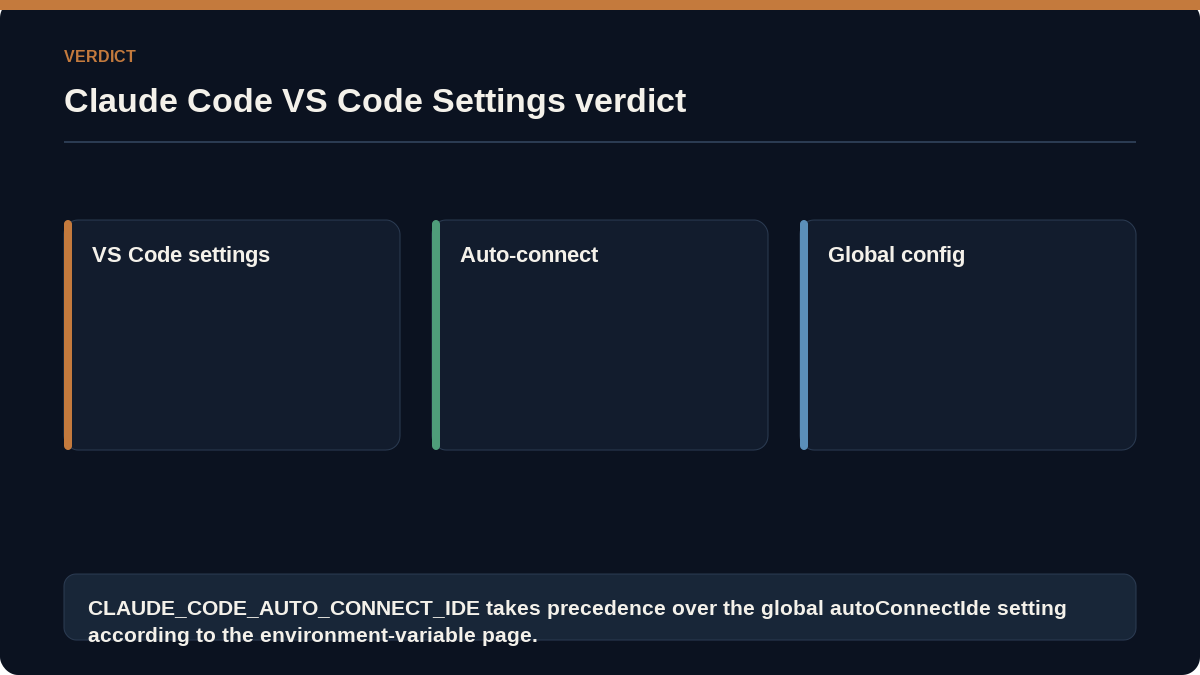
Claude Code’s VS Code settings live in different places. Official guidance puts extension settings in VS Code preferences and Claude Code settings in ~/.claude/settings.json, while some IDE keys have global-config scope in ~/.claude.json. CLAUDE_CODE_AUTO_CONNECT_IDE overrides automatic IDE connection and takes precedence over the global autoConnectIde setting. Its documented values are false to prevent automatic connection and true to force an attempt.
Because shell variables are read at startup, changing CLAUDE_CODE_AUTO_CONNECT_IDE requires relaunching Claude Code. Settings-file env entries have different timing unless the feature reads its variable only at startup. The practical verdict is to identify the configuration owner first, apply the override second, relaunch third and verify the intended connection behavior last.
Why the wrong settings surface wastes time
VS Code preferences and Claude Code settings can both influence an integrated workflow, but they do not own the same values. Editing one file cannot be assumed to change the other. A developer who repeatedly changes editor preferences while the intended control lives in global config will see no result and may start layering duplicate overrides.
Automatic connection adds a timing question. A correct value in a shell profile does not prove that an already running Claude Code process has read it. The process started with an earlier environment, so the visible behavior can remain unchanged until relaunch.
This is why a setting change and a process change should be recorded separately. “Edited the variable” is not the same statement as “restarted Claude Code and observed the new connection behavior.” Keeping those stages distinct makes the runbook reproducible.
The VS Code installation guide covers the extension and standalone CLI components. Use this article after those components exist, when the question is which configuration surface controls connection behavior.
Evidence map: three surfaces and one community report
Official evidence identifies the settings split in F069, the environment override in F070 and the startup requirement in F071. F069 also preserves the caveat that some IDE keys belong to global config. F054 lists autoConnectIde among global-config examples, which explains why the ordinary settings file is not the only place to look.
Community evidence has a narrower role. Issue #90408 is an individual report about model and effortLevel precedence in the VS Code extension. Only its search result was reviewed. The report date, current state, maintainer response and fix status were not verified, so none is asserted here.
List the VS Code configuration surfaces
Start by naming the surface before editing a value. VS Code preferences own extension settings. Claude Code settings live in ~/.claude/settings.json according to the VS Code page. Some IDE keys have global-config scope in ~/.claude.json, with autoConnectIde listed as an example in the settings reference.
| Configuration surface | Owns | Verification question |
|---|---|---|
| VS Code preferences | Extension settings | Is this an editor-owned extension preference? |
~/.claude/settings.json |
Claude Code settings described by the VS Code page | Is this an ordinary Claude Code settings key? |
~/.claude.json |
A separate global-config group, including autoConnectIde |
Is this key explicitly classified as global config? |
| Process environment | CLAUDE_CODE_AUTO_CONNECT_IDE for the running launch |
Was the process started after the variable changed? |
Do not place credentials in any of these examples. The API key security guide for AI applications covers secret handling, but the connection-control examples here need no credential values at all.
When a key is not classified by the documents you have, stop before copying it into a plausible file. The all-settings reference is the source for key-specific storage, while the five-scope settings precedence guide explains which settings source wins after the key is in the right file.
Separate editor preferences from Claude Code settings
Extension settings belong in VS Code preferences. Claude Code settings belong in the Claude Code settings surface described by F069. Some IDE-related keys are exceptions with global-config scope, so “IDE-related” does not automatically mean “VS Code preference.”
That distinction is operational, not cosmetic. A team review should be able to point to one owner for each changed value. If two files contain similar-looking keys, confirm their documented names and scopes rather than assuming they are interchangeable.
| Intended change | First surface to inspect | Reason |
|---|---|---|
| Extension-owned behavior | VS Code preferences | F069 places extension settings there |
| Ordinary Claude Code setting | ~/.claude/settings.json |
F069 places Claude Code settings there |
Global IDE key such as autoConnectIde |
~/.claude.json |
Global-config classification applies |
| Automatic connection override | Process environment | CLAUDE_CODE_AUTO_CONNECT_IDE has documented precedence |
The global config versus settings.json guide provides the broader file-classification map. The project-local versus user settings merge guide explains why an override can change a preference that appears user-wide. Neither article makes every nested value follow one universal merge rule.
Locate global IDE keys
autoConnectIde is a global-config example in the official settings reference. Global config uses ~/.claude.json, not the ordinary ~/.claude/settings.json location. That placement matters because a correct edit in the wrong file will not express the documented global setting.
Inspect the intended key before changing it. Record its current value if it is present, without copying unrelated global state into a shared note. If it is absent, decide whether the task needs an explicit global setting or whether the environment override is the cleaner control.
A configured CLAUDE_CONFIG_DIR can also affect where session configuration is found. The absolute configuration directory guide explains the documented path rule and launch-context caveat. Do not assume that a terminal and an IDE launcher always resolve the same root.
Understand automatic IDE connection
Automatic IDE connection is the behavior controlled by the documented connection settings. The global autoConnectIde setting is one control. CLAUDE_CODE_AUTO_CONNECT_IDE is an override that takes precedence over it, according to F070.
An override is useful when a launch needs a deliberate exception. A developer may want to prevent an automatic attempt for one terminal session, or force an attempt when automatic detection is not producing the intended result. The documented values express those two intents without changing unrelated model or permission settings.
| Desired behavior | Documented control | Value |
|---|---|---|
| Prevent automatic IDE connection | CLAUDE_CODE_AUTO_CONNECT_IDE |
false |
| Force an automatic connection attempt | CLAUDE_CODE_AUTO_CONNECT_IDE |
true |
| Change global connection preference | autoConnectIde in global config |
Check the current key documentation |
| Change extension-owned preference | VS Code preferences | Use the editor-owned setting |
“Force an attempt” is the documented wording. It is not a guarantee that every network, editor or remote-host condition will permit a successful connection. Keep the value’s purpose separate from the observed result.
Override connection with the environment variable
F070 gives two documented values for CLAUDE_CODE_AUTO_CONNECT_IDE: false prevents automatic connection, and true forces an attempt. The variable takes precedence over the global autoConnectIde setting.
CLAUDE_CODE_AUTO_CONNECT_IDE=false
CLAUDE_CODE_AUTO_CONNECT_IDE=true
These are the verified value assignments, shown together for comparison. Use only the value that matches the intended launch behavior, in the environment surface appropriate to that launch. Do not place both lines into one environment as if they were a sequence to execute.
A shell-level change belongs to the shell launch context. An IDE may be started from a desktop environment that does not inherit the same variables. The WSL IDE environment guide covers a related context-loss problem without establishing a universal VS Code defect.
| Launch context | What to verify | Why |
|---|---|---|
| Terminal-launched Claude Code | Environment inherited by that terminal | Shell variables are read at startup |
| IDE-launched integration | Environment visible to the IDE process | Desktop launch context can differ |
Settings-file env entry |
Whether the feature reads the variable at startup | Timing can differ from shell inheritance |
| Remote or container session | Environment on the execution host | Local values do not prove remote values |
Keep credential variables out of the example. The credential precedence guide explains identity sources separately from connection behavior.
Relaunch startup-sensitive processes
F071 states that shell variables are read at startup, so changing CLAUDE_CODE_AUTO_CONNECT_IDE requires relaunching Claude Code. Editing a shell profile or environment definition does not retroactively change a process that is already running.
After relaunch, observe the intended behavior. With false, verify that automatic IDE connection is prevented in the tested launch. With true, verify that an automatic connection attempt occurs. Record the result without turning an attempt into a guarantee of successful connection.
| Change stage | Action | Completion evidence |
|---|---|---|
| Select the value | Choose false or true from F070 |
Intended behavior is written down |
| Apply the environment | Set it in the relevant launch context | The target process can inherit the value |
| Relaunch | Start Claude Code again | A new process reads the startup environment |
| Verify | Observe connection behavior | Result matches the intended prevention or attempt |
The settings env and process replacement guide explains the broader timing rule. Settings-file env entries can replace inherited values in most sessions, but a feature that reads its variable only at startup still needs a relaunch.
Read the extension precedence report carefully
Community issue #90408 reports that the VS Code extension did not resolve model and effortLevel according to documented settings precedence. That is an individual report, not a universal extension defect. The evidence available for this article is a search result only.
| Community claim | Evidence status | What remains unknown |
|---|---|---|
Extension did not resolve model and effortLevel as expected |
Search-only individual report | Reproduction details beyond the snippet |
| A precedence defect affects every VS Code user | Not established | Scope and frequency |
| A fix exists in a particular release | Not verified | Fix status and release |
| Maintainer accepted the report | Not verified | Response and current state |
Official precedence documentation remains the baseline. Use it to locate the effective settings source, and use the issue only to explain why one reporter saw a different result. Do not promise a future fix or assign a closure outcome.
The settings validation guide recommends /status for loaded configuration sources and claude doctor for rejected entries. Those are configuration inspection surfaces, not proof that issue #90408 is resolved or that every extension behavior follows one file-order rule.
Verify the intended connection behavior
Verification begins with the requested outcome. If the goal is to prevent automatic connection, an automatic attempt after relaunch is a failed check. If the goal is to force an attempt, the absence of an attempt is a failed check. Successful connection is a separate observation.
Use a harmless session and record the launch context. Note whether Claude Code started from a terminal, through the extension or through another surface. That context determines which environment and settings the process could have inherited.
A compact test record can use these fields:
| Field | Example of useful content |
|---|---|
| Requested behavior | Prevent automatic connection |
| Control | CLAUDE_CODE_AUTO_CONNECT_IDE=false |
| Global setting inspected | autoConnectIde in ~/.claude.json |
| Relaunch completed | Claude Code started again after the environment change |
| Observed behavior | No automatic IDE connection attempt in the tested launch |
| Evidence boundary | One launch context, not every editor or remote setup |
Do not store tokens, account identifiers or unrelated global configuration in the record. A connection-control test does not need secrets.
When verification fails, recheck the surface and startup stage before changing more values. A stale process, a different launch context or a misplaced setting can all preserve the old behavior. Adding another override without that check makes the effective configuration harder to explain.
Worked example: prevent an automatic attempt
Suppose a developer wants one terminal-launched Claude Code session to avoid automatic IDE connection. The global autoConnectIde setting may remain unchanged because the documented environment variable takes precedence for this override.
| Step | Action | Reason |
|---|---|---|
| Choose intent | Prevent automatic connection | Selects the false value |
| Apply override | Set CLAUDE_CODE_AUTO_CONNECT_IDE=false in the terminal launch context |
F070 defines the override |
| Relaunch | Start Claude Code again | F071 requires a new process for the shell variable |
| Observe | Check that no automatic IDE connection attempt occurs | Tests the requested behavior |
| Record | Save launch context and result | Keeps the conclusion bounded |
No issue outcome or benchmark is involved. The example uses documented precedence and startup timing. If the developer instead wants an attempt, the value becomes true, but the verification question remains whether an attempt occurred rather than whether every connection condition succeeded.
A team can reuse the pattern for an IDE-launched process, but must verify that the IDE process receives the environment. Assuming inheritance would skip the most important launch-context check.
Record settings ownership and relaunch evidence
A durable note should name the edited surface, the exact key, the intended value, the process that was relaunched and the observed behavior. This separates configuration intent from runtime evidence.
| Record item | Why it belongs |
|---|---|
| VS Code preference or Claude Code surface | Identifies the owner |
autoConnectIde or environment override |
Prevents similar names from being merged |
false or true intent |
Distinguishes prevention from forced attempt |
| Relaunch target | Shows which process read the startup value |
| Launch context | Bounds the result to terminal, IDE or another named surface |
| Observation | Records behavior without claiming a universal fix |
The global config versus settings.json guide is the reference for file classification. The native install PATH guide is the follow-up when the actual problem is an unresolved standalone executable rather than a connection preference.
Concrete win, honest loss and practical implication
The win is an explicit override with documented precedence. CLAUDE_CODE_AUTO_CONNECT_IDE=false can prevent automatic connection, while true forces an attempt, regardless of the global autoConnectIde setting. Relaunching gives the new process a chance to read the startup value.
The loss is context sensitivity. A shell-level variable may not be inherited by an IDE launched elsewhere, and forcing an attempt does not guarantee a successful connection. Community issue #90408 also remains unresolved in this evidence set, so it cannot support claims about a universal precedence defect or a fixed release.
The practical implication is to classify the key, choose one override, relaunch and observe. Keep model and effortLevel precedence separate from auto-connect unless a specific reproduction connects them. For appearance changes that do not belong in these settings surfaces, use the terminal theme guide rather than adding unrelated keys.
Auto-connect checklist
Before closing the change, confirm each item:
- Extension settings and Claude Code settings were separated.
autoConnectIdewas treated as global config, not an ordinary settings key.- The intended behavior was written as prevention or forced attempt.
CLAUDE_CODE_AUTO_CONNECT_IDEwas set tofalseortrueaccordingly.- The target launch context was identified.
- Claude Code was relaunched after the shell variable changed.
- Connection behavior was observed after relaunch.
- A forced attempt was not described as guaranteed connection success.
- Issue #90408 was labeled as a search-only individual report.
- No unverified fix, report date or maintainer outcome was added.
What the public data does not show
The public record supplied here does not establish the date, current state, maintainer response or fix status of issue #90408. It also does not prove that every VS Code launch inherits a shell environment or that forcing an attempt guarantees a successful connection.
This section will be updated when the issue page or official documentation provides verified new evidence. Until then, use the official settings map and startup rule, and treat the issue as one reporter’s bounded experience. Requirements should be rechecked before publication because settings and environment behavior can change.
Related batch runbooks
- VS Code extension and standalone CLI installation establishes the components before settings changes.
- JetBrains CLI and Marketplace plugin installation covers another IDE’s paired setup.
- Terminal keybindings and Shift+Enter handles terminal input compatibility.
- tmux passthrough and notification bells covers a multiplexer layer.
- Light, dark and custom terminal themes keeps appearance separate from connection settings.
- Settings env replacement and startup timing explains the broader relaunch rule.
- Global config versus settings.json classifies IDE keys.
- Five-scope settings precedence identifies the effective settings source.
- Project-local versus user settings merge explains override effects.
- Settings validation with status and doctor inspects loaded and rejected entries.
- Absolute configuration directory paths aligns storage across launch contexts.
- Credential precedence across API keys, helpers and OAuth separates identity from auto-connect.
- Browser login and logout state covers authentication without changing connection precedence.
One AI option for OpenAI-format agents
One AI’s active option serves OpenAI-format agents through https://api.oneaiapikey.com/v1, using one key and the 46 live free IDs. It is not an Anthropic-format model source for Claude Code, and the One AI Claude IDs were unavailable on 2026-11-27. For a separate OpenAI-format project, review the free model catalogue, follow the OpenAI-format quickstart or estimate usage with the cost calculator. The OpenAI versus Anthropic API format guide and the free IDs for Claude Code users explainer keep that boundary explicit.
FAQ
Where do VS Code extension settings live?
Official guidance places extension settings in VS Code preferences. Claude Code settings live in ~/.claude/settings.json, while some IDE keys have global-config scope in ~/.claude.json.
What does CLAUDE_CODE_AUTO_CONNECT_IDE override?
It overrides automatic IDE connection and takes precedence over the global autoConnectIde setting, according to F070.
Which values are documented?
false prevents automatic connection. true forces an attempt. A forced attempt is not a guarantee of successful connection.
Why must Claude Code be relaunched?
Shell variables are read at startup. Changing CLAUDE_CODE_AUTO_CONNECT_IDE therefore requires relaunching Claude Code so a new process can read the value.
Does issue #90408 prove a universal VS Code precedence bug?
No. It is an individual search-only report about model and effortLevel. Its date, state, maintainer response and fix status were not verified.
More Claude Code troubleshooting
- Claude Code Homebrew Install: Manage Cask Updates Manually
- Claude Code WinGet Install: Locate the Binary and Maintain PATH
- Claude Code npm Install: Node 22, Global Prefix and PATH
- Claude Code Linux Packages: Compare apt, dnf and apk Updates
- Claude Code Update Channels: Stable, Latest and Minimum Version
- Claude Code Uninstall: Remove Binaries and Preserve Configuration
- Claude Code Credential Storage: macOS, Linux and Windows Paths
- Claude Code SSO Login: Restrict Organization and Login Method
- Claude Code apiKeyHelper: Dynamic Keys and Refresh Timing
- Claude Code JetBrains External Terminal: Host Install and /ide
- Claude Code Dev Container Feature: Install and Node Fallback
- Claude Code Dev Container Auth: Persist Config With a Volume
- Claude Code Docker Config Mount: Permissions and Write Access
- Claude Code VS Code Dev Containers: Align CLAUDE_CONFIG_DIR
- Claude Code Container User: Align HOME, Config and Workspace