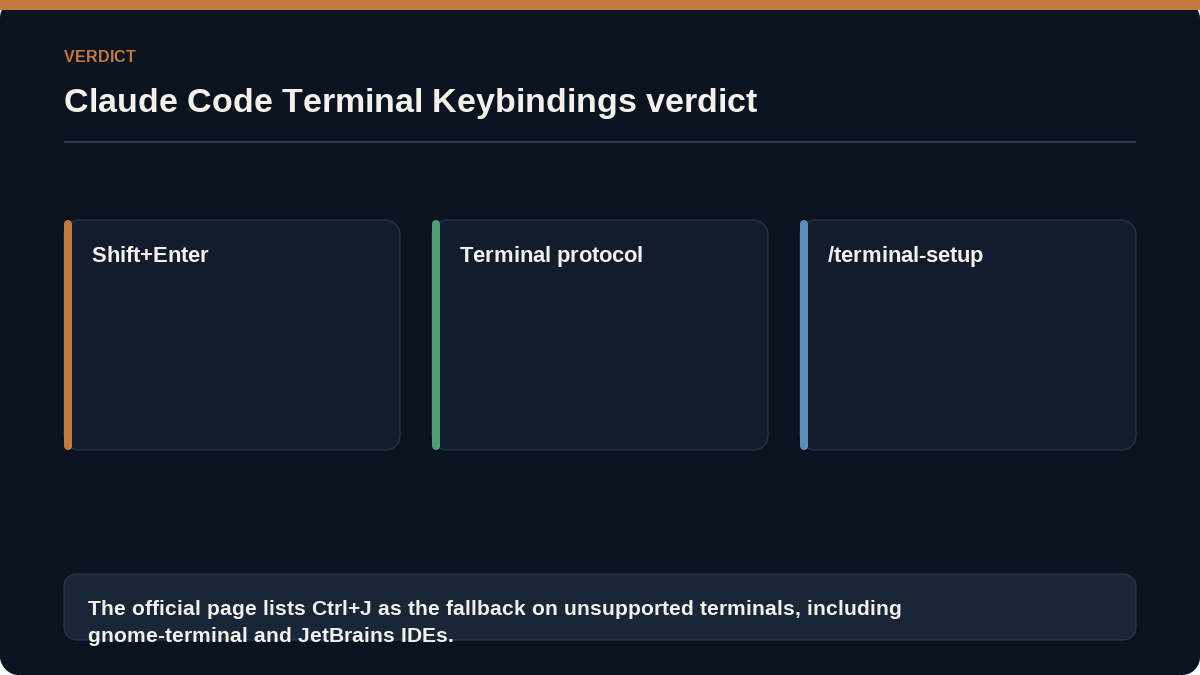
Shift+Enter support in Claude Code depends on the terminal, its protocol support and, for one documented path, the Claude Code version. Official guidance says it works without setup in Ghostty, Kitty, iTerm2, WezTerm, Warp and Windows Terminal 1.25 or later. Terminals that support the kitty keyboard protocol require Claude Code v2.1.269 or later. Run /terminal-setup for VS Code, Cursor, Devin Desktop, Zed and Alacritty before 0.16. On unsupported terminals, including gnome-terminal, JetBrains IDEs and older Windows Terminal, use Ctrl+J rather than treating the missing Shift+Enter behavior as a broken installation.
The useful verdict is a compatibility decision, not a universal key remap. Identify the emulator and version first, choose the documented path second, then test whether Enter submits while the documented newline action inserts a line break. Ctrl+J is an official fallback on unsupported terminals, but the fact pack does not establish identical semantics for every input context. Keep that distinction in the team note so a fallback does not become a false promise.
Why this small key costs real time
A newline key sits at the boundary between the terminal emulator and the application. Pressing Shift+Enter can produce a distinct escape sequence, a modified character or an ordinary Enter event, depending on the emulator and its configuration. Claude Code must receive an event it recognizes before the interface can decide what to do. Changing prompt wording cannot repair an event that never arrives.
This boundary explains why the same shortcut can work in one terminal window and fail in another. A developer moving from iTerm2 to an embedded JetBrains terminal has changed more than the window decoration. The keyboard path, terminal capabilities and available setup route may all differ. Reinstalling the CLI before checking those facts spends time on the wrong owner.
The loss is easy to underestimate because ordinary typing still works. Enter submits, so the session looks healthy. Only the intended multiline action fails, which invites repeated edits and accidental submissions. A team can then invent conflicting workarounds that are difficult to reproduce on another machine.
Safety matters when a submission happens earlier than intended. A draft containing a command, a question or context the writer meant to separate can be sent before review. The practical implication is to verify the actual key behavior in the real terminal, not to assume that a successful login proves input compatibility. For shell quoting problems that can silently alter a command before Claude Code receives it, use the separate PowerShell path and quoting guide.
Evidence map: three official paths, one bounded fallback
Official evidence supports three setup paths: native terminal support, the kitty keyboard protocol path with its Claude Code requirement, and /terminal-setup for named terminals. Official evidence also names Ctrl+J as the fallback for unsupported terminals. These facts come from the fetched terminal configuration page checked on 2026-11-28. They do not form a promise that every terminal can be upgraded into support.
Community reports can help describe a machine, but none is needed to establish the documented paths in this guide. No issue outcome, terminal benchmark or success rate appears in the fact pack. Missing evidence is useful here because it keeps the decision tied to named products and explicit requirements rather than a generalized claim about keyboard handling.
Identify the terminal emulator and version
Start with the program that draws the terminal window. The shell name is not the emulator name. A Bash session can run inside iTerm2, Windows Terminal, gnome-terminal or an IDE terminal, and those surfaces do not inherit one another’s compatibility. Record both the emulator and the version shown by its own interface.
Next, record where Claude Code is running. A standalone terminal window, the VS Code integrated terminal and a JetBrains terminal are different cases in the official setup list. If a remote shell is involved, describe the local emulator separately from the remote host. The WSL IDE environment guide covers a related launch-context problem without establishing terminal shortcut support.
A minimal record can be plain text:
| Field | What to write | Why it matters |
|---|---|---|
| Emulator | Exact product name | Selects the documented support branch |
| Emulator version | Version displayed by the product | Distinguishes listed version requirements from unknown cases |
| Launch surface | Standalone, VS Code, JetBrains or other named surface | Identifies whether manual setup is documented |
| Claude Code version | Version visible through your normal inspection process | Checks the v2.1.269 protocol requirement |
| Observed result | Submit, newline, no change or other behavior | Provides a test outcome without guessing the cause |
Do not invent a minimum version for products where the official fact gives none. Kitty, iTerm2, WezTerm, Warp and Ghostty appear in the native list without a version floor in F056. Recording a version is still useful for reproduction, but it does not authorize a new requirement.
Terminal versus documented Shift+Enter support path
Official guidance separates native support from manual setup and unsupported behavior. Use the table as a routing aid, then verify the result on the actual machine.
| Terminal or surface | Documented path | Condition or boundary |
|---|---|---|
| Ghostty | Native Shift+Enter | No setup stated in F056 |
| Kitty | Native Shift+Enter | Also relevant to the kitty keyboard protocol path |
| iTerm2 | Native Shift+Enter | No setup stated in F056 |
| WezTerm | Native Shift+Enter | No setup stated in F056 |
| Warp | Native Shift+Enter | No setup stated in F056 |
| Windows Terminal 1.25 or later | Native Shift+Enter | Older Windows Terminal is listed as unsupported |
| foot | Kitty keyboard protocol path | Requires Claude Code v2.1.269 or later |
| Alacritty 0.16 or later | Kitty keyboard protocol path | Requires Claude Code v2.1.269 or later |
| Alacritty before 0.16 | Run /terminal-setup |
Manual path is explicitly documented |
| VS Code, Cursor, Devin Desktop, Zed | Run /terminal-setup |
Manual path is explicitly documented |
| gnome-terminal | Use Ctrl+J | Listed as unsupported for Shift+Enter |
| JetBrains IDEs | Use Ctrl+J | Listed as unsupported for Shift+Enter |
Two entries deserve care. Kitty appears in the native list, while foot and Alacritty 0.16 or later illustrate terminals that support the kitty keyboard protocol. Do not collapse those statements into a claim that every kitty-protocol terminal works without a version check. Alacritty also has a split rule: before 0.16 uses manual setup, while 0.16 or later belongs to the protocol branch with the Claude Code requirement.
Check native Shift+Enter support
For a terminal in the native list, begin with a direct behavior test before changing configuration. Open Claude Code in that emulator, place the cursor in the input area and use a harmless draft. Press Enter alone and record whether it submits. Then start another harmless draft, press Shift+Enter and record whether a new line appears without submission.
Native support means no setup is required according to F056. It does not mean every user preference, remote wrapper or keyboard layout has been tested by the documentation. If the observed result differs, preserve the emulator name, version and exact behavior before trying a different path. That record separates a documented capability from an unexplained local result.
Avoid turning a failed native test into an unsupported remapping recipe. The fact pack contains no terminal-specific escape-sequence table and no universal fix for modified Enter. It also contains no evidence that upgrading any arbitrary emulator will add support. Updating software can be reasonable maintenance, but this guide does not present an upgrade as a guaranteed Shift+Enter repair.
A useful test sentence contains no sensitive material and no command that would be costly to submit accidentally. The goal is to observe input handling, not to test model behavior. Once the native branch is recorded, move on rather than layering /terminal-setup changes that the official path did not call for.
Check kitty keyboard protocol support
The kitty keyboard protocol gives an application a richer way to identify keys than a plain terminal input path. In plain language, the emulator can describe a modified key distinctly enough for supporting software to use it. Claude Code supports Shift+Enter through this path when the terminal supports the protocol and the CLI is v2.1.269 or later, according to F057.
Version checking therefore has two sides. Confirm that the terminal belongs to the protocol case, then confirm the Claude Code requirement. A newer emulator alone does not satisfy the documented Claude Code floor. A newer Claude Code alone does not prove that an unlisted terminal implements the protocol.
| Protocol question | Documented answer | Setup action |
|---|---|---|
| Does the terminal support the kitty keyboard protocol? | Required for this branch | Identify protocol support before testing |
| Is Claude Code v2.1.269 or later? | Required by F057 | Compare the running version with the stated floor |
| Is the terminal foot or Alacritty 0.16 or later? | Official examples of this branch | Use the example without generalizing to all terminals |
| Is Alacritty older than 0.16? | Manual setup branch applies | Run /terminal-setup instead |
When a version sits below the stated Claude Code floor, record that mismatch as the finding. Do not label it a terminal defect. When the version satisfies the floor but behavior still differs, the public facts in this packet do not identify the cause. Keep the result open rather than inventing a protocol debug procedure.
Run /terminal-setup where documented
Manual setup is the documented route for VS Code, Cursor, Devin Desktop, Zed and Alacritty before 0.16. Enter the command inside Claude Code rather than treating it as a shell installation command:
/terminal-setupThe command name describes its scope: terminal setup. It is not a reinstall command, an authentication reset or a model selector. Follow the prompts shown by the running client, because the fact pack does not enumerate their exact wording or every resulting configuration line.
After setup, return to the same terminal surface and repeat the harmless key test. Testing in a different emulator would change the condition you meant to verify. If the manual path was chosen for an integrated terminal, keep the test inside that integrated terminal.
Configuration changes may require the terminal or application to reload its input handling. The official Shift+Enter facts do not provide one reload sequence for every emulator, so this guide does not invent one. Restart the relevant terminal surface when needed, then record what was restarted. For tmux users, the separate tmux passthrough and notification guide provides a documented source, detach, reattach and Claude Code restart sequence for that environment.
Use Ctrl+J on unsupported terminals
Official guidance lists Ctrl+J as the fallback on unsupported terminals. That makes it the documented action for gnome-terminal, JetBrains IDEs and older Windows Terminal in this fact set. Use it as a fallback, not as proof that Shift+Enter has become supported.
| Observed key behavior | Supported response | What not to conclude |
|---|---|---|
| Shift+Enter submits in an unsupported terminal | Stop using it for the intended newline action and test Ctrl+J | Do not infer a CLI installation failure |
| Ctrl+J inserts a newline in the tested input context | Record Ctrl+J as the working fallback | Do not promise identical semantics in every context |
| Ctrl+J produces no expected newline | Preserve the terminal and version details for further investigation | Do not invent another undocumented shortcut |
| Enter submits normally | Keep ordinary submission behavior in the test record | Do not treat it as proof of multiline support |
The semantic caveat matters. F058 establishes Ctrl+J as the documented fallback, but it does not define an equivalence proof across all composer states. A team note should therefore say which context was tested: a plain draft, a particular input mode or another clearly described situation. Avoid a blanket sentence such as “Ctrl+J always behaves exactly like Shift+Enter.”
For JetBrains users, the fallback also keeps installation work focused. The JetBrains CLI and Marketplace plugin guide covers the paired components required by the integration. It does not change the official unsupported status of JetBrains terminals for Shift+Enter.
Reload configuration and verify newline behavior
Verification should answer two separate questions: does Enter still submit, and does the chosen newline action insert a line break without submitting? Testing both prevents a fallback from masking a regression in ordinary input.
Use a short sequence:
- Start with an empty, harmless draft.
- Press Enter and record the submission behavior.
- Start another harmless draft.
- Press the chosen newline action, either Shift+Enter on a supported path or Ctrl+J on the fallback path.
- Confirm that the draft remains available for editing and contains the intended line break.
- Repeat after any terminal reload, emulator change or Claude Code version change.
Keep test material disposable. A multiline draft is useful only if its contents are safe to submit by mistake. Avoid credentials, private code and destructive commands in the test. This is an input check, not a reason to expose real work while the behavior is uncertain.
When the result passes, stop changing settings. Extra remaps create another layer between the emulator and Claude Code, making future diagnosis harder. When it fails, capture the smallest useful evidence set: emulator, version, launch surface, Claude Code version, chosen documented path and observed key behavior.
Worked example: choose the branch without guessing
Consider a team with three machines. One developer uses iTerm2, one uses Windows Terminal and one uses gnome-terminal. The first machine starts in the native branch because iTerm2 is named in F056. The second needs its emulator version checked: 1.25 or later is native, while older Windows Terminal is unsupported. The third uses the Ctrl+J fallback because gnome-terminal is listed as unsupported.
| Machine | Known input | Decision | Verification record |
|---|---|---|---|
| iTerm2 workstation | Emulator name matches native list | Test Shift+Enter directly | Enter submits; Shift+Enter inserts a line |
| Windows Terminal workstation | Version not yet written down | Compare with 1.25 requirement | Record version before selecting native or fallback |
| gnome-terminal workstation | Emulator is listed as unsupported | Test Ctrl+J | Record the input context where newline behavior passes |
No arithmetic or benchmark is needed here. The worked example is a decision from verified inputs, with each conclusion bounded by the official list. Adding an invented version to the Windows Terminal row would weaken the example, so the correct action is to leave the branch unresolved until the version is known.
A team can reuse this pattern for other surfaces. For an Alacritty machine, check whether the version is before 0.16 or 0.16 and later before choosing manual setup or the protocol branch. For Zed, use the documented manual setup path. The point is not to memorize a long compatibility list; it is to record the input that selects the branch.
Record the terminal-specific setup
A durable setup note should let another developer reproduce the result without reading a chat transcript. Include the emulator, its version, the launch surface, the Claude Code version when relevant, the selected official path and the observed behavior. Add the date of the check because compatibility requirements are snapshots.
Useful wording is specific: “Windows Terminal 1.25 or later, native Shift+Enter path, Enter submitted and Shift+Enter inserted a newline in a plain draft.” Less useful wording is “keyboard fixed.” The first sentence preserves a test and a boundary. The second hides both.
Configuration ownership also belongs in the note. If the change was made through /terminal-setup, say so. If the only change was adopting Ctrl+J as a fallback, say that no terminal remap was installed. If a tmux configuration was sourced and the session was reattached, link to that runbook rather than merging unrelated procedures.
The settings validation guide explains /status and claude doctor for configuration inspection. Those surfaces should not be presented as shortcut validators. Likewise, the settings precedence map helps locate a winning settings scope, but it does not establish which escape sequence an emulator sends. When a terminal change tempts a broad settings edit, the project-local versus user settings merge guide explains why choosing the correct scope matters.
Concrete win, honest loss and practical implication
The win is a deterministic choice from a short official decision table. A developer on iTerm2 can test native support without running manual setup. A developer on Alacritty before 0.16 can choose /terminal-setup from the documented list. A developer on gnome-terminal can adopt Ctrl+J without pretending that Shift+Enter became supported.
The loss is portability. Shift+Enter is not a universal contract across the terminals in this evidence set, and Ctrl+J is not documented here as identical in every context. Some users must remember a different newline action when they move between a standalone terminal and an IDE terminal. That small piece of local knowledge is real friction.
The practical implication for a team is to standardize the record, not the keystroke across every product. Put the emulator and fallback in onboarding notes. Include the key test in terminal setup checks. Keep the chosen action close to the surface where it applies. For custom configuration roots, the absolute CLAUDE_CONFIG_DIR guide explains why shell and IDE launch contexts can diverge, though it does not change the keybinding rules.
Pre-publication and setup checklist
Before treating the setup as complete, confirm each item:
- Emulator name and version are written down.
- Launch surface is named accurately.
- Native support is checked only against the official list.
- Kitty keyboard protocol cases include the Claude Code v2.1.269 or later requirement.
/terminal-setupis used only for the documented manual cases.- Ctrl+J is described as a fallback, not a universal semantic replacement.
- Enter submission and newline insertion have both been tested.
- Any reload or restart is recorded with the resulting behavior.
- The note avoids invented terminal version floors and unsupported fixes.
What the public data does not show
No public evidence in this packet establishes support for terminals absent from the official lists. No measured success rate, input latency comparison or universal reload sequence was supplied. The exact behavior of Ctrl+J in every composer state is also not established by F058.
This section will be updated when official documentation publishes a broader compatibility matrix or a documented equivalence rule for the fallback. Until then, the honest answer is a local test plus a named official path. Requirements should be rechecked before publication because terminal and Claude Code versions can change.
Related batch runbooks
- tmux passthrough and terminal-bell setup covers the documented reload sequence when tmux sits between the emulator and Claude Code.
- Light, dark and custom terminal themes handles appearance without treating it as a keybinding repair.
- VS Code extension and standalone CLI installation separates the editor panel from terminal execution.
- VS Code auto-connect and relaunch settings maps startup-sensitive IDE connection behavior.
- JetBrains CLI and Marketplace plugin installation documents the paired integration components.
- Shell values versus settings env replacement explains process environment timing without changing terminal compatibility.
- Global config versus settings.json helps classify IDE-related keys before editing a file.
- Five-scope settings precedence identifies which settings source wins.
- Settings validation with status and doctor inspects loaded and rejected configuration entries.
- Absolute CLAUDE_CONFIG_DIR paths aligns configuration storage across launch contexts.
- Native install PATH and binary ownership helps when the terminal problem is actually an unresolved executable.
- Update channels and minimum version controls covers update ownership without promising a release date.
- Browser login and logout state separates authentication recovery from terminal input setup.
One AI option for OpenAI-format agents
Claude Code uses an Anthropic-format route, so the One AI free IDs are not a Claude Code model source. One AI’s active option is for OpenAI-format agents using https://api.oneaiapikey.com/v1, one key and the 46 live free IDs. Its Claude IDs were unavailable on 2026-11-27. If that separate agent path fits your project, review the free model catalogue, the OpenAI-format quickstart and the usage cost calculator. The API format comparison explains why an OpenAI-format endpoint should not be presented as an Anthropic-format credential, while the free IDs for Claude Code users explainer keeps the OpenAI-agents-only boundary explicit.
FAQ
Does Shift+Enter work in every terminal?
No. Official guidance names native terminals, a kitty keyboard protocol branch and manual setup cases. It also lists unsupported terminals where Ctrl+J is the fallback.
What Claude Code version is required for the kitty keyboard protocol path?
F057 states v2.1.269 or later. That requirement belongs to terminals supporting the kitty keyboard protocol, including the official examples foot and Alacritty 0.16 or later.
Should I run /terminal-setup in iTerm2?
The documented native list already includes iTerm2, so start with a direct test. /terminal-setup is documented for VS Code, Cursor, Devin Desktop, Zed and Alacritty before 0.16.
Is Ctrl+J exactly the same as Shift+Enter?
The fact pack supports Ctrl+J as the official fallback on unsupported terminals. It does not prove identical semantics in every input context, so record the context you tested.
What should I save after a successful check?
Save the emulator, version, launch surface, relevant Claude Code version, chosen setup path and observed Enter and newline behavior. That record is more useful than saying the keyboard was fixed.
More Claude Code troubleshooting
- Claude Code Homebrew Install: Manage Cask Updates Manually
- Claude Code WinGet Install: Locate the Binary and Maintain PATH
- Claude Code npm Install: Node 22, Global Prefix and PATH
- Claude Code Linux Packages: Compare apt, dnf and apk Updates
- Claude Code Uninstall: Remove Binaries and Preserve Configuration
- Claude Code Credential Precedence: API Key, Helper and OAuth
- Claude Code Credential Storage: macOS, Linux and Windows Paths
- Claude Code SSO Login: Restrict Organization and Login Method
- Claude Code apiKeyHelper: Dynamic Keys and Refresh Timing
- Claude Code JetBrains External Terminal: Host Install and /ide
- Claude Code Dev Container Feature: Install and Node Fallback
- Claude Code Dev Container Auth: Persist Config With a Volume
- Claude Code Docker Config Mount: Permissions and Write Access
- Claude Code VS Code Dev Containers: Align CLAUDE_CONFIG_DIR
- Claude Code Container User: Align HOME, Config and Workspace