Direct answer
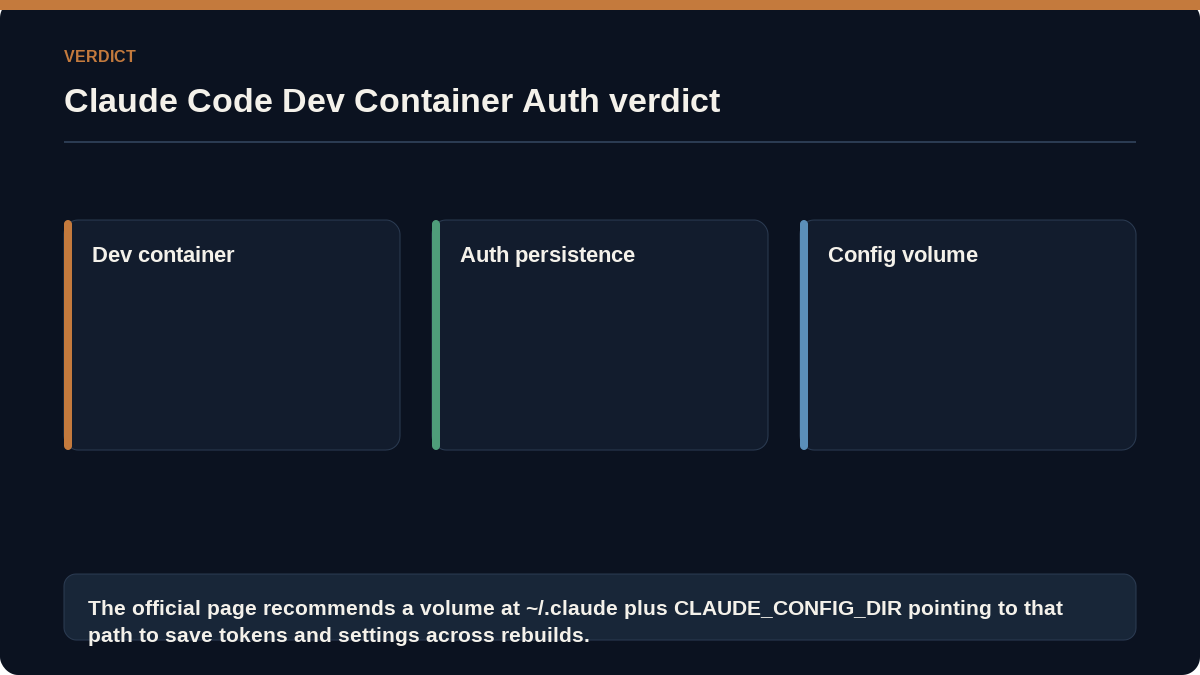
Mount a persistent volume at ~/.claude and set CLAUDE_CONFIG_DIR to that mounted directory using an absolute container path. This is the official development-container pattern for retaining tokens and settings across rebuilds. Confirm that the container user can read and update the mounted directory, complete authentication once inside the container, then rebuild and verify persistence. A correct path alone does not prove that the mount is writable or safe to share with a host process.
Why persistence is a path and access problem
A development container can be recreated while its project files remain in a workspace. If Claude Code configuration lives only inside the container’s disposable layer, a rebuild can remove the state that held the login. The result looks like an authentication failure even though the account and network may be unchanged.
Copying credentials into each new container creates another maintenance path. A startup script can fail silently, an old copy can overwrite a newer state and the copied secret can appear in logs or image layers. The official volume pattern keeps configuration outside the disposable container layer, but it still requires correct path and access checks.
The absolute CLAUDE_CONFIG_DIR guide explains why shorthand is not a substitute for a literal container path. The credential precedence guide helps when a session starts but selects an unexpected credential source. Persistence and precedence are separate questions.
A concrete loss appears when a mounted directory is readable but not writable. Authentication may appear to work until the client needs to update stored state. A second loss appears when host and container processes share the same directory without a deliberate access plan. Both cases make a rebuild test more informative than another manual login.
Evidence boundaries
Official, F083: the development-container documentation recommends mounting a volume at ~/.claude and setting CLAUDE_CONFIG_DIR to that path to persist tokens and settings across rebuilds. Mount access and host-container interaction still need verification.
Official, F084: the environment-variable reference instructs users to write CLAUDE_CONFIG_DIR as an absolute path. Shorthand such as ~ or $HOME stays as typed according to the page.
Community, F085: participants in issue #1736 described mounting ~/.claude as one workaround and warned that host use or read-only mounts could interfere with credential updates. These are individual reports in a closed thread, not a maintainer guarantee for every host and container combination.
Unknown: the supplied evidence does not establish one persistence result for every operating system, mount implementation, container user or IDE. Rebuild verification remains necessary.
Choose the persistent configuration location
Choose a configuration location that survives recreation of the development container. Keep it separate from the project workspace unless the team has an explicit reason to combine them. Configuration can contain credentials and local preferences that should not become project artifacts.
The official pattern names ~/.claude. In a container, that path is interpreted in the user context that runs Claude Code. A mount that looks correct for one user can point somewhere different for another user’s home directory.
| Configuration item | Intended persistence location | Verification question |
|---|---|---|
| Authentication state | The mounted Claude configuration directory | Does the same container user retain access after rebuild? |
| Settings | The mounted Claude configuration directory | Does the rebuilt session load the intended settings? |
CLAUDE_CONFIG_DIR value |
An absolute path to the mounted directory | Does the value name the mount target exactly? |
| Project workspace | The existing workspace arrangement | Is project work kept separate from disposable container state? |
| Unrelated host secrets | Outside this pattern | Has the team avoided broad host-secret mounts? |
The uninstall and configuration retention guide treats configuration deletion as a separate decision. Persistence should not be mistaken for a requirement to retain every file forever. Decide what belongs in the volume and how it will be removed when the environment is retired.
Mount a volume at ~/.claude
Use the development-container configuration to mount a persistent volume at the intended user’s ~/.claude location. Preserve the project’s existing workspace arrangement while adding this mount. The volume should survive container recreation without depending on a startup copy from the host.
Do not mount unrelated host secret directories just to solve Claude Code authentication. The official pattern is scoped to the Claude configuration directory. A broad home-directory mount can bring shell files, editor state and other credentials into the same lifecycle.
The Docker config mount permissions guide covers ownership and write access in more detail. Use it when the volume exists but Claude Code does not recognize or update the mounted configuration. A missing volume and an inaccessible volume require different next actions.
After adding the mount, rebuild or recreate the development container through the tool that owns the definition. Then verify the mount in the user context that will launch Claude Code. A host-side directory listing does not prove what the container user sees.
Set CLAUDE_CONFIG_DIR to the mounted path
Point CLAUDE_CONFIG_DIR at the mounted configuration directory. Keep the value aligned with the mount target rather than naming a nearby path inside the container’s disposable layer.
For a hypothetical container user whose home is /home/dev, the record could look like this:
Home directory: /home/dev
Mount target: /home/dev/.claude
CLAUDE_CONFIG_DIR: /home/dev/.claude
Required access: read and write for the intended container user
Derived example: /home/dev is an illustrative home path, not a recommended user name, UID or GID. The important relationship is equality between the mount target and the absolute CLAUDE_CONFIG_DIR value.
Do not copy that path into a different container without checking its actual user and home. The container user and workspace alignment guide provides the broader checklist when a non-root user is involved.
Use an absolute container path
Write the full container path. Under F084, shorthand such as ~ or $HOME stays as typed. A value that reads naturally in a shell can therefore fail to identify the intended directory when the client treats it literally.
An absolute path removes one ambiguity, but it does not remove user-context ambiguity. /home/dev/.claude is absolute while still depending on /home/dev being the intended user’s home. Compare the value with the effective mount target in the same launch context.
The settings environment and process replacement guide explains why a shell variable and a settings-file environment entry can produce different timing. When changing CLAUDE_CONFIG_DIR, relaunch Claude Code if the feature reads the variable only at startup. Do not assume a running session has adopted the new path.
Check read and write access
Test the mounted directory as the same user that runs Claude Code. Read access allows the client to load existing configuration. Write access matters when authentication or settings need to update stored state.
A read-only mount can produce a misleading partial success. The directory may contain a valid configuration, so startup appears normal. A later update can still fail. Community participants in issue #1736 warned about this scenario; treat it as a reported caveat rather than a universal defect.
| Volume property | Behavior to verify | Narrow response if wrong |
|---|---|---|
| Mount present after recreation | The intended volume is attached to the new container | Correct the development-container mount definition |
| Target path | The mount lands at the intended user’s Claude directory | Align target and CLAUDE_CONFIG_DIR |
| Read access | The container user can load the mounted configuration | Correct ownership or access through the environment owner |
| Write access | The container user can update configuration state | Do not bypass permissions; repair the intended access path |
| Host sharing | Host and container use follows a deliberate plan | Stop concurrent use until the interaction is understood |
| Relaunch behavior | The new absolute value is read by the client | Restart the relevant session when startup-sensitive |
The settings validation and doctor guide can identify rejected configuration entries. It does not prove filesystem write access. Keep the two checks separate.
Complete one container login
After the volume, absolute path and access checks pass, complete authentication from inside the development container. Use the normal documented sign-in flow rather than copying credential contents from a host.
The browser redirect and first-launch guide explains the browser handoff and the documented copy-URL fallback. Do not paste the copied URL, tokens or credential files into a shared issue. A login completed on the host is not automatically a login completed in the container.
Record only that the intended account authenticated in the intended container context. Avoid storing credential values in the configuration record. The credential storage path reference explains documented locations without requiring file contents to be displayed.
If the session starts with an unexpected account or credential source, inspect precedence before repeating login. Another inherited source can outrank the state you just created. The credential precedence runbook keeps that investigation separate from mount repair.
Rebuild and verify persistence
Rebuild or recreate the development container after the successful login. Keep the volume and environment definition unchanged so the test isolates persistence. Then start Claude Code under the same intended container user and check whether authentication and settings remain available.
| Test stage | Expected evidence | What a failure means |
|---|---|---|
| Before rebuild | Login and intended settings work inside the container | Fix the initial session before testing persistence |
| After rebuild | Same volume is mounted at the recorded target | Investigate mount definition or volume lifecycle |
| After relaunch | CLAUDE_CONFIG_DIR still names the absolute mounted path |
Investigate environment replacement or startup timing |
| After startup | Authentication state remains available | Investigate access, credential source or reported update interference |
| After a settings check | Intended settings load in the rebuilt session | Separate settings precedence from authentication |
A successful rebuild test supports the pattern for that specific definition. It does not establish a universal success rate. Record the host, container tool, user context and mount arrangement so the result can be reproduced.
The VS Code Dev Containers alignment guide adds IDE-specific context checks. Use it when the CLI terminal works but the Dev Containers setup still appears inconsistent.
Record the mount and environment values
Keep a compact record with the definition, mount target, absolute environment value, user context and verification result. Exclude credential values and unrelated secrets.
Persistent volume: the Claude configuration volume
Mount target: the intended user's absolute ~/.claude path
CLAUDE_CONFIG_DIR: the same absolute mount target
Container user: the user that launches Claude Code
Access check: read and write verified for that user
Login check: completed inside the container
Rebuild check: authentication and settings verified after recreation
Host sharing: record whether host use occurs
This is a documentation shape, not a claim that every development-container tool uses identical syntax. Apply it through the current official configuration reference for the tool in use.
Read community reports without turning them into guarantees
Issue #1736 contains multiple participant workarounds. F085 supports two bounded observations: mounting ~/.claude was described as one workaround, and host use or read-only mounts could interfere with credential updates. The thread is not evidence of one universal maintainer fix.
| Evidence source | Supported statement | Unsupported conclusion |
|---|---|---|
| Official development-container page | Use a ~/.claude volume with CLAUDE_CONFIG_DIR for persistence |
Every host and container combination will persist automatically |
| Official environment-variable page | Write CLAUDE_CONFIG_DIR as an absolute path |
An absolute path guarantees write access |
| Community issue #1736 | Participants reported mount, host-use and read-only caveats | Read-only mounts break every setup |
| Local rebuild test | The recorded arrangement did or did not persist in this environment | The result generalizes to all users and platforms |
The secret handling and transcript guide is relevant when collecting evidence. Redact values before sharing logs. A configuration path may be safe to record while the credential file it contains is not.
Worked example: isolate the mount from the login
Suppose a developer mounts a volume at /home/dev/.claude but leaves CLAUDE_CONFIG_DIR set to ~/.claude. The mount exists, yet the environment value does not follow the official absolute-path instruction. Under F084, shorthand stays as typed.
The safe correction is to set the value to /home/dev/.claude, relaunch the relevant session and repeat the access check. No credential copy is needed for this correction. If authentication still disappears after rebuild, inspect whether the container user can update the mounted state and whether a host process is using the same directory.
Now suppose the path is absolute and writable, but a host-side Claude Code session uses the same directory. Community-backed diagnostic hypothesis: concurrent host use could interfere with credential updates, as participants reported in issue #1736. Stop the overlapping use, repeat the rebuild test and record whether the symptom changes. Do not call that sequence a universal fix.
Derived checkpoint count: this example has three separate checks: path alignment, user access and rebuild persistence. 3 checks do not imply a success probability. They simply prevent a single login attempt from being treated as proof of all three layers.
Persistence decision matrix
| Observation | Likely layer | Next action | Evidence status |
|---|---|---|---|
| No configuration volume after rebuild | Mount lifecycle | Repair the persistent volume definition | Official pattern |
| Volume exists at another user’s home | User context | Align home, target and config path | Diagnostic classification |
CLAUDE_CONFIG_DIR contains shorthand |
Path syntax | Write the literal absolute container path | Official F084 |
| Directory readable but updates fail | Write access | Repair intended user access, do not bypass permissions | Community caveat plus local check |
| Host and container both use the directory | Shared state | Stop overlap and retest one context at a time | Community caveat |
| Persistence works until settings change | Settings or credential source | Inspect precedence and rejected entries | Separate configuration layer |
| Login works only before recreation | Persistence | Compare mount, path, user and rebuild evidence | Unknown until reproduced |
The five-scope settings precedence guide helps when settings differ even though authentication persists. Do not rewrite the volume to solve a settings-scope problem.
Practical persistence checklist
- Choose the persistent Claude configuration volume.
- Mount it at the intended user’s
~/.claudelocation. - Write
CLAUDE_CONFIG_DIRas the literal absolute mount target. - Confirm the container user’s effective home matches the chosen path.
- Verify read and write access as that user.
- Decide whether host use will share the directory.
- Complete one authentication flow inside the container.
- Record the result without credential values.
- Rebuild or recreate the container with the same definition.
- Verify authentication and settings after relaunch.
The macOS Keychain permissions guide covers a different operating-system credential surface. Do not apply its repeated-prompt diagnosis to a Linux container mount without matching evidence.
Concrete win, loss and implication
Win: a developer can authenticate once inside the development container and verify that the mounted configuration remains available after recreation. That replaces repeated manual login with a recorded persistence path.
Loss: a persistent volume can retain sensitive state longer than expected, and sharing it with a host process can create update conflicts. A read-only mount can also fail after an initially successful read.
Implication: scope the volume to Claude Code configuration, name the intended user and test a rebuild before declaring persistence complete. Treat volume removal as an explicit lifecycle decision.
Data gap and future update
There is no measured persistence success rate in the supplied evidence and no proof that one mount pattern works for every host, container tool and user combination. Issue #1736 provides individual reports, not a universal outcome.
Recheck the official development-container and environment-variable pages when the container tool or user model changes. Add a verified fix or compatibility claim only if a primary source or reproducible test supports it. Until then, report the exact arrangement and rebuild result rather than generalizing.
One AI option for OpenAI-format agents
One AI also serves OpenAI-format agents through https://api.oneaiapikey.com/v1 with one key and 46 live free IDs listed at the free model catalogue. This option does not make those IDs Claude Code credentials, and it does not replace the Anthropic-format route used by Claude Code.
Related batch runbooks
- Absolute CLAUDE_CONFIG_DIR paths across launch contexts
- Credential precedence among API key, helper and OAuth
- Credential storage paths on macOS, Linux and Windows
- Browser sign-in, copy-URL fallback and logout state
- Official dev container feature and Node fallback
- Docker bind-mount ownership and write access
- VS Code Dev Containers config path alignment
- Container HOME, config volume and workspace alignment
- Settings environment replacement and relaunch timing
- Five settings scopes and list-key exceptions
- Settings validation with status and doctor
- Uninstall ownership and configuration retention decisions
For evidence handling, use the proof-of-work verification guide and avoid the exposure patterns described in the settings-file secret guide. The WSL IDE environment guide is relevant only if a Windows-Linux boundary also launches the session. More identity and installation runbooks are collected in the Claude Code blog, while the documentation hub provides official entry points.
FAQ
Why set both a volume and CLAUDE_CONFIG_DIR?
The volume retains the configuration directory across container recreation. CLAUDE_CONFIG_DIR tells Claude Code to use that mounted directory. One establishes persistence; the other establishes the client-side path.
Can CLAUDE_CONFIG_DIR use ~ or $HOME?
Official guidance says to write an absolute path and notes that shorthand stays as typed. Use the literal container path to the mounted directory.
Does a read-only mount work for authentication?
It may allow an initial read, but community reports warn that read-only mounts can interfere with credential updates. Verify read and write access for the intended container user, and do not bypass permissions as a fix.
Is sharing the volume with host Claude Code safe?
The supplied evidence does not establish a universal answer. Issue #1736 includes individual warnings about host use. Prefer one deliberate context at a time, record any sharing and verify behavior after rebuild.
More Claude Code troubleshooting
- Claude Code Native Install: Verify PATH and Binary Ownership
- Claude Code Homebrew Install: Manage Cask Updates Manually
- Claude Code WinGet Install: Locate the Binary and Maintain PATH
- Claude Code npm Install: Node 22, Global Prefix and PATH
- Claude Code Linux Packages: Compare apt, dnf and apk Updates
- Claude Code Update Channels: Stable, Latest and Minimum Version
- Claude Code SSO Login: Restrict Organization and Login Method
- Claude Code apiKeyHelper: Dynamic Keys and Refresh Timing
- Claude Code Settings Merge: Project Local Versus User Values
- Claude Code Global Config: ~/.claude.json Versus settings.json
- Claude Code Terminal Keybindings: Shift+Enter Compatibility Guide
- Claude Code tmux Setup: Passthrough Keys and Notification Bells
- Claude Code Terminal Theme: Light, Dark and Custom JSON
- Claude Code VS Code Install: Extension Panel and Standalone CLI
- Claude Code VS Code Settings: Preferences, Auto-Connect and Relaunch
- Claude Code JetBrains Install: CLI Plus Marketplace Plugin
- Claude Code JetBrains External Terminal: Host Install and /ide