Direct answer
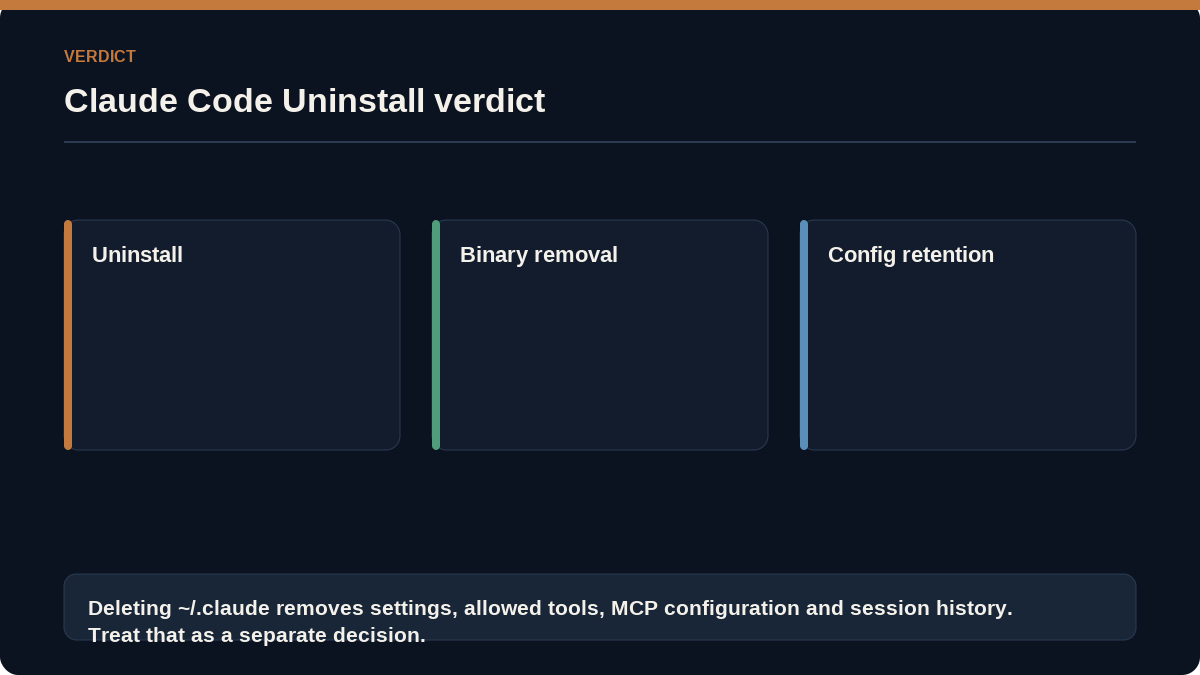
Remove Claude Code with the uninstall method that matches the installation owner, then make a separate decision about configuration. Official (F020): native uninstall removes ~/.local/bin/claude and ~/.local/share/claude. Official (F021): Homebrew, WinGet, Linux system packages and npm each have their own documented removal route. Do not combine those routes. Keep ~/.claude unless you deliberately want to delete it, because Official (F022): removing that directory deletes settings, allowed tools, MCP server configurations and session history. The concrete win is a removable CLI without an accidental configuration reset. The honest loss is that the uninstall evidence does not promise what happens to every credential. Verify credential state separately.
Why uninstall decisions become expensive
A rushed cleanup can destroy the setup that took longest to reproduce, because allowed-tool decisions, MCP connections and session history may represent operational knowledge rather than disposable cache, and deleting them can turn a temporary removal into a rebuild project. Retaining everything can also be wrong when a workstation changes owners or a managed configuration must not remain available, so the useful question is not simply whether Claude Code should disappear but which artifacts should disappear, which should remain and who approved that split.
Executable ownership matters before deletion because a native binary, a Homebrew cask, a WinGet package, a system package and a global npm package do not share one removal mechanism, and mixing them can leave files behind, remove the wrong component or make the next installation harder to explain. Running several uninstall commands may therefore create more ambiguity than it removes, so Official (F021): treat the setup page’s route-specific methods as an instruction to identify ownership first, not as permission to try every command until the command disappears.
Configuration deserves its own record because Official (F022): ~/.claude contains settings, allowed tools, MCP server configuration and session history, a list broader than preferences that includes decisions about what the client may do and how it connects to tools. A cleanup ticket that says only “remove Claude Code” leaves the retention choice unresolved and can hide the difference between removing an executable and deliberately destroying local operational state.
Credentials form a third question. F020 through F022 do not establish a universal promise that uninstall preserves, revokes or relocates credentials. Avoid filling that gap with an assumption. If identity cleanup is part of the task, inspect it through the documented logout and storage guidance instead. The browser login and logout runbook separates credential reset from uninstall, while the OS credential-storage reference maps the places a credential may live.
Identify the installation owner
Start with the route that installed the executable, not the route you would choose today. Record the operating system, user account, installation method and any package manager involved. If the machine has more than one candidate installation, inventory each one before removal. A shell may resolve one command while another package database still owns a second copy.
The native PATH and binary-ownership guide provides the comparison method for macOS, Linux and WSL. On those platforms, Official (F020): the native executable belongs at ~/.local/bin/claude, with native data under ~/.local/share/claude. Those paths identify the native route described by the setup page. They are not substitute locations for a package-managed copy.
Use the corresponding ownership reference when the install came from a package system. The Homebrew cask update guide explains cask ownership. The WinGet PATH guide covers the Windows package route without inventing one universal executable path. The npm global-prefix guide distinguishes the CLI package from project dependencies. For Linux packages, the apt, dnf and apk operations guide keeps removal with the system package tools.
A useful inventory names evidence rather than guesses. Write down how the command was installed, which account performed the installation and whether a manager still lists the package. Do not put credential values into that inventory. If ownership cannot be established, pause before deletion and compare the installation record with the resolved executable.
Installation route versus documented removal method
| Installation owner | Removal basis | Evidence to confirm first | Do not substitute |
|---|---|---|---|
| Native installer | Native uninstall removes the documented executable and data paths | Install record and presence of the native paths | npm or package-manager removal |
| Homebrew | Homebrew removal for the cask | Cask ownership | Native file deletion as the primary method |
| WinGet | WinGet removal for the package | Package ownership under the installing user | A guessed Windows binary path |
| Linux system package | Standard system package removal | Package database and package name | npm global removal |
| npm global package | npm uninstall -g @anthropic-ai/claude-code |
Global npm package ownership | A project dependency command |
Official (F021): the setup page documents these route families. The table intentionally avoids inventing exact package names for system repositories that the fact pack does not enumerate. Consult the current setup page for the matching command before execution.
Choose the matching uninstall method
Select one route and confirm that it matches the inventory. For npm, Official (F021): the documented command is npm uninstall -g @anthropic-ai/claude-code. The global flag matters because this article concerns the CLI package, not a dependency inside an application. Run it in the environment that owns the global package. A different Node installation or user account can present a different global prefix, so compare ownership before interpreting a result.
For Homebrew, WinGet and Linux system packages, use the documented removal method for that manager. Official (F021): the setup page names brew uninstall, winget uninstall and standard system package removal for their respective routes. The fact pack does not supply a universal repository package name or a single Windows path. Look up those values in the installation record and current official instructions rather than copying a command from another operating system.
Native removal follows the native route. Official (F020): native uninstall removes ~/.local/bin/claude and ~/.local/share/claude. Use the documented native uninstall procedure, then verify those paths. Manually deleting a package-manager executable because its filename looks familiar does not remove the package database entry. Manually deleting native files because an npm command failed does not establish which owner remains.
Removed path versus the data it contains
| Path or component | Documented role | Retention question | Verification limit |
|---|---|---|---|
~/.local/bin/claude |
Native executable removed by native uninstall | Should any native copy remain? | Absence does not identify other package-owned copies |
~/.local/share/claude |
Native data removed by native uninstall | Is this native data still needed? | Do not apply this path to package-manager removal |
| Package-managed CLI | Component owned by its package manager | Has the owning database been updated? | Command resolution alone does not prove package removal |
~/.claude |
Settings, allowed tools, MCP configuration and session history | Retain or delete by explicit approval? | Uninstall facts do not make deletion automatic |
Official (F020, F022): native executable removal and configuration deletion affect different locations. Keeping those rows separate prevents a successful uninstall from being mistaken for a complete erasure.
Remove native executable and data files
Confirm the native route before using its removal procedure. The documented locations are user-local on macOS, Linux and WSL, so the account performing the cleanup must be the account whose paths are being inspected. A command run under another user may report a different result without contradicting the installation record.
After native uninstall, check both documented paths. Official (F020): removal covers ~/.local/bin/claude and ~/.local/share/claude. Treat a remaining path as a prompt to review the uninstall result, permissions and ownership. Do not respond by escalating privileges without understanding why the current account cannot complete the documented procedure.
Native data removal is not the same act as deleting ~/.claude, because F020 names the native executable and native data directory while F022 separately names the broader configuration directory containing settings, allowed tools, MCP server configuration and session history. Conflating those locations can either leave configuration behind unexpectedly or destroy it unnecessarily, so record the native-path checks and the configuration-retention decision independently in the change ticket.
Safe status-only verification
The following shell example checks command resolution and native path presence without printing file contents or credentials. It is a Derived verification procedure from F020, not an official Claude Code output format.
command -v claude
for path in "$HOME/.local/bin/claude" "$HOME/.local/share/claude"; do
  if [ -e "$path" ]; then
    printf 'present: %s\n' "$path"
  else
    printf 'absent: %s\n' "$path"
  fi
done
A missing result from command -v means the current shell does not resolve a command through its configured search path. That result does not prove that every copy on the machine is gone. Conversely, a remaining resolved path may belong to another installation owner. Compare it with the inventory before running another removal method.
Remove npm or system-package ownership
Package-manager removal should update the manager that owns the component. For npm, use the documented global uninstall command and then check whether the global package is still listed by that same npm environment. For a Linux system package, use the standard system package removal workflow recorded during installation. For WinGet or Homebrew, keep the operation with that package manager.
Avoid a cleanup sequence that fires every available uninstall command. Official (F021): each documented method belongs to a respective route. A failed npm result does not authorize native deletion, and a remaining Homebrew entry does not authorize a global npm command. Mixed commands make the final state harder to audit because several ownership records can change at once.
If more than one route was genuinely installed, remove them in separate, recorded steps. Confirm the first result before touching the second. This approach costs an extra check but produces a clearer explanation when a command remains available or a package entry persists. The update-channel guide is useful after reinstallation because update behavior depends on how the CLI is owned.
Environment differences can mislead a package check. A terminal, IDE and remote shell may not share the same user or package prefix. The WSL environment-variable guide explains why a local terminal result may not describe an IDE launch. The PowerShell path and quoting guide provides adjacent Windows shell discipline without changing the uninstall method.
Package removal audit
| Check | Pass condition | If it fails |
|---|---|---|
| Owner identified | One documented route matches the installation record | Stop and compare package records |
| Matching removal used | Only that route’s removal method ran | Inspect unintended changes before continuing |
| Command resolution checked | Current shell result matches the intended state | Check other users, prefixes and copies |
| Configuration decision recorded | Retention or deletion has explicit approval | Do not delete configuration as a shortcut |
| Credential question assigned | A separate identity check has an owner | Avoid claiming complete cleanup |
Decide whether to retain configuration
Retention should be the default planning position, not an irreversible command. Official (F022): deleting ~/.claude removes settings, allowed tools, MCP server configurations and session history. Before choosing deletion, identify which of those items the owner still needs. A temporary CLI removal may leave all of them untouched, while a device handoff may require a different decision.
Use three retention choices. Keep the directory when the same user expects to return. Export or review required settings through supported workflows when a managed rebuild needs selected values, without copying credentials into notes. Delete the directory only after the owner accepts the listed losses. These are operational choices derived from F022, not a claim that the setup page provides a universal backup format for every file. Retention review should name the person who accepts each loss, because an operator can confirm that a directory remains without knowing whether its allowed tools, MCP configuration or session history are still needed by the next owner.
Review settings scope before assuming a project can be reconstructed from user preferences. The settings-precedence runbook explains how multiple files can influence behavior. The settings-file secret exposure guide explains why convenient copying can create a new security problem. A retention plan should preserve needed decisions without multiplying secrets.
Retention choice versus follow-up action
| Intended outcome | Configuration action | Required follow-up | Accepted loss |
|---|---|---|---|
| Temporary removal | Keep ~/.claude |
Record that configuration was intentionally retained | Local state remains on the machine |
| Managed rebuild | Review required settings and tool configuration | Recreate approved values without copying credentials | Manual reconstruction may be needed |
| Device handoff | Obtain explicit deletion approval | Verify removal and handle identity separately | Settings and history are intentionally lost |
| Uncertain ownership | Make no deletion change | Assign an owner to resolve retention | Cleanup remains incomplete until reviewed |
Official (F022): session history belongs to the data removed with ~/.claude. Do not describe a retained directory as a clean device, and do not describe a deleted directory as a reversible uninstall. Those are different outcomes with different approval requirements.
Understand what deleting ~/.claude removes
Deletion affects more than appearance. Settings can shape client behavior. Allowed tools record permission decisions. MCP server configuration describes connections to external tool servers. Session history records prior work. Official (F022): all four categories are removed with the directory. A request to “reset Claude Code” is therefore too ambiguous to authorize deletion without naming the intended result.
Allowed tools deserve an explicit review because their loss can change how much confirmation a future session requires. MCP configuration deserves an inventory because a server name alone may not reveal its approved purpose. Session history deserves a retention decision because it may be useful evidence even when it is not needed for a new installation. This article does not provide a migration procedure; it defines the deletion boundary so the owner can make an informed choice.
Secrets in transcripts require separate treatment. The secrets in logs and transcripts guide covers copies that may remain outside the configuration directory. The privacy and retention guide provides policy context. Neither should be replaced by an assumption that deleting ~/.claude resolves every retention question.
If deletion is approved, use the operating system’s normal file-removal procedure for the exact directory after confirming the expanded path and user account. This packet does not supply a cross-platform recursive-deletion command, so none is invented here. Verify the result without printing directory contents into a shared ticket. Record the path, account, approval and observed outcome.
Verify the executable is gone
Verification has two layers. First, check whether the current shell still resolves claude. Second, check whether the owning package manager or native paths still show the component. A successful result at one layer does not establish the other. This distinction catches the common case where a command disappears from one terminal while another installation remains owned elsewhere. Verification becomes more reliable when the record names the shell, user account and installation owner beside each negative result, because those details explain why one process can report absence while another process still has a package or path to inspect.
For a package route, return to the same manager and user context used for installation. For native removal, check both F020 paths. For npm, confirm the global package result in the same npm environment. Do not use a project-local dependency listing as proof about the global CLI. Do not use one IDE’s result as proof about every shell on the machine.
Record a negative result carefully. “Not found in this shell” is narrower than “uninstalled from this device.” The former is a command-resolution observation. The latter requires ownership and path checks. If an executable remains, identify its owner before choosing another removal method. The binary-ownership guide provides the relevant comparison pattern.
Configuration verification should match the approved retention choice. If retained, confirm that ~/.claude still exists without exposing its contents. If deleted, confirm the directory is absent under the intended account and note that the F022 categories were intentionally removed. Credential verification stays separate because the uninstall facts do not define it.
Verification record
| Observation | What it supports | What it does not prove |
|---|---|---|
claude no longer resolves in the current shell |
PATH resolution no longer finds that command | Every package or user copy is absent |
| Native paths are absent | The documented native locations are not present | Package-managed copies are absent |
| Owning manager reports removal | That manager no longer owns the component | Configuration or credentials were deleted |
~/.claude is absent |
The configuration directory was removed | Every external log or credential copy is gone |
Record the retention decision
Write a short completion record that another operator can understand. Include the installation owner, removal method, account, command-resolution result, native or package verification, configuration choice and credential follow-up. Leave secret values out. If a step could not be verified, state the limitation rather than marking the entire cleanup complete. Completion evidence should distinguish an observed absence from an assumed one, so a later reviewer can repeat the check under the same account without interpreting a narrowly scoped shell result as proof of device-wide erasure.
A practical implication follows from this separation: executable removal can be routine while configuration deletion requires approval. Teams can automate the first only after ownership is known. They should review the second because F022 includes permission and tool configuration as well as history. That division reduces both unnecessary rebuilds and accidental data retention.
Adjacent batch runbooks
| Next question | Batch runbook |
|---|---|
| Which native binary does the shell resolve? | Verify native PATH and binary ownership |
| Who owns a Homebrew cask update? | Manage Homebrew cask updates manually |
| How should a Windows package install be checked? | Locate the WinGet binary and maintain PATH |
| Was the CLI installed as a global npm package? | Check Node and the npm global prefix |
| Which Linux package tool owns removal? | Compare apt, dnf and apk operations |
| What changes after reinstallation? | Choose an update channel and downgrade floor |
| Is identity reset actually required? | Complete browser login and understand logout |
| Which credential source is active? | Audit API-key, helper and OAuth precedence |
| Where does the operating system store credentials? | Compare macOS, Linux and Windows credential paths |
| Was configuration moved to another root? | Set an absolute CLAUDE_CONFIG_DIR |
| Does an organization restriction need managed enforcement? | Restrict SSO organization and login method |
Honest loss and data gaps
The concrete win is a CLI removal that leaves configuration intact until an explicit decision says otherwise. The concrete loss is the setup and history removed if ~/.claude is deleted. Official (F022): that loss includes allowed tools and MCP configuration, not just cosmetic settings. The practical implication is to separate executable work from data-retention approval in the ticket.
Unknown: F020 through F022 do not specify credential retention or revocation for every uninstall route. They also do not provide a universal backup format, a cross-platform recursive-deletion command or proof that one verification command detects every copy. The source register marks Quickstart, troubleshooting, CLI reference and some related pages as linked rather than independently fetched. This article therefore avoids adding exact command output or platform-specific deletion syntax from those pages.
A future update should replace those gaps only with newly verified official material. Until then, record the credential check as separate work and describe negative command-resolution results narrowly. The API key security reference can inform that review, but it does not change the uninstall facts.
One AI option for OpenAI-format agents
Claude Code uses an Anthropic-format route, so this uninstall guide does not present One AI as a replacement credential source for it. One AI’s active offer is for OpenAI-format agents using https://api.oneaiapikey.com/v1, one key and 46 live free IDs. Its Claude IDs were unavailable on 2026-11-27. Do not treat those free IDs as Claude Code credentials. If a separate OpenAI-format agent is in scope, review the free model route and the OpenAI-format quickstart. Otherwise, keep identity cleanup in the documented Claude Code flow.
FAQ
Should I delete ~/.claude when uninstalling Claude Code?
Not by default. Official (F022): deletion removes settings, allowed tools, MCP server configurations and session history. Keep the directory unless the owner explicitly accepts those losses. Record retention separately from executable removal.
Can I run every uninstall command to make sure the CLI is gone?
No. Official (F021): Homebrew, WinGet, system packages and npm have respective removal routes. Identify the installation owner and use its method. Multiple genuine installations should be removed in separate, verified steps.
Does native uninstall remove package-manager files?
No such conclusion follows from F020. The native fact names ~/.local/bin/claude and ~/.local/share/claude. Package-owned components should be removed through their owning manager.
Does uninstall revoke my credentials?
The supplied uninstall facts do not establish a universal credential outcome. Check logout and OS storage behavior separately. The login and logout guide explains the documented credential reset.
More Claude Code troubleshooting
- Claude Code apiKeyHelper: Dynamic Keys and Refresh Timing
- Claude Code Settings Merge: Project Local Versus User Values
- Claude Code Settings Validation: Compare Status With Doctor Output
- Claude Code Settings env: Shell Values Versus Process Replacement
- Claude Code Global Config: ~/.claude.json Versus settings.json
- Claude Code Terminal Keybindings: Shift+Enter Compatibility Guide
- Claude Code tmux Setup: Passthrough Keys and Notification Bells
- Claude Code Terminal Theme: Light, Dark and Custom JSON
- Claude Code VS Code Install: Extension Panel and Standalone CLI
- Claude Code VS Code Settings: Preferences, Auto-Connect and Relaunch
- Claude Code JetBrains Install: CLI Plus Marketplace Plugin
- Claude Code JetBrains External Terminal: Host Install and /ide
- Claude Code Dev Container Feature: Install and Node Fallback
- Claude Code Dev Container Auth: Persist Config With a Volume
- Claude Code Docker Config Mount: Permissions and Write Access
- Claude Code VS Code Dev Containers: Align CLAUDE_CONFIG_DIR
- Claude Code Container User: Align HOME, Config and Workspace
Sources
- Advanced setup: installation and uninstall routes, official source for F020 through F022.
- Settings files and precedence, official context for configuration scopes.
- All settings reference, official reference for individual setting keys.
- CLI reference, linked official reference; no load-bearing command output depends on it here.
- Quickstart, linked official reference for first-run context.
- Troubleshooting, linked official reference for follow-up diagnosis.