Direct answer: the highest applicable scope wins
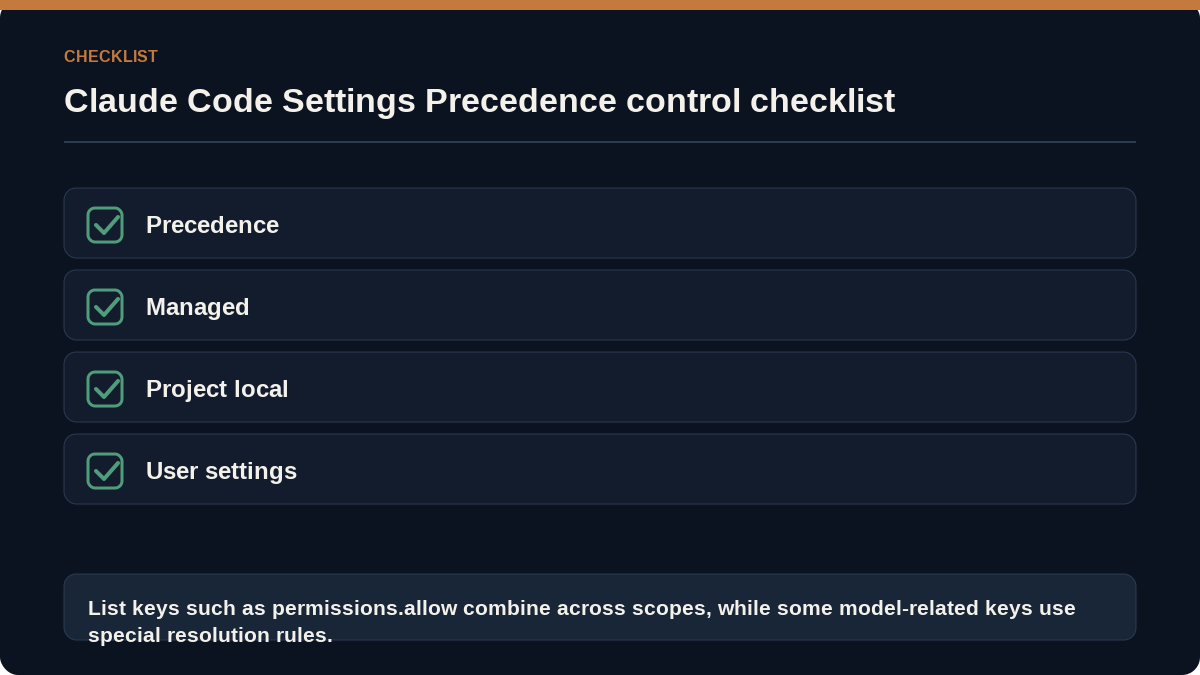
Claude Code documents five settings levels in this order: managed settings, command-line arguments, project-local settings, shared project settings, then user settings. For an ordinary conflicting value, start at the top and stop at the highest scope that defines the key. Do not assume the last file read wins. List keys such as permissions.allow combine across scopes, and model-related keys including fallbackModel and modelPicker have special resolution rules. Environment variables also need a separate check. The practical fix is to identify the key type, trace its definitions from highest scope to lowest, and edit the source that actually owns the effective value.
Why editing the wrong scope wastes a debugging session
A setting can exist in several files and still produce one effective behavior. The visible file is not necessarily the controlling file. A developer may change a personal preference, restart Claude Code, and see no difference because a project-local definition outranks it. Repeating that edit adds noise without adding evidence.
Official. The settings files and precedence documentation gives a strict order for the five levels. That order answers a scope question. It does not say that every value is replaced, every list is concatenated in a particular order, or every nested object is deeply merged.
The cost grows when several people repeat the same mistaken edit. A repository can accumulate duplicate definitions that appear to serve different purposes but actually shadow one another. A support ticket may include screenshots of the lowest-priority file while the winning value lives in managed policy or a launch argument.
A related failure occurs when an environment variable is treated as just another settings file. ANTHROPIC_MODEL, for example, overrides file-based model settings regardless of settings-file scope. The settings env and process replacement runbook explains that exception and the difference between inherited shell values and process replacement.
Before changing JSON, write down the exact key, the launch surface, and the project directory. Those three facts constrain the search. The status and doctor inspection guide then provides a way to inspect loaded sources and rejected entries without pretending that inspection automatically repairs configuration.
Name the five configuration levels
Precedence is a lookup order, not a file-reading timetable. Begin with managed settings because they have the highest documented priority. Next, inspect command-line arguments supplied to that launch. Project-local settings follow, then shared project settings, then user settings.
| Precedence rank | Configuration source | Location or surface | First question |
|---|---|---|---|
| 1 | Managed settings | Managed configuration surface | Does an organizational definition apply? |
| 2 | Command-line arguments | The current Claude Code invocation | Was a value supplied for this launch? |
| 3 | Project-local settings | .claude/settings.local.json |
Does a personal project override define the key? |
| 4 | Shared project settings | .claude/settings.json |
Does the repository definition supply the key? |
| 5 | User settings | ~/.claude/settings.json |
Does the personal default define the key? |
Official. Windows expands the user path under %USERPROFILE%\.claude. A configured CLAUDE_CONFIG_DIR changes the base path, so path checks should use the effective configuration context rather than a hard-coded home assumption. The absolute-path configuration directory guide covers that relocation boundary.
Rank matters only when multiple applicable sources define the same key. If only user settings define it, there is no conflict with the higher scopes for that key. If a source is rejected rather than loaded, that is a validation problem, not merely a lower-priority value. Keep those cases separate.
A useful mental test asks, “What is the highest applicable source that defines this key?” Avoid the broader question, “Which file did Claude Code read last?” The latter invites an unsupported theory about implementation order. The former follows the documented contract and produces a concrete place to inspect.
Start with the highest-precedence source
Managed settings deserve the first check because they outrank command-line arguments and all three file scopes in the documented order. On a managed machine, a local edit may be unable to change the effective value by design. That is different from a broken merge.
Official. Some identity controls are enforceable only through managed settings. The SSO organization and login-method runbook documents that boundary for forceLoginOrgUUID. This article does not expand into permission policy, but the same inspection discipline applies: identify the owner of the higher scope before attempting a local workaround.
If you cannot inspect a managed definition, record that limitation. Do not infer its contents from the observed behavior alone. A project value that appears ignored could be shadowed by managed policy, a launch argument, a rejected entry, or a key-specific rule. Those possibilities need separate evidence.
For an unmanaged personal setup, the managed check may be short. Record that no managed source applies to the launch rather than skipping the step silently. A repeatable audit needs both positive findings and explicit negative checks.
Managed ownership also changes the corrective action. The person who can edit the winning source may be an administrator rather than the developer experiencing the symptom. The managed update channel guide provides a related example of separating a configuration choice from the component that owns updates.
Map command-line arguments
Command-line arguments rank second. They can therefore outrank a project-local file for the same key. A value that works in an ordinary terminal launch may differ when an IDE, script, or wrapper supplies arguments.
Official. The five-level order includes command-line arguments explicitly. The supplied research does not enumerate a settings flag for every key, so this article does not invent one. Use the CLI reference to confirm the exact invocation surface before adding an example to a team runbook.
Inspect the actual command that starts Claude Code. A shell alias, an IDE task, or a wrapper may launch a different command than the one visible in the terminal history. The VS Code installation and standalone CLI guide explains that the extension panel and a standalone terminal installation are distinct execution surfaces. Do not assume their visible configuration context is identical.
When a launch argument is intentional, document its owner and purpose. When it is accidental, remove the supplying argument rather than adding a lower-scope file to fight it. A lower file cannot outrank the argument, so duplicate edits only make the configuration harder to explain.
The VS Code settings and relaunch guide is useful when the same repository behaves differently between editor and terminal launches. It also keeps editor preferences, global config, and Claude Code settings files separate.
Separate project-local from shared project files
Project-local settings rank above shared project settings and user settings. The two project files sit inside the project’s .claude directory, but they serve different ownership needs. Shared project settings express a repository-level definition. Project-local settings hold a personal override for that project.
Official. The documented paths are .claude/settings.local.json for personal project overrides and .claude/settings.json for shared project settings. Similar directory placement does not imply equal priority. A local definition wins over the shared definition when both apply to the same ordinary key.
Suppose a shared file sets a preference and a local file sets another value for the same key. Editing the shared file will not displace the local value. The corrective choices are to change the local override, remove it if unintended, or move the intended definition to a scope that matches the desired ownership.
A local file can also explain why a personal user preference appears to change only in one repository. The user value remains defined, but the project-local value has higher precedence there. The project-local versus user merge guide works through that scenario and contrasts it with a bounded community report.
Keep credentials out of these examples. The settings files and exposed secrets article describes how permission-related choices can create exposure risks. This precedence guide classifies configuration ownership without recommending a permissions policy.
Locate user settings
User settings have the lowest priority in the five-level file and launch order. They are a sensible home for personal defaults, but they are not a universal override. A higher project or launch definition can supersede the same key.
Official. The documented user path is ~/.claude/settings.json, with the Windows expansion under %USERPROFILE%\.claude. Most settings keys reside in settings.json files, but a short group has global-config scope in ~/.claude.json. The global config versus settings.json guide prevents a path mistake before precedence is even evaluated.
A user value that appears ignored may be correctly loaded but shadowed. That is not the same as a rejected value. /status is recommended for seeing loaded configuration sources, while claude doctor is recommended for identifying rejected entries. The validation comparison keeps those questions distinct.
When a relocated configuration directory is active, inspect its base path. CLAUDE_CONFIG_DIR should be written as an absolute path, and shorthand such as ~ or $HOME stays as typed according to the environment-variable documentation. A path error can send the inspection to the wrong directory before precedence becomes relevant.
The credential storage path guide is a companion for authentication files, not a reason to edit credential contents. Keep this audit focused on settings keys and their documented locations.
Handle list-key combination
List keys do not follow the simplest “one value replaces another” story. The official settings page says list keys such as permissions.allow combine across scopes. A higher-scope list therefore does not automatically erase every lower-scope entry.
| Key type | Documented behavior | Safe interpretation | Unsafe shortcut |
|---|---|---|---|
| Ordinary conflicting value | Resolve through the scope order | Inspect the highest applicable definition | Assume the last file read wins |
List key such as permissions.allow |
Combines across scopes | Inspect contributions from applicable scopes | Assume replacement of the entire lower list |
Model-related key such as fallbackModel |
Special resolution rules | Check the specific key documentation | Apply the ordinary scalar rule blindly |
Model-related key such as modelPicker |
Special resolution rules | Treat it as an exception case | Generalize one model rule to all settings |
Environment variable such as ANTHROPIC_MODEL |
Overrides file-based model settings | Check the environment separately | Treat it as an ordinary file scope |
Official. The list rule establishes combination, not a universal deep merge for every value type. The fetched summary also does not establish a guaranteed ordering or duplicate-handling algorithm for every list. Avoid inventing those details in a configuration review.
A list inspection should record which scopes contribute entries. Removing one entry from a lower-scope list may not remove the effective permission if another scope contributes it. That observation belongs to configuration diagnosis, not to a new permission-governance policy.
The distinction matters during cleanup. A team may want to remove a stale lower-scope entry, but deleting an entire file can also remove unrelated settings. Prefer a narrow, reviewed edit once the key’s behavior is understood. The settings merge article explains how to make that narrow choice without promising deep merging.
Account for model-key exceptions
Model-related keys require their own check. The official documentation names fallbackModel and modelPicker as keys with special resolution rules. It does not support a blanket statement that all model settings follow one exception.
Official. ANTHROPIC_MODEL is a particularly important exception because it overrides file-based model settings regardless of settings-file scope. A user may edit a model value in settings.json and still see the environment-selected value. That is not evidence that the five-level order failed.
Use the settings env runbook to trace inherited shell values and settings-file env entries. It explains process replacement in most sessions and the startup timing caveat. Do not print credential values while checking a model-related variable.
For fallbackModel and modelPicker, consult the all settings reference for the specific key. No complete resolution algorithm is invented here because the fact pack does not contain one.
A model exception also does not rewrite ordinary settings precedence. If a non-model key is shadowed, return to the five-level map. Mixing the two questions creates a false diagnosis in which one special case is used to explain unrelated behavior.
Verify the effective source
After identifying a candidate winning scope, inspect before editing. /status can show loaded configuration sources, and claude doctor can identify rejected entries. Neither command is documented in the supplied summary as a universal per-key winner display, so keep the conclusion tied to the evidence actually shown.
Official. The settings page recommends those two inspection surfaces. It does not promise that claude doctor repairs JSON automatically. It also does not establish exit codes or a complete list of output fields in the fetched research. Treat a rejected entry as a problem with that entry, not proof that every settings file is invalid.
A short verification record should include the key, launch directory, applicable scopes checked, candidate winner, and any exception that applies. For secrets, record presence and source only. The secrets in logs and transcripts guide explains why copying full environment output into a ticket can create avoidable exposure.
If the observed behavior still disagrees with the documented map, stop short of a universal defect claim. Recheck the key reference, launch arguments, and environment. The project-local merge report analysis shows how to keep an individual community report separate from current official behavior.
Worked example: trace one ordinary key
Imagine the same ordinary key appears in user settings, shared project settings, and project-local settings. No managed definition applies, and the launch command supplies no value for that key. The user value is personal, the shared value is repository, and the local value is private-project.
Apply the documented order. Managed settings and command-line arguments do not define the key. Project-local settings are the highest remaining applicable source, so private-project is the candidate effective value. The shared and user definitions remain lower-priority contributions for that key.
Changing the user value to another personal default would not alter this project’s effective value. If the local value was accidental, remove or correct that local definition. If the repository should own the behavior for everyone, the local override still needs to be addressed because it outranks the shared file.
Derived. The lookup visits five ranked sources and stops at rank 3 in this example. The formula is simply the first applicable definition encountered from rank 1 downward. This is a trace of the documented order, not a benchmark or a claim about file-read sequence.
Inspection record:
key: illustrative ordinary setting
managed: not applicable
launch argument: not supplied
project-local: private-project
shared project: repository
user: personal
candidate winner: project-local settings
Practical decision matrix
| Observation | Scope to inspect next | Action boundary |
|---|---|---|
| Personal value changes only inside one project | .claude/settings.local.json |
Check for a higher local definition |
| Repository value appears ignored for one developer | Project-local file, then launch arguments | Do not edit the shared file repeatedly |
| Local file changes have no effect on a managed machine | Managed settings and launch arguments | Coordinate with the managed-source owner |
| List behavior includes unexpected lower-scope entries | Every applicable list contribution | Do not assume whole-list replacement |
| Model file edit has no effect | ANTHROPIC_MODEL and model-key reference |
Apply the documented exception |
| Entry is reported as rejected | The specific key and its documented location | Correct validation before treating it as shadowed |
Use the matrix as a stopping rule. Once the highest applicable source is identified, additional edits to lower scopes should have a stated purpose. “Just in case” duplicates make future inspection harder.
For a repeatable team routine, store the key name and owning scope in an internal note, not the secret value. The API key security reference offers adjacent security context. The OpenAI versus Anthropic compatible APIs guide is useful when a separate integration question is being confused with Claude Code settings precedence.
Concrete win, honest loss and practical implication
Win. The five-level order turns a vague precedence argument into a finite search. A developer can name the likely winning scope before editing and can explain why a personal default does not apply in one repository.
Loss. The order is not a universal merge algorithm. Lists combine, model keys have special rules, and environment variables can bypass ordinary file assumptions. The supplied summary does not provide every nested-object rule or every model-key resolution detail.
Implication. Classify first, trace second, edit third. Keep one owner for each intentional definition and verify the result in the same launch surface where the problem appeared. The update channel and minimum version runbook applies the same ownership discipline to a different configuration decision.
Data gaps and future update triggers
Unknown. The fetched evidence does not enumerate every key-specific merge rule, every model resolution detail, or every field shown by /status. It also does not establish how this local-file map should be applied to cloud sessions. This article therefore makes no cloud-session claim.
Update the map when official documentation publishes a more detailed key-resolution table or changes the five-level order. Recheck the settings and environment-variable pages before publication. If a community report appears to contradict the map, reproduce the exact key and launch context before treating it as a broader defect.
Related batch runbooks
- Dynamic apiKeyHelper credentials and refresh timing
- Project-local settings versus user values
- Status and doctor for loaded and rejected settings
- Settings env values and shell process replacement
- Global config in ~/.claude.json versus settings.json
- Credential precedence across keys, helper and OAuth
- Absolute CLAUDE_CONFIG_DIR paths for auth storage
- Managed SSO organization and login-method controls
- Stable, latest and minimumVersion update controls
- Browser sign-in, first-launch state and logout
- Uninstall ownership and configuration retention
- VS Code settings, auto-connect and relaunch timing
One AI option for OpenAI-format agents
For a separate OpenAI-format agent, One AI provides one key for the 46 live free IDs at https://api.oneaiapikey.com/v1. Start with the free model route or the OpenAI-format quickstart. This is not a Claude Code model source. Claude IDs were unavailable on 2026-11-27, and the free IDs are not presented as Claude Code credentials.
FAQ
What is the exact Claude Code settings precedence order?
Managed settings, command-line arguments, project-local settings, shared project settings, then user settings. Environment variables and key-specific rules require separate checks.
Does project-local settings always replace shared project settings?
It has higher precedence for an ordinary conflicting key, but list keys combine and some model keys have special resolution. Classify the key before predicting the result.
Where are the three settings.json file scopes?
User settings are at ~/.claude/settings.json, shared project settings at .claude/settings.json, and personal project overrides at .claude/settings.local.json. Windows expands the user path under %USERPROFILE%\.claude.
Can a command-line argument outrank project-local settings?
Yes. Command-line arguments rank second, above project-local settings. Inspect the actual launch invocation when editor and terminal behavior differ.
Why did my model setting not respond to a file edit?
Check ANTHROPIC_MODEL, which overrides file-based model settings regardless of settings-file scope. Also check the specific documentation for model-related keys rather than assuming ordinary scalar behavior.
More Claude Code troubleshooting
- Claude Code Native Install: Verify PATH and Binary Ownership
- Claude Code Homebrew Install: Manage Cask Updates Manually
- Claude Code WinGet Install: Locate the Binary and Maintain PATH
- Claude Code npm Install: Node 22, Global Prefix and PATH
- Claude Code Linux Packages: Compare apt, dnf and apk Updates
- Claude Code Terminal Keybindings: Shift+Enter Compatibility Guide
- Claude Code tmux Setup: Passthrough Keys and Notification Bells
- Claude Code Terminal Theme: Light, Dark and Custom JSON
- Claude Code JetBrains Install: CLI Plus Marketplace Plugin
- Claude Code JetBrains External Terminal: Host Install and /ide
- Claude Code Dev Container Feature: Install and Node Fallback
- Claude Code Dev Container Auth: Persist Config With a Volume
- Claude Code Docker Config Mount: Permissions and Write Access
- Claude Code VS Code Dev Containers: Align CLAUDE_CONFIG_DIR
- Claude Code Container User: Align HOME, Config and Workspace
Sources
- Settings files and precedence - Claude Code Docs, official, checked 2026-11-28. Five-level order, paths, list combination and model exceptions.
- All settings - Claude Code Docs, official, checked 2026-11-28. Key locations and global-config distinctions.
- Environment variables - Claude Code Docs, official, checked 2026-11-28. Process replacement and startup timing.
- Troubleshooting - Claude Code Docs, official, linked in the research register. Troubleshooting boundary.
- CLI reference - Claude Code Docs, official, linked in the research register. Launch-command reference.
- Quickstart - Claude Code Docs, official, search result and linked in the research register. Initial setup context.