Direct answer and practical verdict
Install with winget install Anthropic.ClaudeCode, then verify the package record and the claude command resolved by the intended Windows shell. Official (F008): that is the documented WinGet command, and WinGet installations do not auto-update. Official (F009): native Windows binaries live in user directories, but the fetched setup page does not name one exact path. Do not guess a folder or edit PATH on every machine. First confirm that the package is present and the shell can resolve its executable. The win is a package-owned installation with a traceable manual update path. The loss is that a working install can remain unchanged until someone checks WinGet. Capture the package identifier, resolved executable and shell context before changing anything.
Why Windows install checks need two layers
A successful WinGet operation answers a package question. It does not, by itself, answer which executable a particular terminal will launch. Windows can have more than one user-level command location, and a machine can retain a native or npm copy from an earlier setup. The shell may resolve one of those copies instead of the WinGet-owned command.
That distinction prevents a common wrong turn. An operator sees claude missing, adds a guessed directory to PATH, and still cannot explain which installation owns the result. Another operator sees an old command, runs a native update action, and assumes the WinGet package changed. Neither approach starts with the package identifier.
Official (F008): WinGet installations do not auto-update. Maintenance therefore belongs to WinGet, under whatever schedule the operator or team chooses. The setup page does not prescribe a fixed upgrade interval. Do not translate that silence into a weekly requirement or a promise that the package will refresh itself.
This guide stays on clean Windows installation, executable discovery and package ownership. WSL environment inheritance, PowerShell quoting and Windows memory diagnosis are separate subjects. The WSL IDE environment-variable guide, PowerShell path quoting guide and Windows memory diagnosis cover those boundaries without being pulled into this runbook.
Check the documented Windows requirement
Official (F007): the documented requirement is Windows 10 1809 or later, or Windows Server 2019 or later. Treat that as the minimum stated on the fetched setup page, not as a promise about every Windows edition, SKU or deployment image.
Save the operating-system edition before installation when the result will support a team image or a new workstation. If the reported version is unclear, resolve that uncertainty before changing packages. An unsupported or ambiguous base system is not repaired by repeatedly running the installer.
The requirement belongs to the documented setup snapshot. Recheck the official page before publication and before applying this guide to a new Windows image. This article does not invent a build-number conversion, hardware requirement or feature list beyond F007.
A user-level installation also needs a clear account context. Run the audit as the account that will launch Claude Code. An administrator’s package view does not automatically describe a developer’s command resolution. Keep user context in the handoff note without exposing private profile paths in a public ticket.
Requirement evidence
| Item | Documented value | Evidence to retain | Boundary |
|---|---|---|---|
| Windows client | Windows 10 1809 or later (F007) | Reported OS edition and version | Not a claim about every edition |
| Windows Server | Windows Server 2019 or later (F007) | Reported server edition and version | Not a deployment-image guarantee |
| Installation account | Intended Claude Code user | Account label and package scope | Administrator context may differ |
| Package identity | Anthropic.ClaudeCode (F008) |
WinGet package record | Not a model ID |
| Executable location | User directories for native Windows binaries (F009) | Observed resolved path | No exact path is supplied by the packet |
Install with the WinGet package identifier
Use the documented command in the intended Windows terminal. The package identifier is part of the installation evidence, so preserve its exact spelling in the runbook.
winget install Anthropic.ClaudeCodeAfter the operation, inspect WinGet’s local package information for Anthropic.ClaudeCode. The goal is to establish that WinGet can account for the installation before troubleshooting the command. If the package record is absent, review whether the operation completed for this user and machine. If a different package appears, record that difference rather than rewriting the evidence to fit the expected identifier.
Recheck the setup page before using this command on a new system. Installer instructions can change, and the fact pack does not authorize extra source flags, version pins or repository arguments. Keep the documented command separate from local automation choices.
A package record still does not prove shell resolution. The next check asks the terminal which claude it would run. That distinction is especially important when a previous native or npm installation remains on the machine.
The npm Node.js and global-prefix guide explains the competing npm ownership case. The native install PATH and binary ownership guide provides the macOS, Linux and WSL path audit. Do not mix their removal commands with WinGet maintenance.
Installation record
| Evidence | Why it matters | Safe record |
|---|---|---|
| OS requirement check | Confirms the documented base requirement | Edition and version, without unrelated diagnostics |
| Exact package identifier | Ties the operation to F008 | Anthropic.ClaudeCode |
| WinGet result | Separates package completion from launch failure | Reported success or error text |
| Intended user | Explains whose command path is under test | Account label |
| Resolved command | Identifies the executable selected by the shell | Full observed path |
| Installation owner | Determines the update and removal route | WinGet, native, npm or unknown |
Find the user-level installation
Official (F009): native Windows binaries are placed in user directories. That wording does not identify one universal folder for WinGet or every Windows setup. Do not replace it with a guessed AppData, Local, Programs or profile path.
Instead, ask WinGet for the installed package information and ask the shell for command resolution. Together, those observations identify the package and the executable selected on this machine. If they disagree, investigate the earlier search-path entry or the package record before editing anything.
The following PowerShell operator procedure reports the command selected by the current session. It does not execute Claude Code or assert a universal output format.
Get-Command claudeA useful result includes the command’s source path and type. Compare that path with WinGet’s package information. An exact ownership match supports the WinGet route. A path outside that package means another executable may be winning, so identify its owner before adding more directories.
PowerShell, CMD and Bash are not identical launch contexts. Official (F003): the documented supported shells are Bash, Zsh, PowerShell and CMD. That list does not guarantee identical PATH inheritance or startup behavior across them. Note the shell used for each observation.
Windows installation route versus executable ownership
| Route | Package evidence | Executable question | Maintenance owner |
|---|---|---|---|
| WinGet | Anthropic.ClaudeCode record (F008) |
Does the intended shell resolve the package-owned command? | WinGet, with manual updates |
| Native Windows | Native installation record | Which user-directory executable is selected? | Native route guidance |
| npm | Global npm package record | Which global prefix and shell path own the command? | npm route guidance |
| VS Code panel | Extension and bundled CLI context | Is the test terminal-based or panel-based? | Separate extension and CLI ownership |
| WSL | Linux environment context | Which WSL shell resolves the command? | Separate WSL installation route |
Confirm the shell can resolve claude
Run resolution in the exact shell where Claude Code is expected to work. In PowerShell, Get-Command claude is a read-only operator check. In CMD, where claude can list matching commands. These commands inspect the local environment; their output is evidence to record, not a vendor promise about a fixed path.
where claudeA single matching path supports a simple ownership check. Multiple matches require order awareness, because the shell’s selection can differ from the first line printed by a listing command. Compare the actual selected command with the package-owned location rather than assuming list order alone proves ownership.
No match means the current shell has not resolved claude. Check the package record, the user context and the effective search path before changing configuration. Do not assume every missing command requires a manual PATH edit; the installation may be incomplete, or another launch context may own the command.
A resolved command can still fail later. Authentication, browser handoff, proxy behavior and application errors are outside this installation check. If resolution succeeds but the program does not reach a usable state, move to the appropriate diagnostic instead of repeatedly reinstalling the package.
Shell result versus the next installation check
| Observation | Supported interpretation | Next check | Avoid |
|---|---|---|---|
| WinGet record present, command resolves to its executable | Package and shell evidence agree | Record ownership and proceed to normal CLI verification | Unnecessary reinstall |
| WinGet record present, no command result | Package exists but this shell cannot resolve it | Inspect user context and effective search path | Guessing a directory |
| Command resolves elsewhere | Another executable is selected | Identify the earlier copy and its owner | Deleting it without evidence |
| Multiple command matches | More than one candidate exists | Compare actual shell selection with package records | Assuming the first listed path wins |
| No WinGet record, command resolves | Another route owns the command | Identify native, npm or unknown ownership | Treating it as a WinGet install |
| Package operation failed | Installation completion is in question | Review the reported package error | Editing PATH before package success |
Plan manual package upgrades
Official (F008): WinGet installations do not auto-update. Use WinGet for package checks and upgrades under a maintenance policy chosen by the operator or team. The setup page gives no fixed manual schedule, so this guide does not invent one.
Start each check with the package identifier. Confirm that Anthropic.ClaudeCode is still the intended package before applying an upgrade. After the operation, inspect WinGet’s resulting record and resolve claude again in a fresh terminal. Two-layer verification keeps a package change from being confused with a shell-selection change.
The fact pack does not provide a verified WinGet upgrade-command spelling. Consult the installed WinGet version’s command reference when building local automation, then preserve the exact command in the runbook. This is a deliberate evidence boundary, not an invitation to guess syntax.
Do not claim that claude update upgrades a WinGet-managed package. An in-product action does not replace package ownership evidence. The update channels and minimumVersion guide explains the separate channel and downgrade-floor controls.
WinGet setting versus native installer behavior
| Control or action | Scope | Evidence it can provide | Evidence it cannot provide |
|---|---|---|---|
| WinGet package record | Windows package ownership | Whether Anthropic.ClaudeCode is recorded |
Which command every shell selects |
| WinGet upgrade operation | Package maintenance | Result of the chosen package operation | A guaranteed release date |
| Shell resolution | Current launch context | Which executable the shell selects | Whether the package is current |
| Native update behavior | Native installation route | Behavior for that route | That a WinGet package changed |
minimumVersion |
Claude Code downgrade floor | A configured floor can block a channel downgrade (F018) | A permanent version pin |
| IDE panel | Editor integration | Panel launch behavior | Terminal executable ownership |
Keep native and WinGet copies distinct
A Windows machine can contain a native user-directory binary and a WinGet package at the same time. Both may work. The operational problem is not mere duplication; it is not knowing which copy a command, update action or removal step will affect.
Record the resolved executable and its owner before maintenance. If WinGet owns the selected command, keep package changes in WinGet. If a native copy wins, decide whether the intended route should change before removing anything. The uninstall and configuration retention guide explains why executable removal and configuration deletion are separate decisions.
Do not use a native cleanup command to remove a WinGet package. Do not use WinGet removal to explain every remaining claude on the machine. Each route needs its own evidence and method. Configuration, credentials and session history should not be deleted to solve an executable-resolution problem.
The Homebrew cask update guide shows the same ownership rule on macOS. The Linux package comparison applies it to apt, dnf and apk. Across platforms, the stable pattern is package identity first, executable resolution second, maintenance action third.
Ownership decision matrix
| WinGet record | Shell result | Intended owner | Next action |
|---|---|---|---|
| Present | WinGet executable | WinGet | Verify normal CLI operation and record package state |
| Present | Another executable | WinGet | Identify the winning copy before changing search order |
| Present | No result | WinGet | Inspect user context and search path after package success |
| Absent | Another executable | Unknown | Identify native, npm or stale copy before maintenance |
| Absent | No result | WinGet intended | Review installation completion and OS requirement |
| Uncertain | Multiple results | Undecided | Collect package records and actual shell selection first |
Verify the installation route
Verification should produce a compact evidence packet: OS requirement, package identifier, intended user, shell, resolved executable and installation owner. Add the WinGet operation result when the packet supports an upgrade or reinstall decision.
A fresh terminal matters after package or environment changes. A process that started earlier can retain an older environment. If the command resolves in a new PowerShell session but not in an existing one, compare the launch contexts instead of assuming the package record is wrong.
IDE launches require separate evidence. The VS Code extension and standalone CLI guide explains that a panel can use a bundled CLI while terminal use depends on a standalone install. The VS Code auto-connect and relaunch guide covers startup-sensitive connection settings. Neither panel success nor terminal success proves the other surface automatically.
Do not include credential values in the packet. Executable discovery needs paths and package records, not tokens. The credential storage OS path reference explains storage locations, while the credential precedence audit covers identity selection after launch.
Record the local Windows setup
A local runbook should be short enough to repeat during workstation setup. Include the documented OS requirement, exact package identifier, read-only resolution check and manual maintenance owner. Leave space for the observed executable path because the fact pack does not supply one.
The following PowerShell sequence captures user, shell and command-source evidence. It is an operator procedure built around F008 and F009, not a claim about a fixed output schema.
$env:USERNAME
$PSVersionTable.PSVersion
winget install Anthropic.ClaudeCode
Get-Command claude
Do not rerun the install command merely to collect evidence if the package is already present. Use the sequence as a setup example, then replace the install step with a read-only package inspection in a steady-state audit. Preserve the exact command actually used in the handoff.
Concrete win, loss and implication
A concrete win is a workstation where the documented OS requirement is met, WinGet records Anthropic.ClaudeCode, and a fresh intended shell resolves the package-owned executable. The operator can explain installation and maintenance without guessing a Windows directory.
A concrete loss is deferred updating. Because WinGet installations do not auto-update (F008), a package can remain on its installed version while the team assumes a native updater is active. Another loss is false confidence from a command that resolves to an older native or npm copy.
The practical implication is to require package and shell evidence together in workstation setup. A successful install command is necessary but not sufficient. Keep manual WinGet checks in the team’s chosen maintenance routine, and verify the selected executable after each package operation.
Practical WinGet checklist
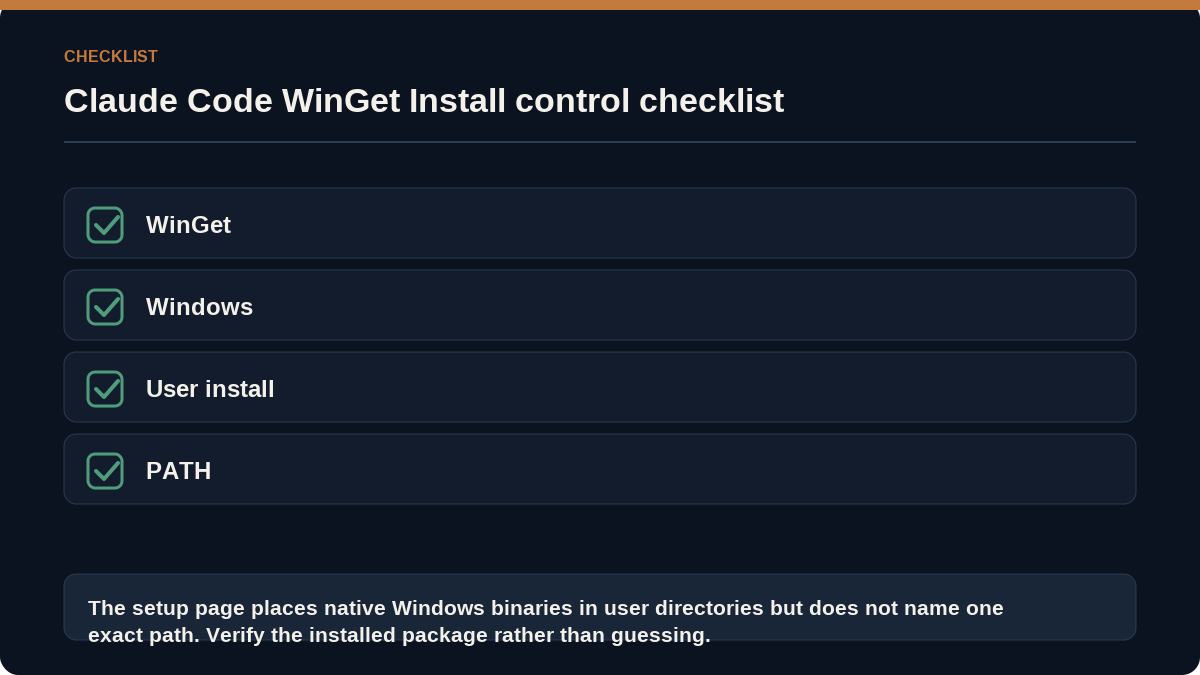
- Confirm Windows 10 1809 or later, or Windows Server 2019 or later.
- Name the user account that will run Claude Code.
- Install with the exact documented package identifier.
- Inspect WinGet’s record for
Anthropic.ClaudeCode. - Resolve
claudein the intended shell. - Compare the resolved path with package ownership evidence.
- Inspect earlier command matches before editing search order.
- Use a fresh terminal after package or environment changes.
- Perform manual upgrades through WinGet under the chosen local policy.
- Keep native, npm and WinGet copies distinct until one owner is selected.
- Save package results and redacted paths, never credentials.
- Escalate with OS, user, shell, package identifier and command source.
The settings validation status and doctor guide is the next stop when the command resolves but configuration is rejected. The browser login and logout guide covers first-launch identity after installation checks succeed.
Honest loss and data gap
The official facts establish the Windows requirement, WinGet command, manual update behavior and user-directory wording. They do not establish one exact Windows executable path, a universal PATH repair, a fixed upgrade cadence or a verified WinGet upgrade-command spelling in this packet.
No current package version is asserted. The setup snapshot can change, so a future update should recheck the OS requirement, package identifier and WinGet workflow against current primary documentation. Linked-only terminal, troubleshooting and CLI pages are further reading, not support for invented commands or output fields.
A measured incidence of PATH failures is also unavailable. This guide therefore does not claim that most missing commands need a path edit. It keeps the next action tied to observed package and shell evidence.
Continue with the matching batch guide
Other owners are documented in the native PATH and binary audit, the Homebrew cask update guide, the npm Node.js and global-prefix guide, and the Linux apt, dnf and apk comparison. Version policy continues in the stable, latest and minimumVersion reference.
Removal and identity stay separate. Review the uninstall and configuration retention guide, the browser redirect and logout guide, the credential precedence audit, and the credential storage OS path reference.
Configuration paths and enforcement are covered by the absolute CLAUDE_CONFIG_DIR guide, the SSO organization and login-method controls, and the apiKeyHelper refresh guide. Settings work can use the five-scope precedence map, the project-local and user merge explanation, the status and doctor validation guide, the settings env replacement guide, and the global config versus settings.json reference.
Terminal behavior belongs to the Shift+Enter compatibility guide, the tmux passthrough and bell guide, and the terminal theme placement guide. IDE operations continue with the VS Code extension and standalone CLI guide, the VS Code auto-connect guide, the JetBrains CLI and plugin guide, and the JetBrains external-terminal host guide.
Container contexts require the Dev Container Feature and Node fallback guide, the Dev Container auth volume guide, the Docker config mount permissions guide, the VS Code Dev Containers alignment guide, and the container user, HOME and workspace guide.
One AI API Key option for OpenAI-format agents
One AI’s active route serves OpenAI-format agents, not Claude Code model credentials. A separate OpenAI-format agent can use one key and 46 live free IDs through https://api.oneaiapikey.com/v1. Claude IDs were unavailable on 2026-11-27, so the free IDs must not be presented as a WinGet or Claude Code setup path. Check the free-model lineup and OpenAI-format quickstart for that separate use case.
FAQ
What is the documented WinGet install command?
Official (F008): winget install Anthropic.ClaudeCode. Preserve the exact package identifier in setup records and recheck the official page before using it on a new system.
Where is the Windows executable located?
Official (F009): native Windows binaries use user directories, but the fetched setup page does not name one exact path. Inspect the WinGet package record and resolve claude in the intended shell instead of guessing.
Do WinGet installations auto-update?
No. Official (F008): WinGet installations do not auto-update. Perform manual package checks through WinGet under a locally chosen policy; the setup page gives no fixed interval.
Does every missing claude command need a PATH edit?
No. Check package completion, user context and shell resolution first. A missing command can reflect an incomplete install or a different launch context, not only a missing search-path entry.
Can a working VS Code panel prove the terminal command is correct?
No. The VS Code extension and standalone CLI guide explains that the panel can use a bundled CLI while terminal use depends on a standalone installation. Verify the surface you intend to operate.
Sources
- Advanced setup - Claude Code Docs. Official source for F007 through F009.
- Terminal guide for new users - Claude Code Docs. Official further reading; linked-only in the research register.
- Troubleshooting - Claude Code Docs. Official further reading; linked-only in the research register.
- CLI reference - Claude Code Docs. Official further reading; linked-only in the research register.
- Environment variables - Claude Code Docs. Official reference for environment behavior, fetched during batch research.
- Use Claude Code in VS Code - Claude Code Docs. Official reference for extension and standalone CLI ownership.