Direct answer
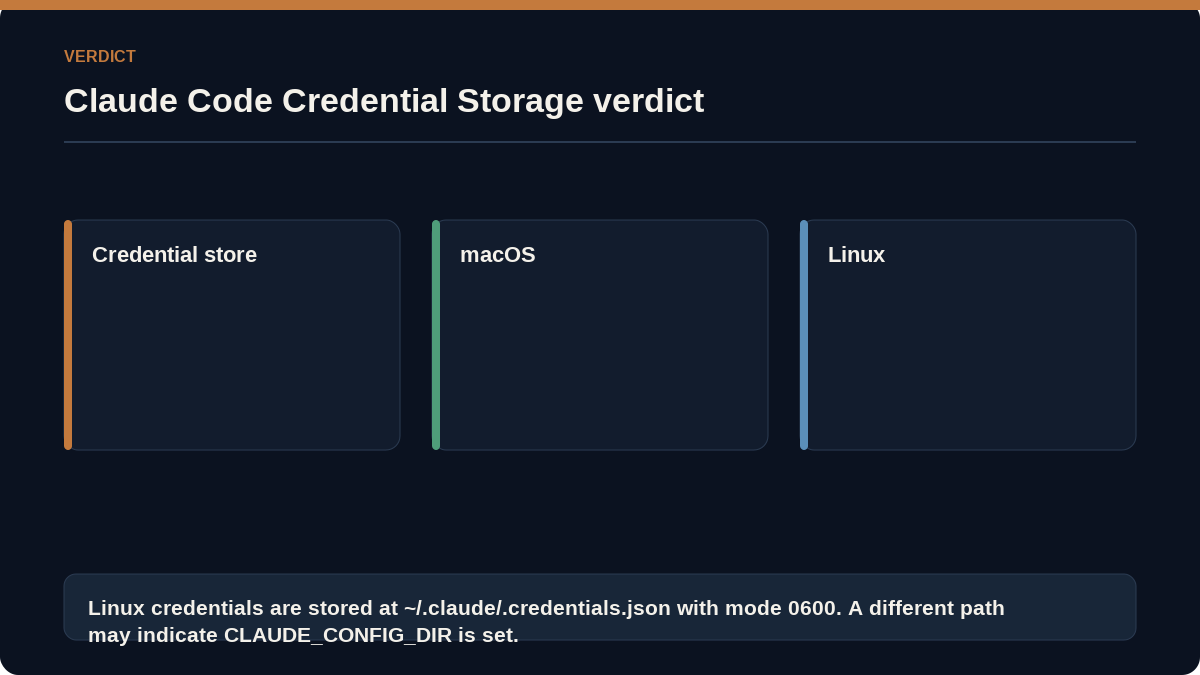
Check the credential store for the operating system and the effective configuration root, without printing credential contents. Official (F029): macOS uses the encrypted Keychain, with ~/.claude/.credentials.json as a fallback when the Keychain is locked. Official (F030): Linux stores credentials at ~/.claude/.credentials.json with mode 0600. Official (F031): Windows stores them at %USERPROFILE%\.claude\.credentials.json. A configured CLAUDE_CONFIG_DIR changes the base path on Linux and Windows. The win is locating the expected store while preserving secrecy. The honest loss is that the supplied facts do not specify a Windows ACL model, a macOS fallback-file mode or a universal command that identifies the active store. Do not copy credential files between operating systems, and do not treat every macOS Keychain prompt as proof of storage failure.
Why path checks need restraint
Credential storage sits close to account access, so a diagnostic session can create the exposure it is meant to investigate when it prints a credential file merely to confirm the location or copies that file to another machine with a different protection context. A careful check instead records the path, existence and documented protection while leaving values untouched, because neither printing nor copying is necessary to identify the expected store.
Operating systems implement different storage models because Official (F029): macOS uses an encrypted Keychain with a conditional file fallback, Official (F030): Linux uses a file with a documented mode and Official (F031): Windows uses a user-profile file path. Those statements do not establish one universal encryption, permission or portability rule across all three platforms, so each path check needs its own evidence boundary.
Configuration relocation adds another path decision because F030 and F031 both note that CLAUDE_CONFIG_DIR changes the base path, which means a checker that always inspects ~/.claude can examine the wrong directory even when the credential store is otherwise healthy. The absolute CLAUDE_CONFIG_DIR runbook explains the path requirement and launch-context checks needed before constructing a file-backed storage path.
Keep this article separate from prompt diagnosis. The macOS Keychain permissions guide covers repeated prompts and caller review. Here, the task is narrower: identify the documented store, verify the Linux mode where specified and record what remains unknown. The API key security reference provides general handling guidance without changing these OS-specific facts.
Identify the operating system
Start with the platform that actually runs Claude Code, not the operating system of the terminal you happen to be using. A remote shell can execute on Linux while the local workstation is macOS. An IDE can launch through an environment that differs from an interactive terminal. Capture the execution context before selecting a path.
Next, determine whether CLAUDE_CONFIG_DIR is configured. Record its name and value as a path only, never alongside a credential dump. F030 and F031 explicitly make the credential base path depend on this setting. If it is absent, use the documented default for the platform. If it is present, use the configured absolute directory as the base for file-backed storage.
The WSL IDE environment guide explains why an editor and terminal can inherit different environments. The PowerShell path and quoting guide provides adjacent Windows shell discipline. Neither article authorizes copying a credential file into a second environment to make the paths match.
A storage inventory should contain the platform, user context, configuration-root decision and expected store. Leave out account secrets, file contents and tokens. If several users or containers can run the client, inventory them separately because a path that exists for one user says nothing about another user’s store.
Operating system versus documented credential store
| Operating system | Documented store | Condition or path rule | Protection stated in the fact pack |
|---|---|---|---|
| macOS | Encrypted Keychain | Primary credential store | Encryption is attributed to Keychain |
| macOS | ~/.claude/.credentials.json |
Fallback if the Keychain is locked | No fallback-file mode is specified |
| Linux | ~/.claude/.credentials.json |
CLAUDE_CONFIG_DIR changes the base path |
Mode 0600 |
| Windows | %USERPROFILE%\.claude\.credentials.json |
CLAUDE_CONFIG_DIR changes the base path |
No specific ACL rule is specified |
Official (F029 through F031): this table is a location reference, not a claim that each platform uses identical protection or that the macOS fallback is always active.
Check the macOS Keychain path
On macOS, begin with the encrypted Keychain. Official (F029): credentials use that store, with a file fallback when the Keychain is locked. The fact pack does not name an exact Keychain item label or provide a command that enumerates the active item. Do not invent either one. Record the platform and the documented primary store instead.
A Keychain prompt is not, by itself, evidence that credentials moved to the file fallback. F029 ties the fallback to a locked Keychain, not to every prompt or every launch. If prompts are the actual problem, use the macOS Keychain permissions guide and review the calling process there. Do not convert that separate diagnosis into a universal storage rule.
The existence of ~/.claude/.credentials.json also does not prove it is the active store on every launch. Official caveat (F029): the file is a fallback under the documented locked-Keychain condition. A path check can establish presence, but presence alone cannot establish which store the current session used.
For an audit, write down whether the Keychain was available, whether the fallback file was present and which configuration root applied. Avoid screenshots that reveal item labels or account details. A redacted note is normally enough to explain the storage path without collecting credential material. Keychain evidence should distinguish the documented primary store from the conditional fallback, because a reviewer cannot infer active fallback use from a filename alone and should not treat a prompt as a substitute for the locked-Keychain condition in F029.
Understand the macOS file fallback
The fallback location is ~/.claude/.credentials.json. Official (F029): it applies if the Keychain is locked. Treat it as a conditional storage path, not a portable backup format and not proof that Keychain protection has been replaced. The supplied fact does not specify the fallback file’s mode, encryption at rest or lifecycle after the Keychain becomes available again.
Those missing details matter when someone proposes copying the file to Linux or Windows. Guardrail: do not recommend cross-OS credential copying. F029 through F031 document different platform stores and do not establish portability. Copying can also place the file under a different user’s permissions and configuration root, changing the protection context.
If a fallback file is present, inspect metadata only when necessary. Note the path and ownership without opening the file. Do not print its JSON, paste it into a ticket or attach it to a support conversation. The secrets in logs and transcripts guide explains how diagnostic output can create additional copies of sensitive material. Fallback review should stop at presence and ownership unless current official guidance establishes another check, because the supplied fact does not define the file’s mode, encryption or lifecycle after the Keychain becomes available again.
A configured CLAUDE_CONFIG_DIR should be reviewed before assuming the fallback lives under the default home directory. F029 states the default fallback path, while the broader configuration-root rule moves credential storage when that variable is set. Use the configuration-directory relocation guide to verify the effective root rather than guessing from one file’s presence.
Storage location versus documented protection
| Location | Documented protection | Safe verification | Unsupported conclusion |
|---|---|---|---|
| macOS Keychain | Encrypted Keychain | Record that the platform uses the primary store | Every prompt proves fallback use |
| macOS fallback file | No mode or file-encryption detail in F029 | Check presence and ownership without opening it | The file is always active or portable |
| Linux credentials file | Mode 0600 |
Read the mode metadata | The mode alone proves the correct user owns every related path |
| Windows credentials file | No ACL detail in F031 | Check the expanded user-profile path | A POSIX mode applies to Windows |
Check the Linux credentials file
On Linux, the documented default is ~/.claude/.credentials.json. Official (F030): that file stores credentials with mode 0600. If CLAUDE_CONFIG_DIR is configured, use that directory as the base instead. The check should therefore resolve the effective root before constructing the file path.
Use a metadata-only command rather than reading the file. The following Bash example prints the mode of the default Linux credential file. It is a Derived verification procedure from F030, not official Claude Code output. If a custom configuration root applies, substitute its absolute path before running the check.
stat -c '%a' "$HOME/.claude/.credentials.json"A result of 600 is the usual numeric display of the documented octal mode 0600. A missing-file error means the checked path was not available to that process. It does not prove that no credential exists elsewhere, because a configured root or different user context may apply. Do not respond by creating an empty credential file or copying one from another machine. A missing-file result should trigger a path and user-context review before any permission change, since the documented default and the configured base can differ while both are valid under their respective conditions.
Record the command’s result without attaching the credential file. If the mode differs from 0600, investigate ownership, configuration-root selection and how the file was created before changing permissions. F030 documents the expected mode; it does not provide a universal repair procedure for every filesystem or container mount.
The container user alignment runbook is the adjacent reference when host and container ownership differ. The Docker config mount permissions guide covers mount access. Keep those cases separate from a simple desktop Linux path check.
Verify the documented Linux file mode
Mode 0600 has a specific POSIX meaning. Derived from F030: the owner digit is 6 = 4 + 2, which combines read and write permission. The group digit is 0, and the other digit is 0, so the mode grants no group or other permission bits. This arithmetic explains the documented mode without making a broader security guarantee.
File mode is only one part of the storage context because directory ownership, the user running Claude Code and the effective configuration root still matter when a file with mode 0600 sits under the wrong owner or a custom-root checker examines only the default path. Avoid describing 0600 as universal encryption, since F030 specifies a Unix file mode rather than an encryption algorithm for the file contents or a guarantee about every related directory.
Linux mode check record
| Observation | Interpretation | Next action |
|---|---|---|
Mode displays as 600 |
Matches the documented 0600 mode |
Confirm effective root and user context |
| Mode differs | The checked file does not match F030’s documented mode | Investigate origin and ownership before changing it |
| File is missing at default path | That process did not find the default file | Check CLAUDE_CONFIG_DIR and user context |
| File exists under a custom root | The configured base path may explain the location | Verify the absolute path and launch environment |
| File contents were printed | Secret material may now exist in logs or history | Follow local secret-handling procedure |
Locate the Windows credentials file
On Windows, the documented path is %USERPROFILE%\.claude\.credentials.json. Official (F031): that is the credential storage location. Expand %USERPROFILE% for the account that runs Claude Code before checking the path. A different user profile produces a different base directory, even when the machine name is the same.
A configured CLAUDE_CONFIG_DIR changes the base path. F031 includes that caveat, so the default Windows path is not universal. Record whether the variable is set in the process that launches Claude Code. The configuration-directory runbook explains why an IDE launch may not inherit the terminal’s environment.
F031 does not specify a Windows ACL mode, encryption mechanism or inheritance rule. Do not translate Linux 0600 into a Windows permission claim. Inspect access only through the organization’s approved Windows procedure, and do not print credential contents to confirm the file exists. Windows path evidence should name the expanded user profile and configured root without asserting a permission model that the source does not provide, because an accurate location record is more useful than a guessed ACL conclusion.
Cross-platform copying remains outside the supported guidance. A Windows file path under %USERPROFILE% does not establish that the same JSON can be used on macOS or Linux. Reauthenticate through the documented platform flow instead of treating the file as a portable credential package. The browser login and logout runbook provides the interactive identity reset.
Config-directory choice versus effective credential path
| Configuration choice | macOS | Linux | Windows |
|---|---|---|---|
| Default root | Keychain, with ~/.claude/.credentials.json fallback if locked |
~/.claude/.credentials.json |
%USERPROFILE%\.claude\.credentials.json |
CLAUDE_CONFIG_DIR configured |
Review the configured root before assuming the default fallback path | Configured directory becomes the credential base | Configured directory becomes the credential base |
| Different launch context | Keychain and fallback observations may differ | File path and mode check may differ | Expanded profile and configured root may differ |
| Proposed file copy to another OS | Not supported by these facts | Not supported by these facts | Not supported by these facts |
Official (F029 through F031): the default paths are platform-specific. Unknown: the fact pack does not provide a universal migration or synchronization procedure for credential stores.
Account for CLAUDE_CONFIG_DIR
Treat CLAUDE_CONFIG_DIR as a base-path decision, not a cosmetic preference. F030 and F031 say it changes where file-backed credentials are stored. Official (F032): the environment-variable documentation instructs users to write an absolute path, and shorthand such as ~ or $HOME stays as typed. A relative or unexpanded value can therefore send a check to the wrong place.
Note the variable’s presence and absolute path without printing unrelated environment values. Compare the shell and IDE launch contexts when they disagree. Official (F034): shell variables are read at startup, while settings-file environment entries apply to running sessions unless a feature reads its variable only at startup. Start a fresh process when the relevant feature is startup-sensitive.
Relocation does not itself prove that a mount is readable or writable. Official caveat (F033): setting the variable moves credential storage, but it does not prove existing mount access. The devcontainer auth persistence runbook covers the official volume pattern, while the VS Code Dev Containers alignment guide addresses a labeled individual report.
Do not copy host secrets into examples while testing a new root. Use a nonsecret configuration check first, then complete authentication through the supported flow if credentials are needed. The GitHub Actions secrets guide provides adjacent secret-handling discipline for automated environments.
Record the storage check without exposing secrets
A useful record names the operating system, user context, configuration root, expected store and metadata result. On macOS, it can say Keychain was the documented primary store and whether the fallback file was present. On Linux, it can include the mode observation. On Windows, it can include the expanded path without including file contents.
Separate observation from diagnosis. “File present” is an observation. “Keychain fallback active” requires evidence about the locked-Keychain condition that F029 does not reduce to file presence. “Mode is 600” is an observation. “All credential access is secure” is a broader conclusion that the mode alone cannot support. A storage record should keep those statement types visibly separate, so a later reviewer can tell which conclusion follows from documented platform behavior and which remains an open question for the local environment.
The settings-file secret exposure guide explains why moving credentials into convenient configuration files can create another exposure. The custom API base URL resource covers a separate route question. Keep storage, route and tool-permission reviews distinct so one successful check is not treated as proof of the whole system.
Storage audit record
| Field | Acceptable record | Exclude |
|---|---|---|
| Execution platform | macOS, Linux or Windows | Assumptions based only on the local desktop |
| User context | Account or profile name under local policy | Password or session token |
| Configuration root | Default or absolute CLAUDE_CONFIG_DIR path |
Full environment dump |
| Expected store | Keychain, fallback file or platform file path | Credential file contents |
| Protection observation | Linux mode or documented Keychain model | Invented Windows ACL or macOS fallback mode |
| Open question | Active-store method or platform detail not established | A guessed diagnosis stated as fact |
Adjacent batch runbooks
| Related identity or configuration question | Batch runbook |
|---|---|
| Which executable is running? | Verify native PATH and binary ownership |
| Who owns a Homebrew install? | Manage Homebrew cask updates manually |
| Is WinGet the installation owner? | Locate the WinGet binary and maintain PATH |
| Was npm used globally? | Check Node and the npm global prefix |
| Does a Linux package own the CLI? | Compare apt, dnf and apk operations |
| Could update ownership matter? | Choose an update channel and downgrade floor |
| Should uninstall preserve configuration? | Uninstall while deciding configuration retention |
| How does a fresh login reset work? | Complete browser login and understand logout |
| Which credential source has priority? | Audit API-key, helper and OAuth precedence |
| Was the configuration root moved? | Set an absolute CLAUDE_CONFIG_DIR |
| Must sign-in use a managed organization? | Restrict SSO organization and login method |
Honest loss and data gaps
The concrete win is a platform-correct storage check that never displays credential contents. The concrete loss is incomplete protection evidence: F031 gives a Windows path but no ACL rule, F029 gives a macOS fallback condition but no fallback-file mode, and none of the three facts establishes cross-OS portability. The practical implication is to verify only what the documentation supports and label the rest unknown.
Unknown: the supplied facts do not identify an exact macOS Keychain item label, a universal active-store command, a Windows permission model or a file-encryption guarantee for Linux and Windows. No community report is used here to fill those gaps. Troubleshooting, CLI reference and settings reference are linked official pages in the source register rather than independently fetched evidence for extra storage details.
A future update can add platform permission checks after current official material verifies them. Until then, retain metadata-only evidence, avoid cross-OS copies and use the separate Keychain prompt guide when prompts are the actual problem. The privacy and retention reference remains relevant to policy, but it does not resolve these storage-mechanics gaps. Future platform detail should be added only with its source and scope, because a Windows ACL example or macOS fallback mode from an unverified page would weaken the otherwise careful boundary between official facts and local assumptions.
One AI option for OpenAI-format agents
Claude Code uses an Anthropic-format route, so One AI is not presented as a place to move these Claude Code credential files. One AI’s active offer is for OpenAI-format agents using https://api.oneaiapikey.com/v1, one key and 46 live free IDs. Its Claude IDs were unavailable on 2026-11-27. Do not treat those free IDs as Claude Code credentials. For a separate OpenAI-format agent, review the free model route and the OpenAI-format quickstart. Keep Claude Code authentication in its documented platform stores.
FAQ
Where does Claude Code store credentials on Linux?
Official (F030): at ~/.claude/.credentials.json with mode 0600. A configured CLAUDE_CONFIG_DIR changes the base path.
Is the macOS credentials file always the active store?
No. Official (F029): macOS uses the encrypted Keychain, with ~/.claude/.credentials.json as a fallback if the Keychain is locked. File presence alone does not establish active fallback use.
What protection does the Windows credentials file use?
Official (F031): the path is %USERPROFILE%\.claude\.credentials.json. The supplied fact does not specify an ACL mode or encryption detail, so this article does not invent one.
Can I copy the credentials file from macOS to Linux?
No such portability is supported by F029 through F031. Use the documented authentication flow on the target platform instead of copying credential files.
More Claude Code troubleshooting
- Claude Code apiKeyHelper: Dynamic Keys and Refresh Timing
- Claude Code Settings Precedence: Five Scopes in Exact Order
- Claude Code Settings Merge: Project Local Versus User Values
- Claude Code Settings Validation: Compare Status With Doctor Output
- Claude Code Settings env: Shell Values Versus Process Replacement
- Claude Code Global Config: ~/.claude.json Versus settings.json
- Claude Code Terminal Keybindings: Shift+Enter Compatibility Guide
- Claude Code tmux Setup: Passthrough Keys and Notification Bells
- Claude Code Terminal Theme: Light, Dark and Custom JSON
- Claude Code VS Code Install: Extension Panel and Standalone CLI
- Claude Code VS Code Settings: Preferences, Auto-Connect and Relaunch
- Claude Code JetBrains Install: CLI Plus Marketplace Plugin
- Claude Code JetBrains External Terminal: Host Install and /ide
- Claude Code Dev Container Feature: Install and Node Fallback
Sources
- Authentication: macOS, Linux and Windows credential storage, official source for F029 through F031.
- Environment variables: CLAUDE_CONFIG_DIR, official source for absolute-path and startup context.
- Settings files and precedence, official context for configuration scopes.
- All settings reference, official key reference.
- Advanced setup, official installation context.
- CLI reference, linked official command reference.
- Troubleshooting, linked official diagnostic reference.