Direct answer
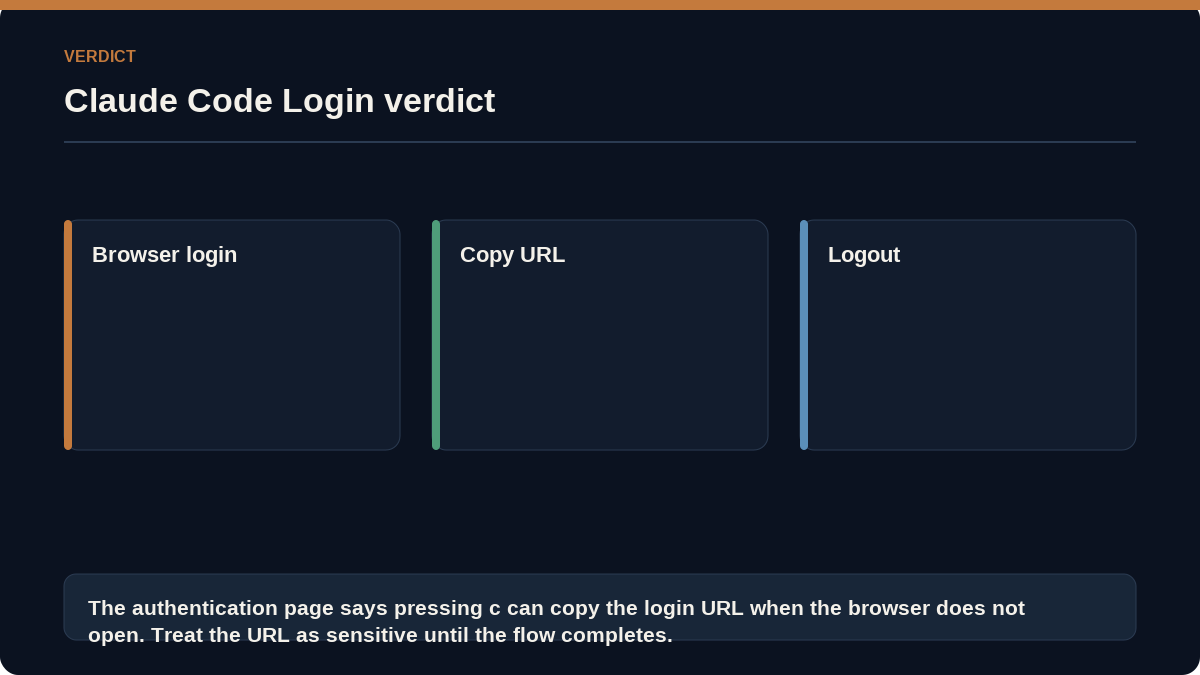
Start Claude Code and follow its first-launch authentication flow. Official (F023): first launch typically opens a browser, but a browser is not guaranteed to appear. If it does not open, Official (F024): pressing c copies the login URL so you can open it manually in a browser you control. Treat that URL as sensitive. To restart sign-in, Official (F025): /logout resets credentials and first-launch setup state, and logging out revokes written credentials. Logout is not uninstall and is not documented as deleting all local configuration. The win is a deliberate login reset without destroying settings. The loss is that a copied URL creates another secret-handling responsibility, while the supplied evidence does not identify one cause for every browser failure.
Why login state gets confused
A failed browser handoff can look like an installation failure, an account problem or a configuration problem, and those categories require different responses because reinstalling does not substitute for a documented login reset while deleting configuration does not substitute for understanding what /logout changes. Keeping the states separate saves time and avoids unnecessary data loss, especially when the visible symptom is only a browser that did not appear.
Authentication crosses two environments: the terminal session starts the flow, while the browser completes the interactive account step, and the documented fallback connects them through a copied URL when the browser does not appear without exposing the URL in shared output. Official (F024): c copies that URL, but the unfinished flow means the copied value should not be pasted into tickets, chat or shell history where another person or process could retain it or any other shared diagnostic surface could preserve it.
Existing credentials add another source of confusion because a visible login page does not by itself explain which credential source Claude Code will use after the flow, while environment variables, helper output and subscription OAuth follow a documented order with higher-priority exceptions. The credential-precedence audit covers that separate question, and it should be used when sign-in succeeds but the resulting identity or request path is not the one intended.
Configuration retention is equally separate because Official (F025): logout resets credentials and first-launch setup state without being documented as deleting every local setting, while the uninstall and retention runbook describes the much broader deletion boundary of ~/.claude. The settings-file secret exposure guide also explains why configuration should not be treated as a safe place to copy login material merely because logout leaves it in place.
Start the documented login flow
Launch Claude Code through the installation and account context you intend to use. Follow the first-launch authentication prompts rather than preemptively deleting files or creating a new environment variable. Official (F023): first launch typically opens a browser for authentication. The qualifier matters. A browser that does not appear is a reason to use the documented fallback, not proof that sign-in is impossible.
Choose the intended account before completing the browser step. If an organization restriction applies, confirm that requirement with the administrator instead of attempting to bypass it. The SSO organization and login-method runbook explains the managed controls. This login guide does not invent provider-specific setup steps or account-enforcement procedures. Account selection belongs in the handoff plan because a browser profile can contain several signed-in identities, and the organization intended for the terminal session may not be the identity that the browser presents first before any credential is written.
Record the launch context when more than one environment exists. A local terminal, remote shell and IDE may start from different accounts or inherit different variables. The WSL IDE environment guide explains why a terminal result may not describe an editor launch. A correct browser login in one context does not automatically explain another process.
Keep the first run small. Do not attach a private workload merely to test whether the browser returned. Confirm that the authentication flow completes and that the intended account context is selected before moving to normal work. This is an operational precaution, not a claim about a particular Claude Code status field.
Login stage versus expected terminal behavior
| Stage | Documented behavior | Safe operator action | Evidence limit |
|---|---|---|---|
| First launch | A browser typically opens | Follow the authentication prompt | F023 does not guarantee browser launch |
| Browser does not open | Pressing c copies the URL |
Open the copied URL manually in a controlled browser | Do not publish or share the URL |
| Browser flow completes | Return to the originating session | Follow the terminal’s next prompts | No exact callback screen or output field is specified |
| Restart required | /logout resets credentials and first-launch setup state |
Start a fresh login deliberately | Logout is not a configuration deletion command |
Official (F023 through F025): these are the supported anchors for the flow. The table avoids inventing success messages, callback paths or timing promises that the fact pack does not contain.
Recognize the browser handoff
Watch for the browser as the expected first branch, not the only possible branch. Official (F023): first launch typically opens one. If it opens, complete the account step there and return to the original terminal. Keep the originating session available so the handoff has a clear destination.
Avoid completing the flow in an unrelated browser profile by habit. The browser may already contain sessions for several accounts, and the intended organization may be tied to a particular sign-in context. Select the intended account deliberately. If the wrong account is selected, stop and restart through the documented state transition rather than assuming a later command will silently change identity. Browser-profile review reduces ambiguity before authentication completes, but it does not replace the separate audit of environment variables, helper output and other credential sources that may remain active afterward.
A browser handoff is not evidence that every credential source has been removed. Official (F025): /logout resets credentials and first-launch setup state, but the precedence guide describes other possible sources. When an unexpected identity persists after a fresh login, audit the API-key, helper and OAuth order instead of repeating browser sign-in indefinitely.
Handoff material deserves careful treatment. The API key security reference provides general secret-handling context. The secrets in logs and transcripts guide explains why unfinished authentication material should stay out of copied terminal output. Neither reference changes the documented c fallback.
Use the copy-URL fallback
When no browser opens, press c. Official (F024): that action copies the URL. Open a browser you control and paste the URL there manually. Keep the original terminal session open while completing the account step, then return to it for the next prompt.
Do not forward the copied URL to a colleague, paste it into a ticket or include it in a screenshot. An unfinished login URL can be sensitive even when no token is visible in the message you send. Official caveat (F024): the fallback is documented, but publishing or sharing the copied URL is not an approved troubleshooting step.
Clipboard hygiene is part of the fallback. If the platform keeps clipboard history, treat the copied URL as another temporary secret-bearing item. Clear it according to your organization’s procedure after the flow finishes or if you abandon the attempt. Do not copy the URL into a shell variable or configuration file to make the handoff easier. Those actions create additional storage locations outside the documented flow. Clipboard cleanup matters most when a login attempt is abandoned, because an unfinished URL can remain available to local history or synchronization long after the terminal session has closed.
The fallback solves a missing browser launch, not every authentication error. Unknown: F023 and F024 do not identify one root cause for all failures, nor do they provide a timeout, retry interval or universal recovery sequence. If the copied URL cannot complete the flow, record a redacted description and consult current official troubleshooting rather than inventing a retry loop.
Browser outcome versus documented fallback
| Observed outcome | Documented next step | Unsafe shortcut to avoid |
|---|---|---|
| Browser opens normally | Complete the flow in that browser | Sharing the terminal session to speed up sign-in |
| Browser does not open | Press c, then open the copied URL manually |
Posting the URL in a support channel |
| Copied URL is exposed | Treat it as sensitive and follow local incident procedure | Assuming no visible token means no risk |
| Browser opens but account selection is wrong | Stop and restart through a deliberate login reset | Continuing with the wrong organization |
| Flow still fails after manual opening | Record redacted evidence and consult current official guidance | Reinstalling or deleting all configuration by default |
Return to the terminal session
After completing the browser step, return to the terminal that started authentication. Follow the prompts shown there. The supplied facts do not enumerate exact success text, status fields or callback timing, so this guide does not invent them. Confirm completion through the client’s visible flow before beginning normal work.
Keep the two sides of the handoff distinct. Browser success means the browser portion completed. It does not prove which local credential source a later request will select. If the resulting behavior is unexpected, move to the credential precedence runbook. That runbook covers gateway exceptions, direct credentials, helper output and subscription OAuth without asking you to print secret values. A completed browser step should therefore be recorded as one stage in the login evidence, not as a conclusion about the credential source, configuration root or every later request.
Configuration location can also differ between launch contexts. The absolute CLAUDE_CONFIG_DIR guide explains how a configured root changes credential storage and why shell and IDE launches need separate verification. Use it when the terminal and editor appear to disagree about local state. Do not copy credential files between them as a shortcut.
Network conditions may affect the handoff without making browser login unavailable. The corporate proxy, TLS and mTLS guide is the adjacent reference when an organization has an approved network path. This article does not prescribe proxy settings or claim that a network control caused a particular failure.
Record a completed login without secrets
| Record item | Acceptable entry | Exclude |
|---|---|---|
| Launch context | Local terminal, remote shell or named IDE | Environment dumps containing values |
| Browser branch | Automatic launch or manual c fallback |
The copied URL |
| Account context | Intended account or organization label | Password, OAuth token or session cookie |
| Result | Flow completed or redacted failure description | Full transcript with authentication material |
| Follow-up owner | Person responsible for unresolved identity checks | Unverified diagnosis stated as fact |
Understand what /logout resets
Run /logout when the intended operation is to reset credentials and first-launch setup state. Official (F025): logout resets both, and logging out revokes written credentials. That makes it the documented state transition for a fresh interactive sign-in. It should not be replaced with uninstall.
The reset has a narrow meaning. F025 does not say /logout deletes all settings, MCP configuration or session history. Those configuration categories have a separate deletion boundary described in the uninstall retention guide. Keeping that distinction prevents a login reset from becoming an accidental configuration purge. Credential reset evidence should name the documented state transition without claiming that every local file disappeared, because configuration retention and credential revocation answer different operational questions and may require separate approval.
After logout, start a fresh launch and follow the authentication flow again. Derived from F025: resetting first-launch setup state means the next launch should be treated as a new setup flow rather than evidence that the old browser session remains active. This is a procedural inference from the documented reset, not a promise about a particular screen or timing.
Written-credential revocation also does not establish the fate of every possible higher-priority source. Gateway sessions and cloud-provider sources sit outside the direct credential subset described in the precedence guide. Audit those sources when identity remains unexpected. Do not print their values to prove they exist; record names and presence only.
Logout effect versus configuration left in place
| Item | Documented logout effect | Separate decision |
|---|---|---|
| Credentials | Reset, with written credentials revoked | Audit higher-priority sources if identity remains unexpected |
| First-launch setup state | Reset | Begin a fresh authentication flow |
| Local settings | Not documented as deleted by logout | Retain or remove through the configuration process |
| Allowed tools and MCP configuration | Not documented as deleted by logout | Review only if configuration deletion is intended |
| Session history | Not documented as deleted by logout | Apply an explicit retention policy |
Official (F025): logout is a credential and first-launch state transition. Unknown: the fact does not support a claim that every local configuration item disappears.
Separate logout from uninstall
Use logout for identity reset. Use the installation owner’s removal method for uninstall. Official (F025): logout resets credentials and first-launch setup state. Official (F021): uninstall methods vary by installation route. Neither fact supports using uninstall as the normal login reset, because removal introduces a separate set of configuration and ownership decisions. A deliberate login change should leave the installation and its retained configuration alone unless a separate removal task has been approved, which keeps the identity reset from creating unnecessary package and data-retention work for the same user and installation owner.
A temporary desire to change accounts does not require deleting ~/.claude. It also does not require removing a package-managed CLI. Run the documented logout transition, then complete the intended sign-in. If an organization restriction is involved, fix the managed policy through the administrator rather than attempting to bypass it.
Conversely, a decision to remove the CLI does not answer the identity question. Complete any required logout or credential review separately, then remove the executable through its owning route. The uninstall and configuration-retention runbook supplies that sequence and explicitly avoids promising credential behavior from uninstall alone.
Local storage belongs in a third conversation. The OS credential-storage reference maps Keychain and file-backed locations. The macOS Keychain permissions guide is the adjacent reference for access prompts, not a reason to repeat those prompts as a login diagnosis. Do not copy credential files between operating systems or accounts.
Choose the intended account or organization
Before restarting, write down the intended account context. If the organization is fixed by managed settings, confirm the expected organization identifier with the administrator. Official (F035): forceLoginOrgUUID pins claude.ai logins to an organization, while forceLoginMethod restricts login methods. Those controls are covered in detail in the SSO enforcement runbook.
Do not use a personal browser session as a workaround for an organization restriction. If the wrong method or organization appears, stop and ask the policy owner to review the managed configuration. The supplied authentication facts do not authorize bypass steps, account-appeal procedures or regional-enforcement advice.
A login record should say which account context was intended, which browser branch completed and whether a fresh logout reset was used. It should not contain the copied URL or a token. This level of detail is enough to distinguish a handoff problem from an identity-source problem without creating a new secret exposure.
Record the completed login state
Close the loop with a small, redacted record. Note the launch context, browser branch, intended account context, result and any follow-up. If the manual fallback was used, say so without retaining the URL. If logout was used, record that the documented reset was requested rather than claiming all local configuration was removed. A redacted login record gives the next operator enough information to reproduce the handoff while withholding the copied URL, account secrets and session material that could turn a routine support note into a new exposure.
A concrete win is a fresh login that does not require reinstalling or deleting configuration. A concrete loss is the extra handling risk created by a copied URL when the browser does not open. The practical implication is to use c only as the documented manual bridge, then return to the originating terminal and verify identity through the appropriate source audit.
Adjacent batch runbooks
| Related identity or installation question | Batch runbook |
|---|---|
| Which executable is being launched? | Verify native PATH and binary ownership |
| Does package ownership affect reinstall decisions? | Manage Homebrew cask updates manually |
| Is a Windows package install involved? | Locate the WinGet binary and maintain PATH |
| Was the CLI installed through npm? | Check Node and the npm global prefix |
| Does a Linux package own the CLI? | Compare apt, dnf and apk operations |
| Should an update change be ruled out? | Choose an update channel and downgrade floor |
| Should configuration survive removal? | Uninstall while deciding configuration retention |
| Why is an unexpected identity active? | Audit API-key, helper and OAuth precedence |
| Where is the credential stored? | Compare macOS, Linux and Windows credential paths |
| Do shell and IDE launches use different roots? | Set an absolute CLAUDE_CONFIG_DIR |
| Must sign-in stay inside an organization? | Restrict SSO organization and login method |
Honest loss and data gaps
The supported win is a documented browser handoff with a manual fallback and a deliberate logout reset. The supported loss is sensitivity of the copied URL and the possibility that a higher-priority credential remains relevant after sign-in. The practical implication is to separate browser completion, credential selection and configuration retention instead of treating them as one state.
Unknown: the supplied facts do not identify a single cause for every browser failure, a universal timeout, an exact success message or a complete list of credential sources outside the documented order. No community report is used here to claim a defect or fix. Quickstart, CLI reference, troubleshooting, setup and the terminal guide are linked official references in the source register rather than independently fetched load-bearing sources for this article.
A future update can add exact recovery steps only after current official material verifies them. Until then, keep evidence redacted and avoid repeated uninstall cycles. The privacy and retention guide provides policy context, while the data-retention default guide explains why a local login reset should not be described as universal erasure. The single-points-of-failure review places account access in a wider continuity plan without changing the login steps. Future guidance should preserve the distinction between a documented browser fallback and an unverified diagnosis, because adding an unsupported recovery command would make the article less reliable rather than more complete.
One AI option for OpenAI-format agents
Claude Code uses an Anthropic-format route, so One AI is not presented here as a Claude Code login replacement. One AI’s active offer is for OpenAI-format agents using https://api.oneaiapikey.com/v1, one key and 46 live free IDs. Its Claude IDs were unavailable on 2026-11-27. Do not treat those free IDs as Claude Code credentials. For a separate OpenAI-format agent, review the free model route and the OpenAI-format quickstart. Keep Claude Code authentication in its documented browser and logout flow.
FAQ
What should I do if the browser does not open during Claude Code login?
Official (F024): press c to copy the login URL, then open it manually in a browser you control. Do not share or publish the URL. Return to the originating terminal after completing the browser step.
Does /logout delete my settings and history?
No such claim is supported. Official (F025): it resets credentials and first-launch setup state and revokes written credentials. It is not documented as deleting all local configuration.
Should I uninstall Claude Code to sign in with another account?
No. Use the documented logout transition and fresh login flow. Uninstall removes an installation through its owning route and introduces separate configuration-retention decisions.
Why can an unexpected credential still matter after browser login?
Credential selection follows a documented order with gateway and cloud-provider exceptions. Audit the credential-precedence runbook without printing credential values.
More Claude Code troubleshooting
- Claude Code apiKeyHelper: Dynamic Keys and Refresh Timing
- Claude Code Settings Precedence: Five Scopes in Exact Order
- Claude Code Settings Merge: Project Local Versus User Values
- Claude Code Settings Validation: Compare Status With Doctor Output
- Claude Code Settings env: Shell Values Versus Process Replacement
- Claude Code Global Config: ~/.claude.json Versus settings.json
- Claude Code Terminal Keybindings: Shift+Enter Compatibility Guide
- Claude Code tmux Setup: Passthrough Keys and Notification Bells
- Claude Code Terminal Theme: Light, Dark and Custom JSON
- Claude Code VS Code Install: Extension Panel and Standalone CLI
- Claude Code VS Code Settings: Preferences, Auto-Connect and Relaunch
- Claude Code JetBrains Install: CLI Plus Marketplace Plugin
- Claude Code JetBrains External Terminal: Host Install and /ide
- Claude Code Dev Container Feature: Install and Node Fallback
- Claude Code Dev Container Auth: Persist Config With a Volume
- Claude Code Docker Config Mount: Permissions and Write Access
- Claude Code VS Code Dev Containers: Align CLAUDE_CONFIG_DIR
- Claude Code Container User: Align HOME, Config and Workspace
Sources
- Authentication: browser login, copy-URL fallback and logout, official source for F023 through F025.
- Environment variables, official context for startup-sensitive variables.
- Settings files and precedence, official context for configuration scopes.
- Advanced setup, official installation and removal reference.
- Quickstart, linked official first-run reference.
- CLI reference, linked official command reference.
- Troubleshooting, linked official diagnostic reference.
- Terminal guide for new users, linked official terminal reference.