Direct answer and practical verdict
Install the documented Homebrew cask with brew install --cask claude-code, then manage upgrades through Homebrew rather than expecting Claude Code to replace that cask in the background. Official (F004): that is the documented installation command. Official (F005): Homebrew installations do not auto-update, and the setup page gives no required manual upgrade interval. Official (F006): claude-code and claude-code@latest are the Homebrew cask names used for channel selection. The win is explicit package ownership. The loss is that a healthy installation can remain on its installed version until someone performs a package-manager check. Record the cask, resolved executable and last verified upgrade result instead of assuming claude update maintains a Homebrew-owned binary.
Why update ownership matters
An installation can launch correctly and still be stale. Homebrew owns a cask installation, while Claude Code’s native updater belongs to a different installation route. Confusing those owners creates a predictable support loop: the operator runs an in-product update action, sees no package change, and begins changing unrelated settings.
The official setup page removes ambiguity. Official (F005): Homebrew installations do not auto-update. That statement does not say the cask is broken, nor does it prescribe a weekly or monthly schedule. It says the package manager remains responsible for the upgrade task.
Ownership also affects rollback and removal. A native executable under a user’s local directory is not the same artifact as a Homebrew-managed application. If both exist, shell resolution may select only one. The native install PATH and binary ownership guide explains how to compare the file on disk with the command the shell selects.
A predictable routine has three parts: identify the installed cask, perform the upgrade through Homebrew, and verify the resulting executable. Channel choice adds another decision because the documented cask names differ. Keep that decision separate from model selection, account pricing and quota, none of which determines how a cask is upgraded.
Choose the Homebrew cask route
Choose this route when Homebrew is already the intended owner of the macOS installation. Official (F004): the documented command installs a cask, not a native user-local binary and not an npm global package. That distinction should be written down before installation.
A cask is Homebrew’s package format for this application route. For an operator, the useful point is ownership: installation, upgrade and removal records belong to Homebrew. Do not borrow native background-update expectations from another route, and do not assume an npm global prefix controls the cask executable.
The npm Node.js and global-prefix guide is the correct reference when npm owns the command. The Linux apt, dnf and apk guide covers system packages. Those routes may be valid choices, but they answer a different maintenance question.
Homebrew channel selection has its own naming rule. Official (F006): the cask names are claude-code and claude-code@latest. Treat those names as package identities, not as model IDs. A channel controls update selection; it does not select an Anthropic model or change credentials.
Native installation versus Homebrew cask update behavior
| Concern | Native installation | Homebrew cask installation | Evidence boundary |
|---|---|---|---|
| Documented location | ~/.local/bin/claude on macOS, Linux and WSL (F001) |
Cask-owned application; no exact path asserted here | Resolve the actual command rather than guessing |
| Update owner | Native route has its own background-update behavior | Homebrew installations do not auto-update (F005) | Do not transfer behavior between routes |
| Channel selection | Claude Code update-channel controls | Cask names claude-code and claude-code@latest (F006) |
Naming rule is Homebrew-specific |
| Maintenance action | Follow native route guidance | Perform a manual package-manager upgrade | No fixed interval is documented |
| Removal | Native removal concerns native artifacts | Homebrew removal concerns the cask | Match the method to the owner |
Install the documented cask
Use the documented command in a terminal where the intended user can manage Homebrew. The command below is the exact installation statement supported by F004.
brew install --cask claude-codeRecheck the official setup page before publication or before using this runbook on a new machine, because installer instructions can change. Do not add package names, taps, repository URLs or version flags that are absent from the fact pack.
After installation, verify ownership before troubleshooting startup. Homebrew should be able to account for the selected cask name in its local records. If Homebrew reports a different cask, record that name instead of silently treating it as claude-code. If it reports no matching cask, review whether the installation completed for this user and machine.
A successful package operation is not the same as successful shell resolution. The application may be installed while a terminal resolves another claude from an earlier native or npm copy. That is why the next step records both package ownership and the executable path.
The VS Code extension and standalone CLI guide describes another ownership boundary: an IDE panel can use a bundled CLI while terminal use depends on a standalone installation. A working editor panel therefore does not prove which terminal command Homebrew installed.
Installation evidence to retain
| Evidence | Why it matters | Safe record |
|---|---|---|
| Exact cask name | Distinguishes the documented channel casks | claude-code or claude-code@latest as reported by Homebrew |
| Installation result | Separates package completion from later launch failure | Success or error text without credentials |
| Resolved executable | Identifies what the terminal will launch | Full path returned by the shell |
| User and machine context | Explains differences between developer accounts | Account label and macOS environment, with private paths redacted if shared |
| Intended channel | Prevents an accidental channel switch during maintenance | Cask name and reason for the choice |
Locate the installed executable
Resolve claude in the same terminal where you expect to use it. The following operator procedure asks the shell to report the selected command. It does not assert a universal Homebrew installation directory.
command -v claudeCompare the result with Homebrew’s package record. If the command resolves outside the application Homebrew reports, investigate the earlier search-path entry. The native install resolution guide covers ordered lookup and duplicate copies in more detail.
Do not invent a path such as a guessed Applications folder or Cellar location. The supplied facts identify the cask command and channel names, not one exact executable path. Note the path observed on the machine and use it as evidence for that machine only.
A resolved path can also change after a shell or IDE restart. Capture the launch context alongside it. If a terminal selects the cask executable while an IDE uses a bundled CLI, both results may be valid for their respective surfaces. The VS Code auto-connect and relaunch guide explains why startup context matters for connection behavior.
Update setting versus the component that owns the update
| Setting or action | Component involved | What it can establish | What it does not establish |
|---|---|---|---|
| Homebrew cask installation | Homebrew package ownership | Which cask Homebrew installed (F004) | That every shell resolves that application |
claude-code cask name |
Homebrew channel selection | One documented cask identity (F006) | A specific Claude model or account plan |
claude-code@latest cask name |
Homebrew channel selection | The other documented cask identity (F006) | A guaranteed release date |
| In-product update action | Claude Code’s own update mechanism | Behavior for the route that owns it | That a Homebrew cask was upgraded |
| Shell resolution | Terminal launch context | Which executable a command selects | That the executable is current |
| IDE panel | Editor integration surface | That the panel can launch its CLI | That the terminal uses the same binary |
Understand the update ownership boundary
Official (F005): Homebrew installations do not auto-update. The operative word is manual. Someone must use the system’s package-management workflow to check for and apply an upgrade. This is not a claim that upgrades happen on a particular day or after a particular number of uses.
Do not claim that claude update upgrades a Homebrew-managed cask. The fact pack gives no such guarantee. An in-product action can be relevant to an installation route that Claude Code owns, but package ownership remains the deciding evidence for a cask.
This boundary becomes important during incident review. If a user reports an old executable, first record the installed cask and the last Homebrew upgrade result. Changing autoUpdatesChannel cannot by itself prove that Homebrew replaced the application. The update channels and minimumVersion guide explains the separate configuration controls.
Keep account and quota explanations out of this diagnosis. A sign-in problem does not demonstrate a stale package, and a package upgrade does not demonstrate available quota. The credential precedence audit and browser login and logout guide cover identity mechanics separately.
Run and verify a manual cask upgrade
A manual routine begins with the installed cask name. Check Homebrew’s local package information before changing anything. If the installed name is claude-code, keep that identity during the upgrade. If it is claude-code@latest, preserve the distinction because F006 defines a separate channel cask.
Use Homebrew’s package-manager upgrade operation for that exact cask. The fact pack does not supply a verified upgrade-command spelling, so this guide does not invent one. Consult the installed Homebrew version’s own command reference when building a local script, then record the exact command that was actually used.
Verification has two layers. First, inspect Homebrew’s resulting package record and any reported version information. Second, resolve claude again in a fresh terminal and compare the executable with the package owner. A package record without shell resolution leaves the launch path unverified; a launch path without package records leaves ownership unverified.
If the upgrade reports that nothing changed, record that result without interpreting it as a defect. No newer package may be available in the selected channel at that moment. The supplied sources do not establish release timing or a guaranteed latest version.
Upgrade check versus the evidence to record
| Check | Evidence to record | Pass condition for the routine | Honest limitation |
|---|---|---|---|
| Cask identity before upgrade | Exact Homebrew cask name | Name matches the intended channel | Channel names do not reveal a release date |
| Package-manager operation | Command used and reported outcome | Homebrew completed or explained the result | No universal upgrade syntax is supplied in the packet |
| Package record after upgrade | Homebrew’s installed-package information | Record reflects the operation’s result | A record does not prove shell selection |
| Executable after upgrade | Full path from command -v claude |
Path belongs to the intended cask owner | Path alone does not prove the version |
| Fresh-shell check | Resolution from a newly opened terminal | Same intended owner is selected | IDE launch contexts may still differ |
| Rollback information | Prior cask identity and local package state | Operator can identify what changed | No universal rollback command is asserted here |
Coordinate upgrades with minimumVersion
A version floor can interact with channel changes. Official (F018): minimumVersion can prevent downgrades when switching channels. It is not a permanent version pin. A Homebrew operator who sees a channel switch rejected should inspect that floor before assuming the cask operation failed for an unrelated reason.
The update channels, stable, latest and minimumVersion guide gives the full policy discussion. For cask maintenance, keep the sequence explicit: identify the current floor, identify the target cask name, perform the package-manager operation, then verify both package ownership and effective configuration.
Do not raise or remove a floor merely to make an upgrade command succeed. A floor may encode an intentional downgrade restriction. Changing it is a policy decision, not a routine package-refresh step. Save the old value, intended value and reason before editing settings.
Settings scope also matters. The five-scope settings precedence map explains which file can win, while the settings validation status and doctor guide helps identify rejected entries. Those checks belong after package ownership is understood, not as a substitute for it.
Worked channel-change example
Suppose Homebrew reports claude-code and the operator intends to move to claude-code@latest. F006 supports those as distinct cask names. Before changing packages, inspect the configured minimumVersion because F018 says it can prevent a downgrade during a channel switch.
Next, perform the selected cask operation through Homebrew and record the result. If the operation reports a downgrade restriction, compare the installed and target package information with the configured floor. Do not infer an exact version relationship from the channel name alone.
Finally, resolve claude in a fresh terminal and inspect the package record again. If an older native or npm command still wins, the cask change may be complete while terminal ownership remains unresolved. Follow the npm global-prefix audit or native binary audit before removing anything.
Switch update channels deliberately
Official (F006): Homebrew uses claude-code and claude-code@latest for channel selection. A deliberate switch starts by writing down the current cask name and the intended name. Avoid describing both as the same package with an invisible flag; the documentation gives them distinct identities.
The broader Claude Code default channel is latest, while stable uses a version typically about one week old (F016, F017). That wording is approximate. Do not convert it into a promised lag, release date or cask availability window. Homebrew’s naming rule and Claude Code’s channel setting are related operational concerns, but they are not interchangeable controls.
A switch can fail or produce an unexpected selected executable when multiple installation routes coexist. Keep package records, shell resolution and configuration evidence together. The WinGet binary and PATH guide shows the same ownership principle on Windows, while the Linux package update guide applies it to system packages.
Channel decision matrix
| Current evidence | Intended result | Next action | Do not assume |
|---|---|---|---|
Homebrew reports claude-code |
Keep current cask channel | Run a manual package check and verify ownership | That time alone upgrades the cask |
Homebrew reports claude-code |
Select claude-code@latest |
Record the target cask and inspect minimumVersion |
That latest means a specific version |
Homebrew reports claude-code@latest |
Return to claude-code |
Check the floor before the package operation | That stable is an exact one-week pin |
| Shell resolves a non-cask path | Make the cask own terminal use | Audit earlier PATH entries and duplicate installs | That reinstalling the cask fixes resolution |
| Package and shell evidence disagree | Establish one intended owner | Compare records and resolved path before removal | That one successful launch proves ownership |
Document the local upgrade routine
A useful local runbook is short enough to run and specific enough to audit. It should name the cask, the package-manager operation, the verification commands and the escalation boundary. It should not invent a calendar cadence that the official page does not provide.
Use a change window that fits the team’s actual maintenance policy. The fact pack does not justify claiming that weekly, monthly or release-triggered upgrades are required. Whatever cadence the team chooses is an operational choice, not an Anthropic schedule.
Note whether the check found an available upgrade, applied one or reported no change. Add the exact cask name and resolved executable. If the operation changes channel, include the prior and target names. If minimumVersion blocks the intended transition, record that separately instead of folding it into a generic upgrade failure.
Concrete win, loss and implication
A concrete win is a Mac where Homebrew reports the intended cask, a manual package operation completes, and a fresh terminal resolves the cask-owned executable. The operator can explain both the package state and the launch path.
A concrete loss is deferred maintenance. Because Homebrew installations do not auto-update (F005), an installation can remain unchanged while the team assumes a native updater is handling it. A second loss is ambiguity after a channel switch if minimumVersion rejects a downgrade; the package operation alone does not explain the configuration boundary.
The practical implication is to make Homebrew checks part of the team’s chosen maintenance routine and to verify ownership after each check. Do not automate an unverified command or a made-up schedule. Build the local script from the installed Homebrew documentation, then keep the exact command and result in the runbook.
Practical cask checklist
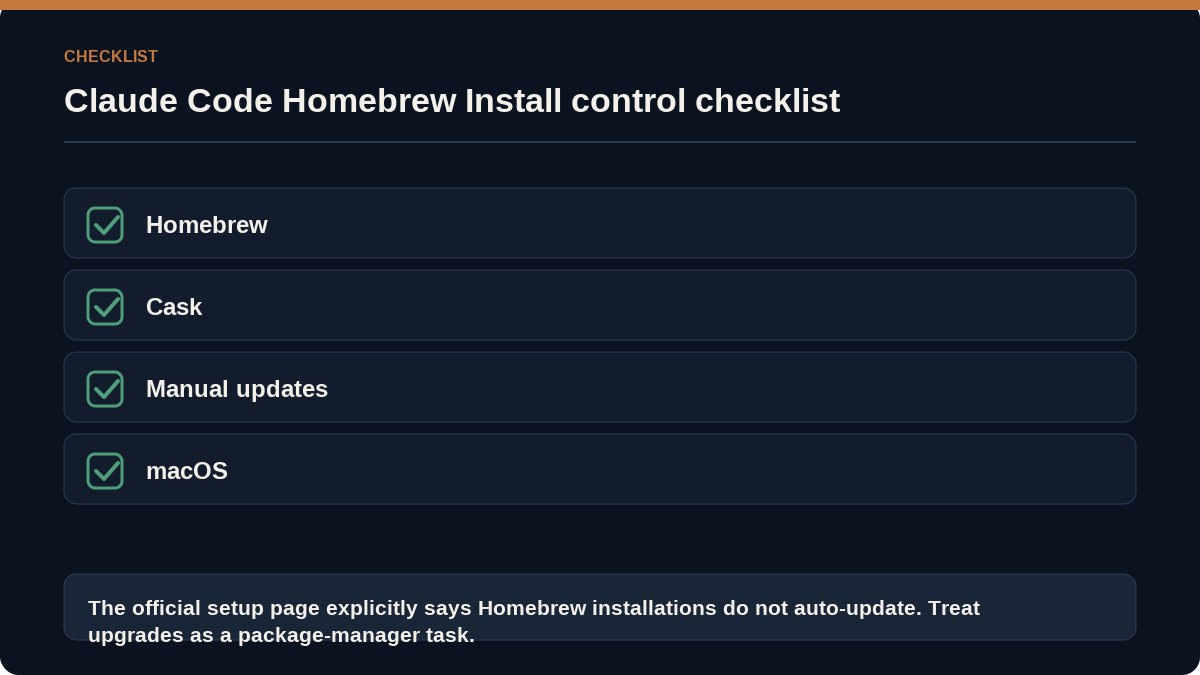
- Start by noting whether Homebrew reports
claude-codeorclaude-code@latest. - Resolve
claudeand compare the executable with Homebrew’s package record. - Recheck the documented install command before a new setup.
- Use Homebrew’s own upgrade operation for the installed cask.
- Save the exact local command and reported result.
- Inspect the package record after the operation.
- Open a fresh terminal and resolve the executable again.
- Review
minimumVersionbefore any channel transition. - Keep native, npm and cask copies distinct until one owner is intentionally selected.
- Escalate with package records, redacted paths and shell output rather than a version string alone.
The uninstall and configuration retention guide is the next reference when the intended change is removal rather than upgrade. The settings env and process replacement guide helps when a setting appears different between shell and session.
Honest loss and data gap
The official page establishes manual Homebrew updates and two cask names. It does not provide a required upgrade interval, an exact executable path, a verified local upgrade-command spelling in this packet, or a guaranteed channel lag. Those omissions limit how prescriptive a safe runbook can be.
No current package version is asserted. Homebrew and Claude Code instructions are snapshots checked for this batch, so a future update should recheck the cask names, installation command and package-manager workflow against current primary documentation. Linked-only quickstart, troubleshooting and CLI pages are further reading, not evidence for an invented command.
A local automation can be added after the operator verifies the exact Homebrew command on the supported setup. Until then, the honest procedure is package identification, a manual Homebrew operation and two-layer verification.
Continue with the matching batch guide
Other installation owners are covered by the native PATH and binary audit, the WinGet install and executable guide, the npm Node.js and global-prefix guide, and the Linux apt, dnf and apk comparison. Update policy continues in the stable, latest and minimumVersion reference.
Removal and sign-in remain separate tasks. Review the uninstall and configuration retention guide, the browser redirect and logout guide, the credential precedence audit, and the credential storage OS path reference.
Configuration questions lead to the absolute CLAUDE_CONFIG_DIR guide, the SSO organization and login-method controls, and the apiKeyHelper refresh guide. Settings work can use the five-scope precedence map, the project-local and user merge explanation, the status and doctor validation guide, the settings env replacement guide, and the global config versus settings.json reference.
Terminal behavior is documented in the Shift+Enter compatibility guide, the tmux passthrough and bell guide, and the terminal theme placement guide. IDE setup continues with the VS Code extension and standalone CLI guide, the VS Code auto-connect guide, the JetBrains CLI and plugin guide, and the JetBrains external-terminal host guide.
Container-specific maintenance belongs to the Dev Container Feature and Node fallback guide, the Dev Container auth volume guide, the Docker config mount permissions guide, the VS Code Dev Containers alignment guide, and the container user, HOME and workspace guide.
One AI API Key option for OpenAI-format agents
One AI’s active offer is for OpenAI-format agents, not for supplying Claude Code models. Those agents can use one key and 46 live free IDs through https://api.oneaiapikey.com/v1. Claude IDs were unavailable on 2026-11-27, so do not present the free IDs as a Homebrew or Claude Code credential path. Inspect the free-model lineup and the OpenAI-format quickstart only for a separate OpenAI-format agent.
FAQ
Does the Claude Code Homebrew cask auto-update?
No. Official (F005): Homebrew installations do not auto-update. Use a manual Homebrew package check under the team’s chosen maintenance policy. The setup page does not prescribe an interval.
Does claude update upgrade the Homebrew cask?
Do not assume that. The packet provides no guarantee that an in-product update action replaces a Homebrew-managed cask. Treat Homebrew as the update owner and verify its package record afterward.
Which cask names select the documented Homebrew channels?
Official (F006): claude-code and claude-code@latest. Capture the exact installed name before an upgrade or channel change. These names are package identities, not model IDs.
Where is the Homebrew executable located?
This packet does not establish one exact path. Resolve claude in the intended terminal and compare the result with Homebrew’s package record. Do not substitute a guessed directory.
Can minimumVersion affect a Homebrew channel change?
Official (F018): it can prevent downgrades when switching channels. Inspect the configured floor before the operation, and do not describe the floor as a permanent version pin.
Sources
- Advanced setup - Claude Code Docs. Official source for F004 through F006 and the manual Homebrew update boundary.
- Troubleshooting - Claude Code Docs. Official further reading; linked-only in the research register.
- CLI reference - Claude Code Docs. Official further reading; linked-only in the research register.
- Quickstart - Claude Code Docs. Official further reading; linked-only in the research register.
- Settings files and precedence - Claude Code Docs. Official reference for settings scope and precedence.
- All settings - Claude Code Docs. Official reference for individual settings, including update controls.