Direct answer
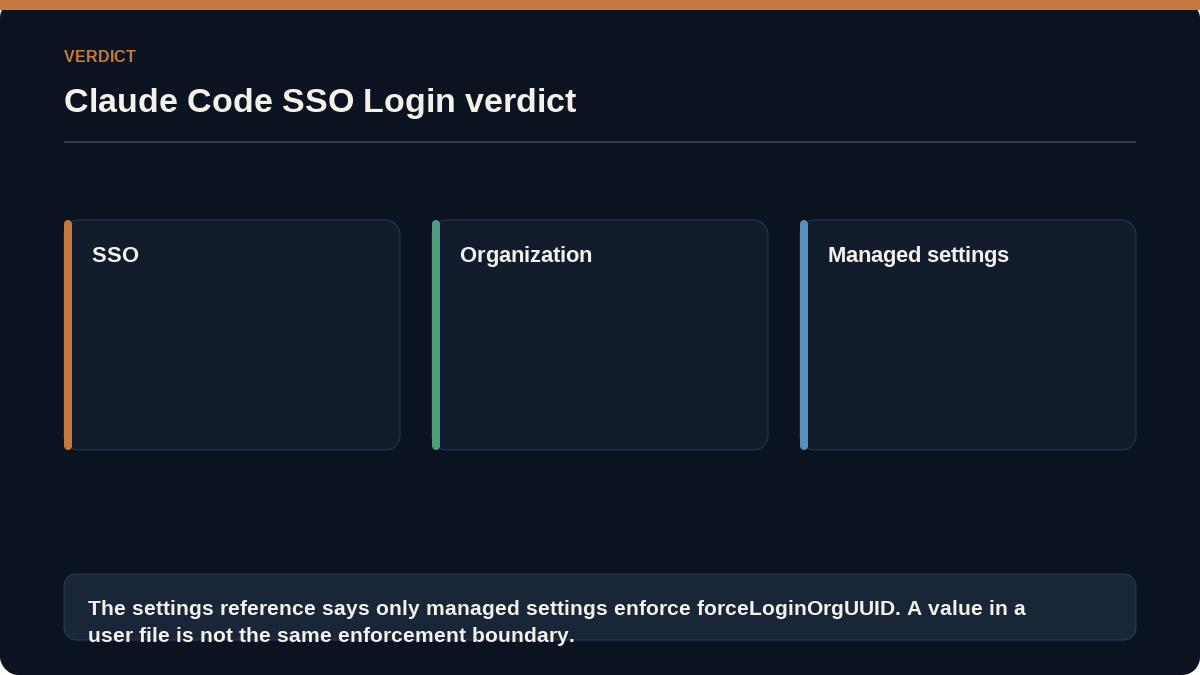
Use managed settings to enforce an organization-bound Claude Code login, and configure the login-method restriction separately. Official (F035): forceLoginMethod restricts login methods, while forceLoginOrgUUID pins claude.ai logins to an organization. Official (F036): only managed settings enforce forceLoginOrgUUID, so a value in a user settings file is not the same enforcement boundary. Official (F037): SSO setup belongs on the Console Members page. The win is a sign-in policy tied to a named organization and permitted method. The honest loss is that a user-level organization value can look configured without providing the documented enforcement, and the fact pack does not list exact method values or provider-specific setup steps. Obtain approved values from the administrator, place the organization control in managed settings, start a fresh login and verify the selected organization without attempting a bypass.
Why placement matters as much as syntax
Two settings can appear in a JSON review while only one has the documented enforcement effect, because Official (F036): only managed settings enforce forceLoginOrgUUID and a user file can contain the key without creating the organization boundary described by the settings reference. Treating file presence as proof of enforcement gives an administrator false confidence and sends later troubleshooting toward the wrong configuration scope.
The settings solve different problems because Official (F035): forceLoginMethod restricts login methods while forceLoginOrgUUID pins claude.ai logins to an organization, and a method restriction does not substitute for an organization identifier just as an organization identifier does not describe every permitted method. Review them as separate controls with separate approved values instead of collapsing them into one policy checkbox.
Single sign-on, or SSO, adds an identity-provider handoff outside the Claude Code settings file, and Official (F037): setup is on the Console Members page, which is the boundary where this article stops rather than inventing provider-specific claims, mappings, certificates or rollout steps. Keeping that boundary visible prevents a managed-settings guide from turning into an unsupported organization-administration manual.
A failed verification can send operators toward the wrong file because they might edit user settings repeatedly even though F036 requires managed settings for organization enforcement, or delete local configuration to force a new login when the broader identity change does not require that destruction. The settings precedence runbook locates the controlling scope, while the settings validation runbook identifies rejected entries without claiming automatic repair.
Identify the intended organization
Start with the organization approved by the administrator. The value for forceLoginOrgUUID is an organization identifier, not a display name guessed from a browser session. Obtain the exact value through the organization’s approved configuration process and record where it came from. Do not fabricate a sample UUID or copy one from a public example.
Confirm that SSO setup exists at the documented boundary. Official (F037): the authentication page places SSO setup on the Console Members page. If setup is incomplete, stop at that boundary and ask the administrator to complete it. The supplied facts do not authorize provider-specific configuration instructions.
Keep organization identity separate from personal account preference. A developer may have access to more than one organization, but the managed value defines the one to which claude.ai logins are pinned under F035. Do not use a personal settings edit to select a different organization when the managed policy says otherwise.
Record the organization label for human review and the identifier for the managed configuration. Follow local policy for storing that record, but do not include passwords, OAuth tokens or session cookies. The API key security reference provides general secret-handling context, while the secrets in logs and transcripts guide explains why login evidence should be redacted. Organization evidence should trace the identifier to an administrator-approved source, because a display name or browser session can help a reviewer recognize the intended organization without proving the exact managed value.
Login setting versus behavior it restricts
| Setting | Documented behavior | Value source | Enforcement caveat |
|---|---|---|---|
forceLoginOrgUUID |
Pins claude.ai logins to an organization | Administrator-approved organization identifier | Only managed settings enforce it under F036 |
forceLoginMethod |
Restricts login methods | Administrator-approved method value | F035 does not say it replaces the organization control |
| SSO setup | Establishes the documented setup boundary | Console Members page under F037 | Provider-specific steps are outside this fact pack |
Official (F035 through F037): organization pinning, method restriction and SSO setup are related but distinct. Do not collapse them into one setting or one file edit.
Choose the permitted login method
Ask the administrator which login method the policy permits, then obtain the exact setting value from current official documentation or the approved managed configuration. Official (F035): forceLoginMethod restricts login methods. The fact pack does not enumerate accepted strings, so this article does not invent examples such as a guessed provider label.
A method value should be reviewed as policy, not as a convenience switch. Changing it can alter which interactive path is permitted. If a developer previously used another method, explain the intended restriction before rollout rather than treating a rejected path as a client defect. This article does not cover account appeals, suspension or regional enforcement.
Keep method and organization checks separate in the change record. A correct method value does not prove the organization identifier is correct. A correct organization identifier does not prove the method restriction is present. Review both keys and their effective scopes before starting a fresh login. Method review should preserve the exact approved value and its source, because the fact pack establishes the setting’s purpose but does not enumerate accepted strings that a writer could safely substitute from memory.
The browser login and logout runbook explains the interactive handoff and /logout state transition. It does not supply managed-policy values. Use it after the policy is configured so a fresh login can be tested without confusing identity reset with uninstall.
Policy worksheet
| Review item | Approved source | Safe record |
|---|---|---|
| Organization identifier | Administrator-managed organization record | Key name and approved identifier location |
| Permitted login method | Current official setting reference or managed policy | Key name and approved value location |
| Managed-settings owner | Administrator responsible for enforcement | Team or role, not a personal credential |
| Test account context | Approved nonproduction identity | Account or organization label under local policy |
| Rollback owner | Administrator who can restore prior managed policy | Change reference, without secrets |
Place forceLoginOrgUUID in managed settings
Put forceLoginOrgUUID in the managed settings scope controlled by the administrator. Official (F036): only managed settings enforce this key. Do not place it only in user settings and then describe the organization restriction as enforced. A user file may be useful for inspection, but it is not the documented enforcement boundary.
Managed settings are the administrator-controlled configuration scope, distinct from a user’s personal preferences or a project’s local files. The settings precedence runbook explains the broader order. Precedence and enforcement are not identical concepts: a key can have a documented scope for enforcement even when other settings follow a separate precedence model.
Avoid inventing an operating-system path for the managed file. The supplied facts identify the scope but do not provide one universal path for every deployment. Use the current official settings reference and the organization’s managed-configuration process to place the value. Record the scope and owner in the change ticket. Managed-placement evidence should name the administrative scope rather than a guessed home-directory path, because F036 defines an enforcement boundary that must be verified through the deployment’s approved configuration process.
Do not copy the managed value into every user’s home directory as a rollout shortcut. That creates duplicate configuration and still does not satisfy F036’s enforcement requirement. It also makes future policy changes harder to audit because each user may hold a stale copy.
Place forceLoginMethod in the intended scope
Configure forceLoginMethod in the scope approved for the deployment, using the exact value supplied by the policy owner. Official (F035): the setting restricts login methods. F036’s managed-only statement is specifically about forceLoginOrgUUID, so do not silently extend it into an unsupported universal claim about every scope for the method key.
That distinction requires care. An administrator may choose managed settings for both controls as an operational policy, but the reason given for forceLoginOrgUUID must remain F036. For forceLoginMethod, cite F035 and the current settings reference for scope and value details. This keeps the evidence honest.
Inspect effective settings before adding another copy. The settings merge runbook explains why project-local values can affect user preferences and why a universal deep merge should not be assumed. The settings validation runbook can identify rejected entries, but it does not prove organization enforcement.
If the method setting is rejected or ignored, first verify the key name, approved value and effective scope. Do not respond by disabling SSO or asking a user to bypass the restriction. The fact pack does not provide a universal repair sequence, so record the redacted configuration evidence and consult current official troubleshooting. Scope review should separate the documented behavior of forceLoginMethod from the managed-only enforcement statement for forceLoginOrgUUID, because extending one fact beyond its subject would create an unsupported rule for administrators.
Settings scope versus enforcement effect
| Scope | What the supplied facts support | What not to claim |
|---|---|---|
| Managed settings | Only this scope enforces forceLoginOrgUUID under F036 |
A user file provides the same organization enforcement |
| User settings | Can hold settings, but does not enforce the organization key under F036 | Presence proves the organization pin is active |
| Project settings | Configuration scope exists in the broader settings model | It replaces managed organization enforcement |
| Command-line or local overrides | Must be checked in the broader precedence model | They authorize bypassing managed policy |
| Unspecified deployment scope | Requires current official reference | One universal file path fits every platform |
Understand which scope enforces the organization
Read F036 literally: only managed settings enforce forceLoginOrgUUID. That is the load-bearing rule for this article. A correctly spelled key in a user file does not meet the documented enforcement condition, even if a screenshot shows the value. File presence and policy enforcement are different observations.
For forceLoginMethod, F035 establishes behavior but does not provide the same managed-only sentence. Review its intended scope through the settings reference rather than borrowing F036’s wording. An administrator can still choose managed settings for a consistent deployment, but the article should not misstate the source.
When an organization pin appears ineffective, compare three items: the approved organization identifier, the key’s effective scope and whether a fresh login used the managed policy. Do not start by deleting local configuration. The uninstall and retention runbook shows how broad deletion can be, while the config-directory runbook helps verify a custom root if the wrong file was inspected. Enforcement review should follow that order because a misplaced value, an incorrect identifier and an unrefreshed login context can produce similar symptoms while requiring different administrative corrections.
Derived from F035 and F036: the policy has two controls but one explicitly managed enforcement boundary for the organization key. A review that checks only one control cannot establish both the permitted method and the pinned organization.
Start a fresh login
After the managed configuration is in place, use a fresh interactive login to test it. Official (F025): /logout resets credentials and first-launch setup state and revokes written credentials. Official (F023): first launch typically opens a browser. Those facts support a deliberate reset and new authentication flow without reinstalling the CLI.
Follow the browser handoff through the permitted method. Official (F024): if the browser does not open, pressing c copies the login URL. Treat that URL as sensitive, and do not share it to troubleshoot an organization restriction. The browser login runbook provides the full fallback and logout boundaries.
Use an approved test identity when possible. Do not attempt to sign in through a disallowed method or a different organization to prove the restriction is active. A policy verification should confirm the intended path, not explore bypasses. The supplied evidence does not authorize account-enforcement workarounds. Test design should keep the permitted organization and method as the only target, because a successful unintended path would not demonstrate correct enforcement and could create policy exceptions that the managed configuration was meant to prevent.
If a higher-priority credential source is present, a successful browser flow may not explain the resulting request identity. The credential-precedence runbook covers that separate audit. Keep organization enforcement and credential selection as two checks in the record.
Verify the selected organization
Observe the organization context presented by the fresh client flow and compare it with the administrator-approved identifier. The fact pack does not enumerate exact UI fields or a command that prints the enforced organization, so do not invent an output schema. Record the visible organization label and the managed value used for the test. Verification evidence should pair the observed organization with the managed scope and approved identifier, because a visible label alone cannot show that forceLoginOrgUUID was enforced rather than merely selected in the browser.
Verify the permitted method separately. Confirm that the fresh login used the method allowed by policy. Do not treat organization selection as proof that forceLoginMethod is configured, and do not treat method completion as proof that the organization key is enforced.
A failed verification should produce a scoped ticket. Include the key names, effective scope, approved value location and redacted login result. Exclude OAuth URLs, tokens and full environment dumps. The settings validation runbook can support configuration inspection, while the usage tracking reference provides broader attribution context without replacing policy evidence.
Login result versus managed value to inspect
| Observed result | Managed value or scope to inspect | Unsafe conclusion |
|---|---|---|
| Login completes with intended organization | forceLoginOrgUUID in managed settings |
Every method restriction is therefore correct |
| Login uses permitted method | forceLoginMethod and its approved value |
Organization enforcement is therefore correct |
| Organization key appears only in user settings | Managed placement under F036 | The organization pin is enforced |
| Organization differs from policy | Approved identifier and managed scope | A user-level override should be used to fix it |
| Login path is not permitted | Approved method value and current reference | The restriction should be bypassed |
Record the managed configuration
Keep a change record that another administrator can review. Name both keys, their approved value locations, the managed-settings owner, the test identity and the fresh-login outcome. State which observation supports the organization result and which supports the method result. Do not combine them into a vague “SSO works” note. Policy documentation should make the enforcement scope reviewable after staff or deployment details change, because a future administrator needs to distinguish the organization proof from the method proof without reopening credential material or relying on an unrecorded browser session. Policy review should remain reproducible when the original administrator is unavailable, so the record needs the managed scope, approved value locations and test outcome rather than a conclusion that depends on personal memory. When evidence is incomplete, mark the specific control as unverified and assign an owner to inspect it, because a partial SSO check should not be presented as proof that both organization enforcement and method restriction are working.
A concrete win is a login pinned to the intended organization through the documented managed boundary. A concrete loss is that a misplaced user-level value can create an appearance of configuration without enforcement, while method restriction deliberately narrows the available sign-in path. The practical implication is to review scope before syntax and to verify each control independently.
Managed-policy record
| Field | Required content | Exclude |
|---|---|---|
| Organization control | forceLoginOrgUUID, approved identifier location and managed scope |
Credential values or session cookies |
| Method control | forceLoginMethod, approved value location and intended scope |
Guessed method strings |
| SSO boundary | Console Members setup confirmed under F037 | Invented provider configuration |
| Test context | Fresh login through /logout and browser flow |
Copied OAuth URL |
| Result | Organization observation and method observation stated separately | Universal success claim |
| Owner | Administrator responsible for managed policy | Personal password or token |
Adjacent batch runbooks
| Related identity or installation question | Batch runbook |
|---|---|
| Which binary is running? | Verify native PATH and binary ownership |
| Who owns a Homebrew install? | Manage Homebrew cask updates manually |
| Is WinGet the installation owner? | Locate the WinGet binary and maintain PATH |
| Was npm used globally? | Check Node and the npm global prefix |
| Does a Linux package own the CLI? | Compare apt, dnf and apk operations |
| Could update ownership matter? | Choose an update channel and downgrade floor |
| Should removal preserve configuration? | Uninstall while deciding configuration retention |
| How does browser login and logout work? | Complete browser login and understand logout |
| Which credential source has priority? | Audit API-key, helper and OAuth precedence |
| Where are credentials stored? | Compare macOS, Linux and Windows credential paths |
| Was the configuration root moved? | Set an absolute CLAUDE_CONFIG_DIR |
Honest loss and data gaps
The supported win is an organization-bound login with a separately restricted method. The supported loss is the enforcement boundary: a user-level forceLoginOrgUUID does not satisfy F036, and a method restriction can exclude a previously used sign-in path. The practical implication is to obtain approved values, place the organization key in managed settings and test each control through a fresh login.
Unknown: the supplied facts do not enumerate accepted forceLoginMethod values, a universal managed-settings file path, provider-specific SSO steps, rollout timing or behavior for every existing session. No community report is used to claim an SSO defect or fix. Troubleshooting and CLI reference are linked official pages in the source register, not independently fetched evidence for extra enforcement commands.
A future update can add exact method values and platform paths after current official material verifies them. Until then, keep the article at the documented setup boundary and avoid bypass advice. The privacy and retention guide provides policy context, the security harness boundary guide explains why authentication does not remove every tool boundary, and the GitHub Actions secrets guide reinforces secret-free diagnostics. Future updates should preserve the managed-only wording for the organization key unless new official evidence changes it, because that limitation is central to interpreting a user-file value correctly.
One AI option for OpenAI-format agents
Claude Code uses an Anthropic-format route, so One AI is not presented as an SSO provider or a replacement for these managed Claude Code settings. One AI’s active offer is for OpenAI-format agents using https://api.oneaiapikey.com/v1, one key and 46 live free IDs. Its Claude IDs were unavailable on 2026-11-27. Do not treat those free IDs as Claude Code credentials. For a separate OpenAI-format agent, review the free model route and the OpenAI-format quickstart. Keep Claude Code organization policy in managed settings.
FAQ
Does forceLoginOrgUUID work in a user settings file?
Official (F036): only managed settings enforce it. A user-file value is not the documented organization enforcement boundary.
What is the difference between forceLoginOrgUUID and forceLoginMethod?
Official (F035): the organization key pins claude.ai logins to an organization, while the method key restricts login methods. They control different parts of the flow and need separate verification.
Where is Claude Code SSO setup documented?
Official (F037): on the Console Members page. This article stops at that boundary and does not invent provider-specific setup steps.
Should I try another organization to test the restriction?
No. Verify through the approved organization and permitted method. Do not attempt to bypass the restriction. Use a fresh login after /logout and record only redacted results.
More Claude Code troubleshooting
- Claude Code apiKeyHelper: Dynamic Keys and Refresh Timing
- Claude Code Settings env: Shell Values Versus Process Replacement
- Claude Code Global Config: ~/.claude.json Versus settings.json
- Claude Code Terminal Keybindings: Shift+Enter Compatibility Guide
- Claude Code tmux Setup: Passthrough Keys and Notification Bells
- Claude Code Terminal Theme: Light, Dark and Custom JSON
- Claude Code VS Code Install: Extension Panel and Standalone CLI
- Claude Code VS Code Settings: Preferences, Auto-Connect and Relaunch
- Claude Code JetBrains Install: CLI Plus Marketplace Plugin
- Claude Code JetBrains External Terminal: Host Install and /ide
- Claude Code Dev Container Feature: Install and Node Fallback
- Claude Code Dev Container Auth: Persist Config With a Volume
- Claude Code Docker Config Mount: Permissions and Write Access
- Claude Code VS Code Dev Containers: Align CLAUDE_CONFIG_DIR
- Claude Code Container User: Align HOME, Config and Workspace
Sources
- All settings: forceLoginOrgUUID and forceLoginMethod, official source for F035 and F036.
- Authentication: SSO setup and login flow, official source for F037 and login context.
- Settings files and precedence, official context for settings scopes.
- Environment variables, official context for startup-sensitive process values.
- CLI reference, linked official command reference.
- Troubleshooting, linked official diagnostic reference.