Direct answer
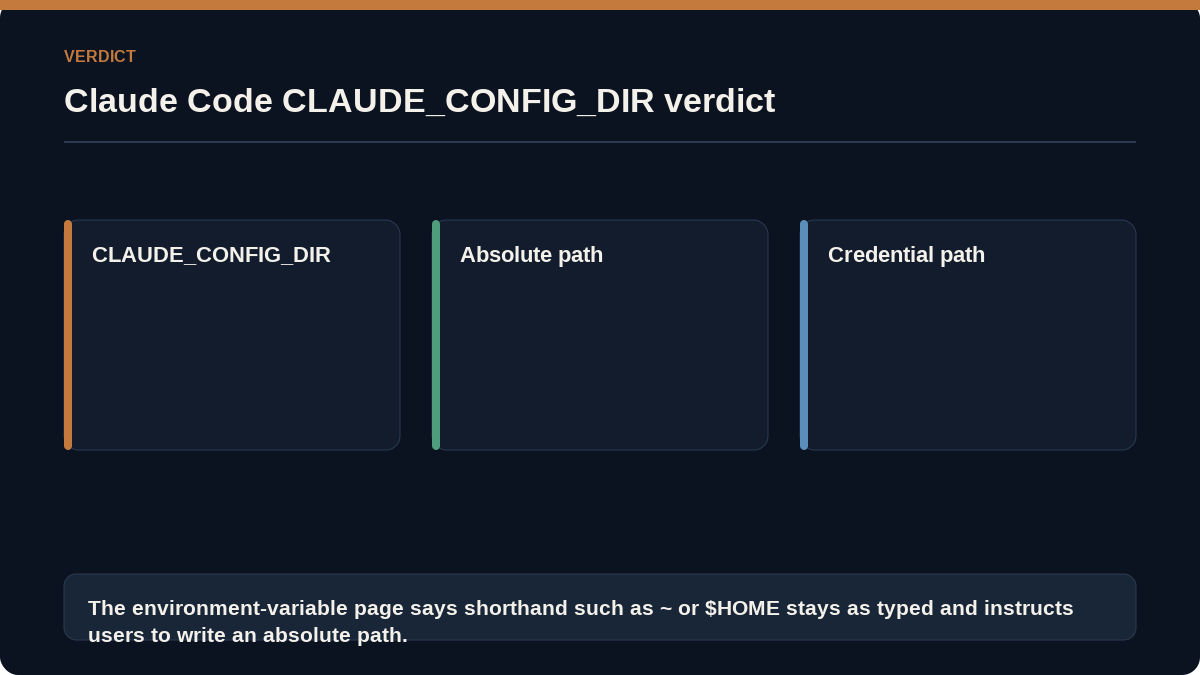
Set CLAUDE_CONFIG_DIR to an absolute directory, then verify that each shell or IDE launch uses that same root. Official (F032): the documentation instructs users to write an absolute path, and shorthand such as ~ or $HOME stays as typed. Official (F033): setting the variable moves credential storage to that directory, but it does not prove that an existing mount is readable or writable. Official (F034): shell variables are read at startup, while settings-file env entries apply to running sessions unless a feature reads its variable only at startup. The win is a predictable configuration and credential base across launch contexts. The honest loss is that relocation does not establish automatic file migration, universal IDE inheritance or a universal container-mount fix. Choose the root deliberately, relaunch where needed and inspect metadata without printing secrets.
Why a configuration root needs verification
A custom directory can make Claude Code look empty when the process still points at the default root, or make two launch surfaces appear inconsistent when only one inherited the variable, and neither observation identifies the cause without comparing the effective path, launch environment and storage location. Copying credentials or reinstalling the CLI before that comparison can add new problems instead of resolving the original path mismatch.
The variable is a path instruction rather than a general migration tool because Official (F033): credential storage moves to the configured directory without establishing that existing files are copied, merged or validated for the target process. Treat relocation as a base-path change and make a separate plan for any settings or authentication needed in the new root instead of assuming the previous state followed the variable.
Path syntax matters because shorthand may remain literal under Official (F032): ~ and $HOME stay as typed, so a value that looks expanded in a shell configuration may be unsafe when consumed as a literal path by the client. Write the approved absolute path directly rather than relying on shorthand expansion, and verify the resulting directory in the process that actually starts Claude Code.
Security depends on where the directory lives because a shared host folder, container mount or IDE-managed location can have different ownership and access even when the configured text is an absolute path under the same user account. The OS credential-storage reference maps platform stores and the API key security reference provides general handling guidance, but neither replaces checking the actual launch context and directory metadata.
Choose the new configuration root
Select a directory that belongs to the intended user and execution environment. Consider whether the same absolute path will exist in a shell, IDE, remote host or container. A path that is absolute on the host may name a different location inside a container, so compare environments before reusing the value.
Inventory the current configuration before changing the root. Record the default or existing custom directory, the launch contexts that use it and the settings or authentication that must remain available. Do not print credential files during the inventory. The settings precedence runbook helps locate configuration scopes, while the settings-file secret exposure guide explains why copying convenient files can create another exposure. Root selection should account for every process that will use the directory, because an interactive shell can be correct while an IDE, remote host or container still points at a previous location during the planned relocation.
Decide how the new root will be populated. F033 changes the credential-storage base, but it does not promise to copy existing configuration. If the new directory is empty, expect to recreate approved settings and complete authentication through the supported flow rather than assuming the old state followed the variable.
Avoid choosing a root merely because it is easy to type. A project directory can move, a temporary directory can disappear and a shared directory can be owned by another user. The container user alignment runbook provides a related ownership checklist without inventing a universal UID or GID mapping.
Path form versus documented handling
| Path form | Documented handling | Recommended use |
|---|---|---|
/approved/absolute/path |
Absolute path as instructed by F032 | Use the real approved directory for the target environment |
~/.claude |
Shorthand such as ~ stays as typed |
Do not use as the recommended variable value |
$HOME/.claude |
Shorthand such as $HOME stays as typed |
Do not rely on expansion inside the variable |
relative/config |
F032 instructs users to write an absolute path | Replace with an absolute path before launch |
| Host absolute path reused in a container | No universal equivalence is established | Verify the path inside the container context |
Official (F032): the absolute-path instruction and literal-shorthand caveat are the drafting basis. The examples are path shapes, not commands to create directories or copy secrets.
Write an absolute CLAUDE_CONFIG_DIR
Put the approved absolute path in the launch environment that actually starts Claude Code. A shell export, IDE environment configuration or settings-file env entry can place the value in different process contexts. Choose the intended scope deliberately and record it. The settings env and process replacement runbook explains how a settings entry can replace an inherited shell value in most sessions.
Use a real absolute path in the deployed configuration. The following shell line shows the shape only. Replace the example path with the approved directory, and do not insert a token, credential file contents or host secret.
export CLAUDE_CONFIG_DIR="/absolute/path/to/claude-config"Do not place ~ or $HOME inside the quoted value. Official (F032): those forms stay as typed. Expanding them in an outer shell before assigning a literal absolute result is different from expecting Claude Code to expand shorthand, but the simpler supported practice is to write the final absolute path directly. Absolute-path review should compare the configured text with an actual directory visible to the target process, because syntactic correctness alone cannot establish that the chosen location exists or belongs to the intended user.
If the value comes from managed settings, identify the effective settings scope before editing. The settings precedence runbook covers the documented order and its exceptions. A user-level edit may not describe a managed or command-line value that ranks higher, so compare the effective source rather than layering another override blindly.
Launch context versus when the variable is read
| Definition location | Timing described by F034 | Verification action |
|---|---|---|
| Shell environment | Read at startup | Start a fresh shell or process after editing |
Settings-file env entry |
Can apply to running sessions unless the feature reads only at startup | Relaunch when the feature is startup-sensitive |
| IDE launch environment | Do not assume it matches the terminal | Inspect the variable in the IDE-started process |
| Container launch environment | Host and container paths may differ | Verify the absolute path inside the container |
Understand shorthand handling
Shorthand is the easiest way to create a path that looks right but resolves differently from the writer’s intention. Official (F032): the documentation notes that ~ or $HOME stays as typed. Treat the value as a literal path instruction, not as a shell expression that Claude Code will expand for you.
Compare the configured text with the directory that actually exists. A checker should report whether the value begins with the platform’s absolute-path form and whether that directory is present. It should not print the directory’s contents. On Windows, use an absolute Windows path appropriate to the process rather than copying a POSIX path from a terminal example.
Relative paths create another ambiguity because their meaning can depend on a working directory. F032 instructs users to write an absolute path, so the recommended setup excludes them. If an existing configuration uses a relative value, replace it with the approved absolute directory and verify the result in a fresh launch context.
The PowerShell path and quoting guide provides adjacent Windows shell guidance. The WSL IDE environment guide explains why a terminal and editor can inherit different values. Use those references for their specific shell problems without treating them as permission to bypass the absolute-path rule.
Check where credentials move
Official (F033): setting CLAUDE_CONFIG_DIR moves credential storage to that directory. Use the configured directory as the base when checking file-backed credential storage. On Linux and Windows, the OS credential-storage reference provides the default file names and the configured-root caveat.
On macOS, credentials use the encrypted Keychain, with a conditional file fallback described in F029. A missing fallback file under a new root does not by itself prove that authentication is missing. Review the platform store and the configured root separately rather than copying a Keychain item or fallback file to force a match.
The word “moves” should not be expanded into an unsupported copy guarantee. F033 establishes the new storage base. It does not enumerate a file migration process, merge behavior or validation of existing contents. If the previous root contains needed settings, plan their recreation through supported configuration workflows instead of assuming they followed the variable. Storage-base evidence should therefore record both the old and new roots without copying credential files, because the documented change concerns where storage occurs rather than a guaranteed transfer of every existing artifact.
Credential precedence is another independent check. A correct configuration root does not identify which credential source is active. The API-key, helper and OAuth precedence runbook covers gateway exceptions, direct variables, helper output and subscription OAuth. Use it when the path is correct but the identity is still unexpected.
Configuration item versus effective base directory
| Item | Effect of CLAUDE_CONFIG_DIR | Separate verification |
|---|---|---|
| File-backed credential storage | Base moves to the configured directory | Platform path, ownership and metadata |
| macOS Keychain | Primary store remains Keychain under F029 | Do not infer active fallback from file presence |
| Settings rooted under the Claude configuration directory | Review the configured root and effective settings scope | Do not assume every key lives in one file |
| Existing files in the old root | No automatic copy is established by F033 | Make an explicit recreation or retention plan |
| Mounted directory | Base may point at the mount | Read and write access still require verification |
Apply the variable in the intended launch environment
Define the variable where the target process will receive it. A terminal export affects the processes started from that shell context. An IDE may have its own launch environment. A container may receive values through its own configuration. Official (F034): shell variables are read at startup, so editing a shell definition does not rewrite an already running process. Launch-context evidence should identify the definition location beside the observed path, because the same absolute string can be supplied by different mechanisms with different startup and replacement behavior in the running session.
For settings-file env, F034 says entries apply to running sessions unless a feature reads its variable only at startup. That qualification prevents a universal “restart everything” rule and a universal “applies immediately” rule. Relaunch when the feature is startup-sensitive, and use a fresh launch for a clean comparison even when an immediate change might be supported.
Inspect only the variable’s presence and path in each context. Do not dump the whole environment, because unrelated values may contain secrets. The GitHub Actions secrets guide provides adjacent handling discipline for automated environments, while the secrets in logs and transcripts guide explains the cost of copying diagnostic output.
A managed desktop may require the administrator to place the value in the approved IDE or system configuration. Do not work around a missing managed variable by copying credentials into a project file. Record the launch surface, the definition location and the owner who can change it.
Safe Linux metadata check
This Bash example checks the default or configured root without reading credential contents. It is a Derived procedure from F032 and F033, not official Claude Code output. On macOS, absence of the file does not disprove Keychain-backed credentials.
config_dir="${CLAUDE_CONFIG_DIR:-$HOME/.claude}"
case "$config_dir" in
  /*) printf 'config path: absolute\n' ;;
  *) printf 'config path: not absolute\n' ;;
esac
if [ -d "$config_dir" ]; then
  printf 'config directory: present\n'
else
  printf 'config directory: absent\n'
fi
if [ -f "$config_dir/.credentials.json" ]; then
  printf 'credential file: present\n'
else
  printf 'credential file: absent\n'
fi
A relative configured value produces a “not absolute” result and should be replaced according to F032. An absent directory means the checked process cannot see that path, not that the variable is harmless. A present credential file establishes presence only, without printing its contents or proving which source has priority.
Relaunch processes that read variables at startup
Start a fresh process after changing a shell-level value. Official (F034): shell variables are read at startup. Compare the new process with the edited definition instead of expecting an older session to reflect the change. Close unused sessions only after recording the context needed for the comparison.
Settings-file changes have a different timing rule. F034 says they can apply to running sessions unless the feature reads the variable only at startup. When unsure whether the configuration-root feature is startup-sensitive, relaunch and verify. That cautious step is an operational choice, not a claim that every setting always requires a restart.
Avoid using a successful old session as proof that the new root works. It may still hold the previous environment. A fresh session can reveal a missing directory, a literal shorthand value or an IDE that did not inherit the terminal configuration. Those are path and launch-context findings before they are authentication findings.
If the fresh process points at an empty root, do not immediately copy the old credential file. First confirm the absolute path, user context and intended storage model. Then complete authentication through the documented flow if needed. The browser login and logout runbook provides the interactive reset without prescribing configuration deletion.
Compare shell and IDE launch contexts
Run the same status-only path check in the terminal and in the environment that starts the IDE integration. Compare the configured text, whether it is absolute, whether the directory is visible and whether the expected file-backed store is present. Do not assume the IDE inherited the terminal export.
The VS Code settings and auto-connect runbook explains editor preferences, global config and relaunch behavior. The VS Code Dev Containers alignment guide covers a more specific mount-path case. Use the general editor reference for launch environment and the container reference when the process runs inside a development container.
Record each launch surface separately. A matching absolute string is useful evidence, but both processes must also see the intended directory. If the strings match while one directory is absent, investigate user context, mount visibility or path translation rather than changing credentials first. A cross-launch comparison should preserve the process identity and path observation for each surface, because a terminal and an IDE can agree on text while differing in the filesystem context that determines whether the directory is usable.
Launch-context comparison record
| Launch surface | Value to compare | Metadata to compare | Do not infer |
|---|---|---|---|
| Interactive shell | CLAUDE_CONFIG_DIR text |
Directory and file presence | IDE uses the same environment |
| IDE-started process | CLAUDE_CONFIG_DIR text |
Directory and file presence | Terminal export was inherited |
| Remote shell | Absolute path on the remote host | Remote directory visibility | Host path names the same location |
| Container process | Absolute path inside the container | Mount visibility and write access | Host absolute path is universally valid |
Container mount evidence
The official development-container guidance recommends a configuration volume paired with CLAUDE_CONFIG_DIR for persistence. Official (F083): the documented pattern mounts a volume at ~/.claude and sets the variable to that path so tokens and settings can persist across rebuilds. Read that pattern together with F032: implement the variable as an absolute path, and verify the actual directory inside the container rather than relying on shorthand.
Community (F085): participants in issue #1736 described mounting ~/.claude as one workaround and warned that host use or read-only mounts could interfere with credential updates. The thread was closed as completed, but those are individual reports in a closed discussion, not a maintainer guarantee for every host and container combination.
The practical implication is to test the configured root with metadata and a supported login flow, not to mount unrelated host secrets. The devcontainer auth persistence runbook provides the official pattern, while the Docker config mount permissions guide keeps the two community reports within their verified scope.
Mount check versus evidence boundary
| Check | Supported purpose | Evidence limit |
|---|---|---|
| Absolute path inside container | Confirm F032 path form | Does not prove the mount exists |
| Directory visible | Confirm the process can see the root | Does not prove write access |
| Credential file metadata | Confirm file-backed store presence | Does not prove credential validity |
| Supported login after rebuild | Test the documented persistence flow | One result is not a universal success rate |
| Read-only mount report | Compare with F085 community warning | Not a universal defect or guaranteed fix |
Record the effective configuration root
Write down the configured absolute path, definition location, launch surfaces checked and metadata results. Note whether a fresh process was used and whether the IDE or container comparison matched the shell. Exclude credential contents and unrelated environment values. A relocation record should also state which old settings need recreation and which authentication step completed in the new root, because those follow-up facts prevent a successful path check from being mistaken for a completed migration of all local state.
A concrete win is a configuration root that can be explained from the variable through to the visible directory. A concrete loss is the extra work required when a new root needs fresh authentication or when host and container paths differ. The practical implication is to verify path visibility and startup context before treating an empty directory as an identity failure.
Adjacent batch runbooks
| Related installation or identity question | Batch runbook |
|---|---|
| Which binary is running? | Verify native PATH and binary ownership |
| Who owns a Homebrew install? | Manage Homebrew cask updates manually |
| Is WinGet the installation owner? | Locate the WinGet binary and maintain PATH |
| Was npm used globally? | Check Node and the npm global prefix |
| Does a Linux package own the CLI? | Compare apt, dnf and apk operations |
| Could update ownership matter? | Choose an update channel and downgrade floor |
| Should removal preserve configuration? | Uninstall while deciding configuration retention |
| How does a fresh login reset work? | Complete browser login and understand logout |
| Which credential source has priority? | Audit API-key, helper and OAuth precedence |
| Where are OS credentials stored? | Compare macOS, Linux and Windows credential paths |
| Must sign-in use a managed organization? | Restrict SSO organization and login method |
Honest loss and data gaps
The supported win is a named absolute root with a documented credential base and a repeatable launch-context comparison. The supported loss is that a custom root can require fresh authentication, can differ between host and container, and does not cause existing files to migrate according to F033. The practical implication is to separate path correctness from credential validity and mount access.
Unknown: the supplied evidence does not establish universal IDE inheritance, a universal host-to-container path mapping, a measured rebuild success rate or one mount pattern that works everywhere. Community (F085): issue #1736 provides individual workaround reports, not a universal outcome. Official (F083): the volume pattern remains a recommendation with an access caveat, not a guarantee.
A future update can add platform-specific mount checks after current official material verifies them. Until then, keep examples free of host secrets, use absolute paths and label each launch context. The privacy and retention guide provides policy context, while the container user alignment runbook avoids inventing numeric identity mappings.
One AI option for OpenAI-format agents
Claude Code uses an Anthropic-format route, so One AI is not presented as a replacement for CLAUDE_CONFIG_DIR or its credential store. One AI’s active offer is for OpenAI-format agents using https://api.oneaiapikey.com/v1, one key and 46 live free IDs. Its Claude IDs were unavailable on 2026-11-27. Do not treat those free IDs as Claude Code credentials. For a separate OpenAI-format agent, review the free model route and the OpenAI-format quickstart. Keep Claude Code configuration in its documented root.
FAQ
Should CLAUDE_CONFIG_DIR contain ~ or $HOME?
No. Official (F032): the documentation instructs users to write an absolute path, and shorthand such as ~ or $HOME stays as typed. Use the approved absolute directory directly.
Does setting CLAUDE_CONFIG_DIR copy my existing configuration?
No copy guarantee is established by F033. The setting moves the credential-storage base to that directory. Plan any required settings recreation and authentication separately.
Why does my IDE still use the old configuration directory?
Do not assume the IDE inherited the terminal environment. Compare the variable in both launch contexts, then start a fresh process where startup timing applies. F034 distinguishes shell startup from settings-file env timing.
Does a mounted configuration directory guarantee persistent login?
No. Official (F083): the volume pattern is recommended, but mount access still needs verification. Community (F085): issue #1736 contains individual reports about host use and read-only mounts, not a universal guarantee.
More Claude Code troubleshooting
- Claude Code apiKeyHelper: Dynamic Keys and Refresh Timing
- Claude Code Settings Merge: Project Local Versus User Values
- Claude Code Settings Validation: Compare Status With Doctor Output
- Claude Code Global Config: ~/.claude.json Versus settings.json
- Claude Code Terminal Keybindings: Shift+Enter Compatibility Guide
- Claude Code tmux Setup: Passthrough Keys and Notification Bells
- Claude Code Terminal Theme: Light, Dark and Custom JSON
- Claude Code VS Code Install: Extension Panel and Standalone CLI
- Claude Code JetBrains Install: CLI Plus Marketplace Plugin
- Claude Code JetBrains External Terminal: Host Install and /ide
- Claude Code Dev Container Feature: Install and Node Fallback
Sources
- Environment variables: CLAUDE_CONFIG_DIR and timing, official source for F032 and F034.
- Authentication: configured credential base, official source for F033.
- Development containers: configuration volume pattern, official source for F083.
- Community issue #1736: container authentication workarounds, fetched community thread used only for F085.
- Settings files and precedence, official configuration-scope context.
- Use Claude Code in VS Code, official editor context.
- Troubleshooting, linked official diagnostic reference.