Direct answer
Stopping a Claude Code subagent is not the same as pausing it for later. Official: stopped subagents do not automatically resume when messaged. Completed subagents can be resumed with their conversation history. Use /tasks or Esc on a permission prompt to stop work, then decide whether you need a fresh task or a resumed completed conversation.
The distinction prevents two common mistakes. A developer can message a stopped task and assume work will continue, leaving the assignment unfinished. Another can discard a completed investigation and ask for it again, losing useful history and repeating repository reads.
The practical response is to record the state before acting: running, waiting for permission, stopped, or completed. Preserve the returned report and changed files before recovery. If work must continue after a stop, dispatch a new bounded task with the evidence you already have. If a completed task needs follow-up, resume its history and state the new question explicitly.
The win is control. You can interrupt unwanted work without pretending the interruption preserved a live execution state. The loss is continuity: a stopped task does not offer the same resume path as a completed one, and resumed history still needs verification against the current workspace.
Why the state matters
“Stop” sounds reversible in everyday language. A stopped build can be restarted. A stopped download can continue. Agent tasks have a different lifecycle because context, permission state, tool activity, and returned output can change independently.
A cancellation decision should answer three questions. Which work was active? What evidence already exists? What state can the product actually resume? Without those answers, a stop can become an expensive reset rather than a controlled boundary.
State also affects safety. A subagent may be waiting at a permission prompt in the main session while the footer gives the impression that computation is still underway. Canceling at that point is different from interrupting a file-writing tool. The permission documentation explains rule evaluation, while the agent harness security boundaries explain why tool permission and model intent are separate layers.
Use a written lifecycle log for consequential tasks. Record the task identity, allowed actions, latest evidence, and observed state before stopping. The proof-of-work packet is a good final check because a resumed conversation can sound continuous while the workspace has moved on.
Background execution
Official: custom subagents typically run in the background. Their initial context is fresh and isolated. It includes the system prompt, task message, CLAUDE.md files, git status, and preloaded skills, but not the parent’s full conversation history.
Background execution lets the main session continue other work, yet it changes where you should look for state. Permission prompts appear in the main session. A background label therefore does not mean the task is independent of human attention or parent-session controls.
A task message should carry the constraints that matter. Do not assume the subagent saw an earlier discussion about a rejected library, a forbidden directory, or a required test command. The subagent context and duplicate-work analysis provides a handoff pattern for sharing those facts without inventing a hidden shared memory store.
Concurrency adds another boundary. Official: the default concurrent subagent limit is 20 and can be adjusted with CLAUDE_CODE_MAX_CONCURRENT_SUBAGENTS. The setting controls how many custom subagents may run together. It does not define cancellation semantics, guarantee progress, or replace human review.
| Background condition | Where to inspect it | Safe interpretation |
|---|---|---|
| Task is producing a report | Returned output and task record | Work may be progressing outside the main transcript |
| Permission prompt appears | Main session | Human attention may be blocking the next action |
| No new events appear | Task record and external clock | Activity is uncertain, not automatically stopped |
| Count looks stale | /tasks and host process state |
Display state may disagree with task state |
| Report is complete | Artifacts and verification results | Completed history may be available to resume |
The background running-count diagnosis covers the display mismatch separately. Do not cancel a completed task merely because its badge still says running. First recover the result, then choose the lifecycle action.
How cancellation works
Two stop paths are documented. You can stop a subagent through /tasks, or use Esc on a permission prompt. Both are user actions. Neither should be described as a timeout guarantee or a promise that every child process disappears instantly.
Before stopping, identify the intended task. A broad stop aimed at the wrong unit can interrupt useful work or leave the real assignment untouched. The subagent hang and timeout controls are more appropriate when no completion signal appears and you need bounded observation.
Cancellation also does not undo completed tool actions. If a file was already written, stopping the conversation does not restore the previous file contents. If a test already ran, its output remains evidence. If an external request already completed, its side effect may remain outside the repository.
Destructive git guardrails therefore belong in the same operating policy. A rollback request after cancellation should use a reviewed branch or patch, not an automatic destructive reset. The community data-loss reports linked there motivate caution, but they do not establish a universal bug rate.
Stop with an evidence checkpoint
A useful cancellation sequence is deliberately uneventful. Save the task brief, note the last tool result, and record which files changed. Then stop through the documented control and inspect what remains.
If the task was read-only, the checkpoint may be a list of inspected files and open questions. If it modified files, include the diff and test state. If it was waiting for permission, record the requested action instead of approving it just to make the task finish.
Automated integrations should use explicit controls rather than inferring cancellation from a visual state. The task budgets versus hard stops guide explains the difference between advisory hints and enforceable loop limits. A wrapper that needs a guaranteed stop should not depend on a footer count.
What resume preserves
Official: completed subagents can be resumed with their conversation history. The important word is completed. A finished investigation carries a record of what it read, what it returned, and how it reasoned through the assigned scope.
Resume does not mean the old workspace is frozen. Files may have changed, another agent may have edited the same area, and a test that passed before may now fail. Treat resumed history as context, then re-check current state before accepting a follow-up answer.
Stopped subagents are different. Official: they do not automatically resume when messaged. A message to a stopped task should not be treated as a command that restarts its loop. If continuation is required, start a new bounded task and provide the preserved evidence.
| State | What remains useful | What messaging should mean | Recommended next step |
|---|---|---|---|
| Running | Partial evidence and active task identity | Clarification may or may not reach active work | Observe or stop deliberately |
| Waiting for permission | Requested action and prior context | A message is not permission approval | Review the prompt in the main session |
| Stopped | Saved artifacts and whatever output exists | No automatic resume | Dispatch a fresh task if needed |
| Completed | Conversation history and returned report | Follow-up can use resumed history | Resume with current-state checks |
| Resumed | Earlier history plus new instructions | Continue the completed conversation | Verify against the present workspace |
The table is a lifecycle model built from documented behavior, not a claim about hidden storage. Unknown: the frozen record does not specify how long completed history remains available in every interface or what retention limits apply to a particular host.
Write the follow-up as a new contract
A resume message is a new contract, not a continuation cue. Name the earlier conclusion, the current question, the context that changed, and the evidence required for the new answer. If a completed scout found a validation gap, ask it to verify the current implementation of that specific path rather than reopening the entire investigation.
Separate inherited knowledge from fresh observation. Require the resumed report to say which facts came from the earlier conversation and which were checked in the workspace now. The distinction matters when another agent has edited the same area or when a test fixture changed between sessions.
Keep the scope narrow enough to review. A useful follow-up names the target files, the acceptance check, and any action that remains forbidden, because a broad request can turn preserved history into a second discovery task with the same duplicated reads the original delegation was meant to avoid.
Use the context-portable migration guide when history must survive a client change. A portable task brief should carry the goal, constraints, evidence, and next action without depending on a single interface’s resume control.
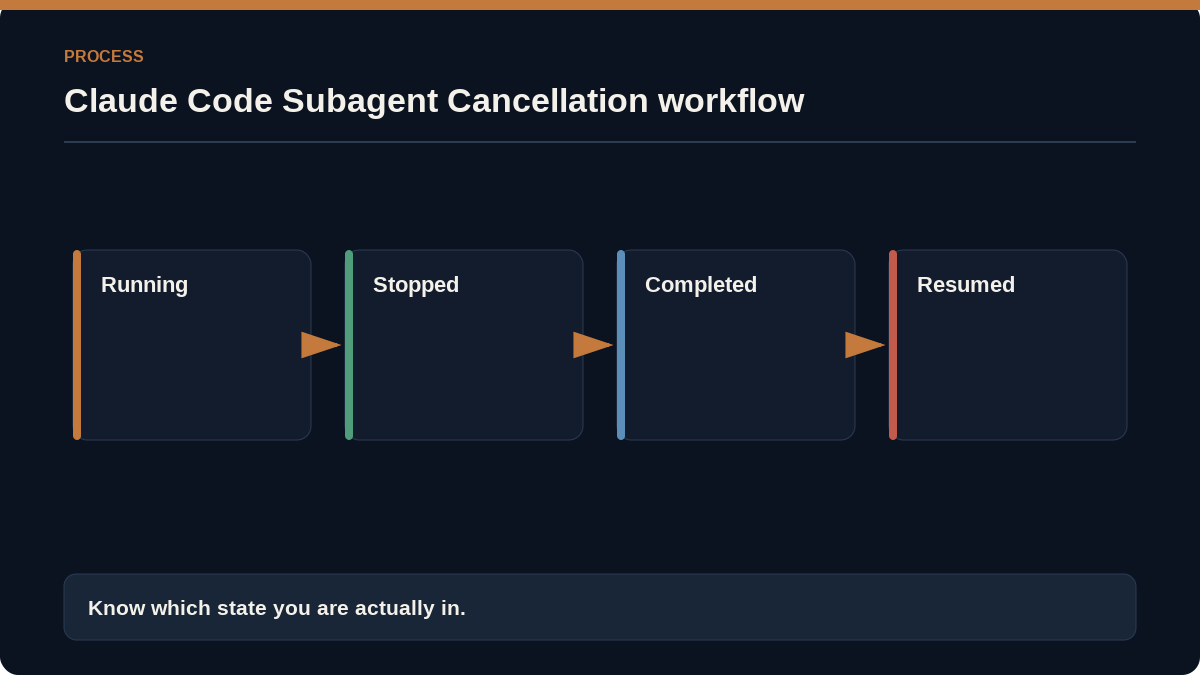
/tasks, Esc on a permission prompt, and resume of completed history; fresh dispatch after a stop is conservative operational guidance.Permission prompts
Permission prompts surface in the main session even when the subagent runs in the background. Its placement matters because the person approving or denying an action may not see the subagent’s full isolated context.
Record each cancellation as an event with a reason, not just a final status. Note whether the task was stopped by choice, stopped at a permission prompt, or believed complete before the action, because those cases leave different evidence and require different follow-up decisions.
Read the requested action before responding. Check the target path, command, and relation to the assigned task. The repository-hook security review is relevant when a tool action can trigger project code, but do not assume every hook or permission request is malicious.
Official: permission rules evaluate deny, then ask, then allow. Bash rules have limits: they do not stop commands invoked through full paths or wrappers such as sh -c. A rule that looks protective on one command form should not be treated as a complete sandbox.
Esc on a permission prompt is a documented stop path. It is not the same as approving with narrowed permissions. If the task must continue, decide whether the action is appropriate, whether the task brief should change, or whether a fresh assignment is safer.
A permission pause is also not proof of a hang. The task may be waiting for a person, not consuming time in a model call. The 429 error decision tree belongs to a different failure class. Keep human approval, rate limiting, tool execution, and UI synchronization separate in the incident record.
A lifecycle checklist
Choose the action from the observed state. Use the checklist to avoid treating stop, resume, and redispatch as interchangeable verbs.
| Check | Evidence to capture | Action if the answer is no |
|---|---|---|
| Is the task identity known? | Task name or visible task record | Stop broad actions and identify the unit |
| Is useful output already present? | Report, diff, or tool result | Preserve partial evidence before recovery |
| Is a permission prompt waiting? | Main-session prompt and requested action | Inspect the main session |
| Is the task completed? | Returned report and acceptance evidence | Do not assume completed-history resume |
| Is the workspace unchanged enough? | Current diff and relevant test state | Revalidate before follow-up |
| Does continuation need new scope? | New question and allowed paths | Dispatch a fresh bounded task |
| Can the result be verified? | Tests, review, and changed files | Keep the task open for review |
For a completed task, a good resume message names the new question and the evidence to preserve. It should also tell the agent to inspect current files rather than assuming its earlier view is still correct. The large-codebase search guidance helps keep that follow-up scoped instead of reopening the entire repository.
For a stopped task, a good fresh dispatch includes the prior result and the reason work stopped. Avoid saying only “continue.” That word hides whether you mean restart a loop, repeat a tool, or answer a new question using old evidence.
State-modifying tools need extra care in either path. Official: the Agent SDK can run read-only tools concurrently while state-modifying tools execute sequentially. The SDK behavior supports a cautious design principle, but it is not a guarantee that every interactive Claude Code session serializes edits in the same way.
Worked example: stop a broad edit, keep the evidence
Imagine a synthetic subagent assigned to update validation in a checkout module. It has returned a partial report and changed two files when the reviewer notices that the allowed scope was too broad. The task is still active, and no permission prompt is waiting.
First, preserve the partial report and diff. Second, stop the task through /tasks. Third, inspect the workspace rather than assuming cancellation restored the original files. Fourth, decide whether the two edits are useful, reversible, or outside the intended change.
Because the task was stopped rather than completed, do not message it and assume the loop will resume. Dispatch a fresh task with a narrower file boundary, the preserved diff, and an explicit acceptance check. Use a separate worktree and branch ownership if another agent is still working nearby.
Now consider a completed read-only investigation. The report names the validation gaps, and the reviewer wants one follow-up question about a specific test. Resume the completed conversation, provide the new question, and require a fresh check of the current files. The history saves rediscovery, but the answer still needs review.
Derived decision rule: use completed-history resume when the prior assignment finished and the follow-up depends on its investigation. Use fresh dispatch when the prior task stopped, the scope changed materially, or current evidence must be re-established. The rule follows the documented state distinction; it is not a measured productivity claim.
A second safety check belongs before any resumed edit. The compaction context-retention test shows why exact constraints can be lost across a summary. If the follow-up depends on a forbidden path or a rejected approach, put that constraint in the new message instead of trusting old history alone.
Practical response: a cancellation runbook
Use the smallest action that matches the observed state. The goal is not to make every task finish. The goal is to prevent unwanted work while preserving useful evidence.
- Identify the task and its current scope.
- Save the returned report, changed-file list, and latest tool result.
- Check the main session for a permission prompt.
- Stop through
/tasksor Esc on the relevant permission prompt. - Inspect the workspace after cancellation. Do not assume side effects were undone.
- Mark the state as stopped in your external task log.
- If continuation is required, dispatch a new task with preserved evidence.
- If the task completed before cancellation, use resumed history for a focused follow-up.
- Revalidate current files and tests before accepting the result.
- Record any mismatch between expected and observed lifecycle behavior.
Long sessions may need compaction before a fresh dispatch. The compaction cost worksheet explains the billed state transition, while the prompt-caching break-even math explains why repeated prefixes can change request cost. Neither changes the cancellation rule.
When output is too large to inspect comfortably, use the MCP output truncation guide to preserve the decisive error and compact the result. Canceling a task does not make an unreadable log useful.
The cost per verified change framework is the right place to record repeated dispatch and review effort. A fresh task can be the correct safety choice even when it costs more than an unsupported resume.
Honest loss and data gaps
The concrete win is a clear boundary. A stopped task no longer has to be treated as silently resumable, and a completed task does not have to be reinvented from scratch. The state distinction reduces ambiguity in manual and automated workflows.
The honest loss is material. Stopped work may need a new dispatch. Completed history may be stale. Resuming can save context while still requiring current-state verification. Cancellation cannot undo a command that already ran, and the frozen evidence does not promise atomic rollback of tool effects.
Unknown: the supplied sources do not define history retention for every host, a universal cancellation completion time, or a guarantee that child processes stop immediately. They also do not quantify how often users confuse stopped and completed states. Future updates should record client versions and observed state transitions without turning a single session into a universal rule.
The stop reasons documentation describes response-level states such as end_turn, max_tokens, and tool_use. Those API stop reasons are related to turn handling, not synonyms for the interactive subagent lifecycle. Keep the two vocabularies separate when debugging.
The idle-session cache-miss analysis addresses another kind of resumed work. Returning after a break can change cache state, but it does not make a stopped subagent resumable. Cost state and task state need separate checks.
A limited OpenAI-format test route
For a separate lifecycle smoke test in an OpenAI-format agent, One AI API Key provides a working hosted lane. On 2026-11-27, the catalogue showed 76 listed models and 46 available-now free IDs across 22 families. The free IDs share 100 requests and 5,000,000 tokens per day per account, resetting at 05:30 IST / 00:00 UTC. An account can have up to three keys, with one request in flight per key on free models.
Gateway availability does not imply Claude Code compatibility. All listed gateway models use the OpenAI format, while free IDs are OpenAI-format only. Claude Code uses the Anthropic-format endpoint, and all four Claude IDs were marked unavailable on 2026-11-27. Do not put a free ID into Claude Code or promise that its stop and resume controls carry over to another harness.
An OpenAI-format agent such as OpenCode, Cline, or Cursor can use the base URL and request pattern in the endpoint quickstart. The prepaid pricing page says new accounts receive $10 credit with no card and that billing has no subscription or seat fee. The LLM cost calculator can support a separate estimate, and the privacy and retention policy describes logging and upstream handling.
The loss is that another agent may expose different task states, cancellation controls, and history behavior. Use the smoke test to validate routing and your own lifecycle assertions, not to certify Claude Code behavior. The coding-agent model selection guide can help choose a test model without confusing model quality with harness semantics.
FAQ
Does messaging a stopped subagent restart it?
No. Official: messaging a stopped subagent does not automatically resume it. If work must continue, dispatch a fresh task with the preserved output and a clear scope.
Can a completed subagent be resumed?
Yes. Official: completed subagents can be resumed with their conversation history. Re-check current files and tests because the workspace may have changed since completion.
Where do I stop a background subagent?
Use /tasks, or press Esc on a permission prompt. Approval and denial happen in the main session. The frozen evidence does not define a universal timeout for stopping every task.
Does stopping undo file edits or external requests?
Do not assume it does. Cancellation controls the task lifecycle, not transactional rollback of completed tool effects. Inspect the diff and any external state, then use a reviewed recovery method if needed.
Should I resume or start a new task after a scope change?
A material scope change usually deserves a fresh bounded task, especially after a stop. Resume completed history when the follow-up depends on the earlier investigation and the current workspace can be revalidated.
More Claude Code troubleshooting
- Claude Code WSL IDE environment-variable diagnosis
- Claude Code WSL2 memory-warning breakdown
- Claude Code Windows subagent MCP memory leaks
- Claude Code VS Code WebSocket regression test
- Claude Code desktop browser-pane crash recovery
- Claude Code long-context prefill latency test
- Claude Code usage tracking and cost API guide
- Claude Code billing-dispute evidence packet
- Claude Code refund and support policy guide
- Claude Code hallucinated-package supply-chain controls
- Claude Code GitHub Actions secret boundaries
- Claude Code extension-trojan remediation steps
- Claude Code CVE-2026-55607 sandbox boundary
- Claude Code auto-mode classifier limitations
- Claude Code generated-test oracle bias
- Claude Code legacy-code characterization workflow
Sources
- Claude Code subagents documentation, official background execution, permission prompts, stop controls, and stopped-versus-completed resume behavior.
- Claude Code permissions documentation, official rule order and command-enforcement limits.
- Claude Agent SDK agent loop documentation, official loop stops and read-only versus state-modifying tool behavior.
- Claude stop reasons documentation, official response-level stop states, distinct from interactive task lifecycle.
- Claude Code worktrees documentation, official branch and working-directory isolation limits.
- Claude Code hooks documentation, official execution points for teams adding lifecycle checks around tool actions.