Direct answer
A silent subagent needs an external clock, bounded tools and a cancellation path. Community issue #37521 reports a subagent freezing after roughly 10 to 15 tool calls with no error or timeout. It closed as a duplicate or NOT_PLANNED, without an official fix.
Do not wait for a universal five-minute timeout. The reported timeout expectation was the user’s, not a documented guarantee. Check /tasks, permission prompts and tool activity, then cancel the child through the documented path. Official: stopped subagents do not auto-resume when messaged; completed subagents can be resumed with conversation history.
Why silence is a poor timeout signal
A subagent can be quiet while thinking, waiting on a tool, blocked on permission or genuinely stalled. The visible session may show no new text during any of those states. Without timestamps and task state, a developer cannot distinguish useful work from a dead wait.
That uncertainty creates two bad defaults. One is waiting forever, which holds a developer and may consume context or billable work without progress. The other is killing the parent session, which destroys unrelated work and the evidence needed to understand the child.
A heartbeat is a timestamped sign that something changed or remains alive. It can be emitted by a supervisor, a tool wrapper or a log collector. The supplied documentation does not describe a built-in Claude Code subagent heartbeat feature, so treat the design here as engineering guidance rather than a product guarantee.
A bounded observation window is the concrete win. The concrete loss is that a timeout can interrupt a legitimately slow tool or discard partial work. Choose the window from the workload, preserve the handoff and make cancellation target the child whenever possible.
The background running-count diagnosis covers stale UI state. Lifecycle behavior is covered by the stop and resume semantics. This guide connects those facts to an observability and recovery design.
What a hang looks like
Issue #37521 reports a subagent freezing after roughly 10 to 15 tool calls with no error or timeout. Community: those counts describe the report, not a universal failure threshold. The author expected a five-minute timeout, but that expectation is not documented as a guarantee.
Issue #37521 closed as a duplicate or NOT_PLANNED without an official fix in the supplied record. Its value is an observability case, not a confirmed current defect. A team should reproduce the silence with task state and tool evidence before assigning a cause.
| Symptom | Possible state | Evidence to check | Unsafe conclusion |
|---|---|---|---|
| No new text | Thinking, tool execution or waiting | Last event timestamp and task state | The model is frozen |
| Tool call shown, no result | Command or MCP server still running | Process identity, tool start and output | Every silent tool has hung |
| Permission prompt visible | Waiting for a person | Main-session prompt and task ID | Kill the parent immediately |
| UI count stays running | Stale display or active work | /tasks, process and result |
The count proves token use |
| Child stops responding to messages | Stopped state or stalled execution | Lifecycle state and cancellation result | It will auto-resume |
| Parent remains usable | Child-specific problem | Independent parent task | Kill everything to recover |
Official: custom subagents start with fresh, isolated context. Their initial context includes the system prompt, task message, CLAUDE.md files, git status and preloaded skills. They do not automatically see the parent’s full history. A narrow task brief therefore matters for both correctness and observability.
Custom subagents typically run in the background. Permission prompts appear in the main session. Users can stop a subagent with Esc on a permission prompt or through /tasks. Those documented controls are the first recovery path, before any operating-system process action.
Likely failure domains
“Hang” is a symptom across several layers. The model may be waiting for a response, a tool may be blocked, the host may be resource constrained, or the UI may have lost a completion event. No public ranking of these causes by frequency appears in the supplied sources.
| Failure domain | Observable clue | Bounded response | Evidence label |
|---|---|---|---|
| Model or service wait | Request sent, no streamed event | Record request timing and stop reason | Diagnostic method |
| Local command | Child process remains active | Wrap with a process timeout and captured output | Engineering guidance |
| MCP server | Tool call has no result and server is busy | Bound the server call and inspect its process | Engineering guidance |
| Permission | Prompt is waiting in the main session | Approve, deny or stop the child | Official lifecycle |
| Host resource pressure | Slow unrelated operations or memory warning | Measure before changing limits | Official troubleshooting scope |
| UI synchronization | Result exists but count stays running | Verify task result and process state | Community report |
| Context or output issue | Stop reason or truncation evidence appears | Read the reason and preserve decisive output | Official and community |
Official: the Agent SDK supports loop controls such as max_turns and max_budget_usd. Its stop conditions include error_max_turns, error_max_budget_usd and a final text-only response. These are SDK controls, not proof that an interactive Claude Code subagent exposes the same hard stop.
The task budgets versus hard stops guide explains the distinction. A task budget is advisory and counts thinking, tool calls, tool results and output. It is not a hard cap. Too-small budgets can produce refusal-like behavior.
Official: documented stop reasons include max_tokens, model_context_window_exceeded, tool_use, pause_turn, refusal, end_turn and stop_sequence. tool_use requires returning a tool result, while pause_turn requires continuing the assistant turn. A missing visible event does not tell you which reason applies.
Heartbeat design
A heartbeat should answer one question: when did this task last produce verifiable progress? Define progress before collecting it. A new tool event, tool result, permission prompt or task-state change can count. Repeated “still working” messages with no underlying event are weaker evidence.
The simplest design is an external event log. Each row contains a timestamp, task ID, event type and a redacted detail. A supervisor compares the latest event with the current time. If the gap exceeds the chosen threshold, it flags the task for inspection rather than silently killing it.
Derived design formula: silent duration equals current time minus last verified event time. Choose a threshold from the longest expected silent tool interval plus a margin. The fact pack publishes no universal threshold, so the team must record its assumption and test it.
| Heartbeat field | Purpose | Caveat |
|---|---|---|
| Task ID | Ties events to one child | A stale UI count is not a task identity |
| Timestamp | Measures silence | Clock skew can distort the gap |
| Event type | Distinguishes tool, permission and completion | Not every event means useful progress |
| Tool identity | Connects a wait to a process or server | Redact secrets in command arguments |
| State | Shows running, stopped or completed | UI state can lag |
| Last output location | Preserves partial work | Output may be incomplete |
A heartbeat is not a guarantee that the model is healthy. It only proves that an event was observed. A tool can emit logs while making no useful progress, and a legitimate task can remain silent while a large operation runs. Pair the heartbeat with bounded tools and acceptance checks.
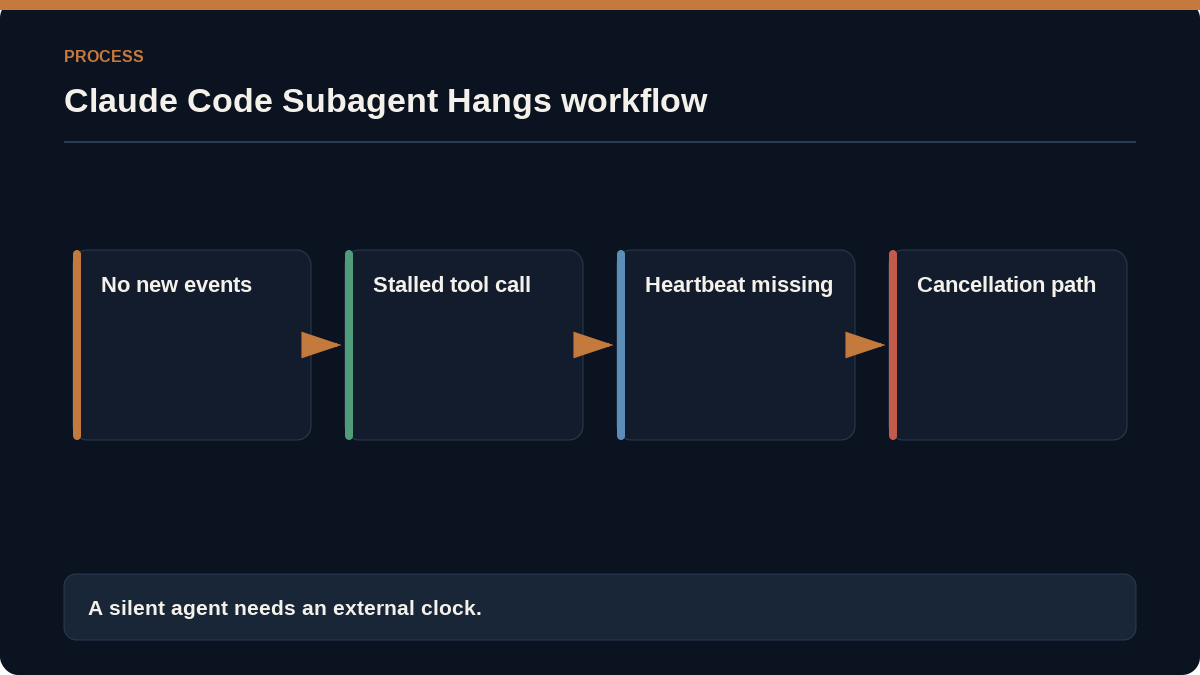
Keep the observer outside the child
If the subagent controls its own heartbeat, a stalled process cannot report that it stalled. Place the clock in a supervisor, terminal logger or external script that survives the child. Limit the observer to read-only, narrowly scoped checks.
Store only the events needed for diagnosis. Full prompts and tool outputs can contain source code, credentials or customer data. A task ID, timestamp, event type and redacted tool identity are often enough to measure silence.
Set an owner for the threshold. The person who understands the slowest normal tool should approve the margin. A threshold copied from another team can interrupt valid work, while an arbitrarily large one recreates the indefinite wait.
Test the observer with a known slow task
Run a deliberately bounded command that takes longer than a quick search but finishes within the expected margin. Confirm that the heartbeat records the tool start, any progress and the final result. This tests the event source before a real incident depends on it.
Then simulate silence with a disposable child task rather than a production workflow. Confirm that the threshold raises an inspection flag and that /tasks still identifies the correct child. The observer should not terminate anything automatically during this test.
Record false positives and missed events. A heartbeat that never fires may be watching the wrong task ID. One that fires during valid work may be using too small a margin. Both are observability defects, even if the subagent itself is healthy.
Bounded tools
Heartbeats expose a wait. Bounded tools limit how long that wait can continue. The strongest control sits at the process or client layer, where an external supervisor can terminate a command or request after a chosen deadline.
For a local command, record the process ID, start time, exit status and captured output. Use the operating system’s process timeout facilities or a small wrapper appropriate to the platform. Do not assume a shell keyword behaves the same on Windows PowerShell, Git Bash and WSL.
For an MCP call, use the client’s supported timeout and keep the server identity in the event log. The MCP output truncation guide explains why decisive errors should survive in a compact result. No universal output-size limit is established by the supplied sources.
| Tool class | Bound to add | Progress signal | Recovery |
|---|---|---|---|
| Repository search | File scope and command deadline | Candidate list or explicit no-match result | Narrow scope and rerun |
| Test command | Process deadline and captured exit code | Test summary and failure excerpt | Stop child, preserve log, rerun focused test |
| MCP server call | Client timeout and server identity | Structured result or error | Inspect server, then retry with narrower request |
| Network request | Connect and read deadlines | Status and bounded response | Retry only within a stated budget |
| File write | Small atomic change set | Diff and verification result | Review partial write before continuing |
| Long generation | Output and turn controls where supported | Stop reason or final response | Resume from a written handoff |
Official: read-only tools can run concurrently in the Agent SDK, while state-modifying tools execute sequentially. That distinction helps design a bounded task. Parallel reads can finish independently, but writes need ordering and review.
Issue #27896 reports a silent failure before tool-call emission and closed as NOT_PLANNED without a fix. Community: that report is not proof of a universal truncation defect. It is a reason to preserve stop reasons and decisive errors rather than relying on visible text alone.
Make retries finite
A retry budget belongs beside the tool timeout. Record the original failure, the retry count and the final outcome. Do not let a supervisor retry forever because each individual request returns quickly.
A retry can also repeat a side effect. Make writes idempotent where possible, meaning the same operation can be repeated without creating a duplicate result. If a write cannot be made safe, require human review before retrying.
Capture the decisive result
A timeout message should preserve more than the word “timeout.” Record the task ID, tool identity, start time, last event and any partial output location. That packet lets the next session continue from evidence instead of repeating the entire discovery.
For test commands, keep the exit code and the smallest failure excerpt that explains the result. MCP calls need the structured error and server identity. The goal is not to store the full noisy output. It is to retain the signal that tells a developer what to do next.
When a tool times out, mark the outcome as incomplete. Do not convert it into a successful empty result. A later acceptance check should verify the intended files or external state before the task is called done. The proof-of-work packet is a useful format for that final check.
Cancellation
Start with the documented child controls. Open /tasks, identify the task and check for a permission prompt. Official: Esc on a permission prompt or /tasks can stop a subagent. Stopped subagents do not auto-resume when messaged, while completed subagents can be resumed with conversation history.
That distinction changes the recovery plan. A stopped child may need a fresh, narrower task. Completed children with stale UI counts should be verified from their results rather than cancelled blindly. Community issue #348900 reports that background subagents can finish while the UI still shows them running and stopping can fail with “No task found.”
| State | Verification | Recovery action | What not to promise |
|---|---|---|---|
| Waiting on permission | Prompt visible in main session | Approve, deny or stop the child | A timeout will resolve the decision |
| Running with recent heartbeat | Tool and event activity | Continue within the chosen bound | Silence means failure |
| Silent beyond threshold | Task, tool and process evidence | Inspect, then cancel the child | The cause is known |
| Stopped | /tasks and lifecycle state |
Start a fresh bounded task or preserve output | Messaging auto-resumes it |
| Completed | Result and output location | Resume with history if needed | UI count is authoritative |
| UI stale, result present | Result plus process check | Recover the display separately | It is still consuming tokens |
Do not kill the parent session by default. If the parent owns unrelated tasks, a child cancellation is safer. An unresponsive parent requires saving the handoff and repository state before restart.
A permission wait deserves a separate timeout policy from a tool wait. The child may be unable to proceed until a person decides, so repeatedly restarting it only recreates the same prompt. Record the pending decision and route it to the reviewer instead of treating it as a model failure.
The Windows subagent MCP containment runbook covers process identity when a child leaves a candidate orphan. Apply the same rule: verify PID, parent, start time and command identity before terminating anything.
Recovery checklist
| Step | Action | Evidence | Exit condition |
|---|---|---|---|
| Observe | Record last verified event and current time | Silent duration | Threshold assessed |
| Inspect task | Open /tasks and check permission prompts |
Task state | Human wait ruled in or out |
| Inspect tool | Identify command or MCP call and process | Tool start and owner | Active work understood |
| Preserve output | Save partial result and changed files | Handoff location | Useful state retained |
| Cancel child | Use Esc or /tasks |
Cancellation result | Child stopped or state clarified |
| Verify | Check result, process and repository status | Post-cancel snapshot | No unrelated work affected |
| Relaunch narrowly | Use a fresh bounded task | New task ID and brief | Acceptance check passes |
| Escalate | Attach redacted event timeline | Versions and reproduction | Maintainer can repeat it |
A recovery is complete when the intended task reaches a verifiable result or has a documented handoff. Closing a window is not enough. The Claude Code proof-of-work packet provides a useful structure: changed files, commands, results and external-state evidence.
Worked example: a read-only scouting task
Start one subagent with a narrow request: inspect a small directory, list candidate files and return without editing. Record the task ID and launch time. Leave the parent session available for permission prompts.
As events arrive, record timestamps and types. If the child goes silent, calculate the duration from the last verified event. Inspect /tasks before acting. A visible permission prompt changes the response from timeout handling to a human decision.
If no prompt exists and the chosen threshold is exceeded, inspect the active tool. A local search may need a narrower scope. An MCP call may need a client timeout. If the tool cannot be bounded safely, cancel the child and preserve the partial report.
Relaunch with a smaller directory or a single question. Do not message the stopped child and assume it will resume. Start a fresh task, include the prior output location and require the same acceptance check.
The example produces no benchmark claim. It tests whether the team can observe silence, identify the wait, preserve state and recover without killing the parent. That is the practical value of the design.
Honest loss and future updates
Community: #37521 is one freeze report, closed as a duplicate or NOT_PLANNED without an official fix. The five-minute expectation is not a documented guarantee. Unknown: the supplied record does not establish a universal timeout, failure rate, root cause or built-in heartbeat mechanism.
A heartbeat can miss a frozen event source, and a timeout can cut off valid work. Cancellation can also discard partial output if the handoff was not saved. Those losses belong in the operating notes beside the threshold and retry policy.
A future update should capture the exact CLI build, task brief, tool sequence, event timeline, permission state and cancellation result. Compare a fresh reproduction with the issue report before changing the verdict. Until then, keep the heartbeat design labeled as engineering guidance.
The practical implication is to make waiting observable. A silent agent without an external clock forces a developer to guess. Small event logs, bounded tools and a documented child cancellation path turn that guess into a repeatable recovery decision.
Review the controls after a real slow task. If the threshold fired during valid work, adjust the margin and document why. A missed long silence calls for inspecting whether the event source itself stalled. The observer needs testing too.
Redact escalation evidence. Task IDs, timestamps, tool identities and stop reasons usually matter more than full prompts. The goal is to let another developer reproduce the wait, not to publish the entire session.
FAQ
Does Claude Code guarantee a five-minute subagent timeout?
No. Issue #37521 records a user’s expectation, not an official guarantee. Choose a workload-based observation threshold and verify it with real tool timings.
What should I do first when a subagent goes silent?
Check /tasks and the main-session permission prompts, then inspect the active tool and last verified event. Use Esc or /tasks to cancel the child when appropriate. Avoid killing the parent by default.
Can I message a stopped subagent to resume it?
Official documentation says stopped subagents do not auto-resume when messaged. Completed subagents can be resumed with conversation history. Start a fresh bounded task when the child is stopped and include the saved handoff.
Is a heartbeat a built-in Claude Code feature?
The supplied sources do not document one. Our heartbeat design is an external observability pattern. It measures event gaps but does not prove that the model or tool is healthy.
Connected Claude Code troubleshooting
Windows and desktop paths: WSL IDE environment-variable diagnosis, WSL2 memory-warning breakdown, Windows subagent MCP memory investigation, VS Code WebSocket regression test, and desktop browser-pane crash recovery.
Subagent operations: background running-count diagnosis, stop and resume semantics, parallel-agent worktree isolation, and context isolation and duplicate-work analysis.
Costs and quotas: compaction cost worksheet, prompt-caching break-even math, idle-session cache-miss analysis, long-context prefill latency test, MCP output truncation guide, usage tracking and cost API guide, task budgets versus hard stops, 429 decision tree, billing-dispute evidence packet, and refund and support policy guide.
Security and codebase work: hallucinated-package supply-chain controls, GitHub Actions secret boundaries, repository-hook security review, extension-trojan remediation, CVE-2026-55607 sandbox boundary, auto-mode classifier limitations, destructive git guardrails, generated-test oracle bias, monorepo search and token budget, and legacy-code characterization workflow.
A practical OpenAI-format alternative after recovery
One AI API Key offers a separate OpenAI-format agent route, not a built-in timeout for Claude Code subagents. On 2026-11-27, the 46 live free model IDs covered 22 families. They shared 100 requests and 5,000,000 tokens per day per account, reset at 05:30 IST or 00:00 UTC. Accounts could have up to three keys, with one request in flight per key on free models.
Use OpenCode, Cline or Cursor with https://api.oneaiapikey.com/v1, one key and a selected free ID. The quickstart covers endpoint setup. Format differences matter because an Anthropic-format client cannot simply consume an OpenAI-format route, as the comparison guide explains.
Availability boundary: the documented Claude Code route uses the Anthropic-format endpoint, but all four Claude IDs were marked unavailable on 2026-11-27. Free IDs are OpenAI-format only and do not work inside Claude Code. Check the current catalogue and live status before a fresh test.
New accounts received $10 credit without a card, and the pricing page describes prepaid billing with no subscription or seat fee. Review per-key caps and model allowlists and the privacy policy before sending repository context. Upstream providers receive requests under their own terms.
For the timeout comparison, use one dedicated key with an expiry, a narrow model list and request-level usage records. The gateway says it does not train on prompts and keeps prompt logging off by default. Do not assume a different model will automatically answer when the primary route stalls; the supplied documentation conflicts on fallback behavior.
Reuse the same bounded scouting task and acceptance check across routes. Note timeout behavior, completion and review effort separately. A different agent still needs an external clock for long tool calls. If the experiment fits your workflow, create an account.
Sources
- Official Claude Code subagent lifecycle documentation
- Official Claude Code Agent SDK loop controls
- Official stop-reason documentation
- Official Claude Code hooks documentation
- Community issue #37521 on a subagent freeze
- Community VS Code issue #348900 on background task state
- Community issue #27896 on truncation before a tool call