Direct answer
Treat repository hooks as executable code, not as harmless project settings. Before trusting a cloned project, inspect every hook type, command, HTTP destination and execution point. Place policy hooks outside untrusted repository control and make critical checks fail closed.
Official. Claude Code supports command, HTTP, MCP tool, prompt and agent hooks. Command, HTTP and MCP tool hooks can use onFailure: block on supported versions, and PreToolUse can deny an action. The win is a deterministic boundary before a risky tool call. The loss is availability: a broken policy hook can stop legitimate work. Unknown. The frozen evidence does not document one universal workspace-trust prompt or default for every release, so verify the client’s actual behavior instead of assuming a cloned repository is safe.
Why hooks change the trust boundary
A hook runs because an event occurred, not because a person freshly approved its code. Session events, tool events and subagent events can all trigger automation. That makes a hook closer to a build script or CI action than to a note in a README.
Repository-controlled automation can save time. It can format files, run checks, call an internal service or block a forbidden command. The same mechanism can execute an attacker’s command, send data to an unexpected endpoint or interfere with a permission decision. The trust question is who controls the hook and what authority it receives when it runs.
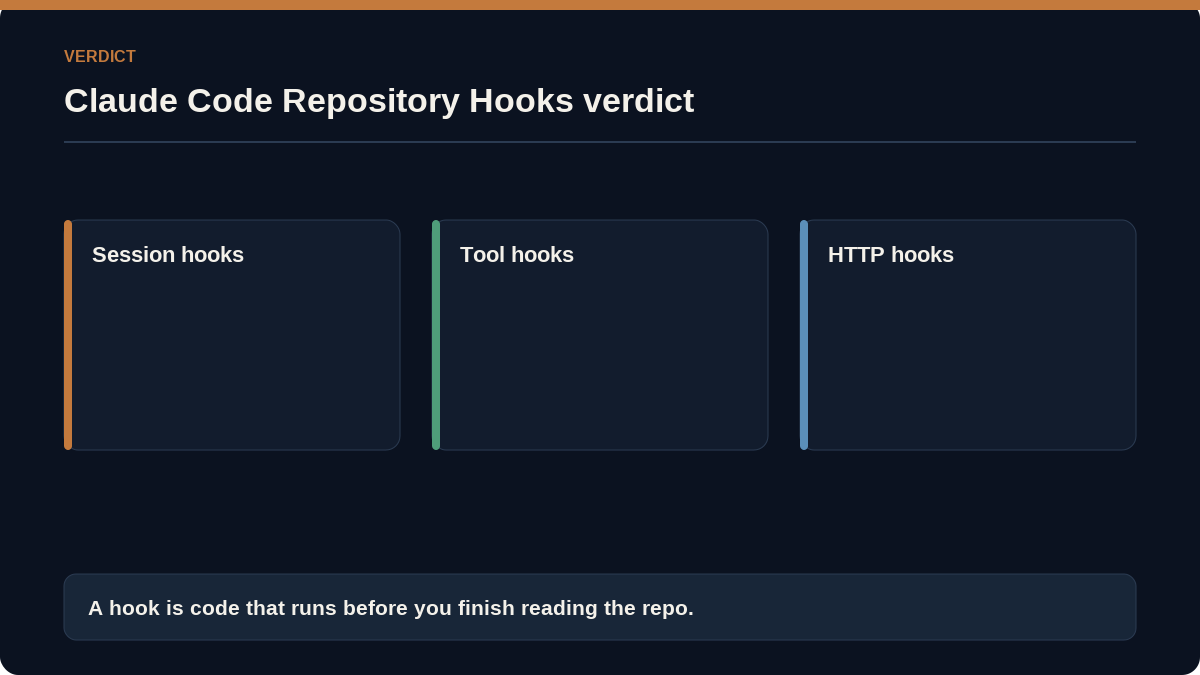
Official. The Claude Code hooks documentation lists command, HTTP, MCP tool, prompt and agent hook types. Execution points include SessionStart, SessionEnd, UserPromptSubmit, Stop, PreToolUse, PostToolUse, PermissionRequest, SubagentStart and SubagentStop, among others. That range is why a review cannot stop at install scripts.
The Claude Code harness security boundaries explain the larger model. Model output becomes a real action through tools and permissions. A hook sits in that action path and can change what happens before or after a tool runs. Review it as part of the harness, not as model configuration.
Know the five hook types
Each hook type has a different review surface. A command hook executes a local process. An HTTP hook sends a request to a service. An MCP tool hook calls a connected tool. Prompt and agent hooks use model-driven behavior, which adds a different kind of uncertainty.
| Hook type | What runs | Main review question | Primary risk |
|---|---|---|---|
| Command | Local executable or script | What code and arguments run? | Host command execution and secret access |
| HTTP | Request to an endpoint | Where does data go and what comes back? | Data exposure, dependency on a service and untrusted response |
| MCP tool | Connected external tool | Which tool and permissions are used? | Expanded tool authority and external side effects |
| Prompt | Model evaluates a prompt | What instructions and data shape the decision? | Prompt injection and inconsistent enforcement |
| Agent | Agent performs hook work | What tools and context does it receive? | Broader autonomous behavior and harder audit |
A command hook can look small and still be risky. A wrapper script may download another script, read environment variables or invoke a full-path binary. Review the complete call chain, not only the first command in the configuration.
An HTTP hook deserves destination review. The request may carry repository content, tool arguments or other sensitive data. The response may return instructions or status values that affect the session. Treat both directions as trust-boundary crossings.
Prompt and agent hooks are not deterministic policy engines. They can be useful for judgment tasks, but a critical deny rule should not depend on a model interpreting a prompt correctly. Put security enforcement in a reviewed command or tool check where possible.
Map execution points to consequences
The event determines when a hook can act. A SessionStart hook runs at the beginning of a session. A PreToolUse hook can intervene before a tool call. A PostToolUse hook sees the result after execution. A PermissionRequest hook participates around permission handling. Those positions create different opportunities and different failure modes.
| Execution point | Practical use | If compromised | Review focus |
|---|---|---|---|
| SessionStart or SessionEnd | Setup, cleanup or session policy | Unwanted code runs at session boundary | Process, network and environment access |
| UserPromptSubmit | Input checks or context injection | User request is altered or leaked | Data handling and prompt trust |
| PreToolUse | Block or approve a risky action | Unsafe action is allowed or safe work is stopped | Deny logic, parsing and fail-closed behavior |
| PostToolUse | Verify output or record evidence | Results are changed or hidden | Output integrity and logging |
| PermissionRequest | Support permission decisions | Approval policy is subverted | Authority and evaluation order |
| SubagentStart or SubagentStop | Coordinate delegated work | Child task gains unexpected access | Context, tools and lifecycle state |
A PreToolUse hook is the natural place for a deterministic dependency or command gate. The Claude Code hallucinated-package controls show how a pre-install check can deny an unreviewed package before execution. The same pattern applies to forbidden deployment commands or writes outside a workspace.
PostToolUse is not a replacement for prevention. By the time it runs, the tool may already have changed a file, sent a request or exposed data. Use it for verification and evidence, not as the only barrier against a destructive action.
The Claude Code destructive git guardrails illustrate the stakes. User reports describe data loss after hard reset and checkout commands, but they do not establish a universal bug rate. A deterministic deny rule and a checkpoint are still sensible defenses.
Fail closed when policy cannot decide
A policy hook has two outputs: allow or block. It also has failure states: timeout, parse error, unavailable service or unexpected input. A fail-closed design treats those states as block. A fail-open design lets the action continue, which may be convenient but weakens the control.
Official. For command, HTTP or MCP tool hooks, onFailure: block can make failures or timeouts block the action. It requires v2.1.295 or later for command and HTTP hooks, and v2.1.328 or later for MCP hooks. Without it, most failures are non-blocking. PreToolUse can return permissionDecision: deny, and exit code 2 blocks relevant actions.
Version support is part of the rollout. Confirm the installed client version, configure the intended failure behavior and test it with a harmless failing hook. Do not assume a setting name provides protection on a release that predates the documented requirement.
Policy input: proposed tool call, working directory and relevant file diff
Check: parse command, compare with approved policy, verify required evidence
Allow: exact approved operation with a recorded decision
Block: forbidden operation, unknown input or failed verification
Failure: timeout, parser error or unavailable dependency -> block
This is a design pattern, not a complete configuration. The exact hook schema and matcher behavior should be checked against the installed version’s official documentation.
Official. Permission rules evaluate deny, then ask, then allow. Bash rules do not stop commands invoked through full paths or wrappers such as sh -c. A hook that recognizes only npm install can miss another path to the same package manager. Test wrapper forms and reject command shapes the parser cannot understand.
| Policy case | Desired result | Why |
|---|---|---|
| Exact approved command | Allow with a decision record | Normal work can continue |
| Forbidden command | Deny before execution | Prevents the prohibited effect |
| Unknown wrapper or path | Deny or require trusted review | Parser cannot prove safety |
| Hook timeout | Block when fail closed | Verification did not complete |
| Registry or service outage | Block when prior verification is required | External check is unavailable |
| Malformed tool input | Block and log | Input does not match policy |
The Claude Code auto-mode classifier limitations are relevant here. Auto mode uses a classifier and can add token, cost and latency overhead. It can also block benign actions or allow risky ones when intent is ambiguous. A critical hook should not inherit that ambiguity.
Review a cloned repository before enabling automation
Start with a read-only inspection. Look for hook definitions, the scripts they call, HTTP endpoints, MCP tools and any configuration that changes permissions. Do not run the project’s setup script merely to discover what the hooks do. Inspect the files as data first.
Next, identify control. Is the hook maintained by the project, injected by a dependency, generated locally or controlled by the organization? A repository-owned hook may be legitimate, but it still executes with the session’s authority. A centrally managed policy hook deserves stronger protection from repository changes.
The exact workspace-trust interface is not established in the frozen fact pack. Unknown. Do not claim that every cloned project automatically prompts, that every hook is blocked by default or that accepting a workspace trust decision approves every future hook. Note what the installed client actually displays and test the behavior in a disposable repository.
| Review item | Question | Safe action before trust |
|---|---|---|
| Hook inventory | Which hooks exist and where are they defined? | Read configuration without executing it |
| Command chain | Which scripts, wrappers and binaries run? | Inspect every referenced file |
| HTTP destination | Where are requests sent and what data is included? | Check endpoint ownership and payload shape |
| MCP tools | Which external tools can the hook call? | Disable unneeded connectors |
| Permissions | Can the hook alter allow, ask or deny behavior? | Compare with the trusted baseline |
| Secrets | Can the hook read environment variables or files? | Remove credentials from the test environment |
| Updates | Can a dependency or repository edit change the hook? | Review diffs and protect policy files |
The Claude Code settings-file secret exposure guide explains why saved rules and literal credentials deserve scrutiny. If a hook configuration contains a secret, remove it from the repository and place the value in a trusted secret mechanism. Do not paste the value into a support ticket or test log.
A hook can also expand the effect of untrusted content. The Claude Code GitHub Actions secret boundaries show how repository or issue text can reach an agent with workflow authority. Apply the same separation locally: untrusted repository content should not control a hook that holds production credentials.
Separate project hooks from policy hooks
Project hooks serve the repository. Policy hooks enforce the team’s security boundary. They may share a client, but they should not share control. A project maintainer should not be able to weaken the organization’s deny rule by editing a file that the agent loads.
Use a trusted baseline for critical hooks. Compare the active configuration with that baseline before a sensitive task. If the repository proposes a change, review it as code. Place the policy hook’s scripts and dependencies under the same ownership as the rest of the security infrastructure.
A project hook can still be useful. It can run a formatter, collect evidence or call an approved internal service. The question is whether it needs the same authority as the policy layer. Often it does not. Scope it to the workspace and remove unnecessary network or credential access.
| Control layer | Owner | Allowed scope | Change process |
|---|---|---|---|
| Organization policy | Security or platform team | Deny rules, audit and fail-closed checks | Reviewed infrastructure change |
| Project automation | Repository maintainer | Workspace tasks and approved services | Normal code review |
| Local convenience | Developer | Personal, non-sensitive actions | Local review and rollback |
| Untrusted repository | Unknown until reviewed | No execution before inspection | Isolated evaluation only |
The Claude Code extension-trojan remediation steps show why provenance matters. Cursor reported malicious Claude Code-branded extension builds in its marketplace. That incident is not proof that repository hooks are malicious, but it is a reminder that a familiar name does not establish who authored the executable code.
Test the hook without risking the repository
Use a disposable workspace and synthetic inputs. The test should show that an approved action passes, a forbidden action is denied and a failed check blocks. Do not test with production credentials or a real destructive command.
Start with a harmless marker command. Configure the test hook to deny it before execution. Confirm that the marker is not created and that the denial is recorded. Then test an approved read-only command and confirm that it still works.
Next, exercise wrappers and full paths. The official permissions documentation warns that Bash rules do not stop commands invoked through full paths or wrappers such as sh -c. A hook test should include those forms or reject them explicitly. A literal string match is not a complete security boundary.
Finally, break the hook. Make its script exit unsuccessfully, make an HTTP endpoint unavailable or make its parser reject a synthetic input. With fail-closed policy active, the proposed action should stop. Note the client version and the observed behavior.
| Test | Setup | Expected result | Evidence |
|---|---|---|---|
| Approved action | Harmless read-only fixture | Allowed | Decision log |
| Forbidden action | Marker-writing fixture | Denied before execution | No marker plus denial record |
| Wrapper | Harmless wrapper around fixture | Inspected or denied | Parser decision |
| Full path | Known binary path | Inspected or denied | Path handling result |
| Timeout | Delayed local endpoint | Blocked | Timeout and block record |
| Parser error | Malformed synthetic input | Blocked | Error and block record |
| Version check | Supported client version | Documented behavior observed | Version and test output |
The Claude Code MCP output truncation guide matters when hook logs are long. Preserve the decision, the decisive error and the input reference. A truncated log that hides whether the action ran is not enough.
The Claude Code subagent hang and timeout controls provide another useful pattern. A silent subagent needs an external clock. A hook that waits indefinitely is a similar availability problem. Bound the check and fail according to policy.
Keep hook output useful but small
A security hook should explain why it blocked an action without dumping sensitive input. Note the policy rule, the decision and a safe reference to the proposed tool call. Avoid copying credentials, full file contents or private repository data into the log.
Structured output makes review easier. A compact record can include a timestamp, hook name, event, decision, reason code and request identifier if available. The Claude Code proof-of-work packet provides a useful model: every conclusion should point to evidence.
The Claude Code usage tracking and cost API guide can help attribute historical API activity when a hook or agent behaves unexpectedly. Separate provider usage records from local hook logs. They answer different questions and may have different time granularity.
Do not let logging become a new secret store. Redact environment values and sensitive tool arguments. The Claude Code privacy and retention rules describe provider-side handling, but local logs can persist outside that policy.
Build a review checklist for real projects
A practical review begins with ownership. Name the person or team responsible for each hook. A hook without an owner is difficult to update, debug and trust. Note the last review date and the client versions required for its controls.
Inspect command hooks line by line. Follow wrappers, downloaded scripts and relative paths. Check whether the hook modifies its own configuration or permission files. A self-modifying policy hook needs especially strong review because the code that enforces the boundary can change the boundary.
Inspect HTTP hooks as network clients. Confirm the destination, authentication method, payload fields and timeout behavior. If the response affects permission decisions, treat it as untrusted input. A service outage should not silently convert a required check into an allow.
Inspect MCP tool hooks as external authority. List the connected tools and their scopes. Remove connectors that are not needed for the project. The Claude Code monorepo search and token budget can help locate hook definitions across a large repository, but it does not replace reading the actual configuration.
| Checklist item | Pass condition | Evidence |
|---|---|---|
| Owner | Every hook has a responsible maintainer | Ownership record |
| Inventory | All hook types and events are listed | Configuration diff |
| Command review | Referenced scripts and wrappers are understood | Reviewed files |
| Destination review | HTTP endpoints and payloads are approved | Network policy |
| Tool scope | MCP and agent hooks have minimum authority | Connector inventory |
| Secret separation | No unnecessary credentials are available | Environment map |
| Failure behavior | Critical checks block on error or timeout | Negative test result |
| Change control | Repository edits cannot silently weaken policy | Baseline comparison |
Legacy repositories need a slower review. The Claude Code legacy-code characterization workflow recommends capturing behavior before changing structure. An old hook may encode a business rule that is not written elsewhere. Preserve the behavior in a test before replacing or removing it.
A blocked hook can also interrupt paid work without proving that a charge is wrong. Use the Claude Code billing-dispute evidence packet to reconcile the transaction separately. The Claude Code refund and support policy guide explains the policy branch if a refund request follows. Technical failure evidence and billing eligibility answer different questions.
Measure the review effort with the Claude Code cost per verified change framework. Track time spent inspecting wrappers, testing failure paths and handling false positives. That makes the availability cost visible instead of treating every blocked command as free security.
The honest loss and the data gap
The win is a visible, testable boundary. A reviewed hook can stop a forbidden action, record the decision and fail closed when verification is unavailable. Separating project automation from organization policy prevents a repository edit from silently weakening the security layer.
The loss is complexity and availability. More hooks mean more code, endpoints and failure modes. A strict policy can block legitimate work, and a model-driven hook can be harder to predict than a small script. Review effort grows with every integration.
Unknown. The frozen evidence does not establish one workspace-trust default for every Claude Code release, a universal hook configuration schema or a measured repository-hook compromise rate. Future updates should revisit official hook documentation, permission behavior and workspace-trust controls. Test the installed version rather than relying on a generic description.
The official CVE record for CVE-2026-55607 describes a separate sandbox-escape case requiring a malicious repository. Do not present that CVE as proof that hooks are generally unsafe. Hooks, sandboxing and permissions are different layers with different failure modes.
Recheck hooks after dependency and client updates
A hook that was safe last month can change when a script, dependency or client version changes. Re-run the inventory and failure tests after updates that affect executable automation. Pair the approved baseline with the observed configuration in the review record.
If a hook calls a package manager, apply the dependency review before the hook runs. If it calls an HTTP service, verify the destination and response handling again. If it invokes an MCP tool, confirm that the connector still has the minimum required scope.
The goal is a boundary that stays explicit as the project changes. A reviewed hook is useful only while its code, inputs and authority remain understood.
Practical alternative: test an OpenAI-format agent
If you want to compare hook and permission workflows in another agent, One AI API Key provides 46 live free model IDs for OpenAI-format agents such as OpenCode, Cline or Cursor. The quickstart shows the base URL and first request. The free lane shares 100 requests and 5,000,000 tokens per day per account, resets at 05:30 IST / 00:00 UTC, and allows one request in flight per key.
The documented Claude Code route uses the Anthropic-format endpoint, but all four Claude IDs were marked unavailable on 2026-11-27. Free IDs are OpenAI-format only, so do not put them into Claude Code. The prepaid pricing page explains paid credit billing, and the cost calculator can help plan a trial. A different route does not remove the need to review executable hooks.
FAQ
Are repository hooks automatically malicious?
No. Hooks are a documented automation mechanism. Risk depends on who controls them, what they execute and what authority they receive. Review a cloned project’s hooks before enabling them, but do not claim that every hook is malicious.
What does fail closed mean for a hook?
A failed check blocks the relevant action instead of allowing it. Official. onFailure: block supports this for command, HTTP and MCP tool hooks on specified versions. Test timeout and error paths on the installed client.
Can a Bash permission rule catch every wrapper?
No. Official. Bash rules do not stop commands invoked through full paths or wrappers such as sh -c. Use deterministic parsing or deny command shapes the policy cannot inspect.
Should I disable all hooks in an untrusted repository?
Do not make a blanket policy from fear. Inspect the hooks, remove unnecessary authority and test in isolation. A project may have legitimate automation. Critical organization policy should remain outside untrusted repository control.
Does accepting workspace trust approve future hook changes?
Unknown. The frozen evidence does not define one universal trust prompt or approval scope for every release. Note the actual client behavior and re-review configuration changes.
More Claude Code troubleshooting
- Claude Code WSL IDE environment-variable diagnosis
- Claude Code WSL2 memory-warning breakdown
- Claude Code Windows subagent MCP memory leaks
- Claude Code VS Code WebSocket regression test
- Claude Code desktop browser-pane crash recovery
- Claude Code background subagent running-count diagnosis
- Claude Code subagent stop and resume semantics
- Claude Code parallel-agent worktree isolation
- Claude Code subagent context and duplicate-work analysis
- Claude Code compaction cost worksheet
- Claude Code prompt-caching break-even math
- Claude Code idle-session cache-miss analysis
- Claude Code long-context prefill latency test
- Claude Code task budgets versus hard stops
- Claude Code 429 error decision tree
- Claude Code generated-test oracle bias
Sources
- Claude Code hooks documentation: official hook types, events and fail-closed controls.
- Claude Code permissions documentation: official rule order and command-matching limits.
- Claude Code security documentation: official security model.
- Claude Code issue #39421: community supply-chain hook request, not a built-in control.
- Cursor security notice: separate marketplace provenance incident.
- Official CVE-2026-55607 record: separate malicious-repository sandbox case.