Direct answer
If you installed a malicious Claude Code-branded extension from Cursor’s marketplace, stop using the affected host and begin remediation from a separate trusted machine. Identify the extension source and version, remove persistence and tunnels, then rotate credentials that may have been exposed.
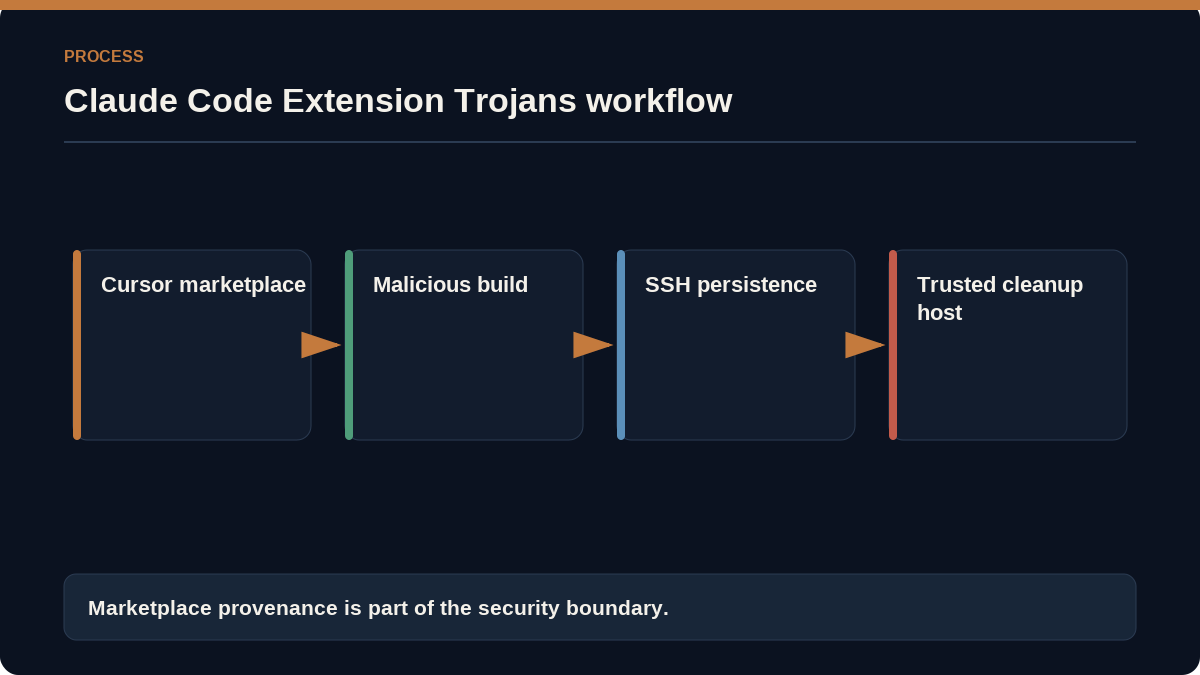
Official marketplace notice. Cursor reported malicious Anthropic.claude-code versions 2.1.312 and 2.1.313 on October 29, 2026. The builds were not developed by Anthropic and attempted persistent SSH backdoors on Windows and macOS. This was not evidence of an Anthropic infrastructure breach. The practical win is a clear incident boundary. The honest loss is that removing the extension alone does not prove the host is clean.
What happened, and what did not
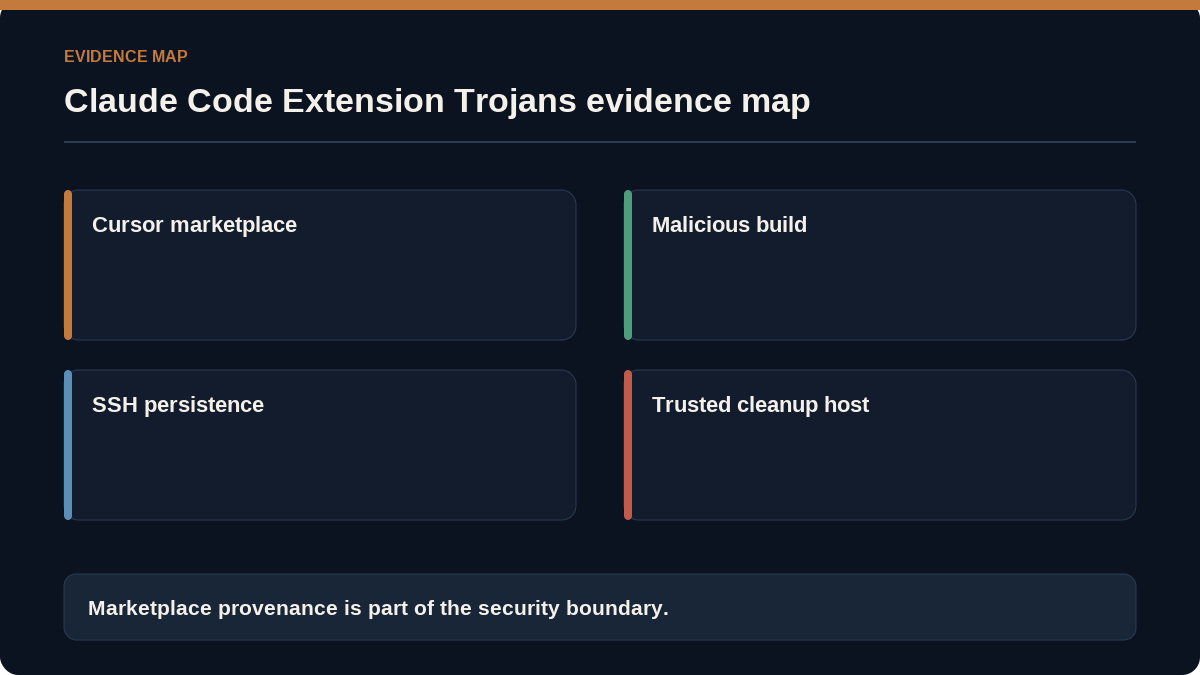
The incident belongs to marketplace provenance. A familiar extension identifier appeared in a third-party marketplace with malicious builds behind it. The name made the package look related to Claude Code, but Cursor’s notice states that the builds were not developed by Anthropic.
Official marketplace notice. The affected versions were 2.1.312 and 2.1.313 in the Cursor VS Code Extension Marketplace. Cursor reported attempted persistent SSH backdoors on Windows and macOS. The notice’s remediation guidance includes removing persistence and tunnels, then rotating credentials from a trusted host.
This attribution matters. It is wrong to call the incident an Anthropic infrastructure breach. It is also wrong to assume the official Claude Code build or npm package was compromised. The public record describes malicious builds in a marketplace. Limit the claim to that boundary unless new primary evidence expands it.
| Incident fact | Published detail | What it supports | What it does not prove |
|---|---|---|---|
| Marketplace | Cursor VS Code Extension Marketplace | Third-party distribution path | Compromise of Anthropic infrastructure |
| Extension identifier | Anthropic.claude-code |
Branding used by the malicious builds | Authorship by Anthropic |
| Versions | 2.1.312 and 2.1.313 | Specific builds to identify | Every version with those numbers everywhere |
| Date | October 29, 2026 | Incident timeline for Cursor’s notice | Exact infection time for every host |
| Platforms | Windows and macOS | Reported attempted persistence targets | Linux compromise or universal exposure |
| Behavior | Persistent SSH backdoors and tunnels | Host remediation is required | That every installed copy succeeded |
Marketplace provenance is the central issue here. The Claude Code harness security boundaries explain why an extension is only one part of the agent’s authority. A malicious build can matter because it runs inside a trusted development environment with access to repositories, processes and credentials.
Attribution starts with the source, not the name
An extension identifier is not proof of authorship. Marketplaces, publishers, repositories and binary artifacts are separate facts. During incident response, record each one before drawing a conclusion.
Start with the marketplace. Where was the extension installed from? Cursor’s notice concerns its VS Code Extension Marketplace. The same identifier appearing in another directory does not prove that the other copy is malicious. Preserve the marketplace name, listing URL, publisher information and installation record.
Next, record the exact version and artifact hash if available. The affected versions in Cursor’s notice are 2.1.312 and 2.1.313. A version string alone may not distinguish a clean build from a malicious repackaging. Artifact hashes and source provenance provide stronger evidence when the publisher supplies them.
Then check the distribution channel. Official project documentation, a verified repository and a marketplace listing are different sources. A listing that uses Anthropic’s name is not automatically published by Anthropic. Cursor explicitly said these builds were not developed by Anthropic.
| Attribution question | Evidence to collect | Safe conclusion |
|---|---|---|
| Which marketplace? | Marketplace name and listing URL | Identifies the distribution path |
| Which publisher? | Publisher identity and listing history | Describes the account behind the listing |
| Which artifact? | Version, hash and install record | Identifies the specific build |
| Which source? | Official docs or verified repository | Separates official distribution from a lookalike |
| Which host? | Installation date and host inventory | Defines the remediation scope |
| Which activity? | Process, network and persistence evidence | Shows what the artifact actually attempted |
Do not turn a suspicious extension into a claim about every Claude Code installation. The incident supports checking hosts that installed the affected marketplace builds. It does not support a blanket statement that all Claude Code users were compromised.
The Claude Code repository-hook security review is relevant because extensions and hooks can both execute code in the development environment. They are different mechanisms, but both belong in the host inventory. Check whether the affected extension installed or modified hooks, settings, scripts or startup entries.
Treat the affected host as untrusted
Once a malicious build is confirmed or reasonably suspected, stop using the host for sensitive work. Disconnect it from networks that matter, especially production, corporate and credential-bearing services. Do not continue coding, open private repositories or use the machine as the cleanup console.
Preserve evidence before destructive cleanup when the incident process allows it. Capture the extension inventory, installation time, process list, network connections and persistence-related configuration. Use the organization’s incident-response procedure. The goal is to understand scope, not to keep the host in service while investigating.
A separate trusted host should coordinate remediation. From that machine, revoke exposed sessions, rotate credentials through official account channels and direct cleanup of the affected system. Cursor’s guidance specifically calls for credential rotation from a trusted host. The affected machine may still be running attacker-controlled code.
| Immediate action | Reason | Caution |
|---|---|---|
| Stop sensitive work | Limits further exposure | Do not delete evidence blindly |
| Isolate the host | Reduces attacker access | Follow the incident commander’s procedure |
| Preserve inventory and logs | Defines scope | Store evidence outside the affected host |
| Use a trusted cleanup host | Avoids acting inside a compromised environment | Verify the cleanup machine first |
| Revoke exposed sessions | Limits continued account access | Record what was revoked and when |
| Rotate credentials | Addresses possible theft | Use official service processes |
The Claude Code GitHub Actions secret boundaries explain a related CI exposure pathway, but the incidents are distinct. A workflow secret may have been exposed through prompt injection. A trojaned extension may have had direct host access. Separate the evidence and remediation tracks unless the records connect them.
The Claude Code billing-dispute evidence packet offers a useful discipline for incident timelines: timestamp, account scope, event type and evidence reference. Apply that structure to extension installation, observed processes, network activity and credential actions.
Remove persistence and tunnels deliberately
Cursor’s notice describes attempted persistent SSH backdoors and tunnels. Removing the extension is necessary, but persistence may survive outside the extension directory. The cleanup plan must inspect startup mechanisms, SSH configuration, remote-access services and active tunnels.
On Windows, review startup entries, scheduled tasks, services and user-level launch mechanisms that could restart attacker-controlled code. On macOS, review launch agents, launch daemons and user startup items. These are general incident-response surfaces, not a claim that the malicious builds used every one.
SSH configuration deserves close attention. Review authorized keys, host and user configuration, forwarding rules and any remote-access service that was not expected. Look for tunnels or reverse connections that persist outside the editor. Do not assume that closing one terminal or uninstalling one extension ends them.
| Persistence surface | What to inspect | Evidence to retain |
|---|---|---|
| Startup mechanisms | Unexpected tasks, services, agents or daemons | Name, path, owner and creation time |
| SSH access | Authorized keys and configuration changes | Before-and-after records |
| Tunnels | Active remote forwarding or reverse connections | Process, endpoint and time window |
| Extension state | Installed builds, settings and generated scripts | Version, hash and source |
| Shell or tool configuration | Modified profiles, wrappers or hooks | Diff from a trusted baseline |
| Scheduled work | Recurring scripts or jobs | Command, schedule and owner |
Do not run cleanup scripts downloaded from an untrusted source. Use trusted system tools and the organization’s verified procedure. If the host cannot be cleaned with confidence, rebuild it from a known-good image. A rebuild is sometimes the most reliable way to remove persistence.
The Claude Code destructive git guardrails are relevant to repository recovery. Avoid broad cleanup commands against shared or uncommitted work. Preserve repository evidence and restore from a trusted revision when possible.
Rotate credentials from a trusted host
Credential rotation should begin after the affected host is isolated and from a machine that is not under suspicion. Start with sessions and credentials that were available to the development environment or could have been reached by the malicious build.
Prioritize by exposure and authority. Cloud credentials, source-control tokens, deployment credentials and SSH access can have broad impact. Personal accounts and lesser services may follow. Use each service’s official revocation and rotation process, and record the time, owner and result.
Official marketplace notice. Cursor’s remediation guidance includes rotating credentials from a trusted host after removing persistence and tunnels. The order matters because rotating from the affected machine may expose the new credential to the same attacker-controlled process.
Do not reuse a password or token that may have been copied. Do not send new credentials through the affected editor, clipboard manager or remote-access tool. Use the trusted cleanup host and a verified account channel.
| Credential class | Why prioritize it | Trusted action |
|---|---|---|
| Active sessions | May not require the old password | Revoke sessions through the provider |
| Source-control access | Can expose private repositories and changes | Revoke tokens and review account activity |
| Cloud or deployment access | Can affect production infrastructure | Rotate through the official cloud process |
| SSH credentials | May enable persistent remote access | Replace exposed access material and review authorized keys |
| Package or marketplace tokens | Can alter distributed software | Revoke and review publish activity |
| Lesser service credentials | May still expose data or spend | Rotate according to impact |
The Claude Code settings-file secret exposure guide explains how saved approvals and configuration can retain sensitive values. Inspect the affected environment for literal credentials, but do not open or copy them into the cleanup host unnecessarily. Revoke them through the service and replace them through a trusted channel.
The Claude Code privacy and retention rules may matter if prompts or repository content were sent during the incident. Provider retention is a separate question from host compromise. Capture both tracks without assuming one explains the other.
If the incident also produces a billing question, use the Claude Code billing-dispute evidence packet to reconstruct transactions. A refund request follows a different branch. The Claude Code refund and support policy guide explains why region, payment route, usage and dispute status matter. Neither process replaces credential rotation or host cleanup.
Verify the cleanup instead of trusting the uninstall
A successful uninstall message proves that an extension package was removed. It does not prove that persistence, tunnels or stolen credentials are gone. Verification needs independent evidence from the host and the affected services.
Reboot or restart the system according to the incident procedure, then re-check startup mechanisms, SSH configuration and active network connections. Compare the results with the preserved inventory and a trusted baseline. Unexpected entries should be treated as unresolved until explained.
Review service-side activity as well. Check source-control sign-ins, token use, cloud access logs and marketplace publish events for the incident window. Host cleanup cannot revoke an attacker’s copy of a credential. Service-side revocation and monitoring close that gap.
| Verification pass | Question | Pass evidence |
|---|---|---|
| Extension inventory | Are affected builds absent? | Current inventory and install record |
| Startup review | Did persistence return after restart? | No unexplained entries |
| SSH review | Are access material and tunnels expected? | Reviewed keys, config and connections |
| Network review | Are remote endpoints expected? | Connection log matched to approved services |
| Credential review | Were exposed credentials revoked or replaced? | Provider confirmation and new issuance record |
| Activity review | Is suspicious service-side activity explained? | Account and audit-log review |
| Repository review | Are changes and hooks expected? | Diff against a trusted revision |
The Claude Code proof-of-work packet is a good model for the final incident record. Group the evidence, actions and independent checks together. A statement that the host feels normal is weaker than a reviewed inventory and service-side confirmation.
The live status page can provide gateway context, but it cannot prove that a local host is clean. Use it only for service-side incident context and keep local evidence separate.
Reinstall only from a verified source
After cleanup or rebuild, install the extension only through a verified distribution path. Check the publisher, repository, version and artifact information against official documentation. Do not rely on the extension name alone.
Note the source in the machine’s software inventory. If the team uses a managed extension policy, lock the approved source and version where the platform supports it. Inspect updates before deployment, especially when the publisher or distribution channel changes.
A managed baseline helps detect drift. Compare installed extensions, hooks and permission settings with the approved set. Unexpected additions should trigger review before the next sensitive task.
| Reinstall check | Pass condition |
|---|---|
| Publisher | Matches the verified source |
| Repository | Matches official project documentation |
| Version | Explicitly approved and recorded |
| Artifact | Hash or provenance checked when available |
| Permissions | Minimum required access |
| Hooks and settings | Reviewed against the trusted baseline |
| Monitoring | Install and update events are recorded |
The Claude Code auto-mode classifier limitations are not a substitute for provenance review. A classifier can reduce permission prompts, but it cannot establish who published an extension. Treat source verification and runtime permission controls as separate layers.
The official CVE record for CVE-2026-55607 concerns a different sandbox-escape case that required a malicious repository. Do not combine it with the marketplace incident or imply that the CVE explains these extension builds.
Build a practical remediation checklist
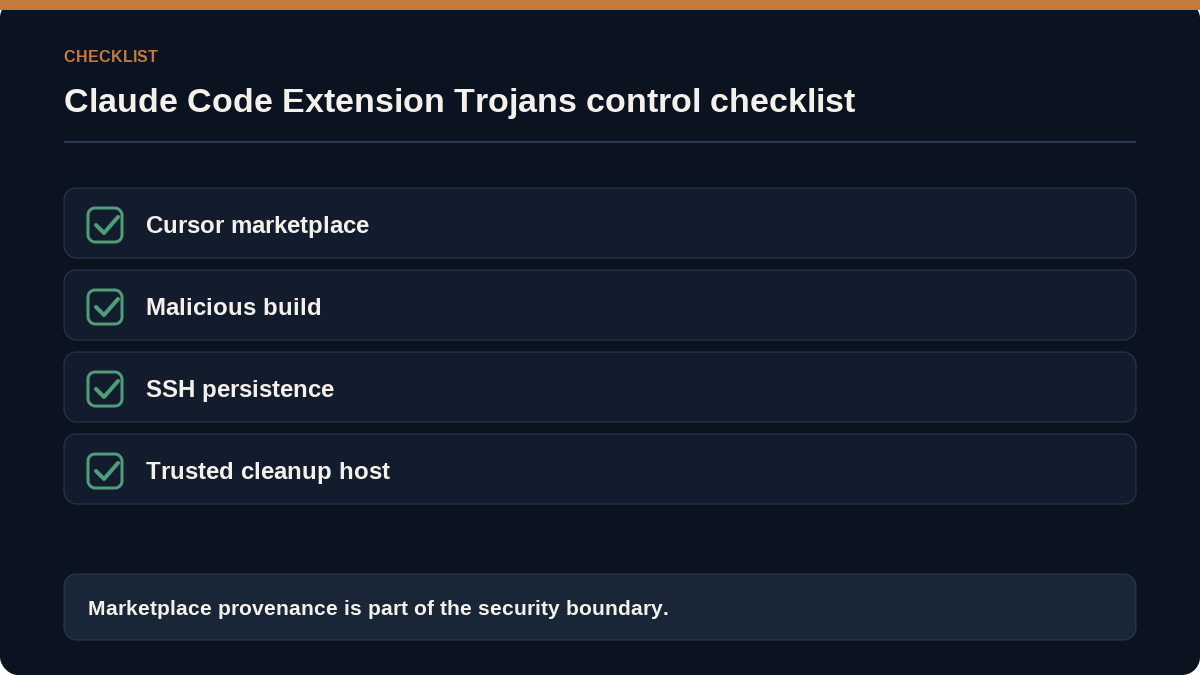
The checklist should be usable under pressure. Assign an incident owner, a cleanup operator and a credential owner. Capture the affected hosts, extension versions and time window before work spreads across teams.
Coordinate cleanup and credential work without merging their responsibilities. The cleanup operator handles host evidence and persistence. The credential owner revokes sessions and rotates access through trusted channels. Both should report into the same incident timeline.
| Phase | Action | Owner | Completion evidence |
|---|---|---|---|
| Identify | Confirm marketplace, version and host scope | Incident responder | Inventory and install record |
| Contain | Isolate affected hosts and stop sensitive work | Incident commander | Isolation record |
| Preserve | Capture logs, processes and configuration | Forensics or platform team | Evidence stored off-host |
| Eradicate | Remove extension, persistence and tunnels | Cleanup operator | Reviewed host inventory |
| Recover | Rotate credentials and rebuild when needed | Credential and platform owners | Revocation and rebuild records |
| Verify | Recheck host and service-side activity | Independent reviewer | Signed verification record |
| Prevent | Enforce verified sources and managed baselines | Platform owner | Updated policy and audit |
The Claude Code monorepo search and token budget can help locate extension-related settings across many repositories, but do not let broad search delay containment. Start with known hosts and known installation records, then expand scope from evidence.
Legacy machines may lack a reliable software inventory. The Claude Code legacy-code characterization workflow recommends preserving behavior before changing structure. For incident response, that means documenting the current state before rebuilding or removing unknown automation.
The honest loss and the data gap
The win is a precise attribution and a response that addresses both host persistence and credentials. The incident can be described without falsely blaming Anthropic’s infrastructure. The affected host is treated as untrusted, and cleanup is verified independently.
The loss is disruption. Isolation, rebuilding and credential rotation can stop work across several teams. Manual cleanup may miss persistence, while a rebuild does not recover stolen credentials by itself. The public notice does not provide a complete forensic image or a universal list of artifacts for every host.
Unknown. The frozen evidence does not establish how many users installed the malicious builds, whether every installation succeeded or whether a specific organization was affected. It also does not prove that other marketplaces carried the same artifacts. Future updates should revisit Cursor’s notice, official Claude Code distribution guidance and any new primary incident evidence.
The Claude Code hallucinated-package supply-chain controls address a different supply-chain path. Both incidents reinforce provenance review, but they should not be merged into one claim. Marketplace extensions, package registries and model infrastructure are distinct boundaries.
Close the incident with a written record
The final record should state what was confirmed, what remained unknown and which actions were verified. Include the marketplace, affected versions, host scope, isolation time, persistence findings, credential actions and reinstall source. Link each action to evidence rather than a general assurance that cleanup completed.
Review repository and service activity for the incident window. Look for unexpected commits, hooks, settings changes, token use or access from unfamiliar locations. A clean host does not prove that an attacker failed to use a stolen credential before isolation.
The Claude Code MCP output truncation guide helps preserve decisive lines from long logs. The Claude Code background subagent running-count diagnosis is a reminder that a stale display cannot prove work has stopped. Verify process state, artifacts and service-side records directly.
Schedule a follow-up review after the immediate response. Recheck credentials, extension inventory and persistence surfaces once the rebuilt or cleaned host is back in service. Capture any new evidence and update the incident scope if the facts change.
Retain the trusted cleanup host until verification is complete. Do not move new credentials back to the affected machine through the old editor profile, clipboard history or remote-access tooling. Restore access through the verified reinstall and the approved credential channel.
If a host cannot be verified, keep it isolated. A working editor is not proof that persistence is gone. Rebuild from a known-good image and restore only the repository data and tools that have been reviewed. The incident closes when host evidence and service-side evidence agree, not when the visible extension disappears.
Practical alternative: test an OpenAI-format agent
If you want to evaluate another agent after securing the host, One AI API Key lists 46 live free model IDs for OpenAI-format agents such as OpenCode, Cline or Cursor. The quickstart covers the base URL and first request. The free lane shares 100 requests and 5,000,000 tokens per day per account, resets at 05:30 IST / 00:00 UTC, and allows one request in flight per key.
The documented Claude Code route uses the Anthropic-format endpoint, but all four Claude IDs were marked unavailable on 2026-11-27. Free IDs are OpenAI-format only and should not be placed in Claude Code. Review the prepaid pricing page for paid credit details and the cost calculator for planning. A new route does not replace host cleanup or credential review.
FAQ
Was Anthropic infrastructure breached in this incident?
No such conclusion is supported by the supplied notice. Cursor reported malicious Claude Code-branded builds in its marketplace and stated that they were not developed by Anthropic. Treat it as a marketplace provenance incident unless new primary evidence says otherwise.
Which versions did Cursor identify?
Cursor identified Anthropic.claude-code versions 2.1.312 and 2.1.313 in the Cursor VS Code Extension Marketplace. Capture the exact marketplace, version and artifact information for each affected host.
Is uninstalling the extension enough?
No. Cursor’s notice describes attempted persistent SSH backdoors and tunnels. Remove persistence and tunnels, verify the host after restart and rotate exposed credentials from a trusted machine. A rebuild may be the safer option when cleanup cannot be verified.
Where should credential rotation happen?
From a separate trusted host. Attacker-controlled code may still be running on the affected machine. Revoke sessions and rotate credentials through each service’s official process, then review service-side activity.
Does this incident involve the Claude Code npm package?
The supplied notice does not establish that. It concerns malicious builds in Cursor’s marketplace. Do not expand the attribution to Anthropic’s own build, npm package or infrastructure without primary evidence.
More Claude Code troubleshooting
- Claude Code WSL IDE environment-variable diagnosis
- Claude Code WSL2 memory-warning breakdown
- Claude Code Windows subagent MCP memory leaks
- Claude Code VS Code WebSocket regression test
- Claude Code desktop browser-pane crash recovery
- Claude Code subagent hang and timeout controls
- Claude Code subagent stop and resume semantics
- Claude Code parallel-agent worktree isolation
- Claude Code subagent context and duplicate-work analysis
- Claude Code compaction cost worksheet
- Claude Code prompt-caching break-even math
- Claude Code idle-session cache-miss analysis
- Claude Code long-context prefill latency test
- Claude Code usage tracking and cost API guide
- Claude Code task budgets versus hard stops
- Claude Code 429 error decision tree
- Claude Code generated-test oracle bias
Sources
- Cursor security notice on malicious Claude Code-branded extensions: primary marketplace incident facts and remediation guidance.
- Claude Code security documentation: official security model.
- Claude Code permissions documentation: official permission behavior and limits.
- Claude Code hooks documentation: official executable automation surfaces.
- Microsoft security research on CI secret exposure: separate CI credential pathway, not an Anthropic breach claim.
- Official CVE-2026-55607 record: separate malicious-repository sandbox case.