Direct answer
Claude Code Remote Control lets a phone, tablet or browser interact with a local session. It does not move the runtime to the phone, and it is not a full mobile IDE. Official: the feature requires a paid plan and claude.ai authentication, API keys are unsupported and the local process must stay running (F004). Use a phone for bounded review and approval when the task is visible and the consequences are clear. Keep code exploration, complex review and terminal-only work on the workstation. The concrete win is faster response to a waiting approval. The honest loss is that a small screen encourages shallow review, so phone approval must be narrower than desktop sign-off. Official: Remote Control keeps full access to the local environment and synchronizes transcripts to Anthropic servers (F005), which makes the approval boundary more important, not less.
What Remote Control does
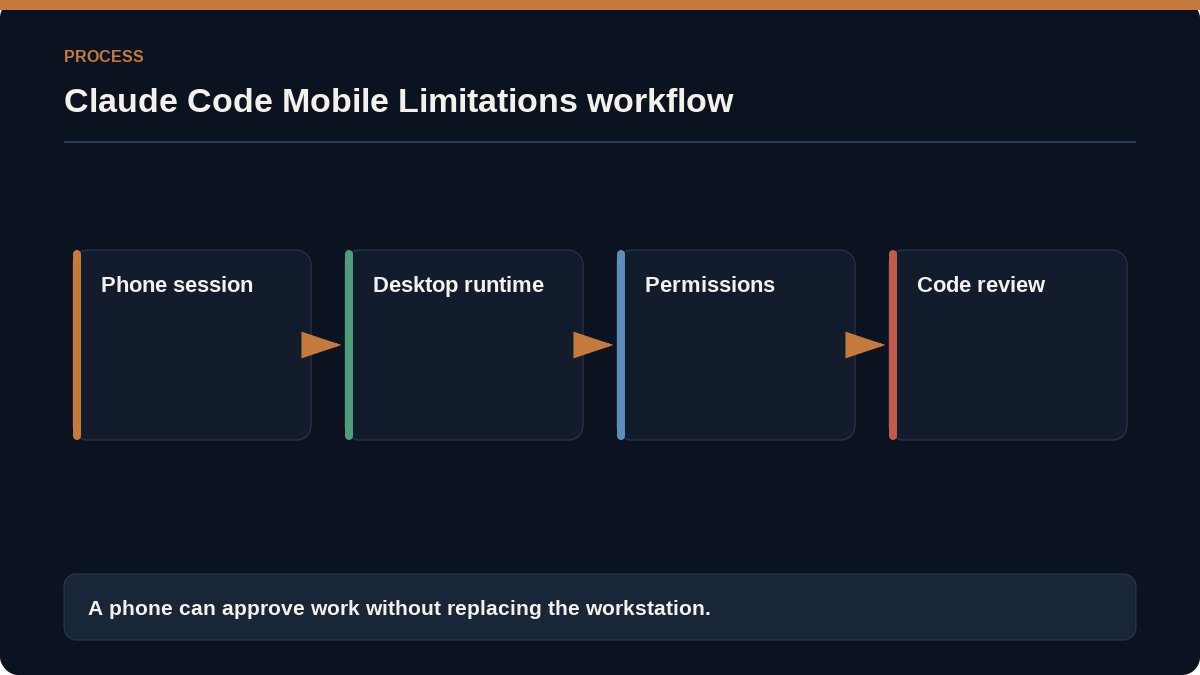
Remote Control continues a local interactive session from another device. The local machine still executes commands and owns the workspace. The remote device provides an interaction and approval surface. That distinction should shape every mobile procedure.
Official: Trusted Devices support biometric or passkey verification (F005). Prefer that control over treating any open browser as equivalent to a signed-in workstation. A trusted device reduces some access risk, but it does not make an incorrect command safe.
Remote Control also has session limits. Outside server mode, it supports one remote session per interactive process. Some commands remain terminal-only (F005). A team should not assume that a phone can cover every task simply because the session appears there.
The feature has configuration exclusions. Zero Data Retention and HIPAA configurations cannot enable it. Bedrock, Google Cloud Agent Platform and Microsoft Foundry endpoints are unsupported (F005). If your organization depends on one of those configurations, design the mobile workflow around a supported device path or keep the work local. Do not weaken a privacy configuration to gain mobile access.
Official: pricing includes Claude Code in paid plans and not in Free (F030). That establishes plan eligibility at a high level. Remote Control’s own requirements still control whether a particular session can use it (F004). Plan access is not blanket authorization for every endpoint or configuration.
What remains on the desktop
Execution remains local. A phone approval can release a command that changes files, installs dependencies or touches a service. The person holding the phone needs enough context to understand that action before approving it.
Complex review also needs better tools. A desktop can show a full diff, search related call sites, inspect logs and run verification. A phone can display a focused change, but it should not become the only review surface for a risky migration or a broad refactor. Official: independent review guidance favors a reviewer who has not seen the implementation reasoning and recommends focusing review against the spec rather than style (F009). A phone reviewer needs the spec and the relevant diff, not a long model explanation.
Terminal-only commands remain terminal-only (F005). If the next step depends on one, use the workstation or stop. The mobile checklist below cannot substitute for terminal access, and Remote Control should not be described as an offline capability. The offline-mode guide explains why the connected local process remains a hard dependency.
The session handoff packet is the best preparation for mobile review. Put the goal, allowed files, decision, evidence and requested approval in one place. The phone reviewer should not have to reconstruct the task from a transcript while a command waits. Include the exact question being asked, such as whether to release a named test command, and keep unrelated progress notes out of the approval prompt.
Capability matrix
| Capability | Remote Control behavior | Safe mobile use | Boundary |
|---|---|---|---|
| Continue a local session | Supported from phone, tablet or browser | Check progress and choose a bounded next step | Local process stays running |
| Execute a command | Execution remains on the local machine | Approve only a command you can evaluate | Full local-environment access remains |
| Review a focused diff | Remote interaction can support review | Inspect a small, explained change | Complex review belongs on desktop |
| Use terminal-only commands | Some commands remain terminal-only | Stop and switch devices | Phone is not a terminal replacement |
| Authenticate | claude.ai authentication required | Use a trusted device with biometric or passkey verification | API keys are unsupported |
| Run multiple remote sessions | One per interactive process outside server mode | Avoid assuming parallel phone control | Server mode has separate behavior |
| Enable under ZDR or HIPAA | Not supported | Keep the configuration unchanged | Mobile access does not override policy |
| Use alternate endpoints | Listed Bedrock, Google Cloud Agent Platform and Foundry routes are unsupported | Verify the configured endpoint first | Do not reroute solely for phone access |
| Work offline | Not an offline feature | Use prepared local work instead | Local runtime and service remain connected |
| Replace full code review | Not established | Approve a narrow action, then review on desktop | Small screens omit context |
The matrix combines official Remote Control facts (F004, F005) with proposed team controls. The controls are recommendations. They are not vendor claims about which tasks Anthropic considers safe.
Approval risks
Approval is a decision about consequences. A button press feels lighter on a phone than a typed command on a workstation, but the resulting action has the same local authority. Treat the interface as a change in attention, not a change in risk.
The highest-risk pattern is approving a command whose output is only partly visible. A package install may add files, run lifecycle scripts and contact the network. Official: dependency installs are executable actions, and package managers can run lifecycle scripts and reach the network (F011). Use the dependency-install safety checklist before putting an install behind a mobile approval.
A migration needs even more separation. Community: issue #27063 reports an agent running drizzle-kit push --force against production (F012). That report does not establish a universal bug. It does show why a phone approval should never collapse planning, generation and production apply into one tap. Follow the database migration safety workflow instead.
Approval risks
| Risk | Why the phone makes it worse | Required control | Stop signal |
|---|---|---|---|
| Broad file change | Diff context is harder to inspect | Desktop review of allowed files and final diff | New or unrelated files appear |
| Dependency install | Scripts and network effects are easy to miss | Pre-install manifest and lockfile review | Package or command differs from the plan |
| Production schema change | Consequence is remote from the screen | Separate human-controlled apply | Force, destructive or unreviewed apply appears |
| Secret exposure | Notifications and small screens can be overlooked | Redacted evidence and controlled links | Credential or private output appears |
| Untrusted repository instruction | Context may look authoritative | Permission boundary and repository review | Instruction requests a new privileged action |
| Stale session | Time away can hide a changed branch or state | Current goal, branch and evidence in the packet | State no longer matches the approval |
| Approval fatigue | Repeated taps reduce attention | Narrow, named approvals with stop rules | Reviewer cannot explain the action |
Official: security documentation describes approval systems and sandboxing as controls around prompt injection (F016). Those controls reduce exposure. They do not make every tool result trustworthy. If repository content or tool output asks for a new privileged action, stop and inspect it on the workstation. The repository prompt-injection guide explains the attack path without requiring a live malicious payload.
A mobile checklist
Prepare the task before leaving the workstation. Mobile review works best when the phone receives a finished decision packet rather than an unfolding mystery.
Mobile checklist
| Check before approval | Pass condition | Action if absent |
|---|---|---|
| Goal is visible | One sentence names the requested outcome | Ask for a handoff update |
| Local runtime is identified | Workspace and branch match the task | Stop until state is confirmed |
| Change is bounded | Allowed files and final diff are inspectable | Move review to desktop |
| Evidence is linked | Relevant check result opens for the reviewer | Request controlled evidence |
| Command is understood | Reviewer can explain what it changes | Reject or defer |
| Production apply is separate | Approval does not combine plan and apply | Use the migration runbook |
| Secrets are absent | Redacted output is sufficient | Do not approve exposed content |
| Trusted device is used | Biometric or passkey verification is active | Secure the device first |
| Stop condition is stated | Reviewer knows when the task must pause | Add the stop rule |
| Desktop follow-up is assigned | Complex review has an owner and time | Keep the change unmerged |
Use a short approval sentence. “Approve the listed test-file edit after the fixture result is visible” is easier to evaluate than “approve the next step.” If the agent changes the action, the previous approval no longer describes it. Ask for a new packet instead of relying on the old tap.
The verification packet guide helps connect evidence to the exact change. A green status without the test name is weak evidence. A phone reviewer should see the check, the result and the scope it covers.
Prepare the workstation for a mobile decision
Remote Control works better when the local session is already understandable. Do the preparation while the full repository view is available. The phone should receive a decision, not a search problem.
Start by stabilizing the workspace. Confirm the branch, the current diff and the last completed check. If work is still moving, tell the phone reviewer that the state is provisional and avoid requesting a consequential approval. Official: the local process must stay running for Remote Control (F004). A laptop that will sleep, disconnect or lose its network connection is not a reliable approval runtime.
Next, make the requested action visible in plain language. Name the command class, the files it may affect and the expected result. If the action includes an install, include the manifest and lockfile review. If it includes a migration, separate the proposed file from the production apply. The reviewer should not need to infer consequences from a model summary.
Review the permission state before leaving the desk. Remote Control keeps full access to the local environment (F005), so a broad local session does not become safer because the screen is smaller. Avoid widening permissions just to make a mobile task convenient. Where a narrower action is possible, prefer it and keep the broader action for the workstation.
Official: security documentation treats approvals and sandboxing as controls around prompt injection (F016). Use those controls deliberately. Repository content and tool output remain untrusted input even when they appear inside a trusted session. A phone reviewer who sees an unexpected privileged request should stop rather than assume the request came from the task owner.
Evidence also needs a stable location. Link the diff, test result and relevant issue from an approved system. Do not rely on a notification preview or a screenshot that truncates the important line. The secrets-in-logs guide explains why controlled links are safer than copied private output.
Define what happens if the connection drops. The reviewer should know whether the command is queued, rejected or already running locally. Do not repeatedly tap approve while the state is unclear. Check the workstation or the service status first. The outage status and failover guide separates a service incident from a local runtime problem.
After the approval, record the action and the reviewer. Then inspect the result on the workstation. A short record should say what was approved, what actually changed and which check followed. This is useful when the next person sees only the final branch and cannot tell whether a mobile decision shaped it.
The concrete win is fewer ambiguous approvals. The concrete loss is preparation time on the workstation. The practical implication is to prepare mobile review for consequential tasks and skip the ceremony for trivial read-only checks. Match the process to the authority behind the tap.
Measure the process with observations your team can reproduce. Record how long the reviewer waited, whether the packet was sufficient, whether the approved action matched the request and whether desktop follow-up found a problem. Unknown: the supplied evidence contains no universal mobile review-time penalty or approval error rate (F039). Those measures are a local evaluation plan, not a vendor benchmark. Review the notes after a few real tasks and change the checklist when a repeated gap appears.
A safe mobile approval drill
Use a disposable workspace and a low-consequence task. A test-file update with a visible fixture is enough. Do not connect production credentials or use a real migration for the drill.
On the workstation, write the task goal, allowed file, expected test and requested phone action. Start the local session and confirm that Remote Control is available under the current plan, authentication and endpoint configuration. On the phone, open the session through the supported path and confirm Trusted Device verification.
Ask the phone reviewer to state the action before approving it. If the reviewer says only “the next step,” the packet is not ready. The reviewer should be able to name the file, the expected change and the check that follows.
After approval, inspect the actual diff on the workstation. Compare it with the allowed file and the approved behavior. The drill passes only if the remote interaction and local result match the packet. Record any missing context as a process gap, not as a model benchmark.
Derived: A simple approval-readiness rule is ready = goal visible + action understood + evidence accessible + stop condition known. Each term must be true. This is a checklist rule, not a numerical safety score. If one term is missing, defer the approval.
The concrete win is a reviewer who can make a narrow decision away from the desk. The concrete loss is that the drill uses an easy task and cannot validate a complex production change. The practical implication is to reserve phone approval for actions whose evidence fits on the device, then complete substantive review on the workstation.
When to use another device
Switch devices when the decision depends on context the phone cannot show well. Large diffs, unfamiliar call sites, migration plans, security investigations and unexplained failures need the workstation. Terminal-only commands also require it (F005).
Do not switch merely because the phone is inconvenient. First identify the missing information. If the issue is a stale packet, update the packet. If the issue is a broad diff, open the desktop review. If the issue is an unsupported command, use the terminal. The PowerShell path and hook guide is one example of a shell-specific problem that deserves the actual shell environment.
A laptop or second workstation can help when the local runtime cannot stay online. Remote Control does not solve that condition. The Linux ARM and headless setup guide may be relevant if the alternate device is a server, but it does not change Remote Control’s local-process requirement.
Official: the status page lists Claude Code alongside claude.ai and the Claude API, with incident impact levels and update stages (F029). The supplied page states no contractual SLA or guaranteed uptime percentage. If the phone session cannot reach the local runtime or service, check status and local connectivity rather than repeatedly approving retries. The outage runbook separates service evidence from client symptoms.
Honest loss and data gaps
Remote Control is useful, but the supplied sources do not measure mobile review quality, approval error rates or time saved. They also do not establish that every task can be reviewed safely on a phone. The recommendations here are risk controls derived from documented boundaries, not a quantified safety result.
Unknown: There is no public evidence in the fact pack for a universal mobile approval rate or a claim that phone review is equivalent to desktop review. Treat faster response as a hypothesis to measure on your team. Record deferred approvals, wrong approvals, review time and defects that escape the mobile step.
Official: Remote Control synchronizes transcripts and keeps full access to the local environment (F005). That combination means a mobile session deserves the same care as a workstation session. A trusted device helps with access verification. It does not reduce the authority of an approved command.
Transcript controls remain relevant. Official: the settings reference exposes transcript cleanup and telemetry controls (F020). Do not claim zero logging or a universal retention period. Before sharing a mobile session with a broader audience, review what the transcript contains and link controlled evidence instead of copying private output.
The honest loss is attention. A phone is excellent for a clear yes or no and poor for reconstructing a complicated plan. The practical implication is to make the mobile decision smaller, not to pretend the screen is a full IDE.
Adjacent checks worth keeping separate
Mobile access sits beside handoff and connectivity controls. Keep team session handoff and offline-mode boundaries explicit. Then consult network storm diagnosis, Linux ARM and headless login, macOS Keychain permissions, PowerShell path quoting, corporate proxy TLS and mTLS and outage status and failover. Each can break remote access for a different reason.
The approved change still needs scope and recovery controls. Use large-diff scope boundaries, dependency-install review and database migration safety. Compare gitignored-file deletion risks and rewind checkpoint limits before promising that a mistaken approval is easy to undo.
Security approval has its own evidence. Review repository prompt injection, MCP trust boundaries, plugin security audits, secrets in logs and transcripts, security-research authorization and game-development IP restrictions. A trusted phone does not authorize a new target or a broader command.
Commercial and model choices should not be made through a rushed mobile prompt. Compare annual plan lock-in, Max and Ultra value, fast-mode cost and Batch API versus subscription pricing. For technical tuning, consult prompt-cache minimums, thinking-token caps and reasoning effort defaults. Keep review capacity, AI provenance and license compliance attached to the final change.
A practical OpenAI-format alternative
If your mobile review test uses an OpenAI-format agent instead of Claude Code, the 46 live free model IDs provide a separate connected route. First-party, checked 2026-11-27: the catalogue showed 76 listed models and 46 available-now free IDs across 22 families (F044). The free lane shares 100 requests and 5,000,000 tokens per day per account, resetting at 05:30 IST or 00:00 UTC, with one request in flight per key (F045).
One AI API Key works through OpenAI-format agents such as OpenCode, Cline or Cursor. Follow the endpoint quickstart, select a free ID and use https://api.oneaiapikey.com/v1 (F047, F048). The prepaid pricing page documents $10 signup credit with no card and no subscription or seat fee (F046). Review per-key caps, expiry and model allowlists, then use the cost calculator for a small comparison.
Do not show these free IDs inside Claude Code. They are OpenAI-format only. The documented Claude Code route is unavailable because all four Claude IDs were marked unavailable on 2026-11-27 (F047). This alternative does not add a Claude Code mobile feature, and it does not turn Remote Control into a full mobile IDE.
FAQ
Can Claude Code Remote Control run without my laptop?
No. Official: the local process must stay running, and execution remains on the local machine (F004, F007). The phone is an interaction surface, not a replacement runtime.
Is Remote Control a full mobile IDE?
No. It supports remote interaction and approvals, but some commands remain terminal-only and complex review still benefits from desktop tools (F005, F007). Use the phone for bounded decisions.
Does Remote Control work with an API key?
No. Official: it requires claude.ai authentication and API keys are unsupported (F004). A paid plan is also required.
Can I enable Remote Control with ZDR or HIPAA?
No. Official: those configurations cannot enable it (F005). Do not weaken a compliance configuration to gain mobile access.
What should I approve on a phone?
Approve a named action whose scope, evidence and consequence you can explain. Defer broad diffs, dependency installs without review, production migrations and anything requiring terminal-only context.