Direct answer
Tag the exact commit you tested, not whatever happens to be at the branch tip, and use an annotated tag so the marker carries release context. The candidate commit needs confirming first, because Git tags the current HEAD unless you supply a specific commit or object (F077). Then inspect what the tag points at before anyone builds artifacts from it. An annotated tag stores tagger metadata and an optional signature, and the Git documentation describes this form as the one meant for releases (F076). Annotation adds context. Only a verified signature adds cryptographic identity evidence, and an unsigned annotated tag gains no identity verification from the annotation alone (F078).
This article walks the sequence from candidate confirmation to a recorded release identity. It also shows where the assurance stops: a tag names a revision, and it does not prove which checks ran.
Why the tag is the release identity
Everything downstream reads the tag. Changelog generators diff between two tags. Build systems attach artifacts to a tag. Package registries and mirrors often key off a tag name. A release procedure that tags the wrong commit produces artifacts, notes, and signatures that all describe code nobody reviewed.
The mistake is easy to make. A release script runs after a final docs commit, or a teammate merges while the release branch is checked out, and HEAD has moved. Because Git tags HEAD by default when no object is supplied (F077), the tag lands on the newest commit instead of the tested one. Nothing errors. The name is right and the code is wrong.
Confirm the candidate commit
Before tagging, record the commit identity you intend to release and check the working tree against it.
The useful checks are small and mechanical. The branch you are on should be the one you meant to release. The commit hash you tested should be the commit you are about to tag. The tree should be clean, or any uncommitted change should be intentionally excluded from the release.
| Check | Command intent | What it proves |
|---|---|---|
| Current commit | Show HEAD hash | Which commit a default tag would name |
| Branch name | Show current branch | Whether the release branch is checked out |
| Tree state | Status of tracked files | Whether uncommitted edits would be excluded |
| Intended candidate | Compare recorded hash with HEAD | Whether the tested commit is the tagged commit |
When the recorded candidate differs from HEAD, stop and decide. Either move HEAD to the candidate or supply the candidate hash explicitly to the tag command. Never assume the two are the same because the release looked finished.
The candidate record is the broader frame for this check, and verifying the release candidate keeps identity, tests, notes, and rollback in one place.
Choose an annotated release tag
Annotated tags are the release form. The Git documentation states they store extra metadata including tagger name, date, a message, and an optional signature, and that this is the form meant for releases (F076). Lightweight tags exist, but they are closer to a named pointer with no release context.
Use a lightweight tag only for local bookmarks or throwaway markers. For anything another person or system will consume as a release, use the annotated form so the tag carries who made it, when, and why.
| Candidate commit | Tag name | Tag type | Tag message |
|---|---|---|---|
a1b2c3d tested with full suite |
v2.4.0 |
Annotated | Release 2.4.0; export surface unchanged; full suite green |
e4f5a6b hotfix only |
v2.4.1 |
Annotated | Patch release; single backport; scoped tests run |
| local scratch state | wip-try-lazy-load |
Lightweight | Personal marker, not a release |
Tag names are a convention, and the versioning behind the number is its own decision. Deciding a major, minor, or patch increment covers how to classify the release from consumer impact before you tag it.
Write the tag message
A tag message should answer what a reviewer or an auditor needs months later. Name the release, the scope of what was verified, and anything unusual.
A useful message has three parts. The first line names the release and its version class. The body states the verification scope: which tests ran and against what. The closing notes any exclusion, such as a known issue that the release accepts.
Keep the message in the repository’s own language for verification claims. Saying “full suite” means something only if the suite is defined. Naming the specific check or suite avoids a claim that cannot be checked later.
Do not put signing policy arguments in the tag message. Whether a tag is signed is a repository configuration question, and mixing it into a release note makes the message harder to audit.
Inspect the tag target
After creating the tag, inspect it before it leaves the machine. The Git show command displays a tag’s object, which for an annotated tag includes the tagger, date, message, and the commit it points to (Git show, official).
| Tag target | Reviewed commit | Test scope | Match result |
|---|---|---|---|
a1b2c3d |
a1b2c3d recorded in candidate record |
Full suite plus lint | Match |
e4f5a6b |
e4f5a6b backport commit |
Scoped release-branch tests | Match |
b7c8d9e |
a1b2c3d recorded |
Full suite | Mismatch, retag required |
A mismatch you catch before publication is a cheap correction. Delete the local tag and recreate it on the intended commit, or supply the intended commit explicitly. After the tag is published, the correction is a release incident, because a published tag is a published identity.
The log command helps confirm what the tag encloses. Showing the range from the previous release tag to the new one is how you confirm the changelog will describe the right commits (Git log, official). Describing the nearest tag from an arbitrary commit is how build tooling derives a version string in continuous integration (Git describe, official).
Verify a signature when present
If the repository signs tags, verify the signature as part of release review. The Git documentation describes verifying a signed tag with the verify option on the tag command (F078).
Treat verification as evidence about identity, not about correctness. A valid signature tells you the tag came from a key you trust and that the tagged content has not changed. It says nothing about whether the tagged code is defect-free or whether the release passed checks.
| Signature status | Verification command | Identity evidence | Caveat |
|---|---|---|---|
| Signed and verified | tag verify option | Signature from a trusted key matches the tag content | Identity only, not correctness |
| Signed, not verified | none run | None established for this session | Run verification before trusting identity |
| Unsigned annotated | inspection only | Tagger metadata recorded in the tag object | Metadata is not cryptographic proof (F078) |
| Lightweight | none available | No tag object to inspect | No release context or signature |
Never describe an unsigned annotated tag as cryptographically verified (F078). The annotation records who says they tagged it. That is provenance by assertion, and it is useful, but it is a different kind of evidence from a signature check.
Key management is out of scope here. Which keys are trusted, how they are distributed, and how signing is configured belong to repository security policy, and this article stays with the release mechanics.
Keep published tags stable
Once a tag is published, treat it as immutable. Consumers, mirrors, and caches key off the name, and moving the marker changes the identity of a version people may already use. Corrections after publication belong in a new release, which is the same immutability rule the versioning specification applies to released versions.
This is where a release differs from ordinary branch work. Rewriting a feature branch before merge is normal. Rewriting a published release tag is a breaking change to the release record itself. If a tag was created on the wrong commit and published by mistake, the honest path is to publish the corrected release under a new tag and explain the error, rather than to silently move the old one.
For the boundaries around rewriting history, see guardrails against destructive git reset and choosing a rebase or merge policy. Both cover the general principle that published history has different rules from local history.
Ask Claude Code to compare the tag and the changelog
Before publishing, ask Claude Code to check that the tag and the notes describe the same change. A useful prompt names both artifacts:
The release tag is
v2.4.0and the draft changelog is inCHANGELOG.md. List the commits between the previous release tag and this tag, and flag any changelog entry that does not correspond to a commit in that range, or any commit in that range with consumer-visible impact that no entry covers.
Review the response for two directions of drift. A changelog entry with no matching commit may be aspirational or copied from a previous release. A consumer-visible commit with no entry is a migration step nobody published. Both are release defects.
This is a comparison exercise, not a correctness oracle. Claude Code sees the repository state you give it and cannot know whether a commit that looks internal has an outside consumer. The generated tag context is the same evidence type discussed in deciding a major, minor, or patch increment, where a person owns the final classification.
Record the release identity
Close the loop by writing the identity down where the release is tracked. The record should connect the tag to the reviewed commit, the verification scope, and the notes.
| Field | Value to record | Why it matters later |
|---|---|---|
| Release tag | v2.4.0 |
The name every consumer and build reads |
| Tag target commit | a1b2c3d |
The exact code the release names |
| Reviewed commit | a1b2c3d |
Confirms the tested code is the released code |
| Verification scope | Full suite, lint, contract tests | Defines what green meant |
| Signature status | Signed and verified, or unsigned | States whether identity is cryptographic |
| Changelog reference | Entry linking the tag | Ties notes to the release |
The verification scope is the part most often omitted, and it is the part that decides what the tag can be trusted for. A tag created after a full suite run supports a stronger claim than a tag created from a clean tree with no checks. A tag identifies a revision; it does not prove which checks were run (F089), so the scope has to be recorded separately.
Turning the recorded identity into consumer notes is covered in writing consumer-facing changelog entries, and the final approval gate is in verifying the release candidate.
Worked example: tagging a tested release candidate
Suppose a release candidate was tested at commit a1b2c3d with the full suite and lint, and the current series version is 2.3.9. The change set was classified as a minor release because it adds an optional field and fixes a documented defect.
Candidate check: the candidate record lists a1b2c3d. HEAD currently shows d0e1f2a because a documentation commit landed after testing.
Decision: tag the tested commit explicitly rather than HEAD, because the tested identity is a1b2c3d and the default would name d0e1f2a (F077). The docs commit can ship in the next release or be included after re-testing.
Tag: create an annotated tag v2.4.0 on a1b2c3d. The message names the release, states the full suite and lint scope, and notes that the post-test docs commit is excluded.
Inspection: show the tag object and confirm the target commit is a1b2c3d. Compare the recorded reviewed commit. They match.
Signature: the repository signs release tags, so run the verify option. The signature is valid for a trusted key. This establishes identity for the tag content (F078), and the correctness claim still rests on the recorded suite run.
Derived arithmetic for the range: the previous release tag is v2.3.9. Showing the commit range from v2.3.9 to v2.4.0 lists 23 commits, of which the change list marked 4 as consumer-visible. Changelog entries required = 4. A generated note listing 23 entries would have included internal noise; a note listing 2 would have missed 2 consumer-visible changes. This arithmetic checks note coverage, not release quality.
The concrete win is that the published v2.4.0 names the exact commit that passed the suite, and the signature lets a consumer confirm the content is unchanged. The concrete loss is that if the docs commit had contained a behavior change, tagging the tested commit would have shipped a release without it, and only the recorded candidate comparison would reveal the gap.
Practical checklist and runbook
Use this sequence for every release tag. It is short enough to run on a hotfix and detailed enough to catch a drifted HEAD.
- Record the candidate. Write the commit hash you tested and the scope that ran.
- Check HEAD against the candidate. If they differ, move HEAD or supply the candidate explicitly (F077).
- Confirm the branch and tree. The release branch should be checked out and the tree state understood.
- Create an annotated tag. Use the release form that stores tagger metadata and message (F076).
- Write a useful message. Name the release, the verification scope, and any exclusion.
- Inspect the target. Show the tag object and compare its commit with the candidate record.
- Verify if signed. Run the tag verify option when the repository signs tags (F078).
- Describe the range. Confirm the commits the tag encloses match the intended release.
- Record the identity. Tag, target, reviewed commit, scope, signature status, changelog reference.
- Publish once. After publication, correct errors with a new release rather than moving the tag.
| Gate | Pass condition | Failure response |
|---|---|---|
| Candidate confirmed | Recorded hash matches the intended commit | Retag on the correct commit |
| Annotated form | Tag carries tagger and message | Recreate as annotated |
| Target inspected | Tag target equals reviewed commit | Delete and recreate before publishing |
| Signature honest | Verification claimed only when verified | Remove the verification claim |
| Range reviewed | Enclosed commits match the release intent | Re-examine scope or notes |
| Identity recorded | Scope and status are written down | Add the missing record |
The practical implication is that a tag is a claim, and a claim is only as good as the check that precedes it. Spending a minute confirming the target prevents a release that describes the wrong code.
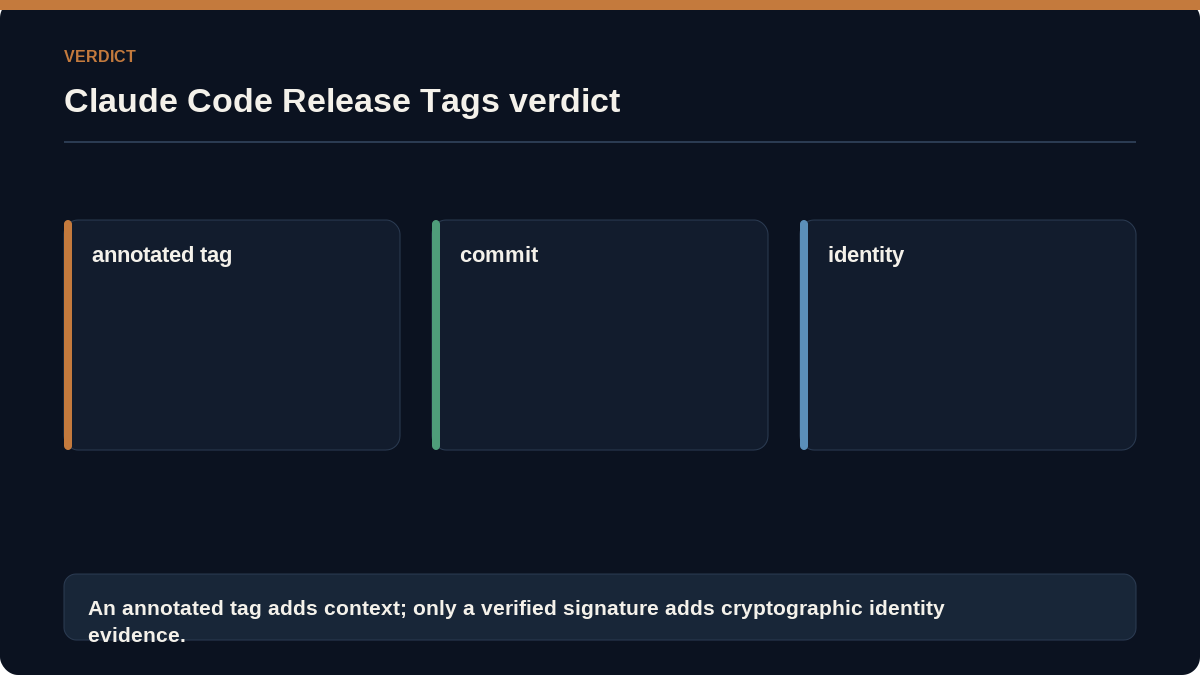
Concrete win, honest loss, and next decision
Win: In the worked example, tagging the tested commit rather than the moved HEAD published a release whose name, code, and signature all describe the same change. A consumer verifying the signature can confirm the artifact matches the reviewed content (F078).
Loss: The identity assurance is narrower than it feels. A verified signature proves the tag content is unchanged and came from a trusted key. It does not prove the suite actually ran, that the run passed, or that every consumer of the release was identified. That evidence lives in the candidate record, not in the tag.
Implication: Use annotated tags with an inspected target for anything another person or system will consume. For a personal scratch marker, a lightweight tag is fine. When the release will be mirrored, signed, or attached to artifacts, run the full sequence including the candidate comparison.
Connect the tag to the rest of the batch
A tag is one part of release hygiene. Deciding the major, minor, or patch increment sets the version the tag will carry, and consumer-facing changelog entries explain what the tagged range changed for users.
When a fix has to reach an older release, hotfix backports with cherry-pick keeps the source link intact without rewriting a published tag. Planning a revert before release prepares the inverse path, and verifying the release candidate assembles the single record this article feeds.
For the commits the tag encloses, atomic commits that stay revertible and commit messages that encode change intent make the range easier to review. Hunting a regression with git bisect locates the commit that changed behavior when a release misbehaves.
Verification around the tag depends on test evidence. Mapping changed code to checks keeps the right tests in scope, triaging flaky tests before rerunning prevents a false green from driving a tag, and false success from passing tests is the warning against treating green as proof. Contract tests for API expectations supports the compatibility claim behind a minor or major bump.
Release automation and branch policy appear in defining branch protection merge checks, recovering failed merge-queue groups, and choosing a rebase or merge policy. For recovering local work before a tag, see recovering stashed work without dropping it.
When the tag must be explained to another maintainer, session handoff with team context preserves the release reasoning, and verification as done proof frames what counts as release evidence.
Data gap and future update
The Git documentation describes annotated tags, default HEAD targeting, signature verification, and tag inspection. Those are the mechanics this article uses (F076, F077, F078). The sources do not provide a measured rate of mis-tagged releases, a benchmark comparing lightweight and annotated workflows, or data on how often a moved tag causes an incident. No such figure is claimed.
Signature policy is deliberately out of scope. Which keys a repository trusts, how signing is configured, and how mirrors propagate signatures are repository security decisions that this article does not evaluate. A future update could add a signing configuration walkthrough if the maintainers document their policy.
Rolling documentation can change. Recheck the cited Git pages before relying on specific option wording, and keep the caveats if the text shifts. Until measured evidence exists, treat this sequence as a reviewable release practice rather than a proven reduction in release incidents.
One AI API Key option for OpenAI-format agents
Claude Code uses an Anthropic-format route, so the One AI free model IDs are not a Claude Code model source. The packet records Claude IDs as unavailable on 2026-11-27.
For a separate OpenAI-format agent, One AI API Key provides https://api.oneaiapikey.com/v1, one key, and 46 live free IDs. That option concerns a different client and request format, not a workaround for Claude Code authentication. Check the free model list and eligibility details before choosing an agent route.
FAQ
Does an annotated tag guarantee the release is correct?
No. The tag records context and points at a commit. Correctness depends on the checks that ran against that commit, which must be recorded separately. A tag identifies a revision and does not prove which checks were run (F089).
Is a signed tag the same as a verified tag?
No. A tag can carry a signature that nobody has verified in the current session. Verification is the act of checking the signature against a trusted key (F078). Until that check runs, the signature is unconfirmed evidence.
Can I retag after publishing?
Moving a published release tag changes the identity consumers may already rely on. The safer correction is a new release that supersedes the wrong one, with a changelog note explaining the error. Retagging is a release incident, not routine cleanup.
What if HEAD moved after I tested?
Tag the tested commit explicitly rather than the current HEAD, because Git tags HEAD by default when no object is supplied (F077). If the later commits contain behavior changes, decide whether to re-test and include them or exclude them from this release.
Do lightweight tags have any place in releases?
They work as local bookmarks, but they carry no tagger metadata, message, or signature. For a release that other people or systems consume, the annotated form is the one the Git documentation describes as meant for releases (F076).
More Claude Code troubleshooting
- Claude Code Deterministic Tests: Control Time and Randomness
- Claude Code Snapshot Review: Inspect the Diff, Not the Green
- Claude Code Property Tests: Generate Edge Cases
- Claude Code Mutation Testing: Find Weak Assertions
- Claude Code Test Fixtures: Isolate Shared State
- Claude Code Minimal Repro: Shrink the Failure
- Claude Code Debug Log: Separate Facts from Hypotheses
- Claude Code Async Races: Make Scheduling Deterministic
- Claude Code Memory Leaks: Compare Allocation Snapshots
- Claude Code Complexity: Refactor Hotspots, Not Metrics
- Claude Code Duplication: Choose Reuse or Independence
- Claude Code Static Analysis: Baseline the Noise
- Claude Code Dead Code: Prove Usage Before Removal
- Claude Code Merge Conflicts: Resolve Behavior, Not Lines
Sources
- Official: Git tag, supporting annotated tags as the release form, default HEAD targeting, and signature verification (F076, F077, F078).
- Official: Git show, supporting inspection of a tag object and its target commit.
- Official: Git log, supporting review of the commit range a tag encloses.
- Official: Git describe, supporting version derivation from the nearest tag in automation.
- Official: Semantic Versioning 2.0.0, supporting the immutability of released versions.
- Official: Claude Code best practices, supporting the review step of comparing a tag with its changelog.