Direct answer
Automate a regression hunt by giving Git three things: a revision you know was good, a revision you know was bad, and a script that returns a predictable exit code for every commit in between. git bisect then performs a binary search between those anchors and reports the first commit where your check flipped from passing to failing (F037, official).
The discipline that makes this work is narrower than most people expect. The check has to return one unambiguous verdict per revision. Commits that cannot be built or tested return exit code 125 so Git skips them and records the skip (F038, official). When the search ends, git bisect reset returns the working tree to the branch you started on and clears the bisect state (F039, official).
The reported commit is a lead, not a diagnosis. A focused test still has to explain why that change produced the failure you observed. Treat the first bad commit as the start of the explanation, not the end of it.
Why a regression hunt costs more than the fix
A regression arrives with a symptom and no location. The failing behavior is visible, the cause is buried somewhere in a week of commits, and every hour of manual reading is an hour not spent fixing it. Binary search attacks that cost directly: ten well-classified revisions can separate a candidate out of roughly a thousand, because each answer halves the remaining range.
The cost reappears when the search is done carelessly. An ambiguous check produces a wrong answer that looks authoritative. A skipped commit that was never logged hides the real culprit and sends the hunt toward an innocent change. A session abandoned mid-search leaves the repository sitting on a detached commit, and the next person to touch the working tree inherits the confusion.
There is a safety cost too. The tempting shortcut, when a bisect feels slow, is to reach for a hard reset or a forced cleanup to get back to a known state. Those commands destroy local work, and they are covered separately in the destructive Git command guardrails. Bisect has its own cleanup path, git bisect reset, and using it keeps the hunt reversible from start to finish.
Claude Code fits this workflow because the loop is mechanical. Official best practices recommend giving the agent a check that returns pass or fail so it can close a work loop. A bisect script is exactly that shape: a command, a verdict, a next step. The agent can run the search, log the classifications, and stop at the candidate without inventing a root cause.
Confirm the regression is repeatable
Bisect depends on a stable signal, so the first job is proving the failure reproduces on demand. A bug that appears once in five runs will classify revisions randomly and produce a confident-looking wrong answer.
Reproduce the failure on the current revision at least twice before marking anything bad. Note the exact input, the command, and the observable result. If reproduction needs a specific environment variable, a seeded database, or a particular time of day, capture that in the check script so every revision is tested under the same conditions.
| Observation | Repeatable? | What it means for bisect | Next step |
|---|---|---|---|
| Failure appears on every run | Yes | Suitable as the bisect signal | Freeze the inputs and script the check |
| Failure appears intermittently | No | Classifications will be unreliable | Triage the flake first; see triaging intermittent failures |
| Failure needs a specific time or seed | Conditionally | Reproducible once controlled | Pin the clock or seed inside the check |
| Failure only shows under production load | No | Not suitable for a local bisect | Reproduce a smaller version or use a different technique |
Intermittent failures deserve their own treatment before a bisect starts. The flaky test triage guide covers isolating state, ordering, and timing causes. Fixing the reproducibility problem first turns a random hunt into a deterministic one.
Keep a short record of each classification as you go. The debug log discipline of writing down the prediction before the command and the observation after it applies directly here: it stops you from quietly reinterpreting an ambiguous result to fit the commit you already suspected.
Choose known good and bad anchors
Two anchors define the search range. The bad anchor is a revision where the failure is confirmed. The good anchor is a revision where you have actually seen the behavior work.
The bad anchor is usually the current HEAD or the release commit where the report landed. Confirm the failure there before starting, rather than assuming the reporter’s version matches your checkout.
The good anchor takes more thought. A release tag is a common choice because a tagged version carries a clear identity, and annotated tags store tagger metadata intended for releases. Verify the tag points where you expect before relying on it, since a tag identifies a revision but says nothing about which checks ran on it. The annotated release tag guide covers how to inspect a tag target independently of HEAD.
A tag does not have to be the good anchor. Any commit you have personally verified as passing works, including a commit on a feature branch, as long as it is an ancestor of the bad revision. If you pick a good anchor and the failure turns out to exist there too, bisect will tell you the assumptions were inconsistent rather than returning a misleading candidate.
| Anchor choice | When it fits | Risk | Verification before use |
|---|---|---|---|
| Latest release tag | Failure reported on a released version | Tag may not point where assumed | Inspect the tag target against the candidate |
| Current HEAD | Failure reproduces locally right now | HEAD may include unrelated work | Confirm the symptom is present |
| A hand-picked older commit | You remember it working | Memory is not evidence | Check out and actually run the check |
| A CI-green commit | You trust the pipeline result | Green does not cover your specific behavior | Re-run the focused check locally |
Never guess an anchor. The binary search is only as trustworthy as the two endpoints, and a wrong good anchor silently produces a plausible but incorrect candidate.
Define the bisect check exit codes
The check script is the whole contract between you and Git. It receives a repository at some revision, runs a verification, and exits with a code that means exactly one thing.
For git bisect run, exit code 0 means the revision is good and exit codes 1 through 127 other than 125 mean the revision is bad. Exit code 125 is reserved: it tells Git to skip the current revision as untestable (F038, official). Anything outside that range, such as 128 or above, is treated as a fatal condition that aborts the run rather than classifying the revision.
| Exit code | Meaning | Git action | Example |
|---|---|---|---|
| 0 | Good | Mark revision good, continue | Focused test passes |
| 1 | Bad | Mark revision bad, continue | Focused test fails with the target symptom |
| 125 | Untestable | Skip revision and log it | Build fails, dependency missing |
| 2 to 124, 126, 127 | Bad | Mark revision bad, continue | Test harness error treated as a failure |
| 128 or higher | Fatal | Abort the run | Script itself crashed |
The distinction between bad and untestable is where most hunts go wrong. A compile error is not a behavioral failure; it means this revision cannot be evaluated at all. Classifying a build failure as bad tells Git the commit introduced the bug, which is false and corrupts the search.
Write the script so build setup failures exit 125 and genuine test failures exit 1. Distinguish them explicitly:
#!/usr/bin/env bash
set -o pipefail

# Build failures are untestable, not bad.
if ! npm run build >/tmp/bisect-build.log 2>&1; then
  echo "build failed; skipping" >>/tmp/bisect-skips.log
  exit 125
fi

# A failing focused check is the bad signal.
if npm test -- --runTestsByPath tests/regression/target.test.ts >/tmp/bisect-test.log 2>&1; then
  exit 0
fi
exit 1
The Jest CLI supports running a narrow set of tests by path, which keeps the check fast enough to run many times. A full suite on every revision turns a ten-step search into a multi-hour job.
Handle build failures as untestable
Skipping is legitimate; silent skipping is not. Every revision Git skips narrows the evidence available at the end, so the skips need a record.
Two practical rules keep skips honest. First, log the reason each time the script exits 125, with enough detail that a reviewer can tell whether the skip hid the real regression. Second, review the skip log before accepting the candidate. If the reported commit sits next to one or two untestable revisions, the true cause may be among the skipped commits rather than the reported one.
A revision can be untestable for reasons unrelated to your bug: a dependency that no longer resolves, a code-generation step that needs a network, a migration that assumed an older schema. Those are all skip cases. The failure to watch for is a revision that fails to build because of the same change that caused the bug. That one deserves a closer look rather than a quiet skip.
| Skip reason | Treat as | Why | Follow-up |
|---|---|---|---|
| Dependency resolve error | Untestable (125) | Environment problem, not behavior | Note it; consider fixing the lockfile separately |
| Compile or type error | Untestable (125) | Cannot evaluate behavior | Review whether the error relates to the symptom |
| Test harness crash | Untestable (125) | The check did not produce a verdict | Fix the harness, then re-run the range |
| Missing test data | Untestable (125) | Check cannot run | Supply fixtures or pin them in the script |
| Focused test fails | Bad (1) | This is the signal you want | Continue the search |
If a large fraction of the range skips, the search loses value. Stop, fix the build setup so more revisions are testable, and restart the hunt. A candidate surrounded by skips is a weak answer regardless of how confident the tool sounds.
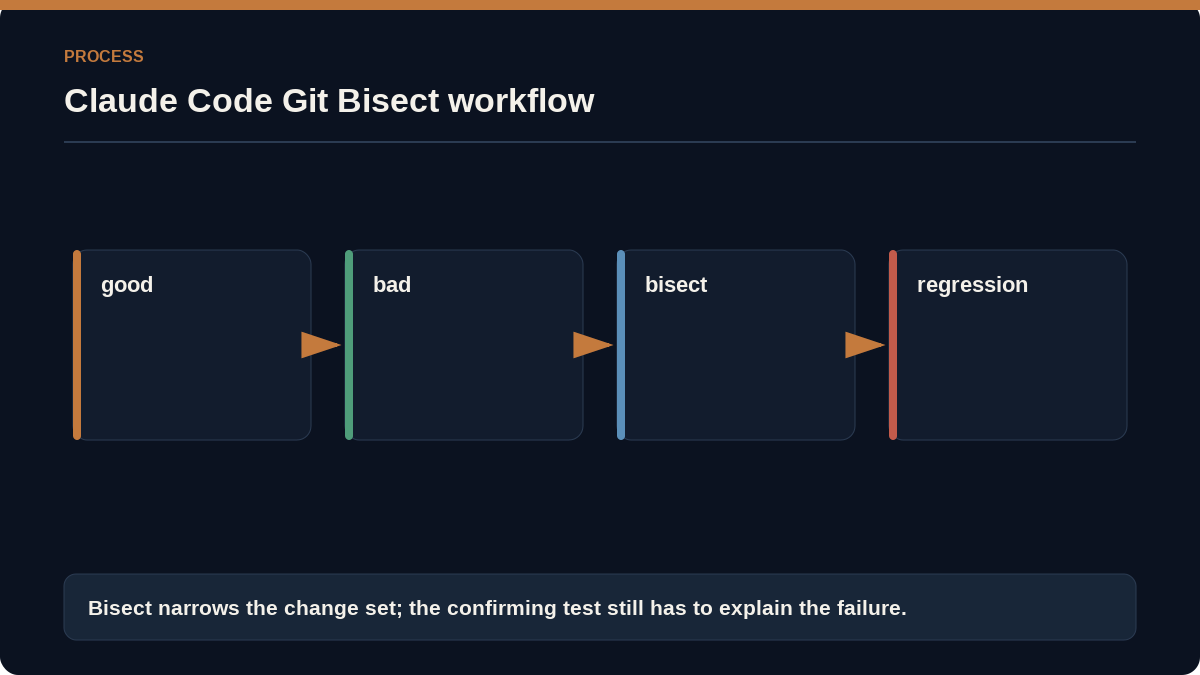
Run and log the automated search
With anchors chosen and the script written, start the session and hand the script to Git. The shape is a known bad revision, a known good revision, then the automated run:
git bisect start
git bisect bad HEAD
git bisect good v2.14.0
git bisect run ./scripts/bisect-check.sh
Git checks out the midpoint, runs the script, reads the exit code, and checks out the next midpoint. Each classification halves the remaining range. The tool prints the classifications as it goes and finishes with a message identifying the first bad commit.
Log the run rather than trusting memory. The classifications, the skips, and the final candidate all belong in the record. Git can log the revisions you marked and replay a corrected log after a reset, which is useful when you realize one answer was wrong and want to redo the search without re-deriving every classification by hand. The facts-versus-hypotheses debug log is the broader habit: record what you observed, keep it separate from what you concluded.
| Revision | Classification | Evidence | Confidence |
|---|---|---|---|
| v2.14.0 | Good | Manual check passed before starting | High |
| HEAD | Bad | Symptom reproduced twice | High |
| Midpoint A | Bad | Focused test failed with target symptom | High |
| Midpoint B | Skipped (125) | Build failed on missing dependency | Untestable |
| Midpoint C | Bad | Focused test failed with target symptom | High |
| Candidate | Bad | Reported by bisect run | Pending confirmation |
Confidence belongs in the table because it differs by row. The endpoints and the clearly failing midpoints are strong. The candidate is provisional until a focused test explains it. The skipped revision carries no behavioral evidence at all.
Never rewrite shared branch history during a hunt. Bisect checks out existing commits; it does not need new ones. History rewriting belongs to a different decision, covered in choosing a merge or rebase branch policy, and it has no place mid-search.
Inspect the first bad commit
When the run ends, Git names a commit. Read it before believing it.
git show on the candidate gives the diff, the message, and the author. Look for a change that could plausibly produce the observed symptom: a modified condition, a reordered call, a changed default, a renamed field. A commit that only touches documentation or comments is unlikely to be the cause, which usually means a classification earlier in the range was wrong or a skip hid the real change.
| Candidate commit | Observed change | Plausible mechanism | Next action |
|---|---|---|---|
| Commit X | Reordered validation before normalization | Empty input now rejected earlier | Write a focused test on empty input |
| Commit Y | Changed a default timeout value | Slow environments now exceed it | Reproduce with the old and new values |
| Commit Z | Documentation only | No runtime effect | Re-check classifications; a skip likely hid the cause |
| Commit W | Renamed an internal field | A consumer still reads the old name | Confirm with the caller test |
The candidate is a starting hypothesis. The diff tells you what changed; it does not tell you that this change is what broke the behavior you observed. Correlation between a commit and a symptom is not causation, and a binary search can land on a neighboring commit when an adjacent revision was skipped or misclassified.
Confirm the cause with a focused test
Bisect narrows the range; a focused test explains the failure. These are different jobs and the second one is what produces a fix you can trust.
Write or identify a test that fails because of the specific mechanism you identified in the diff. Run it against the candidate and confirm it fails. Then run it against the good anchor and confirm it passes. That pairing is the evidence that the candidate actually introduced the behavior, rather than merely sitting near it.
If you cannot write a focused test that distinguishes the candidate from the good anchor, the hunt has not finished. Either the classifications need correcting or the failure has more than one contributing change. Keep the minimal repro discipline in mind here: reduce the failing case to its smallest reliable form before drawing conclusions.
| Confirming question | Passes when | Fails when | Meaning |
|---|---|---|---|
| Does the focused test fail on the candidate? | Symptom reproduces at the candidate | Test passes at the candidate | Candidate is not the cause |
| Does the same test pass on the good anchor? | Behavior was correct before | Test fails on the good anchor | Good anchor was wrong |
| Does reverting the candidate’s change fix it? | Revert restores the behavior | Revert does not restore it | Multiple changes contribute |
| Does the mechanism in the diff match the symptom? | Diff explains the observed failure | Diff is unrelated to the symptom | Look again at neighboring revisions |
A passing test is not proof of correctness in general, only evidence about the behavior it exercises. The passing tests are not proof discussion is the relevant caution: a green focused test confirms this mechanism, not the whole product.
Reset the bisect session safely
The search leaves the repository on a detached commit. git bisect reset returns the working tree to the original HEAD and cleans up the bisect state (F039, official). Run it as the last step, every time.
This is cleanup, not recovery from a mistake. It restores the branch you started on and removes the temporary state Git kept during the search. It does not require a hard reset, does not discard local changes beyond returning to the recorded HEAD, and does not rewrite anything.
| State after the hunt | Command | Result | Caution |
|---|---|---|---|
| Finished, candidate identified | git bisect reset |
Back to original branch | Standard cleanup |
| Finished, want to redo with corrected answers | git bisect reset then replay a corrected log |
Re-runs the search with fixes | Corrections must be genuine |
| Interrupted mid-search | git bisect reset |
Exits the session cleanly | Do not leave the tree detached |
| Need to keep working from the candidate | git bisect reset first, then check out deliberately |
Deliberate position | Note why you moved |
Leaving a repository mid-bisect is the failure mode to avoid. The next command someone runs assumes the working tree is where they left it. A detached HEAD from an abandoned search produces confusing errors that look unrelated to the hunt. Reset before you walk away.
Avoid reaching for a hard reset or a forced clean to exit a bisect. Those commands are covered in why git clean can delete .env and local work and the destructive Git reset guardrails, and they destroy work that bisect’s own cleanup preserves. Checkpoints and rewind have their own limits too, described in what checkpoints do not restore.
Practical checklist and runbook
Run this sequence for any regression with a repeatable symptom and a plausible range.
- Reproduce the failure twice on the current revision. Pin inputs, seeds, and environment so every run sees the same conditions.
- Choose the bad anchor. Confirm the symptom is present there before starting.
- Choose and verify the good anchor. Actually run the check at that revision; do not rely on memory or a green pipeline.
- Write the check script. Exit 0 for good, 1 for bad, 125 for untestable. Keep the check narrow and fast.
- Separate build failure from test failure. Build and environment problems exit 125; behavioral failures exit 1.
- Start and run the search. Log classifications and skips as they happen.
- Review the skip log before accepting the candidate. A candidate surrounded by skips is a weak answer.
- Read the candidate diff. Look for a mechanism that could produce the observed symptom.
- Write and run a confirming focused test. Verify it fails on the candidate and passes on the good anchor.
- Reset the session. Return to the original branch and record where the investigation stands.
| Gate | Pass condition | Failure response |
|---|---|---|
| Reproducibility | Failure appears on repeated runs | Triage the flake before bisecting |
| Anchors | Both endpoints verified by running the check | Replace the unverified anchor |
| Check script | One unambiguous verdict per revision | Split ambiguous checks |
| Skips | Every 125 is logged with a reason | Fix setup so fewer revisions skip |
| Candidate | A focused test explains the mechanism | Keep searching; do not ship the guess |
| Cleanup | Session reset, original branch restored | Reset before handing off |
The practical implication: a repeatable regression plus a fast focused check turns an afternoon of manual reading into a short automated search with a written record. The hunt is only worth running once the signal is stable, so invest in reproduction first.
Concrete win, honest loss, and next decision
Win: With verified anchors and a deterministic script, the search identifies a candidate commit and produces a log of classifications and skips. The confirming test then ties that commit to the specific mechanism, giving the fix a clear target and the review a clear scope.
Loss: The candidate is only as good as the classifications behind it. Skipped revisions weaken the answer, an ambiguous check can produce a confident wrong result, and the first bad commit does not by itself prove root cause. If the failure has multiple contributing changes or spans a skip, bisect returns a neighboring commit rather than the full explanation.
Implication: Use automated bisect when the failure is deterministic and the range is wide enough that manual reading is expensive. For a tiny range or a non-reproducible symptom, reading the diffs directly is cheaper than building the harness. Keep the skip log honest so the answer stays auditable.
Where this fits in the batch
A bisect only pays off after the failure is reproducible. Mapping changed paths to a scoped check set helps you pick the focused test the script should run. Isolating mutable fixture state keeps the check from inheriting leftover state between revisions.
When the failure involves timing or randomness, controlling clocks and random inputs makes the classifications trustworthy. For concurrency symptoms, making async scheduling deterministic exposes the ordering assumption instead of chasing lucky failures.
The confirming test is a scoped check, not a full guarantee. Reviewing snapshot deltas applies when the regression shows up as changed output, and investigating weak assertions with survivors helps when the focused test passes too easily.
Once the cause is confirmed, the fix needs its own hygiene. Splitting work into revertible commits makes the fix easy to back out, and encoding change intent in commit messages records why the change happened for the next hunt.
Regression hunting connects to release work. Deciding major, minor, or patch from consumer impact classifies the fix, verifying a release candidate ties it to the candidate record, and planning a revert before release prepares the inverse if the fix proves incomplete.
For the surrounding branch work, resolving merge conflicts by behavior keeps a fix from being clobbered during integration, and recovering a failed merge group applies when the fix goes through a queue.
Data gap and future update
The cited Git documentation supports binary search between good and bad revisions, the exit code 125 skip behavior for git bisect run, and git bisect reset returning to the original HEAD (F037 through F039, official). No measured claim about how much time automated bisect saves is made here, because the fact pack contains no benchmark for that.
Exit-code handling for codes above 127 and framework-specific test selection flags were drawn from status-checked documentation rather than a full content review. Confirm the exact behavior against your installed Git version and test runner before relying on the script in a production repository. Command behavior can change after the 2026-11-28 research date.
There is no repository-specific test command, CI provider, or package manager in the source set, so the script examples are illustrative shapes rather than drop-in tooling. Adapt the build and test commands to your project.
One AI API Key option for OpenAI-format agents
Claude Code uses an Anthropic-format route, so the One AI free model IDs are not a Claude Code model source. The research packet records Claude IDs as unavailable on 2026-11-27.
For a separate OpenAI-format agent, One AI API Key provides https://api.oneaiapikey.com/v1, a single key, and 46 live free IDs. That option concerns a different client and request format, not a way to run Claude Code. Compare the free model list and eligibility details or work through the quickstart before choosing an agent route.
FAQ
Does the first bad commit prove the root cause?
No. F037 describes bisect as a binary search that finds a commit where the property changed. The commit is a lead. A focused test still has to reproduce the mechanism and distinguish the candidate from the good anchor.
Should a build failure be marked bad or skipped?
Skipped, with exit code 125. F038 reserves 125 for untestable revisions. Marking a build failure as bad tells Git that commit introduced the bug, which is false and corrupts the search.
How do I recover if the search was interrupted?
Run git bisect reset. F039 states it returns the working tree to the original HEAD and clears bisect state. That is cleanup, not a destructive recovery step.
What if too many commits skip?
Stop and fix the build setup so more revisions produce a verdict. A candidate surrounded by skips is weak evidence, since the real cause may be among the untestable revisions.
Can Claude Code run the whole hunt unattended?
It can run the search and log classifications when given a deterministic check, because official best practices recommend a pass-or-fail check to close a work loop. The root-cause explanation and the fix still need human review.
More Claude Code troubleshooting
- Claude Code Contract Tests: Check API Expectations
- Claude Code Property Tests: Generate Edge Cases
- Claude Code Memory Leaks: Compare Allocation Snapshots
- Claude Code Complexity: Refactor Hotspots, Not Metrics
- Claude Code Duplication: Choose Reuse or Independence
- Claude Code Static Analysis: Baseline the Noise
- Claude Code Dead Code: Prove Usage Before Removal
- Claude Code Git Stash: Recover Work Without Dropping It
- Claude Code Branch Protection: Define Merge Checks
- Claude Code Hotfix Backports: Cherry-Pick Carefully
- Claude Code Changelog: Write Consumer-Facing Changes
Sources
- Official: Git bisect, supporting binary search between good and bad revisions (F037), exit code 125 for untestable revisions (F038), and
git bisect resetreturning to the original HEAD (F039). - Official: Git tag, supporting annotated tags for releases and tag-target identity checks.
- Official: Git show, supporting inspection of the candidate diff and message.
- Official: Git log, supporting the revision history that defines the search range.
- Official: Claude Code best practices, supporting a pass-or-fail check that closes a work loop.
- Official: Jest CLI options, supporting narrow test selection so the check runs quickly.