Direct answer
Recover a stash by inspecting it first, applying it rather than popping it, resolving any conflicts without discarding evidence, and dropping the entry only after the recovered work is verified. The stash is often the only copy of the work, so treat it as evidence to preserve rather than a message to consume.
The conservative sequence is: list the entries and identify the one you want, inspect the stashed diff, check the current worktree for uncommitted changes, apply instead of pop, resolve conflicts, verify the result, and only then drop the entry. Git documents stash as a way to temporarily store local changes before another operation (F052, official), which is exactly why the stored work still needs careful handling on the way back out.
Never use stash pop as the first recovery action and never use reset --hard or git clean as the recovery story. Both are destructive, and the second is covered separately in why git clean can delete .env and local work.
Why stash recovery loses work
A stash is a snapshot of work you were not ready to commit. By definition it sits outside your normal history, it has no branch pointing at it, and once dropped it is not part of any ref you can easily reach. Such a combination makes it the most fragile copy of your work in the repository.
The common loss happens at pop. Pop applies the stash and immediately removes the entry in one step. If the apply produces conflicts, the entry may already be gone while the working tree is mid-conflict. If the apply partially succeeds, you are left reconciling a conflict with the original snapshot deleted. The work is not necessarily lost forever, but it is no longer somewhere safe, and reconstructing it is expensive.
The second loss happens with the surrounding cleanup commands. When a stash restore looks messy, the tempting shortcuts are a hard reset to discard the mess or a clean to remove untracked files. Both destroy work. A hard reset discards tracked changes, and a clean removes files that may include local configuration and credentials that were never tracked. Neither is a recovery tool, and neither should be near a stash you are trying to preserve.
There is a third, quieter loss: recovering onto the wrong branch. A stash was created against some branch and some state. Applying it elsewhere can produce a diff that looks plausible and is semantically wrong, especially if the recovered files were moved or renamed since the stash was made.
The discipline that prevents all three is simple to state and easy to skip under pressure. Keep the original until the result is verified.
List and identify the stash entry
Start by seeing what is actually in the stash. Multiple entries accumulate quickly, especially when work is stashed repeatedly during a busy day, and the newest entry is not always the one you want.
List the entries and read their messages. Each entry carries a description, usually the commit message that was current when it was stashed plus a branch hint. That description is your first identification evidence, and it is often ambiguous on its own.
| Stash entry | Branch context | Included paths | Identification evidence |
|---|---|---|---|
stash@{0} |
feature/pricing |
totals.ts, totals.test.ts |
Message names pricing work |
stash@{1} |
main |
.env.local, settings.json |
Local config, not feature work |
stash@{2} |
feature/pricing |
totals.ts only |
Older, partial version of same work |
stash@{3} |
hotfix/date |
formatDate.ts |
Unrelated feature |
This table shows the trap. Two entries touch totals.ts, and stash@{2} is an older partial version. Applying the wrong one either loses the newer changes or produces a confusing overlap. Identify by content, not by position.
Note which entries contain files you would not want to apply casually. stash@{1} includes .env.local and local settings. Restoring those onto a shared checkout can expose credentials or overwrite intentional local configuration. Untracked files stashed with an option can behave differently from tracked ones, so check what an entry actually contains before applying it. The gitignored files and git clean guide covers how untracked and ignored files are treated by cleanup commands, and the same caution applies when a stash holds them.
Inspect the stashed diff
Before applying anything, look at the diff. This is the single highest-value step and the one most often skipped.
Inspecting the diff tells you three things: which files the stash touches, what the changes actually are, and whether the current branch is a sensible place to apply them. Without it, you are applying a snapshot blind.
Use git stash show for a summary and a full diff, and git show on the stash ref for the complete content. git show is the general-purpose inspector for any object, and it gives you the full picture including any untracked files the entry captured.
| Inspection question | Why it matters | What a bad answer means |
|---|---|---|
| Which files does it touch? | Predicts the conflict surface | Files that moved since stashing |
| What does each change do? | Confirms this is the work you want | An older partial version |
| Are there untracked files? | They apply differently | Local config or credentials included |
| Does it match the current branch? | Predicts semantic fit | Wrong branch for this work |
F053 records that the Git stash documentation URL returned HTTP 200 during research, while noting that the full page was not re-fetched within the research budget (official). The practical consequence is that exact command flags for every stash option should be confirmed against your installed Git version rather than assumed from memory.
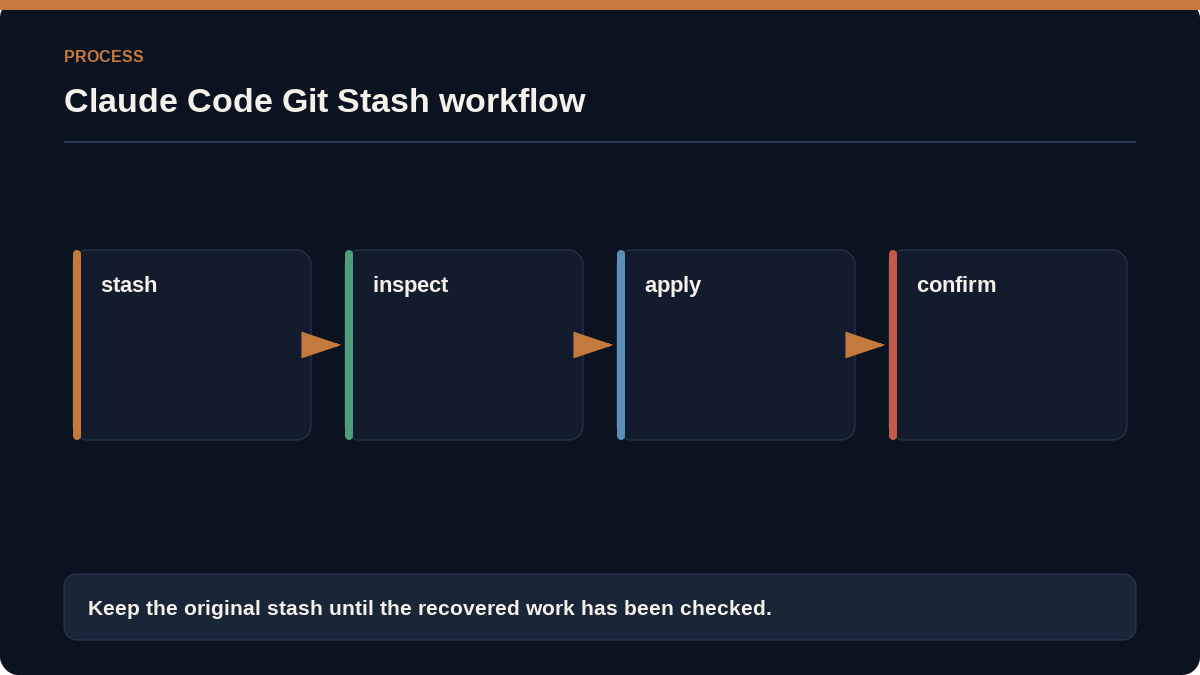
Check the current worktree first
Applying a stash onto a dirty worktree is how two sets of uncommitted changes get tangled together. Check the current state before applying.
Look at what is already modified and what is untracked. If the worktree is clean, the apply is straightforward and any conflict comes from the stash versus the current branch content. If the worktree is dirty, the apply has to reconcile the stash against changes that are themselves uncommitted, which makes the result much harder to reason about and much harder to undo.
| Worktree state | Apply behavior | Risk | What to do first |
|---|---|---|---|
| Clean | Stash applies onto branch content | Conflicts with branch content only | Proceed |
| Dirty, disjoint files | Stash applies alongside local changes | Harder to separate later | Commit or stash the current work first |
| Dirty, overlapping files | Stash may conflict with local edits | Tangled changes | Commit or set aside current work first |
| Untracked files present | May interact with stashed untracked files | Overwrite risk | Check contents before applying |
The safest path is to get the worktree to a known state before recovering. Commit the current work to a temporary branch, or set it aside deliberately, so the stash apply has a clean baseline. If you set work aside to recover a stash, you are now holding two fragile copies, which is exactly the situation where ordering and labeling matter.
Never modify a shared branch as part of recovery. Recovery is a local operation on your own working copy. If the recovery would require changing a branch other people use, stop and reconsider, since shared-branch edits carry their own policy questions covered in choosing a merge or rebase branch policy.
Apply instead of pop during recovery
Use apply rather than pop. This is the core of the whole discipline.
apply puts the stashed changes into your working tree and leaves the stash entry in place. pop applies and then removes the entry. During recovery, when conflicts are likely and the stash is often the only copy, removing the entry before you have verified the result is the wrong order of operations.
| Step | Command | Effect on the stash entry | Why |
|---|---|---|---|
| Recovery apply | git stash apply |
Entry remains | Original stays safe during conflict resolution |
| Recovery pop | git stash pop |
Entry removed on success | Removes your only copy before verification |
| After verification | git stash drop |
Entry removed deliberately | You confirmed the work is restored first |
With apply, a conflict leaves you with the working tree mid-conflict and the stash entry still intact. You can inspect the original again, compare it with the conflicted result, and retry from a known position. With pop, that safety net is gone at the moment you need it most.
F054 labels the inspect-then-apply-then-verify-then-drop sequence as a derived conservative workflow rather than an official Git requirement (derived). Git does not force this order; the order is a safety choice. Confirm the exact behavior of apply, pop, and drop against your installed Git version, since flags and conflict handling have changed across releases.
Resolve conflicts without discarding evidence
When the apply conflicts, resolve it by deciding the intended behavior, not by picking a side mechanically or by discarding the stash.
A conflict marker means the stash and the current branch disagree about the same lines. Read both sides. The stash holds the work you were doing. The branch holds what has happened since. The right resolution usually combines them rather than choosing one, and the way to get it right is to state the intended combined behavior before editing.
That method is the same one used for merge conflicts: write down what the combined code should do, then make the file match. The merge conflicts resolved by behavior guide covers the full approach, including why successful compilation is not proof that the behavior survived.
| Conflict | The two intents | Decision | Verification result |
|---|---|---|---|
| Same function edited both ways | Stash refactor vs branch bugfix | Combine both changes | Focused test passes on combined behavior |
| File moved on branch | Stash expects old path | Reapply to the new path | Import resolves, tests run |
| Stash is an older partial version | Branch already has newer logic | Discard the stash’s stale hunk | Confirm newer logic is intact |
| Untracked file collision | Stash file vs existing file | Compare contents first | Choose or merge deliberately |
The third row is the case where the right answer is to discard the stash’s contribution, because the branch already contains a newer version of the same idea. That is a decision made after reading both sides, and it is exactly why the original stash entry was preserved: you can compare and decide rather than reconstruct from a conflict marker.
Do not resolve a conflict by deleting the conflicting file or by reaching for a hard reset. Those commands discard the evidence you need to make the right call, and the destructive Git reset guardrails cover how much damage that path does.
Verify the recovered work
A successful apply is not a recovery. The work has to be verified before the original entry is dropped.
Verification depends on what the stashed work was. For code changes, run the tests that cover the touched files and confirm the behavior is what you intended. For configuration changes, confirm the configuration is valid and the values are what you expect. For a stash that captured work in progress, confirm the work is complete enough to continue rather than half-applied.
| Recovery step | Conflict | Decision | Verification |
|---|---|---|---|
| Apply onto clean tree | None | Proceed | Build green |
| Resolve same-function conflict | Both intents valid | Combine | Focused test passes |
| Reapply to moved file | Path changed | Update path | Import resolves |
| Discard stale hunk | Branch has newer logic | Keep branch version | Newer logic tests pass |
Claude Code fits the verification step well because official best practices recommend a pass-or-fail check so the agent can close a work loop. Give the agent the test command that should pass on the recovered work and let it confirm. The agent can also compare the recovered diff against the original stash to confirm nothing was lost in the conflict resolution.
The verification guide is the relevant caution: a summary saying the work is back is weaker than changed files and a passing check. Verify against evidence, not against a claim.
Drop the entry only after confirmation
Once the recovered work is verified, remove the stash entry deliberately. Not before.
Dropping is a single-entry operation by default, which is what you want. Confirm you are dropping the entry you actually recovered, especially when several entries touch the same files. Dropping the wrong entry can discard a different piece of work that you have not verified anywhere.
| Original stash | Applied result | Confirmed files | Drop decision |
|---|---|---|---|
stash@{0} pricing work |
Recovered onto feature/pricing |
totals.ts, test file verified |
Drop stash@{0} |
stash@{2} older partial |
Superseded by newer logic | Decided to keep branch version | Drop only after confirming it is stale |
stash@{1} local config |
Reviewed, not applied | Credentials inside | Keep, or handle outside recovery |
The second row deserves care. Deciding that a stash is stale and dropping it is legitimate, but it is a decision, not a cleanup side effect. Confirm the branch really does contain the newer work before removing the only other copy.
F054 is explicit that this is a conservative recovery workflow and that command behavior should be confirmed against the installed Git version (derived). Git does not promise that a dropped stash is trivially recoverable, and you should not treat a drop as reversible. Once the entry is gone, the snapshot is no longer protected by a ref you can name easily.
Worked example: recovering interrupted pricing work
Suppose you stashed work on a pricing function to handle an urgent hotfix, and a day later you come back to it. Two entries exist: the pricing work and an older partial attempt at the same function.
Listing comes first. The newest entry names the pricing work on the feature branch. The older entry touches the same file with fewer changes. Position alone would mislead you, so identify by content.
Next comes inspecting. git stash show on the newest entry lists two files: the function and its test. The diff shows a complete refactor of the discount rule. The older entry shows an incomplete version of the same refactor. The newest entry is the one to recover.
The third step is the worktree check. The current branch is the same feature branch, and it is clean apart from the hotfix commit that landed since. No untracked files are in the way. Safe to proceed.
Fourth, apply without dropping. The apply conflicts, because the hotfix touched the same discount block. The working tree shows conflict markers and the stash entry is still present.
Fifth, resolve by behavior. The hotfix changed the discount cap. The stash refactored the discount calculation. The combined intent is the new cap applied inside the refactored calculation. Write that down, resolve the file to match, and keep the stash entry in place while deciding.
Derived arithmetic for the review fixture, using stated inputs only: subtotal 200, discount rate 0.15, cap 20. Uncapped discount = 200 x 0.15 = 30. Capped discount = min(30, 20) = 20. Total before tax = 200 - 20 = 180. These inputs and the cap rule come from the fixture, not from any external source, and they exist so the combined behavior can be checked against a concrete expected value.
Verification is the sixth step. Run the pricing tests and the hotfix test. Both pass on the combined behavior. The cap holds and the refactor is intact.
The final step is dropping. Only now, with the work verified in the working tree, drop the newest entry. The older partial entry is confirmed stale by comparison with the recovered version and dropped separately, deliberately.
The concrete win is that the conflict was resolved with the original snapshot available for comparison, so the combined behavior was a decision rather than a reconstruction. The concrete loss is that the sequence takes more steps than popping, and under time pressure the extra step is the one people skip.
Practical checklist and runbook
- List the entries. Read the messages and note branch context.
- Identify by content, not position. Multiple entries often touch the same files.
- Inspect the diff for the entry you intend to recover, including untracked files.
- Check for local config or credentials in the stash before applying it anywhere shared.
- Check the current worktree. Get to a known state before applying.
- Apply, do not pop. Keep the original entry in place through recovery.
- Resolve conflicts by intended behavior. Write down the combined intent before editing.
- Never discard evidence to end a conflict. No hard reset, no
git clean, no deleting the file. - Verify the recovered work with the relevant tests and a build.
- Drop the entry deliberately only after the result is confirmed, one entry at a time.
| Gate | Pass condition | Failure response |
|---|---|---|
| Identification | Entry confirmed by content | Inspect before applying |
| Worktree | Known state before apply | Commit or set aside current work |
| Apply method | Entry preserved during recovery | Use apply, not pop |
| Conflict | Resolved by intended behavior | Re-read both sides |
| Verification | Tests and build pass | Do not drop yet |
| Drop | Entry confirmed and work verified | Drop one entry at a time |
The practical implication: keep the only copy until the work is back and checked. The extra steps are cheap compared with reconstructing work that a pop removed at the worst possible moment.
Concrete win, honest loss, and next decision
Win: With apply-then-verify-then-drop, a conflicting recovery is resolved with the original snapshot still available for comparison. The combined behavior is a deliberate decision, the result is verified by a passing check, and the entry is removed only when the work is confirmed back.
Loss: The sequence is slower than popping, and it does not make a stash recoverable after it has been dropped. Once an entry is gone, the snapshot is no longer protected by a ref you can name easily, and some ambiguities cannot be resolved from the evidence available. Command flags and conflict behavior also vary by Git version, so the exact steps should be confirmed locally.
Implication: Use apply-then-drop whenever the stash is the only copy of work you care about. For a throwaway stash you would discard anyway, popping is reasonable. Keep untracked local configuration out of stashes you plan to share or restore casually.
Where this fits in the batch
Stash recovery sits alongside the other Git safety topics in this batch. Automating a regression hunt with bisect covers the search workflow that often interrupts work in the first place, and its reset is cleanup rather than recovery. The destructive Git reset guardrails cover the hard-reset path that stash recovery must avoid. Gitignored files and git clean covers the untracked-file deletion risk when a stash holds local config.
Conflicts during recovery are the same problem as merge conflicts. Resolving conflicts by behavior covers the method in depth, and choosing a merge or rebase branch policy governs the shared-branch boundary that recovery should not cross.
Verification is the gate before dropping. Verification and what to ask for when it says done covers why a claim is weaker than a passing check. Mapping changed code to a check set helps pick the tests that confirm the recovered work, and isolating fixture state keeps the verification clean.
Stashed work that turns out to be obsolete connects to the quality half of the batch. Proving usage before removing dead code covers deciding whether old work should be finished or discarded, and deciding reuse or independence for duplicated code covers the case where two stashed attempts at the same function overlap.
For the wider workflow, minimal repro discipline applies when a stashed experiment was an attempt to reproduce a bug, and keeping a debug log of facts versus hypotheses makes an interrupted investigation resumable.
Recovery is a debugging task as much as a Git task. Controlling clocks and random inputs applies when the stashed work was an attempt to make a test deterministic, and making async scheduling deterministic applies when it was chasing a race. When the stash holds a fix rather than an experiment, atomic, revertible commits keep the recovered work easy to review and commit messages that encode intent record why it existed.
The remaining quality and release topics connect through what you do after recovery. Ranking complexity hotspots governs whether recovered work is worth finishing, proving usage before removing dead code governs whether it should be discarded, and verifying a release candidate governs how a recovered fix reaches a release.
Data gap and future update
Git’s bisect documentation describes stash as a way to temporarily store local changes before an operation (F052, official). The Git stash documentation URL returned HTTP 200 during research, but the full page was not re-fetched within the research budget, so no detailed flag-level behavior is asserted here (F053, official). The inspect-apply-verify-drop sequence is a derived conservative workflow, and command behavior should be confirmed against the installed Git version (F054, derived).
No claim is made that a dropped stash is recoverable, and no claim is made about recovery guarantees for untracked or ignored files. Exact apply, pop, drop, and untracked-file option behavior varies across Git releases and was not verified at the flag level in this research. Confirm against your installed version before relying on a specific flag.
There is no repository-specific branch policy, CI provider, or shared-branch convention in the source set, so the branch-safety guidance is general. Documentation and command behavior can change after the 2026-11-28 research date.
One AI API Key option for OpenAI-format agents
Claude Code uses an Anthropic-format route, so the One AI free model IDs are not a Claude Code model source. The research packet records Claude IDs as unavailable on 2026-11-27.
For a separate OpenAI-format agent, One AI API Key provides https://api.oneaiapikey.com/v1, a single key, and 46 live free IDs. That option concerns a different client and request format, not a way to run Claude Code. Review the free model list and eligibility details, read the quickstart, or estimate usage with the cost calculator before choosing an agent route.
FAQ
Why apply instead of pop when recovering a stash?
Apply leaves the stash entry in place, so the only copy survives while you resolve conflicts and verify. Pop removes the entry as part of the same step, which is the wrong order during recovery. F054 labels the apply-then-drop order as a derived conservative workflow.
Is a dropped stash recoverable?
Do not count on it. Git does not promise that a dropped entry is trivially recoverable, and treating a drop as reversible is how work is lost. Drop deliberately, one entry at a time, after the recovered work is verified.
Should I use reset –hard or git clean to undo a messy stash restore?
No. Both are destructive and destroy work. Reset discards tracked changes and clean removes files that can include untracked local configuration. Resolve the conflict by behavior and keep the stash entry intact instead.
What if the stash contains untracked files?
Inspect them before applying. Untracked files can include local configuration and credentials, and they apply differently from tracked changes. Check contents and decide deliberately rather than applying a stash onto a shared checkout blind.
Can I recover a stash onto a different branch?
You can, but check the fit first. The stash was made against a specific state, and files that moved or were renamed since can make the applied diff semantically wrong even when it applies cleanly. Inspect the diff and confirm the branch is a sensible target.
More Claude Code troubleshooting
- Claude Code Flaky Tests: Triage Before You Rerun
- Claude Code Contract Tests: Check API Expectations
- Claude Code Snapshot Review: Inspect the Diff, Not the Green
- Claude Code Property Tests: Generate Edge Cases
- Claude Code Mutation Testing: Find Weak Assertions
- Claude Code Memory Leaks: Compare Allocation Snapshots
- Claude Code Static Analysis: Baseline the Noise
- Claude Code Merge Queue: Recover Failed Groups
- Claude Code Branch Protection: Define Merge Checks
- Claude Code SemVer: Decide Major, Minor, or Patch
- Claude Code Release Tags: Use Annotated Markers
- Claude Code Hotfix Backports: Cherry-Pick Carefully
- Claude Code Rollback: Plan a Revert Before Release
- Claude Code Changelog: Write Consumer-Facing Changes
Sources
- Official: Git stash, supporting stash as temporary storage of local changes (F052) and the recovery commands (F053).
- Official: Git show, supporting inspection of the full stash content.
- Official: Git log, supporting the branch and history context around a stash.
- Official: Git rebase, supporting the conflict-resolution context that recovery conflicts resemble.
- Official: Claude Code best practices, supporting a pass-or-fail check that closes a work loop during verification.
- Official: Git bisect, supporting the description of stash as pre-operation temporary storage (F052).