Direct answer
Start the official appeal at claude.ai/restricted, sign in and use the form linked from the restricted-account page. Send a factual packet: account email, plan receipt, exact notice, timeline and the review you are requesting. Anthropic says appeal responses are slower than normal, and no public evidence in this research set supports a reinstatement promise or a success rate. While the appeal is pending, protect billing, export reusable work and use a tested backup route.
Why a clear appeal matters
A locked account creates two problems. The first is access. The second is the record. If the notice is vague, it is easy to fill the gap with a theory about travel, a VPN, a payment method or a particular request. That theory can weaken the appeal if it is presented as fact.
A clear packet does not guarantee a different outcome. It gives the reviewer a usable sequence of events and makes it easier to separate an account restriction from a quota problem, a login issue or a client-policy conflict. The Claude Code suspension notice gaps article explains why the notice alone may not answer the cause.
The practical goal is modest and useful: state what happened, preserve the evidence and ask for a specific review. Anger may be understandable, but it does not identify the account, the date or the requested action.
The official appeal route
Official: Users can appeal by signing in at claude.ai and using the form linked from the restricted-account page. The planned route for this article is claude.ai/restricted. Anthropic says appeal responses are slower than normal.
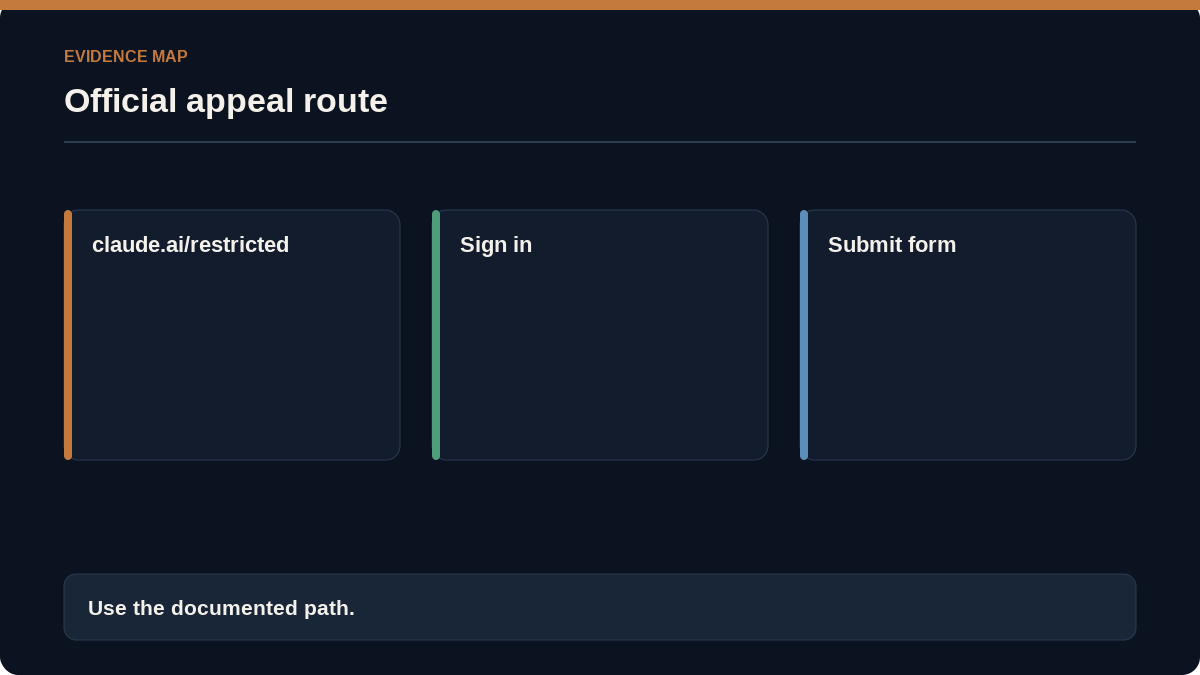
| Step | Action | Record to keep |
|---|---|---|
| Open the restricted page | Go to claude.ai/restricted |
Page address and date |
| Sign in | Use the affected account | Account email |
| Find the form | Use the link on the restricted-account page | Form name or confirmation page |
| Submit the packet | Provide facts and the requested review | Submission receipt or confirmation |
| Wait for the response | Monitor the account and email | Any follow-up request |
| Follow up carefully | Use the official channel if instructed | Copy of the follow-up |
Do not create a new account to escape the restriction. That can obscure the timeline and may conflict with the reason for account creation from an unsupported location. If the affected account cannot be reached, document the error and use the official support path rather than inventing a workaround.
Grounds and warnings
Official: Anthropic lists repeated Usage Policy violations, account creation from an unsupported location and Terms of Service violations among termination grounds. A warning, a restriction and a termination are not interchangeable, but all require a factual response.
The supported-regions policy covers physical location, headquarters and certain ownership or control situations. A traveler should not assume that a VPN makes the account eligible. The Claude Code travel and regional ban risk article explains that boundary without claiming every traveler is banned.
| Official area | What it supports | What it does not prove |
|---|---|---|
| Usage Policy | Repeated violations can be a termination ground | That a specific session caused a restriction |
| Unsupported location | Account creation from an unsupported location is a listed ground | That every traveler is automatically banned |
| Terms of Service | Terms violations are a listed ground | Which term applied in an individual case |
| Third-party login | Misrepresented identity or routing against limits is prohibited | That every third-party tool is banned |
| Appeals | A documented form exists | A guaranteed outcome or response time |
The third-party harness rules article is useful if the account used another client or gateway. Keep the distinction precise: the official guidance prohibits certain identity and routing behavior. It does not establish a blanket ban on every integration.
Build the evidence packet
A useful packet is short enough to review and complete enough to reconstruct the event. Start with identity and plan evidence, then add the notice and timeline. Do not attach unrelated project data.
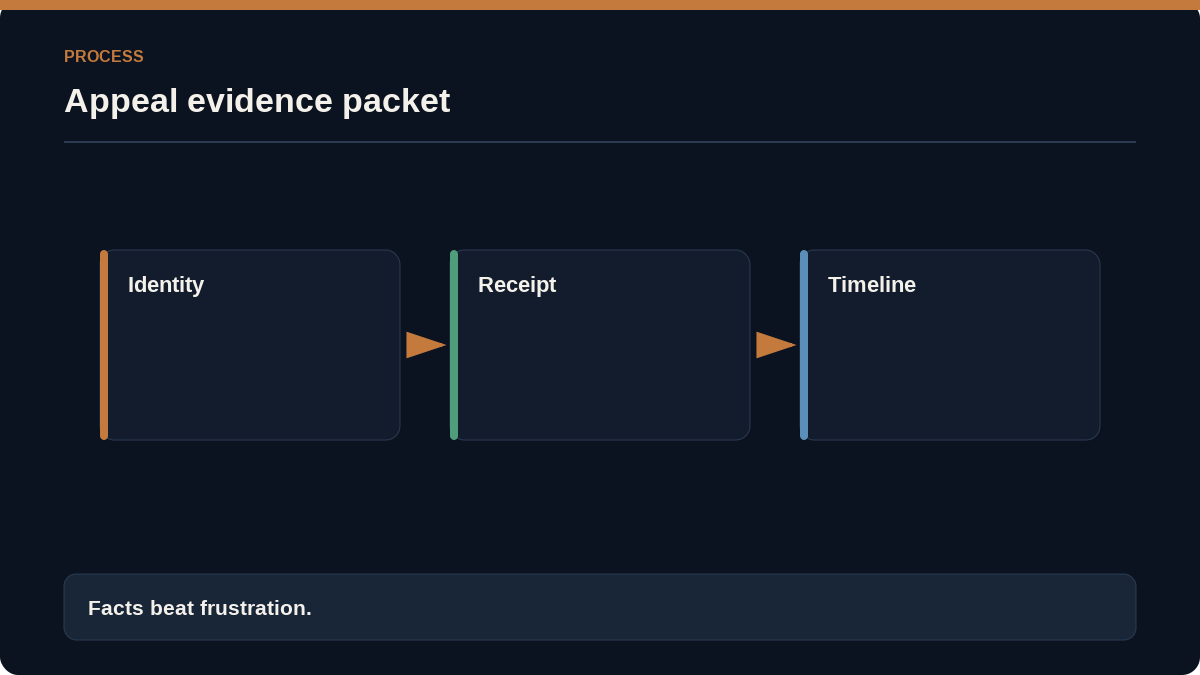
| Evidence item | Include | Protect |
|---|---|---|
| Account identity | Account email and sign-in method | Passwords and session tokens |
| Plan evidence | Plan name and receipt date | Full payment-card numbers |
| Notice | Exact text and screenshot if available | Unrelated personal data |
| Timeline | Dates, times and sequence of events | Speculation presented as fact |
| Location context | Relevant travel or work location when applicable | Unnecessary itinerary details |
| Tool context | Agent, client or gateway used | API keys and credentials |
| Requested review | The action you want the reviewer to consider | Demands or threats |
Keep a local copy of the packet. If the account remains inaccessible, you still need the receipt, timeline and notice. The Claude Code exit-plan checklist recommends preparing reusable configuration and a backup before an incident. The same preparation makes an appeal easier.
Redact before sending
Redaction is part of the packet, not an afterthought. Remove full card numbers, API credentials, session cookies and unrelated customer information. If the reviewer needs a specific account detail, provide only what identifies the account. A packet that exposes another secret creates a second incident.
What to write
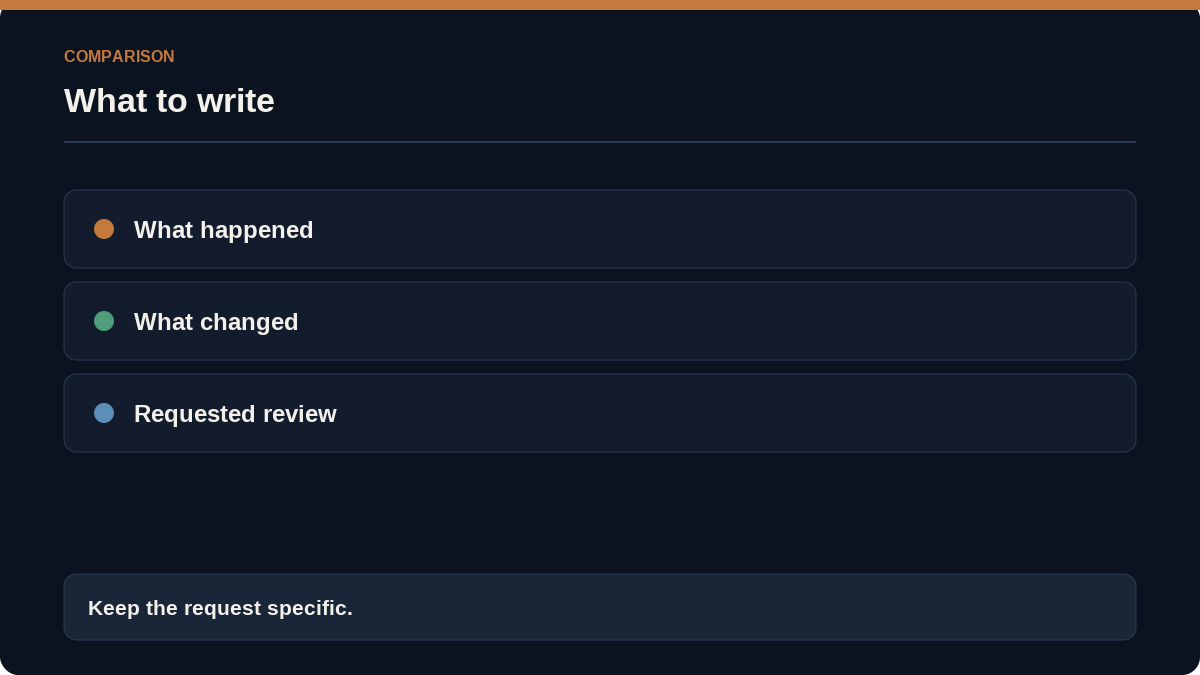
The appeal should read like a concise incident report. State the account, the date the restriction appeared and the exact notice. Then give the timeline in order. Finish with the review you are requesting.
A workable structure is:
- Account: affected email and plan.
- Notice: exact wording and when it appeared.
- Timeline: relevant events in chronological order.
- Context: travel, tool or account changes only when they are factual and relevant.
- Request: ask Anthropic to review the restriction and restore access if appropriate.
Use neutral language. “I received the following notice on this date” is stronger than “You banned me for no reason.” If you do not know the cause, say so. A reviewer can work with an honest gap. A confident but unsupported claim invites doubt about the rest of the packet.
A factual example
The following is a template, not a real case or a promised outcome:
My account is [email] on the [plan] plan. On [date and time], I saw this notice: [exact text]. The account was created in [location] and has been used from [relevant locations]. On [date], I [relevant account or travel event]. I am requesting a review of the restriction and restoration of access if the account is eligible. I can provide [receipt or additional evidence] through the official channel.
Replace every bracket with verified information. Delete any sentence that does not apply. Do not copy the template into the form with placeholders still visible.
What not to claim
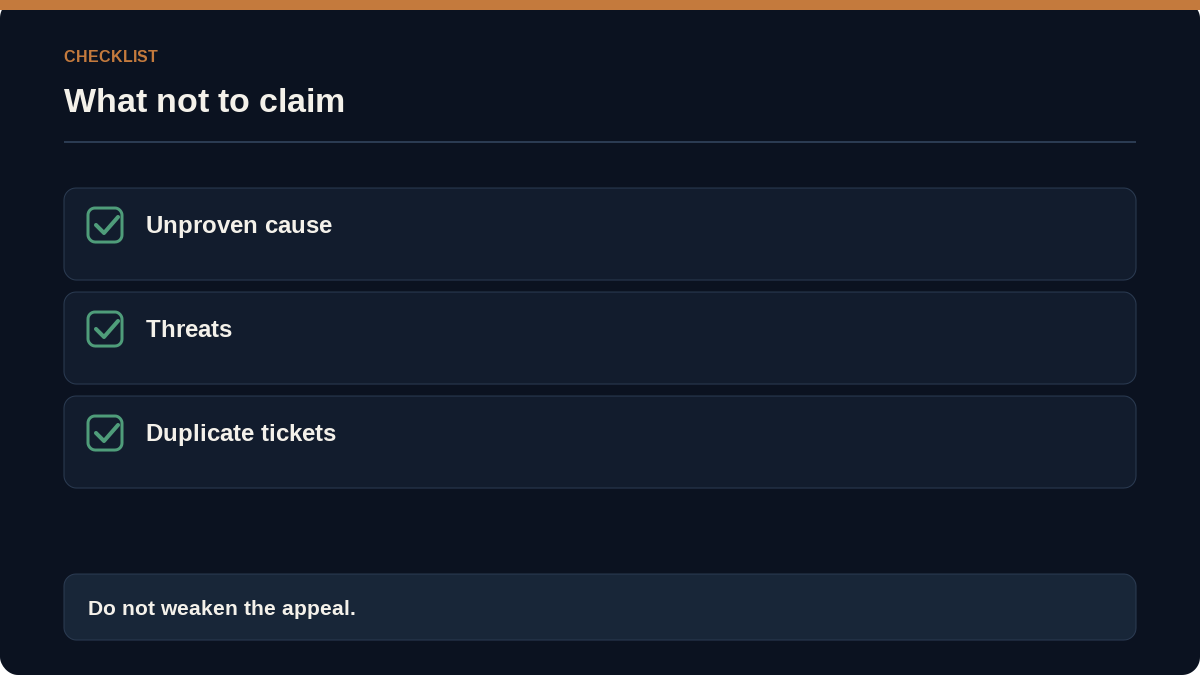
An appeal loses value when it asks the reviewer to accept an unsupported story. Avoid claims about secret motives, mass bans or guaranteed outcomes. The fact pack does not support them.
| Do | Do not |
|---|---|
| Quote the notice exactly | Paraphrase it into a more dramatic claim |
| State known dates and locations | Guess at the enforcement method |
| Ask for a review | Demand reinstatement as a right |
| Provide the plan receipt | Threaten a chargeback or public pressure |
| Explain relevant tool use | Accuse every third-party tool of being banned |
| Keep a copy | Submit duplicate tickets with conflicting stories |
| Redact secrets | Attach raw logs containing credentials |
Community reports can provide context, but they do not establish the cause of your case. A GitHub report involving KYC and suspension, an organization suspension report and a travel complaint thread show that users have reported access problems. They do not prove that your restriction has the same cause.
While the appeal is pending
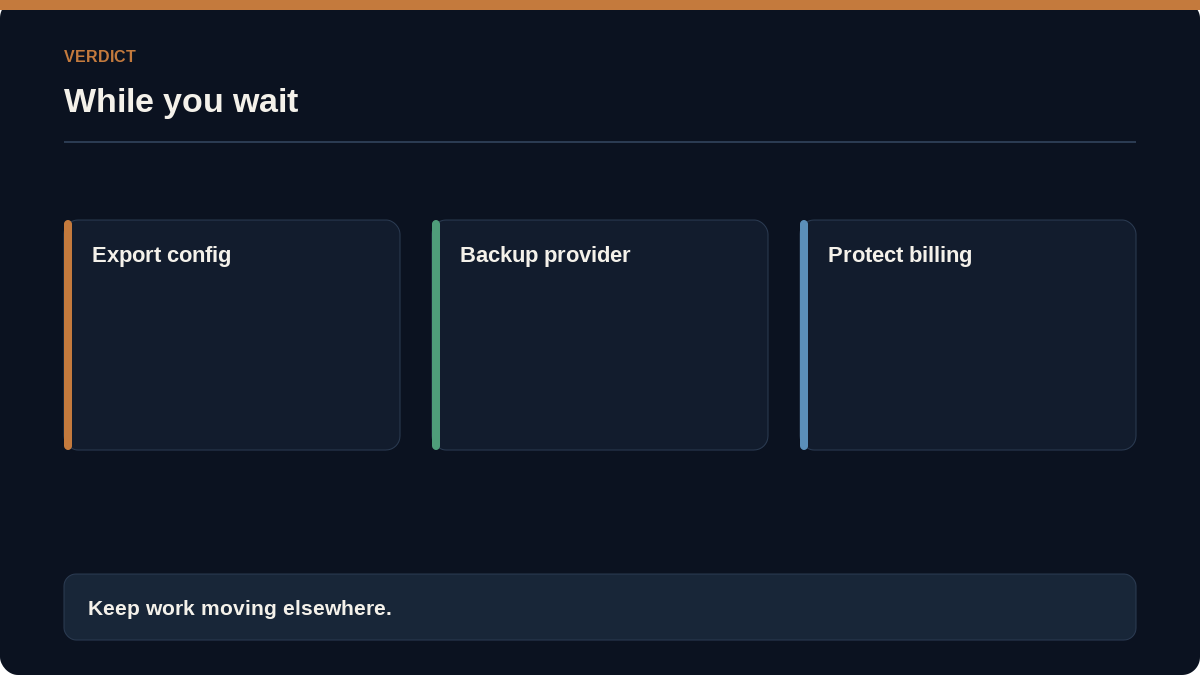
Do not put delivery on hold until the appeal finishes. Anthropic says responses are slower than normal, so the team needs a continuity plan. Export reusable prompts, project rules and configuration. Move active work to an approved backup or another developer. Protect billing by reviewing any auto-reload or usage-credit settings.
| Pending task | Action | Owner |
|---|---|---|
| Preserve evidence | Save notice, receipt and timeline | Account owner |
| Protect work | Export context and assign active tasks | Project lead |
| Test backup | Run a small verified task | Engineering |
| Protect billing | Review caps, alerts and auto-reload | Budget owner |
| Communicate | Share factual status with the team | Team operations |
| Monitor response | Check official email and account page | Account owner |
The Claude Code single points of failure article explains why account standing deserves its own fallback. The context-portable migration guide helps preserve the knowledge that would otherwise be trapped in the restricted account.
If the restriction is actually a usage-limit issue, the five-hour and weekly limit explanation may be more relevant than the appeal packet. The Ultra five-hour exception is another plan-specific boundary, not a general account-restoration route.
Separate account standing from usage limits
A failed session does not always mean a locked account. Check the exact message before building an appeal. A usage-limit notice, a sign-in error, a restricted-account page and a payment problem can require different responses.
The standard five-hour window starts with the first message and resets five hours later. Weekly limits reset at a fixed time assigned to the account. If the notice concerns usage, preserve the window start, reset information and product usage. The Claude Code rate-limit mechanics article explains the difference.
If the page says the account is restricted, use the appeal route. If the account asks for identity or payment verification, follow the official prompt and do not send documents to an unrelated address. If a third-party client fails, check the client’s authentication and format before assuming the provider locked the account.
| Symptom | First check | Appropriate record |
|---|---|---|
| Usage limit | Window and weekly reset | Usage timeline and product surfaces |
| Restricted-account page | Exact notice and account email | Appeal packet |
| Sign-in failure | Account email and official sign-in route | Error text and timestamp |
| Third-party client error | Client format and credentials | Client version and redacted request details |
| Billing issue | Receipt and account billing page | Plan and payment status |
This separation prevents an appeal from being built around the wrong problem. It also helps the team continue work. A quota interruption may need a plan or workload change. A restricted account may need a backup while the official review runs.
Prepare an appeal-ready folder before an incident
The best time to collect receipts and export reusable context is before access is interrupted. Create a small folder that the account owner can reach without signing in. Store the plan receipt, account email, official policy links and an export of reusable project rules. Do not store passwords or live credentials there.
When a notice appears, add the exact text, timestamp and screenshot. Keep the original file names and dates. If you crop an image for redaction, keep the unredacted original securely and send only the redacted copy. The goal is a clear chain of evidence without exposing unnecessary data.
| Folder item | Why keep it | Review trigger |
|---|---|---|
| Account email and plan receipt | Identifies the paid relationship | Plan or account change |
| Policy links and review date | Shows which rules were checked | Official policy update |
| Exported prompts and project rules | Preserves reusable work | Project setup change |
| Notice and timestamp | Records the incident | Any restriction or warning |
| Redacted appeal copy | Shows exactly what was submitted | Submission |
| Confirmation and response | Tracks the official process | Any reply |
The Claude Code exit-plan checklist covers the broader backup inventory. The context-portable migration guide explains what to move so that a locked account does not hold the only copy of important project knowledge.
A team workflow for a locked account
One person should own the account record, but the team should not depend on that person for every task. Assign a project lead to protect delivery, a budget owner to review billing and a communications owner to share status. The account owner handles the official appeal.
Start with an internal incident note. Record the affected account, the exact notice, the active tasks and the backup route. Do not include a guessed cause. If the account belongs to a contractor, the contractor and engagement lead should agree on what information is shared with the client.
Next, test the backup on a small task. A route that has never been used is not ready simply because it appears in a document. Confirm the endpoint, model availability, request format and verification steps. Keep the result with the incident note.
| Team role | Responsibility during the appeal |
|---|---|
| Account owner | Submit the official form and preserve the response |
| Project lead | Reassign active work and protect deadlines |
| Engineering | Test and verify the backup route |
| Budget owner | Review caps, alerts and any auto-reload |
| Communications owner | Share factual status without speculation |
| Security or legal | Review sensitive data or entity questions |
The Claude Code single points of failure article explains why account standing is a separate failure domain. The regional restrictions for teams article adds contractor and ownership records when location is relevant.
What a reviewer can and cannot infer
A reviewer can compare the account, notice and timeline with the applicable policy. A reviewer cannot reliably infer a cause from an emotional summary, a community thread or a theory posted after the event. That is why the packet should distinguish observation from interpretation.
Write “I was traveling in [region] on [date]” if that is true and relevant. Do not write “You banned me because I traveled” unless the official notice says so. Write “The notice did not state a cause” when that is the case. An honest gap is more useful than an invented explanation.
The same rule applies to tools. If a third-party client was used, name it and describe the authentication route. Do not claim that every third-party tool is prohibited. The official login guidance targets misrepresented identity and routing against subscription limits, not every integration.
A clear packet also makes the requested action obvious. Ask for review of the restriction and restoration of access if appropriate. Do not ask the reviewer to confirm a theory that the evidence does not establish. The Claude Code lock-in and exit costs article explains why the team should keep a usable alternative even while requesting restoration.
If the appeal is denied or stalls
A denial does not erase the need for a work plan. Preserve the response, note any reason provided and keep the backup route active. If the response asks for more information, answer through the official channel and keep a copy. If it gives no detail, record that gap rather than filling it with a theory.
Avoid duplicate tickets with conflicting timelines. If you follow up, refer to the original submission and add only new facts. Repeated messages can make the record harder to review and do not create a response deadline.
For a team, update the incident note with the current status and the next decision point. The project may continue on the backup even if the appeal remains unresolved. The account owner should not be pressured to invent a cause just to give the team closure.
| Situation | Practical response |
|---|---|
| More information requested | Provide the specific facts through the official channel |
| Access restored | Verify account, billing and active work before normal use |
| Restriction remains | Preserve the decision and continue the backup plan |
| No response yet | Keep the timeline and avoid duplicate conflicting tickets |
| Cause not stated | Mark it unknown and do not speculate |
| Client deadline approaches | Escalate delivery, not the appeal narrative |
The Claude Code exit-plan checklist helps turn the backup from an emergency measure into a normal operating option. The goal is not to win an argument. The goal is to protect access to reliable work while the official process runs.
After the response
Read the response carefully. If access is restored, check the account, billing and active sessions before resuming normal work. If more information is requested, provide only what is needed through the official channel. If the restriction remains, preserve the decision and continue with the backup plan.
Do not treat a restored account as proof that the original cause was harmless. Update the access inventory, review any relevant travel or tool practice and record what changed. The Claude Code lock-in and exit costs article explains why one account problem can reveal a larger dependency.
The win, the loss and the practical implication
The win is a documented route. A restricted user does not have to invent a support channel. The official form exists, the account can be identified and a factual packet can be assembled.
The loss is uncertainty. Anthropic says responses are slower than normal. The fact pack does not provide a success rate, a standard timeline or a complete explanation for every notice. A good packet improves the quality of the request, not the certainty of the outcome.
The practical implication is to prepare before the lock. Keep receipts and reusable work outside the account, test a backup and assign an owner for appeals. The regional restrictions for teams article adds the roster and contractor context.
Protect the appeal record
Treat the appeal record like a small incident file. Store the submitted text, attachments, confirmation and response together. Use clear file names and preserve the original dates. If you redact a copy, keep the original securely and send only the redacted version.
Limit access to the people who need it. The packet can contain account and payment evidence, so it does not belong in a public repository or a broad team channel. Store it in the approved credential or incident system.
After the case closes, record the outcome and any process change. Do not keep unnecessary personal data longer than the team’s policy allows. The Claude Code privacy and retention rules article explains why the appeal record needs its own handling decision.
Save a simple status log
During a pending appeal, keep a short log of official messages and actions. Record the date, the channel, the person involved and the next step. Do not copy every duplicate message into the log; link to the original record instead.
The log helps a teammate cover the account owner without guessing. It also makes follow-up easier because the original submission and any new evidence are visible. Treat the log as private and redact credentials before sharing it. Assign one owner to update it so the record stays consistent. Store the original confirmation with the log.
Data gaps and future updates
This article needs new evidence before claiming any appeal success rate, typical response time or common root cause. Community threads are not population data. A future update should use a named dataset and a clear denominator.
The official route should also be rechecked if the restricted page or form changes. Until then, preserve the distinction between an official process and an editorial checklist. The checklist helps the user write clearly; it does not replace the provider’s decision.
Practical response: test the live OpenAI-agent lane
One AI API Key is not a Claude Code replacement interface. Its active route is an OpenAI-format agent such as OpenCode, Cline or Cursor using https://api.oneaiapikey.com/v1, one gateway key and the 46 live free model IDs. Verify the free model list before choosing a model for backup work.
The documented Claude Code route uses https://api.oneaiapikey.com without a trailing /v1 and the Anthropic Messages format. All four Claude IDs were unavailable on 2026-11-27: claude-sonnet-5-5, claude-sonnet-5, claude-opus-5-5 and claude-haiku-4-5. Free IDs are OpenAI-format only and do not work in Claude Code. The coding-agent compatibility guide and OpenAI versus Anthropic format guide explain the boundary.
For a continuity test, use the endpoint quickstart, check the current model catalogue, review prepaid pricing and create an account through the sign-up page. Use the LLM cost calculator for paid work and check gateway status before relying on the route. The custom base URL guide does not make the unavailable Claude route live.
FAQ
Where do I start a Claude Code appeal?
Start at claude.ai/restricted, sign in with the affected account and use the form linked from the restricted-account page.
What should the appeal include?
Include the account email, plan receipt, exact notice, a factual timeline and the review you are requesting. Redact credentials and unrelated personal data.
How long does an appeal take?
Anthropic says appeal responses are slower than normal. The fact pack does not provide a standard timeline, so do not promise one.
Can I guarantee reinstatement with a good packet?
No. A clear packet makes the request easier to review, but the public evidence does not support a reinstatement guarantee or a success rate.
What should I do while waiting?
Preserve evidence, export reusable context, protect billing, communicate status and continue through a tested backup route.